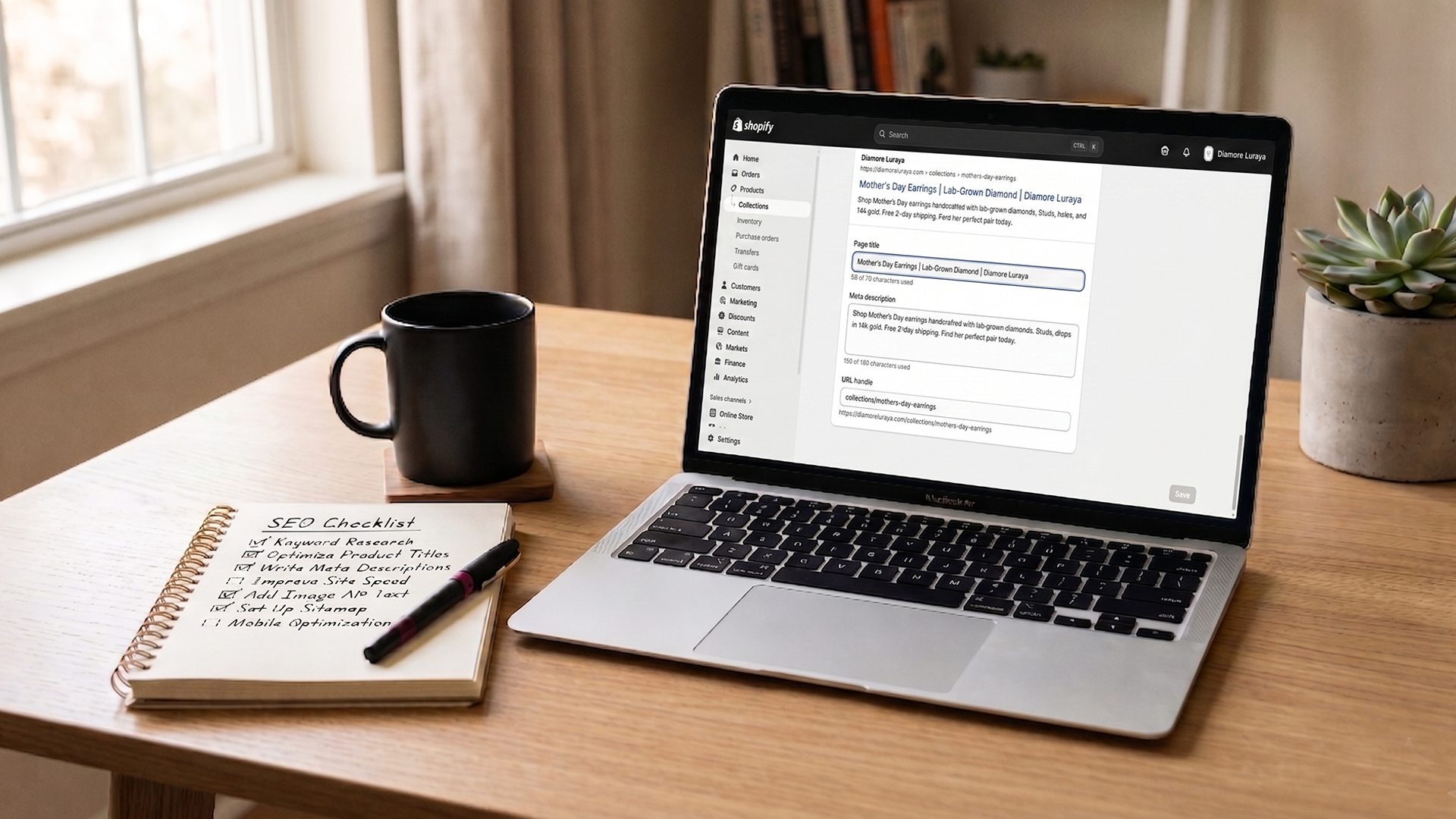
You launched your Shopify store. You wrote product descriptions. You added a few collections. And now you're staring at Google Search Console wondering why nothing is ranking, or worse, why most of your pages aren't even indexed yet.
That's normal. Shopify confirms it directly: new stores often aren't indexed yet, and the most common reason stores don't rank is thin or missing content on the pages that matter.
This shopify seo checklist isn't 87 things you might do someday. It's the 25 pages every new store should optimize first, in priority order, before touching anything fancier. If you're a solo founder doing this between every other thing on your plate, this is the version that gets you to "your store actually shows up on Google" with the least wasted effort.
The 25-page list maps roughly to: 1 homepage, 5 collection pages, 15 product pages, 3 policy and trust pages, and 1 blog index. That's not a random number. It's the floor for a store that wants Google to understand what you sell and who should buy it.
Why this Shopify SEO checklist starts with 25 pages, not 250
Most SEO advice you'll find online tells you to optimize everything. That's correct in theory and useless in practice when you're one person.
The honest reality: most new Shopify stores have 30 to 80 products, a handful of collections, and a few policy pages. Maybe 50 indexable URLs in total once you count variants, blog posts, and footer links. Of those, 25 carry almost all the SEO weight. The rest are either duplicates, low-priority, or not what shoppers search for.
If you're paying for cheap SEO services, you've probably been pitched "100 pages optimized for $99." That's template work. Shopify's own SEO documentation is clear that real ranking gains come from unique, page-specific content. A template filled across 100 products is worse than 25 pages done well.
Studio Niza's Starter SEO tier is built around exactly 25 pages for this reason. It's not arbitrary scope. It's the smallest unit of work that meaningfully changes how Google sees a small Shopify store.
Before the checklist: three things to set up first
You can't optimize what isn't being measured. Before you touch a single product page, set up these three things. Each takes under 30 minutes.
Connect Google Search Console and submit your sitemap
Shopify auto-generates a sitemap at yourstore.com/sitemap.xml. Verify your domain in Google Search Console, submit the sitemap, and request indexing for your homepage. Bing Webmaster Tools is the same process and is worth doing on the same day. If you skip this, you're optimizing pages Google may not even know exist yet.
Confirm you're on a paid plan and your domain is connected
Shopify does not index trial stores. If you're still on a trial, none of this matters yet. Same goes for stores still on the .myshopify.com subdomain. Connect your custom domain before optimizing anything.
Pick one primary keyword per page type
You don't need a paid keyword tool yet. Use Google's autocomplete and "people also ask" results to find what real shoppers type. One main keyword per collection, one per product, one for the homepage. Write them down. You'll use them in the checklist below.
The 25 pages, in priority order
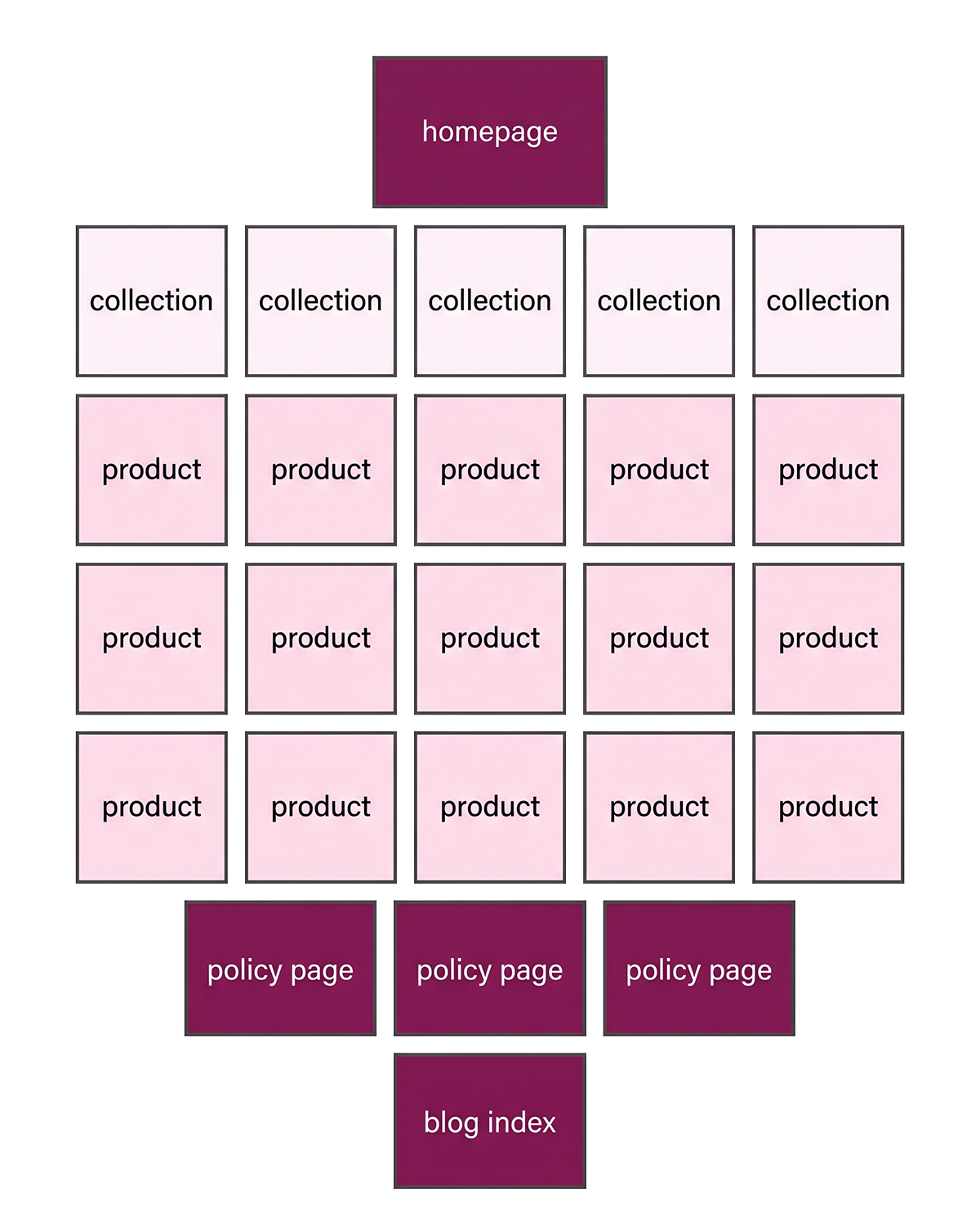
This is the order that holds up across small Shopify stores. Optimize from the top. If you only get through the first 10, you've still moved the needle.
Page 1: Your homepage
The homepage is your single highest-authority page and the one Google indexes first. Most new stores leave the homepage title as the store name and call it done. That's a missed opportunity.
What to fix: page title under 60 characters with one clear keyword and your brand name (format: "Primary product category | Brand Name"). Meta description under 155 characters that explains what you sell and who it's for. Shopify recommends 150 to 160 characters because longer descriptions get truncated, especially on mobile. Add a short paragraph of body copy on the homepage itself describing your store. Themes that ship with image-only homepages give Google nothing to index.
Pages 2 to 6: Your top 5 collection pages
Collection pages are the highest-value SEO real estate on a Shopify store and the most underused. Shopify's own SEO team calls category pages "the closest thing to a hack" in ecommerce SEO, because each one targets a category-level keyword that drives more traffic than any single product.
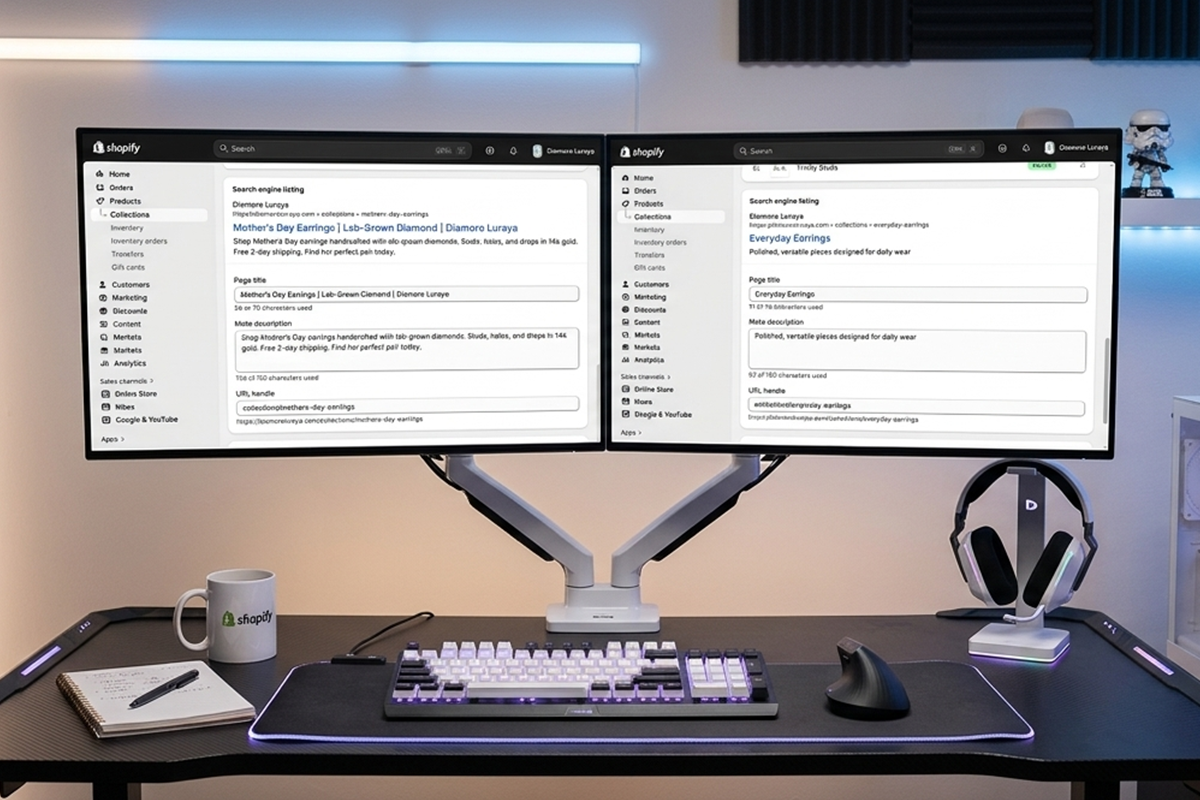
What to fix on each collection: unique title tag with the primary category keyword (for example "Women's Running Shoes" not "Shoes"). 150 to 300 words of original description, with a short intro above the product grid and the rest below it (most themes default to one position; the split layout requires a small theme tweak). Meta description under 155 characters. Internal links from the description to 1 to 2 related collections.
Pick the 5 collections that map to your highest-volume search terms, not the 5 that look prettiest in your nav. If you have 12 collections and most are thin (under 4 products), merge them. Thin collections rank poorly and split your authority.
Pages 7 to 21: Your top 15 product pages
Not every product. The top 15 by either expected sales volume or by how unique the product is. Long-tail product searches are where new Shopify stores actually convert because the competition is lower and the buyer intent is higher.
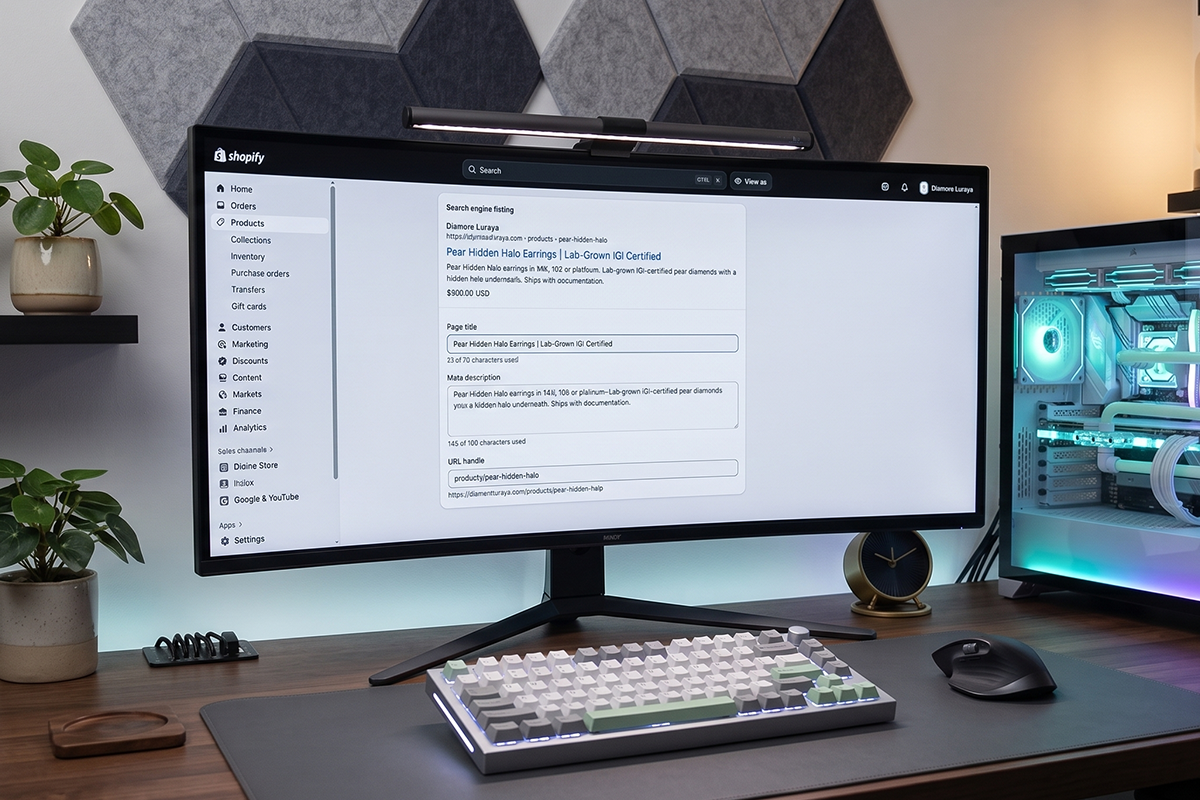
What to fix on each product:
| Element | What to do | Length / target |
|---|---|---|
| Product page title (H1) | Specific product name with material, color, or use case | Under 70 characters |
| Meta title | Keyword first, brand name last | Under 60 characters |
| Meta description | What it is, who it's for, one differentiator | 150 to 160 characters |
| Product description | Unique copy, not a manufacturer paste | 150 to 300 words |
| Image alt text | Describes what's shown, includes keyword once | Under 125 characters |
| URL handle | Short, keyword-led, no dates or year | 3 to 5 words |
The biggest mistake on product pages: pasting the manufacturer's description. Google sees identical copy across hundreds of stores and treats yours as duplicate content. Even 150 words of original copy beats 600 words of copy-paste.
Pages 22 to 24: Your three policy and trust pages
About, Contact, and Shipping/Returns. These don't drive much traffic on their own. They drive trust signals that Google uses when evaluating your store overall, and they show up in branded search results when someone Googles your store name.
What to fix: real content on each. The About page should explain who's behind the store and why it exists, not "Welcome to our store." The Contact page needs a real email or contact form, ideally with your physical address (a country at minimum, for trust signals and for shoppers checking shipping origin). The Shipping/Returns page needs clear, plain-language policies. Shopify's SEO guide notes that internal linking and trust signals work together, so make sure these pages are linked from the footer of every page on your site.
Page 25: Your blog index
If you have a blog, the index page (yourstore.com/blogs/news or similar) is the 25th page. If you don't have one yet, the slot is reserved for whenever you start. Even one well-written blog post per month compounds. Stores with active blogs typically generate significantly more organic traffic than stores without one.
If you're already running a blog, the structure that actually ranks is different from the default Shopify blog template. More on that in a future post.
Do I need an SEO app to do this checklist?
Honestly, no. Not for the first 25 pages.
Shopify's built-in SEO fields (Search Engine Listing Preview on every product, collection, and page) cover everything in this checklist. You can edit page titles, meta descriptions, and URL handles natively. Image alt text is in the same admin panel. There's no app required to do the work above.
Apps become useful later, when you're optimizing 100+ pages and want bulk editing, broken-link detection, or schema beyond what Shopify ships with. For a brand-new store, free tools and the native Shopify fields are enough. Don't pay for SEO software in your first 90 days.
How do I know if my optimizations are working?
Two free tools, two metrics, one habit.
The tools: Google Search Console for impressions, clicks, and average position. Google Analytics 4 (GA4) for traffic by landing page. Both are free, both connect to Shopify in under 10 minutes.
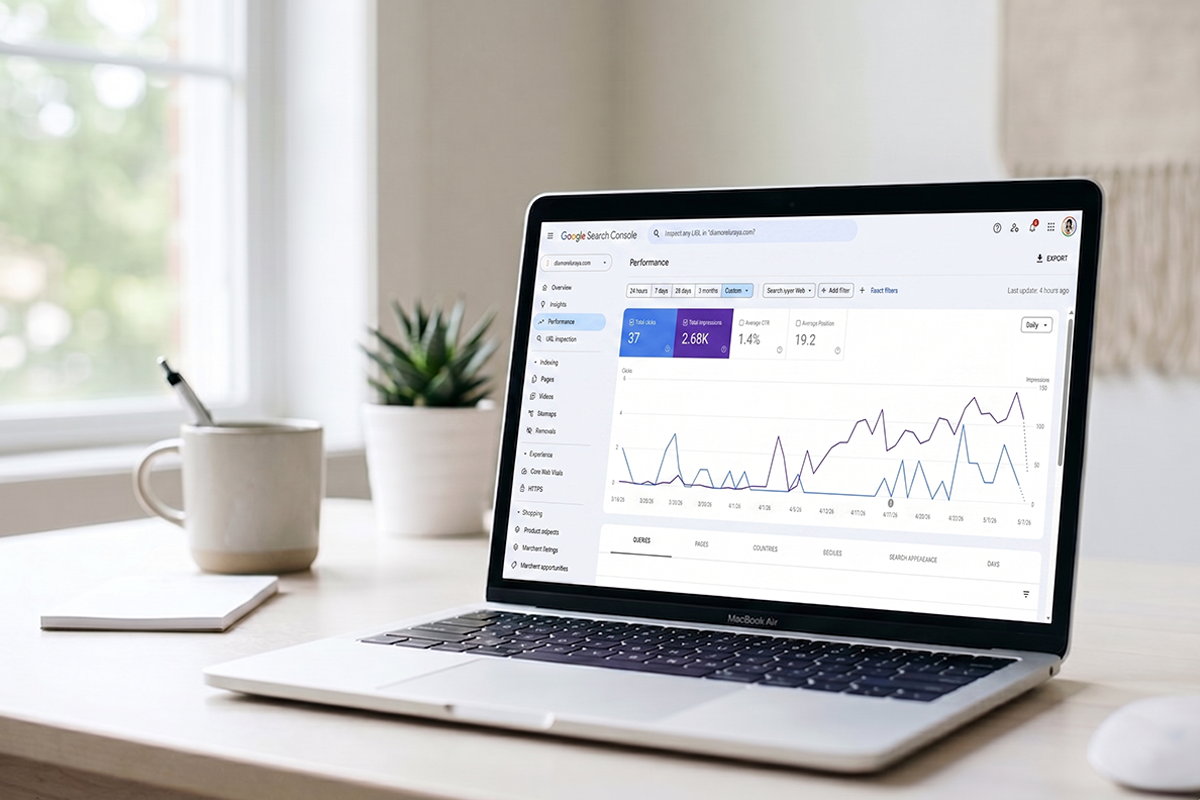
The metrics: impressions (are you appearing in search at all?) and average position (when you appear, how high are you?). Don't obsess over rankings. They fluctuate daily. Look at trends over 4 to 8 weeks.
The habit: check Search Console once a week. Look for your money pages (top 5 collections, top 15 products) and watch impressions climb. The first six weeks usually show indexing and the first faint impressions. Real position changes show up around week 8 to 12. Shopify confirms that meaningful traffic gains often take a few months, depending on your category and existing domain authority.
FAQ schema and the GEO angle most stores are sleeping on
Here's what changed on May 7, 2026: Google retired FAQ rich snippets from search results. The expandable Q&A dropdowns are gone. A lot of SEO advice still treats FAQ schema as a Google CTR trick, and that part is now outdated.
Here's what didn't change: AI search engines (ChatGPT, Claude, Gemini, Perplexity) still pull direct answers from product and collection pages with FAQ schema markup. A Semrush analysis cited by Shopify found AI Overviews now appear on around 16% of all queries, and the share is growing. Google itself said they'll keep using FAQ structured data to understand pages, even without showing the rich snippet anymore.
For new stores, this is still a real opportunity, just for different reasons than before. Adding 3 to 5 FAQ questions with proper schema markup to your top product and collection pages makes them eligible for AI citations. The work is small. The payoff compounds. This is what Generative Engine Optimization (GEO) actually looks like at the page level: clear questions, direct answers, structured data so machines can extract it.
Add FAQ schema to: your top 5 collection pages, your top 5 product pages, and your shipping/returns page. That's 11 pages total, all already in this checklist.
What if I have more than 25 important pages?
Then the next 25 are the same checklist applied to your next priority pages. Most small Shopify stores benefit most from doing the first 25 carefully and then expanding once those are indexed and ranking. Studio Niza's Growth tier covers 50 pages for this reason: it's the natural next step once the foundational 25 are in place.
What you don't want to do is skim through 200 pages with template meta descriptions. Cheap, fast SEO across hundreds of pages is the version that doesn't work. Slow, specific SEO across the right 25 pages is the version that does.
Where most Shopify owners get stuck
Three places, repeatedly.
Writing 25 unique meta descriptions. The first three are easy. The 23rd is brutal. Most founders rush the last 10, and those rushed pages underperform. If you find yourself stuck on minute 90, take a break and finish them tomorrow. Tired meta descriptions are worse than ones written when you're sharp.
The collection page nobody updates. Sale, Featured, New Arrivals. These usually have zero description and aggressive keyword competition. Either give them real descriptions or remove them from the main nav. Empty collection pages drag down your overall SEO signal.
Waiting for results too soon. SEO is the channel where consistent work for 90 days gets you to where you can start measuring. Founders who quit at week 4 are the ones who quit just before the work would have started paying off.
Wrapping up
The shopify seo checklist for a new store isn't long. It's 25 pages: 1 homepage, 5 collections, 15 products, 3 policy pages, 1 blog index. Each page gets a unique title, meta description, real body copy, proper image alt text, and a clean URL. Add FAQ schema to the most-trafficked of them. Submit your sitemap. Watch Search Console weekly.
That's the foundation. Everything beyond that, advanced schema, internal linking strategy, content compounding, GEO optimization, depends on these 25 pages being done well first.
This is the work most stores either skip or buy a $99 template package to "handle." Neither version produces real rankings. Real SEO at this stage is about doing the foundation properly across the 25 pages that matter, not optimizing 100 pages at thin quality.
Want this done for you?
The Studio Niza Starter SEO tier covers exactly these 25 pages, with custom keyword research, real schema, image SEO, and indexing follow-up. Pricing starts at $499 one-time.
See pricing & services →Or email contact@studioniza.com if you have a specific question about your store. I read every one.
Frequently asked questions
If you're still unsure after reading these, just send the question.
How long does it take to see results from a Shopify SEO checklist? +
Most new Shopify stores see indexing changes within 2 to 4 weeks of submitting the sitemap, and meaningful position changes start showing up between week 8 and week 12. Categories with low competition can move faster. Saturated niches (apparel, supplements, beauty) take longer because the existing competition has years of domain authority. Track impressions in Google Search Console, not just rankings, because impression growth is the leading indicator.
What if I don't have a budget for paid SEO services yet? +
The 25-page checklist in this post is fully doable yourself with Shopify's native SEO fields and free tools like Google Search Console. Most new founders don't need paid SEO until they've done the foundational on-page work and want to scale beyond 25 pages. If you're under 6 months in, doing it yourself is almost always the right call.
Do I need to pay for an SEO app on Shopify to follow this checklist? +
No. Shopify's built-in SEO fields cover everything in the 25-page checklist. You can edit titles, meta descriptions, URL handles, and alt text natively from the admin. Free tools like Google Search Console and Google Analytics 4 give you all the measurement you need at this stage. SEO apps become useful for stores with 100+ products that need bulk editing, but they aren't required for foundational SEO work.
Why isn't my Shopify store showing up on Google after I optimized it? +
Three common reasons. The store is too new and Google hasn't crawled it yet (submit your sitemap in Search Console to speed this up). The store is still on a trial plan or behind a password, both of which prevent indexing. Or the optimizations are recent and Google's recrawl cycle is still catching up, which can take 2 to 4 weeks. Use the URL Inspection tool in Search Console to manually request indexing on your top 5 pages.
What's the difference between optimizing a Shopify product page and a collection page? +
Product pages target long-tail, high-intent keywords (specific product names, models, use cases). Collection pages target broader category keywords with higher search volume (for example "women's running shoes" versus a specific shoe model). Collection pages typically need 150 to 300 words of unique description; product pages need 150 to 300 words of original copy plus optimized images and alt text. Both should have unique meta titles and descriptions.
Is a $99 Shopify SEO service worth it for a new store? +
Most cheap SEO services at this price point deliver template work: the same generic meta descriptions filled across hundreds of products with minor variable swaps. Google sees this as thin or duplicate content and rankings reflect that. Real, custom Shopify SEO with original keyword research per page, real schema, and image optimization starts around $499 for 25 pages. If you're choosing between $99 templates and doing it yourself with the checklist above, doing it yourself usually wins.
Should I optimize all my Shopify pages or just the most important ones? +
Start with the 25 pages that drive almost all your search visibility: 1 homepage, your top 5 collections, your top 15 products, 3 trust pages, and your blog index. These compound first because they target the highest-volume keywords for your store. Once these are indexed and ranking, expand to the next 25. Skipping the foundation to optimize 200 pages at thin quality is the version that produces nothing.
Can I just hire someone to do this for me instead? +
Yes, and it's often the better call once you're past the brand-new stage. The Studio Niza Starter SEO tier covers exactly the 25 pages in this checklist, with custom keyword research, real schema markup, image SEO, and indexing follow-up in Google Search Console and Bing Webmaster Tools. Pricing starts at $499 one-time. Email contact@studioniza.com if you want to talk through whether your store is ready for it.