
Last December you answered the same question a couple of hundred times. Different words every time, same question underneath: will it arrive by Christmas?
You answered it in chat. You answered it in email. You answered it in an Instagram message at eleven at night with a packing tape gun still in your other hand. And every answer was a version of the same three sentences you had already typed that afternoon.
Here is the useful part: that question is completely predictable. It arrives every year, from the same kind of shopper, inside the same three weeks, and it has one correct answer per shipping method. Yet most small Shopify stores have no page for it, so it lands in the inbox instead of on a URL.
A holiday shipping deadlines page fixes the predictable part. One page, one permanent URL, that states the last day to order for each shipping method and each region in plain language. It picks up searches for your brand plus "christmas shipping." It gives your chatbot a source to quote instead of guessing. And it turns two hundred individual replies into one link you paste.
This post covers what goes on the page, how to word the dates so you are not arguing about refunds on December 27, which schema still does anything in 2026 (one popular answer stopped being true in May), where to link it, and the update calendar that keeps one URL working for years. Starting with why you build it now, in September, and not in December.
Why September is the right month to build a holiday shipping deadlines page
The carriers have not published their 2026 Christmas dates yet. That is not a problem. It is the whole reason to start now.
USPS announced its 2025 recommended mailing and shipping dates on September 17, 2025, and as of early September 2026 its holiday newsroom is still showing last season's items. UPS has published its 2026 operating-day calendar, which already confirms that Christmas Day falls on Friday, December 25 with no pickup or delivery, and that Christmas Eve pickup is limited to Air and international Air if prearranged by December 18. But the year-end last-ship-by dates are still only posted for 2025.
So the dates you need do not exist yet. The page does not need them yet either.
What the page needs first is to be crawled, indexed, and linked from the rest of your store. That takes weeks, whether the table holds real numbers or placeholders. A page published in December is starting that clock during the busiest shopping period of the year.
So publish the skeleton in September: the headline, the structure, the columns, the regions, the personalized-items row, and the FAQ. Where the dates go, write what you know instead. "Standard shipping: order by mid-December. Exact date confirmed once USPS publishes it in the fall." That is honest, it is useful, and it is indexable.
Then in October and November you are editing a page that already ranks rather than launching one that does not. This is the same logic behind building one Black Friday page you reuse every year: the URL is the asset, and the asset needs time.
What "will it arrive by Christmas" is actually asking
It is easy to read that question as anxiety. It is not. It is a math problem, and you handed it to the customer.
Baymard Institute's checkout research found that 41% of ecommerce sites show a shipping speed rather than a delivery date. "Standard: 3 to 5 business days" is a speed. Test participants given only a speed came to a full stop and started counting on their fingers, pulling up calendars, and arriving at different answers from each other on the same site.
Three things reliably tripped them up, and all three are things you know and they do not.
Processing time is not transit time
The carrier's number covers the package moving. It does not cover the two days your order sat in a queue before you printed a label. Shoppers assume the clock starts when they click buy. It starts when you hand the parcel over.
They also cannot see your daily cutoff time, and they do not know whether Saturday counts as a business day for the method they picked. In December, when one miscounted day is the difference between a gift and an apology, that uncertainty is enough to make someone close the tab or open a chat window and ask you directly.
Your deadlines page exists to do that arithmetic once, publicly, so nobody has to do it privately. That is why the page belongs before the purchase. It is worth being clear that this is a different job from answering "where is my order" questions after shipping, which arrive from people who already bought and need tracking, not dates. One page will not touch those.
Holiday shipping deadlines page structure: one table, three cutoffs, one rule
Open with one sentence in plain language, above everything else, before any table. Something like: "Order by December 15 for the best chance of arrival by December 24 in the US."
That sentence does most of the work. It is what a skimming customer reads, it is what an AI engine lifts when someone asks about your store's Christmas shipping, and it is what your chatbot can quote verbatim. Everything below it is for people who need a different row.
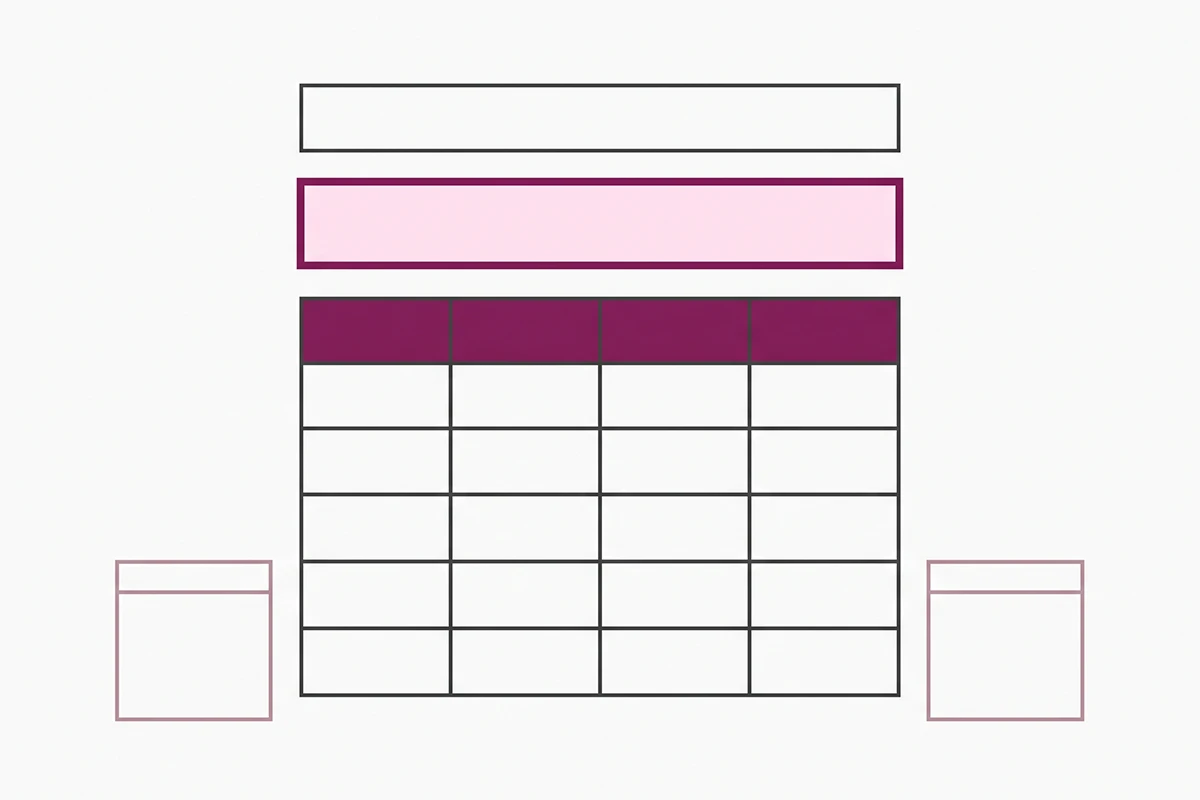
Then the table. Rows are what the customer is buying and where it is going. Columns are where each date comes from and what you add to it.
| Row on your page | Where the base date comes from | What you add to it | How it reads to the customer |
|---|---|---|---|
| Standard or ground, contiguous US | Carrier's published send-by date | Your handling time, plus 1 to 2 buffer days | Order by [date] for the best chance of arrival by Dec 24 |
| Expedited or 2-day, contiguous US | Carrier's air send-by date | Handling time, and skip any weekend it lands on | Order by [date] for the best chance of arrival by Dec 24 |
| Personalized or made-to-order | Your December production queue, not a carrier | Production days on top of the standard row above | Order by [earlier date] so we can make it and ship it |
| Alaska, Hawaii, PO boxes, APO/FPO | Carrier's separate regional date | Handling time, plus 2 to 3 buffer days | Order by [earlier date] for these destinations |
| International | Carrier's international date for that region | Handling, plus customs time you do not control | Order by [much earlier date]. Customs delays are possible |
The personalized cutoff is the row stores forget
If you make anything to order, engrave anything, or print anything on demand, that row is not a carrier number at all. It is your queue. And your December queue is not your October queue.
Work backward from how many units you can actually produce per day in the middle of your busiest month, then subtract from the standard cutoff. For most solo stores that lands one to three weeks earlier. Give it its own line, weighted the same as the others.
International needs a sentence about customs
You control handling. The carrier controls transit. Nobody controls customs. Say so plainly, once, in one sentence, and give a date early enough that a two-day border hold does not become your problem.
Should you call it a deadline or an estimate?
This is the part that decides whether the page saves you work or creates it.
Carriers publish recommended send-by dates. They are not guarantees, and during peak the guarantees that do exist get narrower: UPS suspends its service guarantee on ground services through the holiday period, keeping it only for air and international air. So the number you are copying is already a best effort, not a promise.
Then it lands on your page and something changes. Baymard's testing found that customers read a stated delivery date as a promise made by the store, not as a carrier estimate the store passed along. So if you publish "December 15 is the deadline for Christmas delivery" and the package arrives on the 27th, the customer is not annoyed at USPS. They are asking you for a refund with your own page open in the other tab.
Two changes fix most of this, and neither costs you a sale.
First, subtract a buffer and do not label it as one. Take the carrier date, take one or two days off, publish that. Experienced sellers have done this quietly for years because December transit slips. You are not being pessimistic, you are being accurate about a month that behaves differently from every other.
Second, write "for the best chance of arrival by December 24" rather than "guaranteed by Christmas." It is four extra words. It is also the difference between a customer who understands what you offered and a customer who thinks you broke a contract. Honest scope beats impressive scope here, same as everywhere else.
Does FAQ schema still do anything on this page?
Short answer: yes, but not the thing you were told it did, and most advice on this topic has not caught up.
Google retired FAQ rich results on May 7, 2026. Its documentation changelog logged the deprecation notice on May 8 and then removed the FAQ rich result documentation entirely on June 15, 2026. The expandable question dropdowns under search listings are gone, for every site, including the government and health sites that kept them after the 2023 restriction.
So if you were adding FAQ schema to win extra space in the results page, that reason no longer exists. Do not let anyone sell it to you on those grounds.
Keep it anyway, for two better reasons. FAQPage is still valid schema.org vocabulary, and Google has said unused structured data causes no problems. More usefully, it is still crawled and parsed by the engines that are not Google, and it gives your chatbot a clean, machine-readable version of the same answers your customers read. Write the questions for humans first and put them in visible HTML, then mirror them in the markup. The mechanics of building the visible half are covered in the post on FAQ blocks and a table of contents.
The schema that does still do something
There is markup built for exactly this page and almost nobody uses it. Google supports merchant shipping policy structured data, a ShippingService object nested under Organization, and it holds the pieces this page is made of: handlingTime with a real cutoffTime, transitTime per destination, and a seasonalOverride with validFrom and validThrough dates for a limited period. That last property exists for holiday windows.
Two practical notes. Google recommends putting this on one page that describes your shipping policy, not on every page. And precedence matters: if you have shipping settings configured in Search Console or Merchant Center, Google uses those and ignores your markup. Check which one you are actually running before you spend an afternoon on JSON-LD.
Where to link it, and how to update it every year
A holiday shipping deadlines page nobody can find saves you nothing. Six places to link it, in rough order of how much traffic each one sends:
The announcement bar, from the day your first cutoff is public. The cart and checkout, where the question is most urgent. Product pages for anything personalized, because that is where the earlier date is relevant. The order confirmation email, which people actually open. The footer, next to your shipping policy. And your chatbot's knowledge base, so the bot answers from your dates instead of improvising. That last one matters most, and it is covered properly in the chatbot holiday prep checklist. If you do not have a bot yet, the AI chatbot service exists partly for this December problem.

Then the calendar. The page has five states across the season and one URL underneath all of them.
September: publish the skeleton with structure, regions, and placeholder wording. October and November: paste in carrier dates as each one publishes, and update the modified date. Late November: switch the top line to countdown wording and turn on the announcement bar. Late December, the day after your last cutoff: swap the top of the page to gift cards, expedited upgrades, local pickup, and an honest note that new orders arrive after Christmas. January: revert to evergreen wording and leave it live.
Never change the handle. Shopify lets you edit a page's URL handle with an automatic redirect, which is useful once and a bad habit annually. Keep the year out of the URL, edit the content in place, and by your third December the page has two years of accumulated links and rankings working for it.
Wrapping up
Three things worth keeping if you keep nothing else.
Build the page before the dates exist. It needs weeks to be crawled and linked, and the carriers will not publish until the fall anyway. A skeleton that ranks in November beats a complete page that goes live on December 3.
Publish a date, not a speed, and word it as a best effort rather than a guarantee. Customers read your date as a promise from you, so subtract your buffer quietly and say "for the best chance of arrival by December 24."
Keep the URL forever. A holiday shipping deadlines page on one handle with no year in it, edited in place through five states each season, compounds in a way that a fresh December post never will.
Now the honest part. This page cuts the pre-purchase question, which is the one that repeats most and the one that costs you the most typing. It will not touch tracking questions after the package ships, and it will not stop every customer from ordering on December 22 and hoping. Some of December is genuinely unfixable. This is the part that is not, and it takes an afternoon in September to fix it for every year after this one.
Want this page written for you?
The Studio Niza blog content service covers pages like this one: the table, the schema, the FAQ, and the update notes so the page still works next December. Written around your carriers, your production times, and the questions your customers actually send.
See blog content pricing →Or email contact@studioniza.com if you have a specific question about your store. I read every one.
Frequently asked questions
If you're still unsure after reading these, just send the question.
When do carriers publish their holiday shipping deadlines? +
USPS announced its 2025 recommended mailing and shipping dates on September 17, 2025, and posts them on its holiday newsroom each season. UPS publishes its operating-day calendar earlier in the year but posts its year-end last-ship dates in the fall. Plan for October and November, and build the page before the dates exist so you are only pasting numbers into a page that is already indexed.
Should a holiday shipping deadlines page be a Shopify page or a blog post? +
A page. Blog posts carry a visible publish date that ages in front of the customer, and a post from last December reads as stale even when the dates inside it are current. A page under Online Store > Pages has no date stamp, keeps the same URL every year, and is easier to link from your announcement bar and your order emails.
What URL should I use for a holiday shipping deadlines page? +
Use a handle with no year in it, such as /pages/shipping-deadlines or /pages/holiday-shipping. Putting 2026 in the handle forces you to create a new URL every December and throw away whatever rankings and links the old one earned. One URL, updated in place, compounds instead.
Do I need a separate cutoff for personalized or made-to-order products? +
Yes, and it is the row most stores forget. Production time sits in front of transit time, so a personalized item ordered on the standard cutoff date will not ship on the standard cutoff date. Work backward from your real production queue in December, not your quiet-month queue, and publish that date on its own line.
What should a holiday shipping deadlines page say after the last cutoff passes? +
Do not delete it and do not leave the passed dates sitting there. Swap the top of the page to what is still possible: gift cards, an expedited upgrade if you offer one, local pickup, and a plain sentence saying new orders will arrive after Christmas. People keep ordering after the cutoff either way, so the page may as well tell them the truth before they email you.
Does a holiday shipping deadlines page actually reduce support tickets? +
It reduces the pre-purchase question, which is the one that repeats most, but only if you link it where people are already asking. It does nothing for tracking questions after a package ships. Those are a different problem with a different fix, and a page cannot solve them.