Why repurposing beats writing more
You wrote a blog post. Maybe you spent four hours on it, or maybe you paid someone. Then you shared it once, it got a handful of clicks, and it sank to the bottom of your journal page. That is the normal outcome, and it is a waste.
The expensive part of any post is already done. The research, the angle, the actual thinking: that is the cost. Turning that thinking into a second or third format is cheap by comparison. When you repurpose blog content on Shopify, you are not creating new ideas. You are moving ideas you already paid for into places where more people will see them.
Shopify makes this point plainly in its own guidance: a single post can become an email feature, a product page FAQ, a short social caption, or a thread, just by pulling out the key sections and adjusting the tone (Shopify's blog guide walks through this). Repurposing is one of the highest-return things a small store can do with content, mostly because it maximizes the work you have already done (Shopify's content promotion guide makes the same case).
There is reach data behind it too. Buffer has reported large jumps in reach when the same content is adapted for a new platform, and analyses of repurposing point to meaningfully higher engagement versus posting once and moving on (summary here). The honest caveat: those numbers assume you adapt the content for each format, not copy and paste it. Pasting your blog intro into an email and calling it a newsletter does not count.
This is also the quiet logic behind how I think about blog content built to be reused. A post that is structured well, with clear sections and a real takeaway, is worth more than a longer post that says less, because every clean section becomes a piece you can lift out later. Content compounds when you reuse it. Volume alone does not.
Which blog posts are actually worth repurposing?
Not every post is worth the effort. Repurposing a thin, 400-word post just spreads thin content across more channels. Start with the posts that already earn their keep.
Three kinds of posts repurpose well for a Shopify store. The first is the how-to or guide ("how to clean a wool rug," "how to measure your ring size"). It is full of steps, and steps break apart cleanly into emails, FAQs, and short videos. The second is the buying guide or comparison ("ceramic vs stainless cookware"). These target high-intent searches and convert at roughly two to three times the rate of general how-to content, which makes them worth promoting harder (per this Shopify SEO breakdown). The third is the post that answers a question your customers actually email you about. If you have answered it twice in support, it deserves to exist in five places.
A simple test: open your post and count the standalone takeaways. If you can pull out five things a reader could use on their own, without the rest of the post for context, you have enough to repurpose. If the whole post is one continuous argument with no liftable parts, it will fight you.
The posts on the SEO side are a good hunting ground here. The same articles you cleaned up when you worked through the Shopify SEO checklist are usually your most structured ones, which makes them the easiest to break into pieces.
The five pieces, from one post
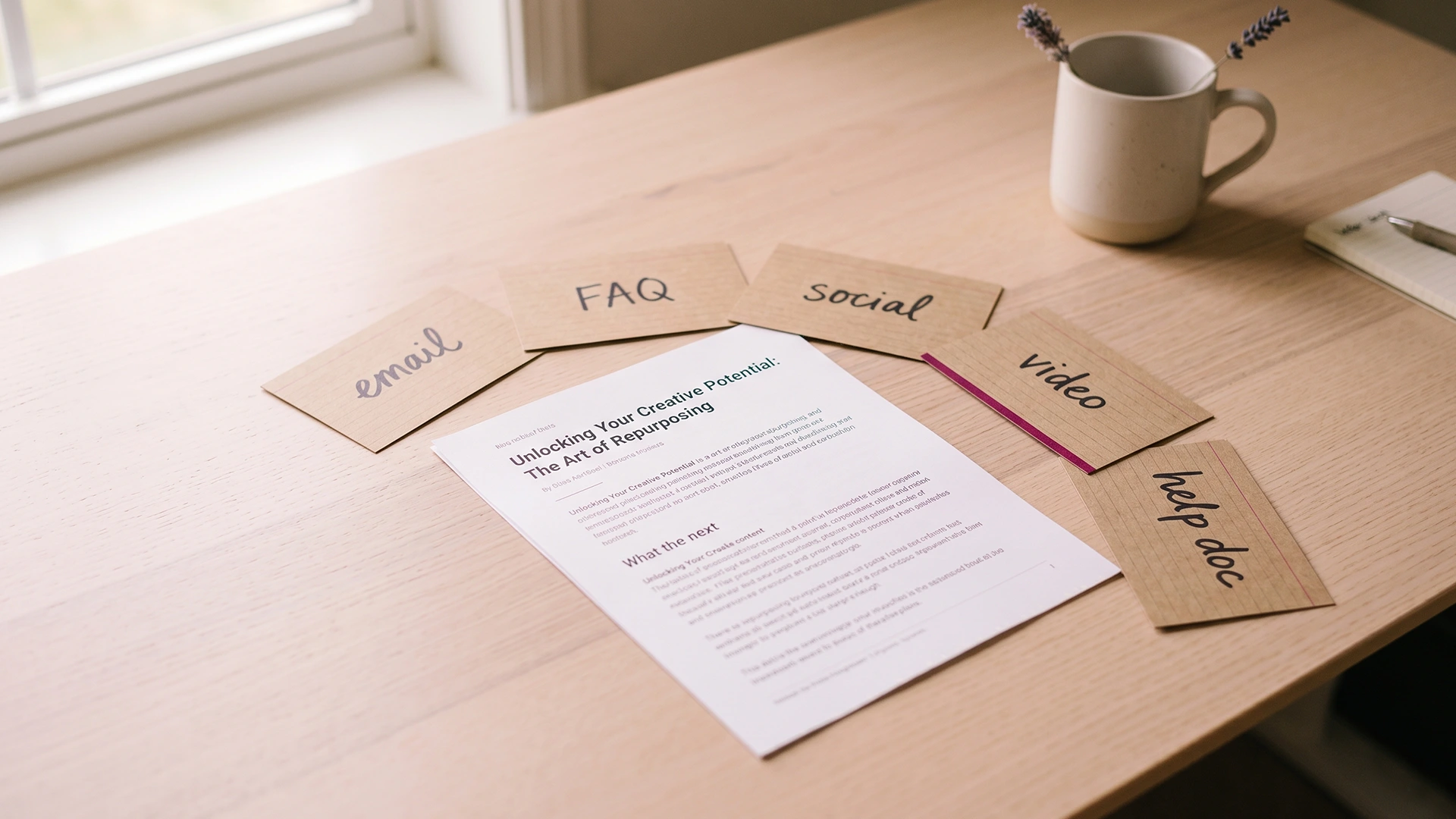
Here is the framework. One blog post, five pieces, none of them written from scratch. The point of five (not thirty) is that five is doable in an afternoon and each piece is genuinely adapted, not spun. A guide can legitimately feed a carousel, a short video, and several threads at once (Shopify's SEO and social guide shows this kind of split). We are picking the five that matter most for a store that sells things.
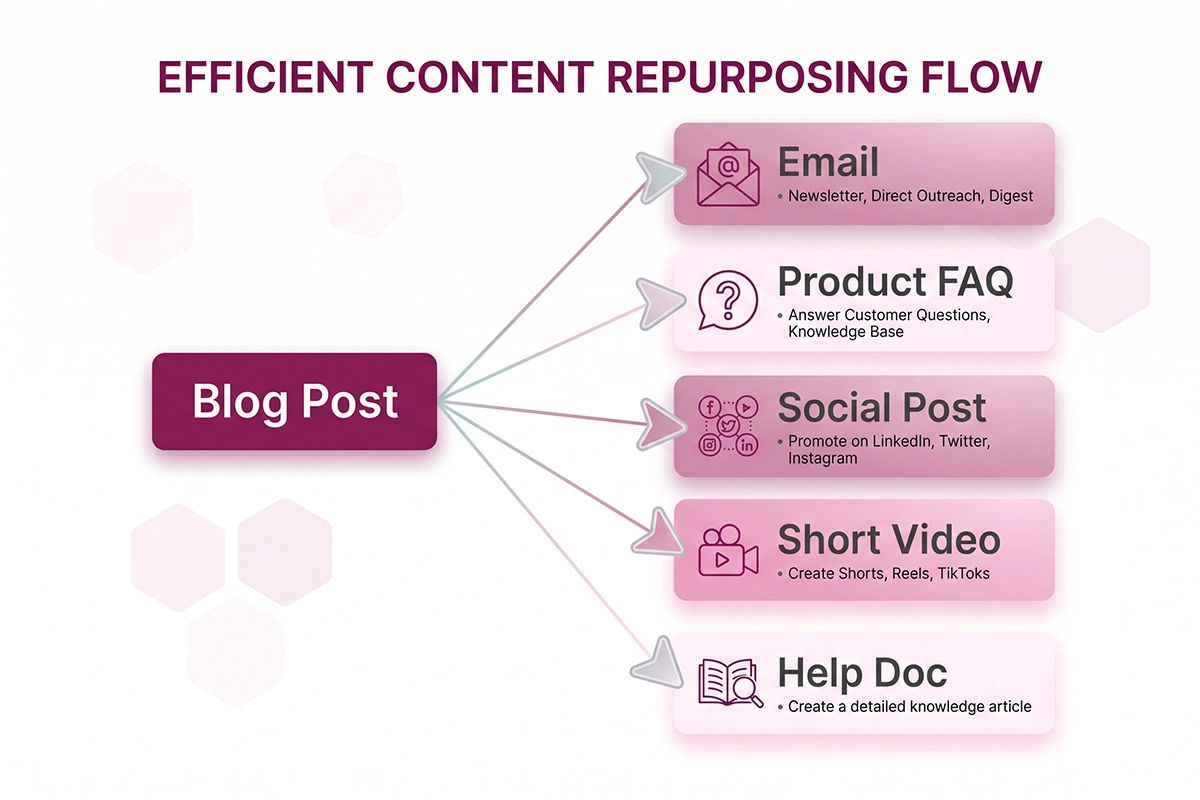
Piece 1: A store email or flow message
Your email list is the channel you own outright. Take the single best insight from the post, write three or four sentences around it, and link to the full article. That is a newsletter. If you do not send a regular newsletter yet, drop the same insight into an existing automated flow, like a post-purchase email, where it fits.
For new stores, the free tier of MailerLite handles this fine. You do not need Klaviyo on day one. The blog-plus-email pairing is the strongest reuse there is: every post becomes more valuable the moment it is also an email, because the same idea now reaches people who never visit your blog.
Piece 2: A product or collection page FAQ
This one is specific to ecommerce, and most repurposing advice skips it. If your post answers a question that buyers ask before purchasing, lift that answer onto the relevant product or collection page as an FAQ entry.
A post on "how to choose the right size" becomes a sizing FAQ on the product page. This does two jobs at once. It removes a reason not to buy, right where the buying happens, and it adds keyword-rich, question-shaped content to a page that probably only had a product description before. You can also pull a line or two from your existing reviews onto the same page as social proof while you are there.
Piece 3: One platform-native social post (not five)
Pick the one platform where your customers actually are. For most product stores that is Instagram or Pinterest, not all of them at once. Take one strong point from the post and rebuild it for that platform: a carousel that walks through three steps, or a single pin with the key tip and a link.
The mistake is trying to be everywhere. A founder doing this alone cannot maintain five platforms, and thin presence on all of them beats nothing on none of them only barely. One platform, done consistently, is the honest target. Match your store's colors and fonts so the post is recognizably yours.
Piece 4: A short how-to or short video script
If your post has steps, you already have a script. Take the three or four core steps, write one line of narration per step, and you have a 30 to 60 second video for Reels, TikTok, or YouTube Shorts. You do not need a studio. A phone, decent light, and the product in your hands is enough.
Video is no longer optional for most stores, and short clips are where new customers find you. The script is the hard part, and the post already wrote it. If video genuinely is not your thing yet, the same steps make a clean numbered graphic instead.
Piece 5: A help doc your support or chatbot can use
The last piece never gets seen on a feed, and it might be the most useful. Turn the post's answer into a plain help-doc entry: question at the top, clear answer below. Recurring support questions are exactly the thing to document this way, so customers can solve the problem themselves (a point made well here).
If you run a store assistant, this entry becomes training material. Well-structured blog posts are some of the best knowledge you can feed your store's chatbot, because they are already written in clear question-and-answer shape. One post answers the customer on your blog, in your inbox, and inside the chat widget, without you typing the answer three times.
A worked example: one SEO post, five assets
Say you run a store selling wool rugs and you published a post called "How to Clean a Wool Rug Without Ruining It." Here is the same post, turned into five things, with rough time costs.
| Piece | What you make | Rough time |
|---|---|---|
| The one mistake that ruins wool rugs, plus a link to the full guide | 20 min | |
| Product FAQ | "How do I clean this rug?" added to every rug product page | 20 min |
| Social post | A 4-slide Instagram carousel: the 3 cleaning steps, branded | 45 min |
| Short video | A 40-second Reel showing the spot-clean method, scripted from the steps | 60 min |
| Help doc | A support entry and chatbot answer for "rug care" questions | 15 min |
That is roughly two and a half to three hours to turn one post into five working assets that live on different channels. Compare that to writing five separate pieces from nothing, which is most of a week. The post did the thinking once. You are just relocating it.

It compounds further on the SEO side. Every repurposed asset that links back to the post is another internal link pointing at it, and your product FAQ now carries question-shaped content that product pages rarely have. Done right, this is the kind of internal structure and schema and internal links work that lifts the whole page, not just the post.
What most stores get wrong when they repurpose
The most common mistake is copy-paste. Pasting the same paragraph into an email, a caption, and a help doc is not repurposing. It reads as recycled because it is, and it performs worse than one good original (this guide explains the difference between recycling and reframing). Each format has its own shape. An email opens with one hook. A carousel front-loads the payoff. A help doc leads with the answer. Same idea, different build.
The second mistake is chasing volume over fit. "Thirty pieces from one post" makes a good headline, but a solo founder cannot maintain thirty thin assets across six platforms. Five strong, adapted pieces beat thirty obvious spin-offs. This is the same reason I steer stores away from daily blog sprints: depth holds up over time, volume does not.
The third is worrying about duplicate content penalties. Reusing your own ideas across your own channels is normal and expected. The thing to avoid is publishing the exact same text on two indexable web pages. Emails, social posts, and help docs are not competing in Google's index with your blog post, so there is nothing to penalize. Just do not republish the full article word for word on a second URL.
How to start this week without burning a weekend
Do not try to repurpose everything you have ever written. Pick one post. The best candidate is your most useful how-to or buying guide, the one that already gets some traffic or answers a real customer question.
Then make two pieces, not five. The email and the product FAQ are the fastest, highest-value pair for a store, and together they take under an hour. Ship those. See how the email performs and whether the FAQ reduces a question you used to get. Add the social post and the video next week if the first two felt worth it.
Build a tiny habit instead of a big project. Every time you publish a new post, block one hour the next day to pull two pieces out of it. That is it. Over a few months you will have a library of emails, FAQs, and help docs that all trace back to posts you only had to think through once.
None of this requires AI tools, a content calendar app, or a subscription. It requires deciding that the post you already wrote deserves more than one appearance. Most stores never make that decision, which is exactly why making it puts you ahead.
Want blog content that's built to be reused?
Studio Niza writes Shopify blog posts with internal links, schema, and clear structure that make repurposing easy. One post, many uses, no AI slop. Here's how the blog content service works.
See how blog content works →Or email contact@studioniza.com if you have a specific question about your store. I read every one.
Frequently asked questions
If you're still unsure after reading these, just send the question.
How many pieces of content can you really get from one blog post?+
Realistically, a solo Shopify owner can get five strong, adapted pieces from one good post: an email, a product FAQ, a social post, a short video, and a help doc. You will see headlines promising thirty, but those are usually thin spin-offs. Five pieces you actually finish beat thirty you abandon.
Is repurposing content bad for SEO or considered duplicate content?+
No. Reusing your own ideas across email, social, and help docs is normal and expected. Duplicate content only becomes an issue when you publish the exact same article text on two indexable web pages. Emails and social posts do not compete with your blog in Google's index, so there is nothing to penalize.
How long does it take to repurpose a single blog post?+
Plan for two and a half to three hours to turn one post into five assets. The email and product FAQ take about 20 minutes each, a social carousel around 45 minutes, a short video about an hour, and a help doc about 15 minutes. The email and FAQ alone take under an hour together if you want a faster start.
Do I need AI tools to repurpose blog content?+
No. Repurposing is mostly deciding which sections to lift and reshaping them for each format. AI tools can speed up first drafts, but they often produce obvious, recycled-sounding output if you let them paste rather than adapt. The post already did the thinking, so the work that remains is judgment, not generation.
Should a new Shopify store repurpose content or just write more posts?+
Repurpose first. Most new stores publish a post, share it once, and lose most of its value. Getting more mileage from posts you already have is cheaper and faster than writing new ones, and it teaches you which topics resonate before you invest in more.
What is the best blog post to start repurposing first?+
Start with your most useful how-to or buying guide, especially one that already gets some traffic or answers a question customers email you about. Posts with clear steps or comparisons break apart cleanly into emails, FAQs, and short videos. Skip thin posts under a few hundred words for now.