
The most common complaint about AI support in 2026 is not that the bot gave a wrong answer. It is that the customer could not get away from it. They typed "talk to a human" four times, got four cheerful non-answers, and gave up. If you have ever been on the customer side of that loop, you already know why store owners are nervous about adding a bot at all.
So let's be direct about the fix. A chatbot human handoff is the moment your bot stops trying and routes the conversation to a real person. Designed well, it is the single feature that makes a bot safe to put on your store. Designed badly, or left out, it is the thing that turns a helpful assistant into the trap everyone hates.
This post is about that design. Specifically: the trigger types that should force a handoff, how to pass context so the customer never repeats themselves, and what to do when someone asks for a human at 2 a.m. and nobody is online. None of it needs a developer. Most of it is a set of decisions you make once and write down.
The goal is not a bot that handles everything. That bot does not exist. The goal is a bot that knows the exact moments it should step aside, and steps aside cleanly. For a new Shopify store, that is the difference between a support tool customers trust and one they warn each other about.
Why the handoff is the whole game in 2026
Customers do not mind a bot for simple things. What they mind is being unable to reach a person when the bot is clearly out of its depth. The research is blunt about it. In one 2026 roundup of consumer studies, 81% of people said they expect a bot to escalate to a human when needed, but only 38% reported that it reliably happens. That gap is the whole problem.
It gets starker. A Metrigy study reported by No Jitter found 84.7% of consumers would rather deal with a human than an AI agent, and 80.1% still preferred a human even when promised the AI would resolve their issue. People are not anti-bot. They are anti-dead-end.
You have probably felt this yourself, maybe with the platform your store runs on. Shopify's own support chat has been criticized at length in its community forums for looping merchants with no clear route to a person. I am not raising that to pile on. I am raising it because it is the most relatable example most store owners have, and it is a free lesson in what not to ship.
There is also a quiet cost most owners miss. A customer stuck in a bot loop does not always leave quietly. Sometimes they leave a one-star review about your "nonexistent support," and now you are managing reviews instead of answering a question. The handoff is not just a support feature. It protects trust signals your store spent months building.
For the fuller picture of what a bot can and cannot do before we get into escalation, I wrote a separate piece on what a Shopify AI chatbot actually does and doesn't do. Even Shopify's own overview of AI chatbots describes them handling routine queries and product questions, not the messy ones. The one-line version: a bot is a triage layer, not a support team. The handoff is how the triage stays honest.
The four triggers that should force a handoff
Good escalation is not a vibe. It is a short list of conditions that, when met, send the conversation to a person automatically. Most chatbot platforms let you set these as rules. You do not need all of them live on day one, but you should decide on all four. These are the chatbot escalation rules that matter most for a small store.
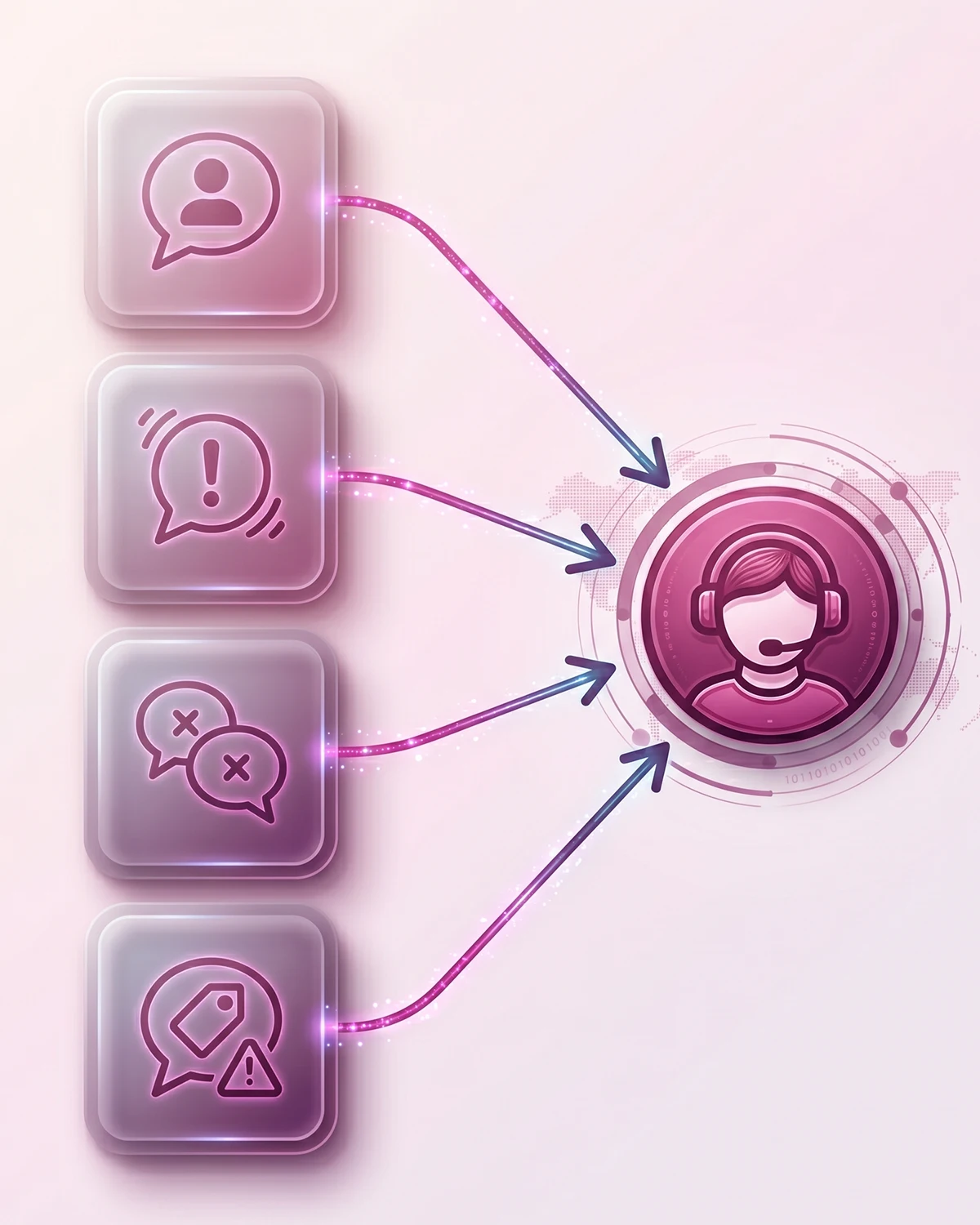
1. The customer explicitly asks for a human
This is the non-negotiable one. If a customer types "human," "agent," "talk to a person," or anything close, the bot hands off immediately. No clarifying question, no "let me try to help first." The fastest way to earn the bot-loop reputation is to argue with someone who has already asked to leave.
2. Frustration shows up in the language
Modern bots can read sentiment. All caps, words like "useless" or "ridiculous," or three short messages fired in a row are reliable frustration signals. When the tone turns, the bot should offer a person before the customer has to demand one. Industry research found the top two chatbot complaints are that it cannot answer the question and that it does not understand the customer, and both surface as frustration first.
3. The bot has already failed twice
A common rule of thumb: if the bot gives an unhelpful answer or hits its fallback reply twice in a row, the third turn should be a handoff, not a third guess. Two misses is plenty of signal. Letting the bot try a fourth and fifth time is exactly how the loop forms.
4. Money or a policy exception is on the line
Some questions should skip the bot almost entirely. A refund dispute, a damaged or missing order, a wholesale request, or anything that needs an exception to your stated policy belongs with a person. The risk of a confident wrong answer here is high, and the cost of getting it wrong is a chargeback or a lost customer. For a new store, this is the category where a bot's mistake actually hurts revenue.
| Trigger | What the bot watches for | What it should do |
|---|---|---|
| Explicit request | "human", "agent", "talk to someone" | Hand off immediately, no questions |
| Frustration | All caps, words like "useless", rapid repeat messages | Offer a person before being asked |
| Repeated failure | Two fallback or "I'm not sure" replies in a row | Escalate on the next turn |
| High-value or policy | Refunds, damaged orders, wholesale, exceptions | Route to a person, skip self-serve |
When your bot should not escalate yet
Here is the part most "always escalate" advice skips. Handing off too early is its own failure. If your bot routes every slightly ambiguous question to you, you have not built a support tool. You have built a slow contact form, and you will burn your own hours on things the bot could have handled.
The fix is one good clarifying step before escalation, not after. When the bot is unsure what someone means, a single focused question with two to four tappable options resolves a surprising share of cases. "Are you asking about a return, an exchange, or a refund?" with buttons beats both a wrong guess and a premature handoff.
This is also why you should watch your escalation rate like a real metric. If the share of conversations ending in a handoff keeps climbing, your bot's content has a gap, not your escalation rules. I get into which numbers actually tell you that in the post on chatbot resolution rate versus deflection rate. The short version: a handoff is a feature, but a rising handoff rate is a to-do list.
How to hand off without making the customer repeat themselves
The handoff itself is only half the design. The other half is what the person on your end receives. This is where most bots quietly fail: they transfer the chat but not the context, and the customer starts over. The same consumer research found 74% of people expect a bot to remember the conversation, while only 28% say it actually does. Closing that gap is most of the battle.
Pass a summary, not a transcript
A raw chat log is not context. It is homework. What a human agent needs is a short, structured summary: who the customer is, their order number if there is one, what they are asking, and what the bot already tried. Dropping that into your support inbox means the person opens the conversation already knowing the situation.
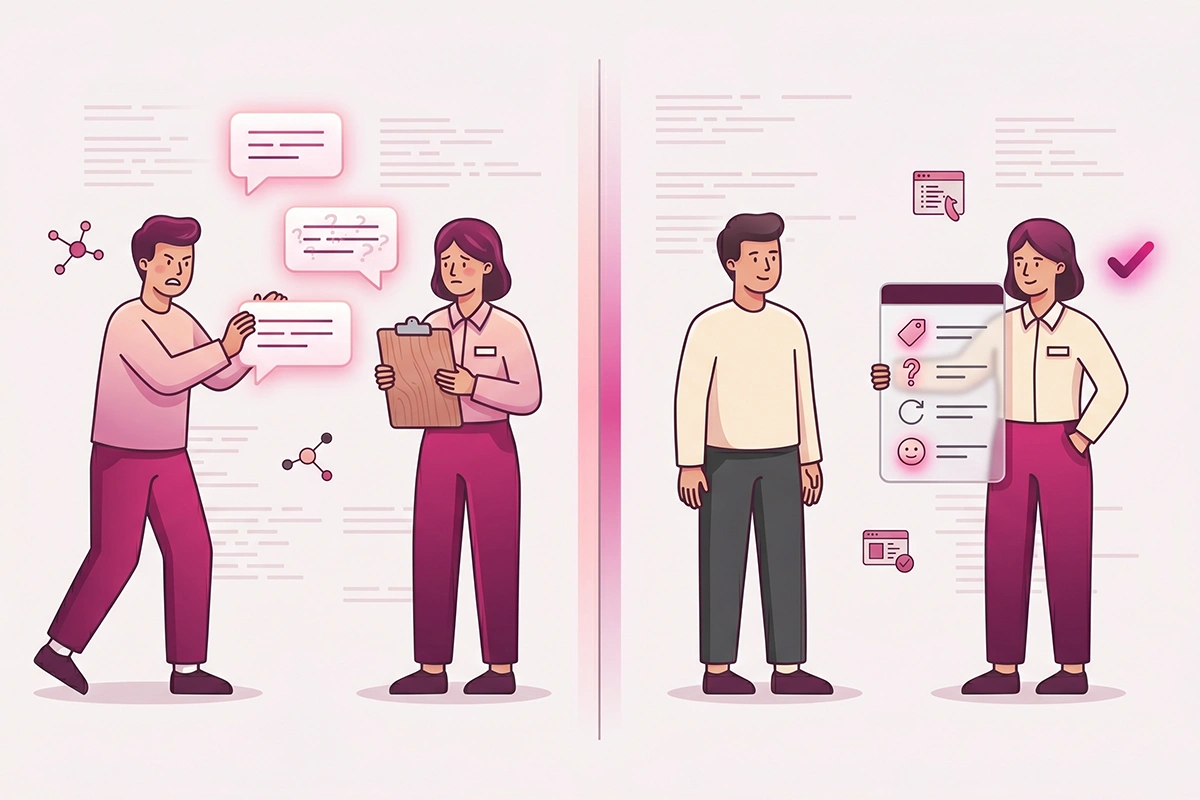
On the studio side, this is exactly what I build into a managed Shopify chatbot: the bot hands the conversation into a tool like Gorgias or Zendesk with an order-aware summary attached, so the first thing your agent sees is the problem, not a wall of "hi," "hello?," "is anyone there?"
What the bot should actually say
Tone matters at the moment of transfer. Frame the handoff as help arriving, not as the bot giving up. "This one needs a person. Let me bring in someone from the team who can sort it out" reads completely differently from "I cannot help with that." Position escalation as a service and the customer relaxes.
One more rule: be honest that the bot is a bot. SurveyMonkey research found 14% of consumers lose trust in a business if they realize they were talking to an AI that did not say so. Disclosure costs nothing and the goodwill is real. It is the same principle that should shape the first 60 seconds of the conversation, where the bot sets expectations before it ever needs to escalate.
The off-hours handoff: when no human is online
You are one person, or a small team. Someone will ask for a human at 2 a.m. when no one is awake to take it. The wrong move is to pretend a person is there, or to let the bot keep looping because it has nowhere to send the conversation. This is the single most important fallback to get right for a solo store.
The honest version works like this. The bot checks whether anyone is available. If not, it says so plainly, captures the customer's email, their order number, and their question, and tells them exactly when to expect a reply. "No one is on right now. I have saved your question and your order details, and the team will email you by tomorrow morning" is calm, true, and miles better than a fake live chat.
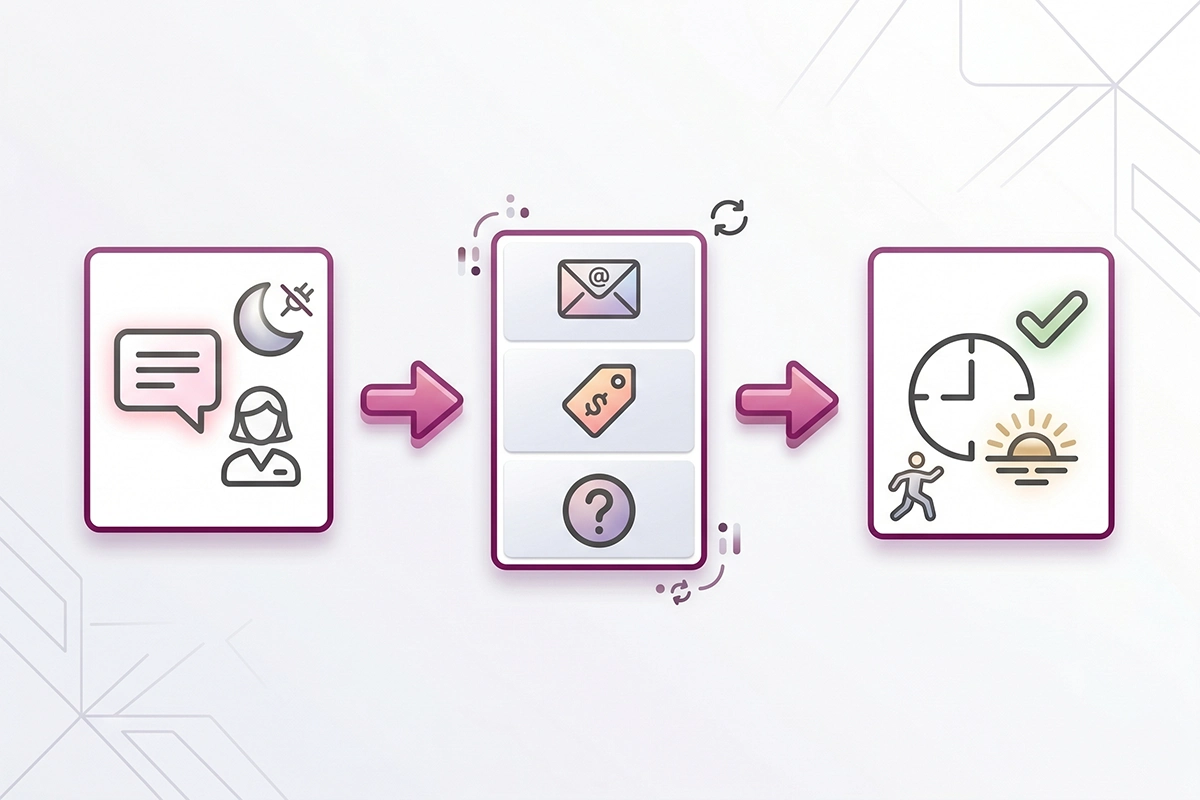
Two things make this land. First, set a window you can actually hit, then hit it. A promised "by tomorrow morning" that arrives is worth more than an instant reply that is wrong. Second, capture enough that the reply can resolve the issue in one message, not three. The off-hours handoff is not a downgrade. Done well, it is just asynchronous support, which is how plenty of good small stores already run.
Wrapping up
A chatbot human handoff is not a fancy add-on. It is the part that decides whether your bot earns trust or loses it. Get three things right and you have covered most of the risk.
One, decide your triggers: an explicit request, real frustration, two failures in a row, and anything involving money or a policy exception. Two, pass a short context summary at the moment of transfer so no one repeats themselves. Three, build an off-hours fallback that captures the request and sets a reply window you can keep.
You do not need every trigger live on launch day, and you do not need an enterprise platform to do this. You need to make the decisions once and write them down, then check your escalation rate every few weeks to see where the bot's content still has gaps. That is the honest version of AI support escalation for a Shopify store: a bot that helps where it can and steps aside cleanly where it cannot.
If a customer can always reach a person when it matters, the bot stops being a risk and starts being the thing that quietly saves you hours. That is the only version worth shipping.
Want the handoff designed for you?
Studio Niza builds the escalation into every managed Shopify chatbot: the triggers, a context summary your customer never has to repeat, and an off-hours fallback that captures the request and sets a real reply window. Setup from $599, then $99/month all-in.
See the chatbot service →Or email contact@studioniza.com if you have a specific question about your store. I read every one.
Frequently asked questions
If you're still unsure after reading these, just send the question.
When should a Shopify chatbot transfer to a human agent? +
A chatbot should transfer to a human the moment a customer asks for one, when the customer's language turns frustrated, after the bot has failed to help twice in a row, or whenever money or a policy exception is involved. These four triggers cover almost every situation where a bot's confident wrong answer would cost you a sale or a customer. Setting them as rules once means the handoff happens automatically instead of relying on the bot to decide.
Can a chatbot pass the full conversation to a human so the customer doesn't repeat themselves? +
Yes, and it should. The better practice is to pass a short structured summary rather than a raw chat log: the customer's order number, what they are asking, and what the bot already tried. Most chatbot setups can hand this into a support tool like Gorgias or Zendesk so your agent opens the conversation already knowing the situation.
What are reasonable chatbot escalation rules for a small Shopify store? +
Start with four: hand off on an explicit request for a human, on detected frustration, after two failed answers in a row, and on any refund, damaged order, or policy exception. You do not need all four live on day one, but you should decide on each before launch. Then watch your escalation rate over time to spot gaps in the bot's content.
Should my chatbot tell customers that it's a bot? +
Yes. SurveyMonkey research found that 14% of consumers lose trust in a business when they discover they were talking to an AI that did not disclose it. Disclosure costs nothing, helps customers phrase questions more clearly, and makes them more forgiving of small mistakes.
How do I keep my chatbot from trapping customers in a loop? +
The loop forms when the bot keeps trying with no exit. Prevent it by always honoring an explicit request for a human, capping failed answers at two before escalating, and giving an off-hours fallback so the bot always has somewhere to send the conversation. The escape route should be obvious, not buried.
How fast should a human reply after the chatbot hands off? +
During business hours, the goal is an immediate live transfer. Off-hours, the honest approach is to capture the customer's email, order number, and question, then promise a specific reply window and hit it. A reliable reply by the next morning beats an instant reply that turns out to be wrong.
Will adding a human handoff make my chatbot less useful? +
No. A handoff makes the bot safe to use, which is what gets customers to use it at all. The risk runs the other way: escalating too early turns the bot into a slow contact form, so pair clear handoff rules with one good clarifying question before any premature transfer.
Is human handoff included in a managed Shopify chatbot service? +
With Studio Niza it is built in, not an add-on. A managed chatbot includes the escalation triggers, an order-aware context summary passed to your support tool, and an off-hours fallback that captures the request and sets a reply window. Setup starts at $599 with $99 per month all-in.