
You have heard that speed matters. Maybe Google Search Console flagged your store, or a friend ran your homepage through a speed test and the number came back ugly. So you know your Shopify store is slow. What you probably do not know is which of the three Core Web Vitals is failing, or why, or what to fix first.
This post sorts that out. Shopify Core Web Vitals are three specific measurements Google uses to judge how your pages feel to real visitors. One of them, INP, is newer than the others and the one most store owners understand the least. It is also the metric most websites fail in 2026.
Here is the part most guides skip. On Shopify, the usual reason your responsiveness score is bad is not your theme's design. It is the pile of apps quietly running JavaScript on every page. The good news is that the first and most effective fixes need zero theme code. You can do them this week, from your Shopify admin, without a developer.
We will cover the three vitals in plain terms, what INP actually measures, why app bloat is the common culprit, the tools that diagnose it honestly, and a fix list in priority order. By the end you will know what to check on Monday morning and what to leave for a developer later.
What Core Web Vitals actually are (and what the score is not)
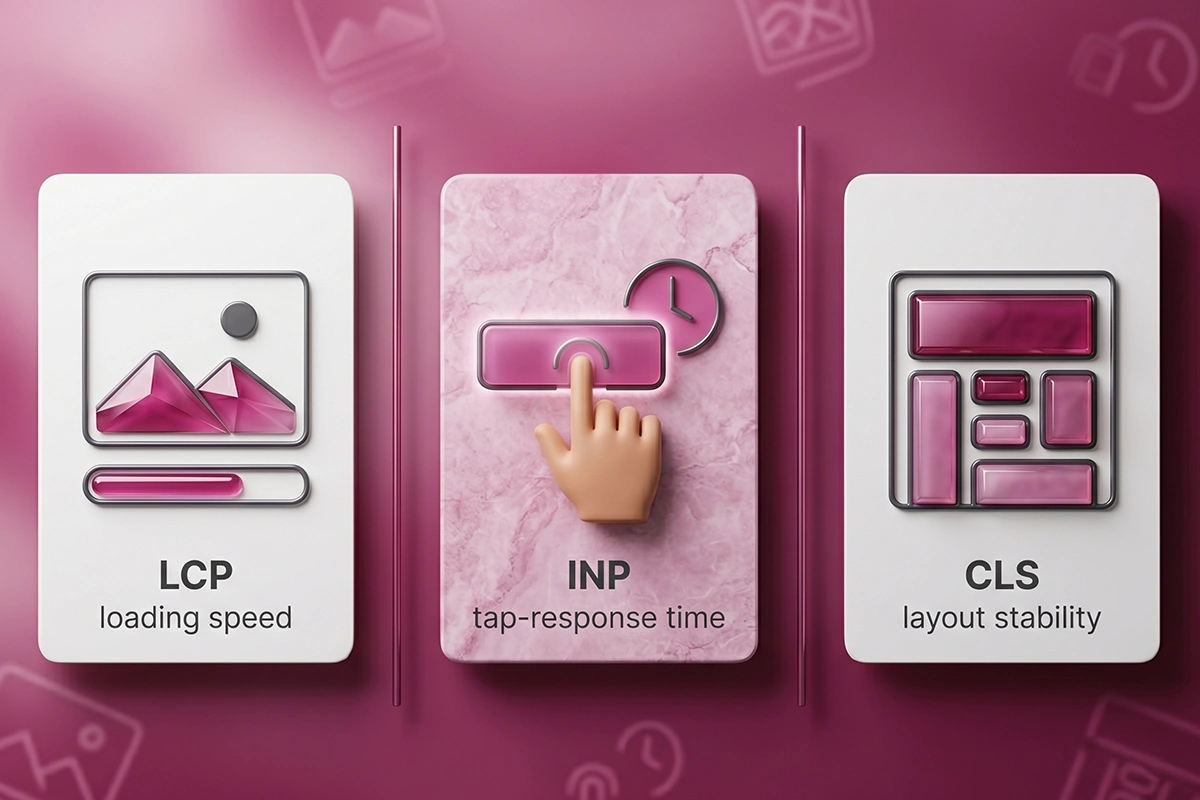
Core Web Vitals are three measurements Google uses as part of its page experience ranking signals. They are not about how your store looks. They are about how it loads, how fast it responds, and how steady it stays while it loads.
Here are the three, in plain terms, with the score that counts as good. Each is measured at the 75th percentile of real visits, meaning at least three quarters of your visitors need to clear the bar.
| Vital | What it measures | Good | Needs work | Poor |
|---|---|---|---|---|
| LCP (Largest Contentful Paint) | How long the biggest visible thing, usually your hero image, takes to load | 2.5s or less | 2.5s to 4s | Over 4s |
| INP (Interaction to Next Paint) | How fast the page responds when someone taps, clicks, or types | 200ms or less | 200ms to 500ms | Over 500ms |
| CLS (Cumulative Layout Shift) | How much the layout jumps around while the page loads | 0.1 or less | 0.1 to 0.25 | Over 0.25 |
This is not only a search question. Speed moves money. Google and Deloitte found that improving mobile load time by a tenth of a second lifted retail conversions by 8.4%. The median Shopify store converts somewhere around 1.4% to 1.8%, by Littledata's benchmarks, and when a store sits below 1%, slow pages are one of the first things to check.
The number everyone watches is not the number Google ranks
Open a speed test and you get a big score out of 100. Open your Shopify admin and you get a speed score there too. Neither of those is a Core Web Vital, and neither is what Google uses to rank you.
The out-of-100 score is a lab estimate from a simulated test on one device. Your Shopify admin speed score is graded relative to other Shopify stores, not against a fixed standard. Google ranks on the three field metrics in the table above, measured from real Chrome users on real devices. Chase the three thresholds, not the headline number.
What is INP, and why does it fail more than the others?
INP stands for Interaction to Next Paint. It measures the gap between a visitor doing something, like tapping a button or opening the cart, and the moment the screen actually updates in response. A good INP is 200 milliseconds or less. Scrolling and zooming do not count, only real interactions.
INP replaced an older metric called First Input Delay (FID) in March 2024. FID only measured the wait before the browser started handling your very first interaction. INP is stricter. It watches every interaction during a visit and reports the slowest meaningful one.
What happens in those milliseconds
One interaction has three parts. First the input delay, the time the browser is busy with other work before it can even begin. Then the processing time, where your JavaScript runs the event. Last the presentation delay, the time to paint the updated screen. INP adds up all three.
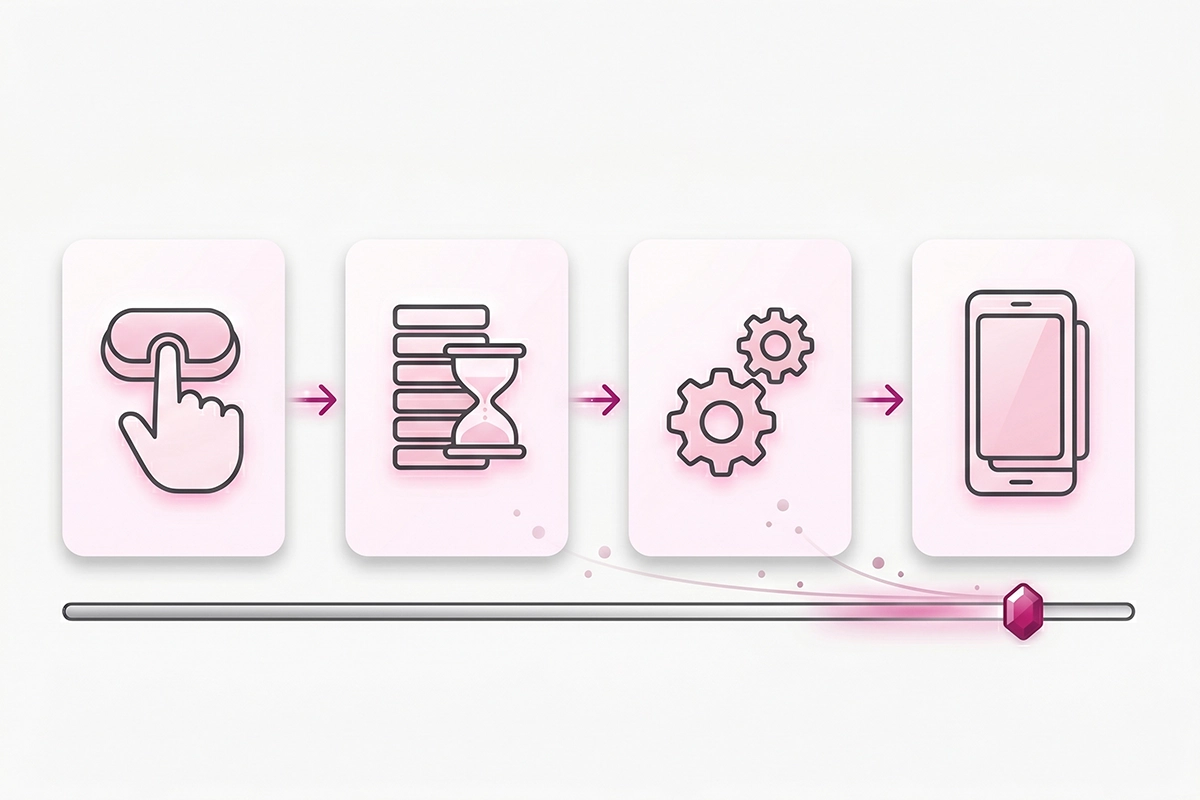
That middle part is where Shopify stores get hurt. When the browser's main thread is busy running JavaScript from apps and scripts, your visitor's tap sits in a queue. The button feels stuck. That lag is what INP captures.
Why it is the most-failed vital
Across the web, INP is the Core Web Vital that sites fail most often in 2026. Analysis of Chrome field data puts it ahead of both LCP and CLS for failure rate, with roughly two in five sites missing the 200ms mark. Stores have it harder than blogs because they have more to interact with: filters, variant pickers, cart drawers, quick-add buttons. Every interactive element is a chance to feel slow.
Why app bloat is the usual reason your INP fails on Shopify
Shopify gives you a fast foundation. The servers, the global content network, and the core platform code are out of your hands, and they are genuinely quick. The time it takes Shopify to start sending a page is usually under 300 milliseconds. You cannot change any of that, which is fine, because it is rarely the problem.
The problem is what gets added on top. Every app you install can inject its own JavaScript into every page, even pages where that app does nothing. A store with fifteen to twenty apps can be running hundreds of kilobytes of JavaScript on the main thread at once. On heavily loaded stores, well over half of the JavaScript on any given page goes completely unused.
That main-thread JavaScript is exactly what pushes INP up. While scripts from a reviews widget, a chat bubble, an upsell tool, and three tracking pixels all compete for the main thread, your visitor's tap waits its turn.
Ghost scripts: the apps you already removed
Uninstalling an app in Shopify does not always remove its code. Many apps leave behind snippets in your theme, sometimes called ghost scripts, that keep loading after the app is gone. So a store can be paying an INP cost for tools it stopped using months ago.
An honest caveat: most failing Shopify stores fail LCP first
Here is the contrarian part. If you line up failing Shopify stores, most of them fail on LCP, not INP. Around three in four Shopify stores pass Core Web Vitals overall, roughly double the WordPress pass rate, and the ones that fail usually trip on a slow hero image.
So why focus on INP? Because the root cause is shared. The same app and script bloat that drags your INP also delays your LCP. Clear the scripts and you tend to move both at once. Review widgets are a frequent offender, since they load on every product page and often pull in their own fonts and code. If you are weighing one, our comparison of the main reviews apps notes which ones are lighter.
How do you actually audit Core Web Vitals on Shopify?
Before you change anything, measure. The common mistake is testing once, on the homepage, on desktop, and calling it done. Your worst template is usually a product or collection page on mobile, and that is the one Google judges you on.
Test four page types: your homepage, a top product page, a collection page, and the cart. Use these tools, and know what each one is really telling you.
| Tool | What it gives you | Read it for |
|---|---|---|
| PageSpeed Insights | Both lab data (a simulated test) and field data (real Chrome users) | The field data section. That is the Core Web Vitals Google actually uses. |
| Search Console (Core Web Vitals report) | Field data grouped across your whole store, by page template | Which page groups are failing, and on which device |
| Chrome DevTools (Lighthouse, Coverage, Network) | A breakdown of what loads, what blocks, and how much JavaScript goes unused | Finding the specific scripts and the dead code behind a bad INP |
| Shopify admin speed report | A score relative to other Shopify stores | A rough trend over time, not an absolute grade |
In Chrome DevTools, the Coverage tab is the one worth learning. It shows how much of each loaded file is actually used. Sort by unused bytes and the worst app scripts rise to the top. The Network tab, filtered to JavaScript, shows every third-party script and how long it takes. This is how you move from "my store is slow" to "this specific app is the problem," which is the heart of a real Shopify SEO pass.
If you would rather do this inside a broader check, our weekend SEO audit folds speed in with the rest of your technical setup.
The fix list (no theme code required on day one)
Do these in order. The first four need no code and no developer. They are also where most of the gains hide.
1. Read the field data first
Open PageSpeed Insights, scroll past the lab score, and find the field section built from real-user data. Note your INP, LCP, and CLS for each of the four page types. Write them down. This is your baseline, and it is the only set of numbers Google ranks on.
2. Audit every installed app
Go to your Shopify admin and list every app you have. For each one, ask a blunt question: is this earning its keep? An app you installed to test a sale six months ago is still taxing every page. Build a short list of what you actually use.
3. Uninstall what you do not use, completely
Remove the apps that did not make the list. Then check for ghost scripts, the leftover code from earlier. If you are comfortable in the theme code editor, search the layout file for the names of apps you removed. If you are not, this is a small, safe task to hand a developer. Clearing two or three dead scripts can shave hundreds of milliseconds off load time.
4. Restrict the survivors to the pages they need
Many apps offer a setting to load only on specific pages. A product-review widget does not need to run on your blog. An upsell tool does not need to run on your policy pages. Turn those settings on where they exist. Fewer scripts per page means a freer main thread and a faster INP.

5. Fix the hero image (your biggest LCP win)
Your largest image, usually the hero on the homepage and product pages, is often the LCP element. Compress it, size it correctly, and serve it in a modern format. We walk through this in detail in our guide to compressing and serving images as WebP. This one change often moves LCP from poor to good on its own.
6. Defer the scripts that do not need to load first
Chat bubbles, review widgets, and some tracking scripts do not need to run the instant the page opens. Many apps include a "delay until interaction" or "lazy load" option in their settings. Turn it on. The visitor still gets the feature; the browser just stops doing that work during the critical first moments.
What actually needs a developer (day two)
Once the easy wins are in, the rest gets technical. Breaking long JavaScript tasks into smaller pieces so the main thread can breathe, adding preconnect hints, building critical CSS, and swapping a heavy theme for a lighter one are all real fixes, but they touch code. This is the honest part where most stores either learn it the hard way or bring in help. There is no shame in either.
The mistake most stores make: adding scripts to fix scripts
When a store owner sees a bad score, the instinct is to search the app store for a speed app. Some of these genuinely help with image compression or lazy loading. But many work by injecting more JavaScript to manage the JavaScript you already have, and on a store whose real problem is too many scripts, that can make INP worse, not better.
If a free setting or a clean uninstall fixes the problem, use that first. A booster app is a patch over a diagnosis you have not done yet. Do the audit, remove what is dead, then decide whether a paid tool earns its place.
The other trap is chasing a perfect 100. You do not need a 100. You need to clear three thresholds at the 75th percentile: INP under 200ms, LCP under 2.5 seconds, CLS under 0.1. A store sitting comfortably in good on all three is done, even if the headline score reads 84. Pushing from 84 to 99 is effort that would earn more on the foundational SEO checklist instead.
Wrapping up
Shopify Core Web Vitals come down to three things: how fast your biggest content loads (LCP), how quickly your store responds to a tap (INP), and how steady it stays while it loads (CLS). INP is the newest and the one most stores misread, and on Shopify the usual reason it fails is the same reason LCP fails: too many app scripts crowding the main thread.
The order of operations is simple and mostly free. Measure the field data on four page types, audit your apps honestly, uninstall what is dead, clear the ghost scripts, restrict the survivors, and fix your hero image. None of that needs a developer. The deeper technical work that does need one is real, but it comes second, after the easy wins are banked.
If you do one thing this week, do this: open PageSpeed Insights, test a product page on mobile, and read the field data instead of the score. That single habit will tell you more about your store than any speed app ever will. Then start cutting the scripts you do not use. Speed is one of the few search levers you can pull from your admin, today, without writing a line of code.
Want someone to find the culprit for you?
Studio Niza's Shopify SEO work includes a Core Web Vitals pass. I find which apps and scripts are dragging your INP and LCP, fix what does not need a developer, and tell you honestly when something does. SEO projects start at $499.
See SEO services & pricing →Or email contact@studioniza.com if you have a specific question about your store. I read every one.
Frequently asked questions
If you're still unsure after reading these, just send the question.
Does Shopify pass Core Web Vitals by default? +
Shopify gives you a fast foundation with quick server response times and strong scores on layout stability, and around three in four Shopify stores pass Core Web Vitals overall. The stores that fail almost always fail because of apps, third-party scripts, and heavy images added on top, not because of the platform itself.
Is the Shopify speed score the same as Core Web Vitals? +
No. The speed score in your Shopify admin is graded relative to other Shopify stores, and it is not the signal Google ranks on. Google uses three field metrics measured from real Chrome users: LCP, INP, and CLS. Check those in PageSpeed Insights and Search Console.
What is a good INP score for a Shopify store? +
A good INP is 200 milliseconds or less at the 75th percentile of real interactions. Between 200 and 500 milliseconds needs improvement, and over 500 is poor. The threshold applies to your worst page-and-device combination, which is usually a product or collection page on mobile.
Do speed optimization apps actually fix Core Web Vitals? +
Some help with specific tasks like image compression or lazy loading. But installing more apps to fix app bloat often adds main-thread JavaScript, which is the very thing hurting INP. Audit and remove first, then add a paid tool only if it clearly earns its place.
How long do Core Web Vitals fixes take to show up? +
Lab tools like the PageSpeed Insights lab test and Lighthouse update the instant you retest. The field data Google ranks on comes from the Chrome User Experience Report on a 28-day rolling window, so Search Console can take three to four weeks to reflect a real fix.
Can I fix Shopify Core Web Vitals without a developer? +
A lot of it, yes. Auditing apps, uninstalling unused ones, restricting apps to specific pages, and compressing your hero image need no theme code. The deeper work, like breaking up long JavaScript tasks and building critical CSS, is where a developer earns their fee.
Why did my Core Web Vitals suddenly drop to zero good URLs? +
That usually means a recent change pushed enough real-user samples over a threshold, such as a new app, a theme update, or an added script. A shift in your traffic toward slower mobile devices can do it too. Check what changed in the last month and retest the affected template in PageSpeed Insights.