If your review request emails get ignored, the copy is probably fine. The timing is off.
Most stores set the request to fire the moment an order is placed or marked as fulfilled. The email lands in the inbox before the box lands on the doorstep. The customer can't review a product they haven't held yet, so they archive the email and move on. Then the owner rewrites the subject line, tests a new button color, and wonders why nothing changes.
Knowing when to send a review request is the single most controllable lever you have over response rate. You can't control whether someone loved the product. You can control whether the ask reaches them at the moment they have an opinion and the email still feels relevant.
This post covers the part most guides skip: why the trigger should be delivery and not the order, the data-backed waiting window broken down by product type, how to wire that trigger in Judge.me and Loox, and a follow-up cadence that nudges without nagging. (If you also want the legal side of phrasing the ask, here is how to ask for reviews without breaking the FTC rules.)
None of this needs a new app or a bigger budget. It is mostly one or two settings you already have, set to the wrong number. For most stores doing under $200K/year, fixing review request timing is a free win you can finish this week.
Order date is the wrong trigger. Delivery date is the right one.
The most common mistake is counting from the wrong event. A request scheduled "3 days after the order" assumes the customer has the product in hand on day three. For a physical product shipped by standard mail, that is rarely true.
Every review platform agrees on the principle: count from when the product was delivered, not when it was bought. The Kudobuzz timing guide puts it plainly, calculate timing from the delivery date and use delivery confirmation to trigger the request. A request that arrives while the package is still in transit gets ignored, or it earns a shallow "hasn't arrived yet" review that helps no one.
Judge.me gives you five order events to trigger from: Created, Paid, Fulfilled, Delivered, and Archived. Most stores leave it on Fulfilled because it sounds close enough to "delivered." It is not. Fulfilled means you handed the package to the carrier. Delivered means the customer has it. The gap between those two events can be two days or two weeks depending on the shipping method.

The fix is to trigger on the delivery event when your setup allows it, and to fall back to a fulfillment-plus-buffer rule when it does not. That one change moves the email from "before the customer cares" to "right when they do."
How long should you wait after delivery?
Short answer: a few days. Long enough that the customer has actually used the product, short enough that they still remember ordering it.
The largest dataset on this comes from PowerReviews, which analyzed millions of review requests and found the response sweet spot for most products falls a few days after delivery. Loox ran its own research and landed even tighter, reporting that one or three days after delivery collects the most reviews, with response rates dropping off on either side of that window.
Put those together and the working rule for a typical physical product is simple: send the first request 3 to 5 days after delivery. Earlier and the product is still new in the box. Later and your store has faded into background noise.
What the data says about days and times
The day and the hour matter less than the trigger, but they are free to get right. PowerReviews found Wednesdays and Saturdays convert best, with a 10am to 2pm window catching people on a lunch break when they have a spare minute. Kudobuzz adds a sensible guardrail: avoid sending before 8am or after 8pm in the customer's local time, not your store's.
If your tool can send based on the recipient's time zone, turn that on. If it can't, don't lose sleep over it. The delivery trigger and the waiting window do most of the work. Time of day is a rounding error by comparison.
How long to wait, by product type
The "3 to 5 days after delivery" rule is a starting point, not a law. The right window depends on how long it takes to form an honest opinion of what you sell. A phone case earns an opinion the moment it is on the phone. A serum takes weeks to show results.
Here is a practical breakdown by category. Match your products to the closest row and adjust from there.
| Product type | Wait after delivery | Why |
|---|---|---|
| Consumables, food, perishables | 1 to 3 days | Used almost immediately. The opinion forms fast and fades fast. |
| Apparel, accessories, jewelry | 3 to 7 days | The customer needs to wear, wash, or style it once or twice first. |
| Durables, electronics, homeware | 7 to 14 days | Setup, a learning curve, or repeated use before a fair verdict. |
| Skincare, supplements, results-based | 2 to 4 weeks | The review depends on an outcome that takes time to appear. |

These ranges line up with what review platforms recommend. RaveCapture suggests 7 to 10 days after delivery for electronics, to cover unboxing and setup, and 2 to 4 weeks for skincare, where the whole point is the result. If you sell across several categories, don't average them into one timer. Set a per-category window so a hoodie and a vitamin subscription are not asked on the same schedule.
This is also where photo reviews come in. A customer who has worn an item for a week has something to photograph, and photo reviews convert better than text. Timing the ask for after they have actually used the product is what makes a photo request reasonable instead of premature.
How to wire the delivery trigger in Judge.me and Loox
Theory is easy. Here is where the review request automation actually lives in the two apps most new Shopify stores use. (If you are still choosing one, here is Judge.me, Loox, Stamped, and Yotpo compared.)
Judge.me
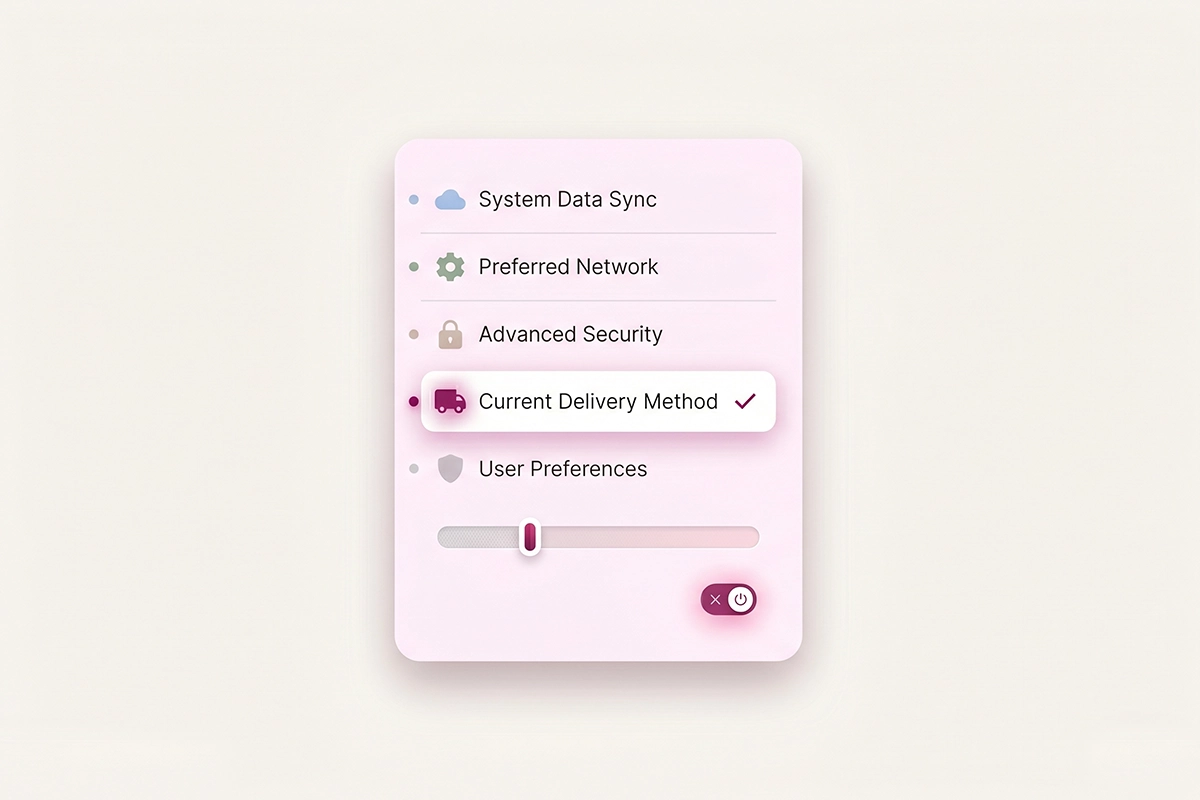
In your Judge.me admin, go to Settings, then Request scheduling. In the timing section you pick the order trigger. Choose Delivered if you want the request to wait for delivery confirmation. Judge.me checks delivery status through a carrier integration like AfterShip, which polls the tracking record periodically until the order shows as delivered, then schedules your request.
The catch: delivery tracking sometimes never confirms, because of a missing tracking number, a courier that doesn't report cleanly, or an integration hiccup. For that, Judge.me offers a fallback checkbox, "if not delivered send after fulfilment." Enable it and set a delay so a request never gets stuck waiting forever for a delivery event that isn't coming.
One more thing worth knowing: Judge.me's out-of-the-box default sends the first request 14 days after fulfillment for domestic orders and 20 days for international. For fast-shipping consumables, 14 days is too long. For slow-arriving international electronics, it might be about right. Don't leave the default in place without checking it against your real shipping times.
Loox
Loox leans on delivery-based timing too. Its own research points to one or three days after delivery as the highest-response window, so that is a sound starting setting. When carrier tracking isn't available for an order, Loox recommends defaulting to 14 days after fulfillment, a reasonable buffer for most standard shipping.
The pattern is the same in both apps: prefer the delivery trigger, set a short post-delivery delay, and keep a fulfillment-based fallback so nothing falls through the cracks. Judge.me's forever-free tier handles all of this, which is why it is the default recommendation for stores under $200K/year.
The follow-up cadence that does not annoy
Most people who leave a review do it after a reminder, not the first email. People get busy, mean to come back, and forget. A polite nudge recovers a meaningful share of them. The risk is going from helpful to irritating.
The cadence that works is a three-touch maximum: the initial request, then one or two reminders. Judge.me's guidance is to send the first reminder 3 to 5 days after the initial request, a second a couple of days after that, and to treat a third as optional and only if it stays genuinely friendly. Its automation defaults to follow-ups every 3 days for domestic orders, with two automatic reminders built in.
Two rules keep this on the right side of the line. First, only remind people who didn't already respond. Reminding someone who left a review is the fastest way to look like spam. Second, cap it. After two reminders, stop. There is even a natural ceiling: a Judge.me review request token stays valid for 45 days, so there is no point chasing past that.
If your tool supports it, make the final reminder a media-specific nudge, a light "got a photo of it in use?" rather than a generic repeat. That tends to lift photo reviews without adding a fourth email.
Gifts, holidays, and high-ticket items
A few situations break the standard timing, and they are worth handling on purpose rather than letting the default misfire.
Gifts. Roughly 30 to 40% of fourth-quarter orders are gifts, which means the person who gets your review request (the buyer) never used the product. Standard timing produces silence or a review of the packaging. If you can flag gift orders, hold the request longer or skip it. If you can't, accept that holiday response rates will dip and don't read it as a copy problem.
Holidays. Requests sent during the days around major holidays see far lower open rates, because inboxes are ignored and people are offline. Holding those sends for a few days, into early January for the December rush, usually recovers the response without hurting it. A returning-from-break inbox is often a more receptive one.
High-ticket items. Expensive purchases earn more thoughtful reviews when you give the customer room to reflect. Pushing the window a little longer on a $400 item than a $20 one tends to produce the detailed, specific reviews that actually move other buyers.
The short version
If your review requests are not landing, start with the trigger, not the wording. Three changes do most of the work.
First, trigger off delivery, not the order or fulfillment, and keep a fulfillment-based fallback so nothing gets stuck. Second, match the waiting window to the product: a few days for things used right away, a few weeks for things that take time to judge. Third, cap your follow-ups at two reminders, and send them only to people who haven't responded yet.
None of this is a new app or a bigger spend. It is mostly correcting a default number you set once and forgot. You can audit your current timing setting today and fix it in an afternoon. While you are in there, it is worth remembering what ignored reviews actually cost your store in search rankings and social proof.
The honest limit: timing improves response rate, but it can't manufacture reviews from customers who didn't enjoy the product, and it can't promise a specific number. What it does is make sure the people who would happily review you actually get the chance, at the moment they have something to say. That is the part you control. Get it right and the reviews you were already earning stop slipping away unasked.
Rather not babysit the timing settings?
The Studio Niza Reviews Management service sets your delivery trigger, tunes the per-product waiting window, runs the follow-up cadence, and replies to every review that comes in. I can't promise a review count, that depends on your orders and your product, only that the requests go out correctly and on time. Plans start at $199/month.
See how Reviews Management works →Or email contact@studioniza.com if you have a specific question about your store. I read every one.
Frequently asked questions
If you're still unsure after reading these, just send the question.
How many days after delivery should I send a review request? +
For most physical products, 3 to 5 days after delivery is the reliable starting point. Adjust shorter for consumables used right away, and longer for electronics or skincare that take time to judge. The key is to count from delivery, not from the order date.
Should review requests be based on order date or delivery date? +
Delivery date, whenever your app can track it. An order-based request often arrives before the product does, so the customer has nothing to review yet. Triggering on delivery, with a fulfillment-based fallback for untracked orders, is the setup that lifts response rates.
How many review request reminders is too many? +
Two reminders is the practical ceiling, sent only to customers who haven't already responded. A first reminder 3 to 5 days after the initial request, and an optional second a couple of days later, recovers most of the people who simply forgot. Beyond that you risk looking like spam.
What is the best day and time to send a review request email? +
Data from PowerReviews points to Wednesdays and Saturdays, in a 10am to 2pm window, as the strongest for review requests. Avoid sending before 8am or after 8pm in the customer's local time. That said, the delivery trigger and the waiting window matter far more than the exact hour.
Why are my review request emails getting no replies? +
The most common cause is timing: the email arrives before the customer has used the product, or so late that they have forgotten the purchase. Switching the trigger to delivery and matching the wait window to your product type usually fixes a low response rate faster than rewriting the email.
Does sending review requests at the right time guarantee more reviews? +
No. Good timing makes sure willing customers get the chance to review at the moment they have an opinion, but it can't create reviews from unhappy buyers or guarantee a specific number. Review volume still depends on your order count, product quality, and customer satisfaction.