
At 12:01 pm Eastern on Black Friday 2025, Shopify merchants were selling $5.1 million a minute, part of a $14.6 billion weekend. Picture one customer in that minute asking a small store’s chatbot whether an order will arrive by Christmas. The bot answers with whatever its owner loaded weeks earlier. That’s what BFCM chatbot scripts are for: deciding the answer in October, when you can still think.
Most stores do the planning and skip the wording. They write the shipping and discount answers on November 26 and paste them in untested, and vague answers create a second message.
If you worked through the dated prep checklist, this is the next step: the actual words. For the year-round set, start with the 15 everyday scripts.
Below are 20 scripts grouped by job: five for shipping and deadlines, five for deals and codes, four for stock, three for gifts, and three for the furious customer at 11 pm. BFCM 2026 runs November 27 to 30, 47 days after this post goes up. Anything in [brackets] is yours to replace.
Which facts does your bot need before any BFCM chatbot scripts work?
A script is a sentence with holes in it. The holes are facts, and a bot with no fact to put there will refuse or guess. So before you copy anything, write these six entries into your knowledge base, each as a short plain statement with a date on it.
| Fact to write down | Where it should live | Scripts that need it |
|---|---|---|
| Order-by dates per shipping method, plus your daily dispatch cutoff and time zone | Holiday shipping deadlines page | 1 to 5 |
| Sale start and end, with time zone and exclusions | A BFCM FAQ entry | 6, 10 |
| Code rules: dates, minimum spend, what combines | The same FAQ entry, copied from your discount settings | 7 to 9 |
| Restock and backorder ship dates for your top sellers | Product pages and a stock note the bot can read | 11 to 14 |
| Gift wrap price, gift note limit, holiday return window | Gift FAQ and returns policy | 15 to 17 |
| Human support hours and the reply time you can keep | Contact page and the bot’s handoff rule | 18 to 20 |
Two of these six usually don’t exist yet: the price-adjustment policy behind script 9 and the reply time behind script 19. Decide both this week. A bot can repeat a policy. It cannot invent one for you at midnight.
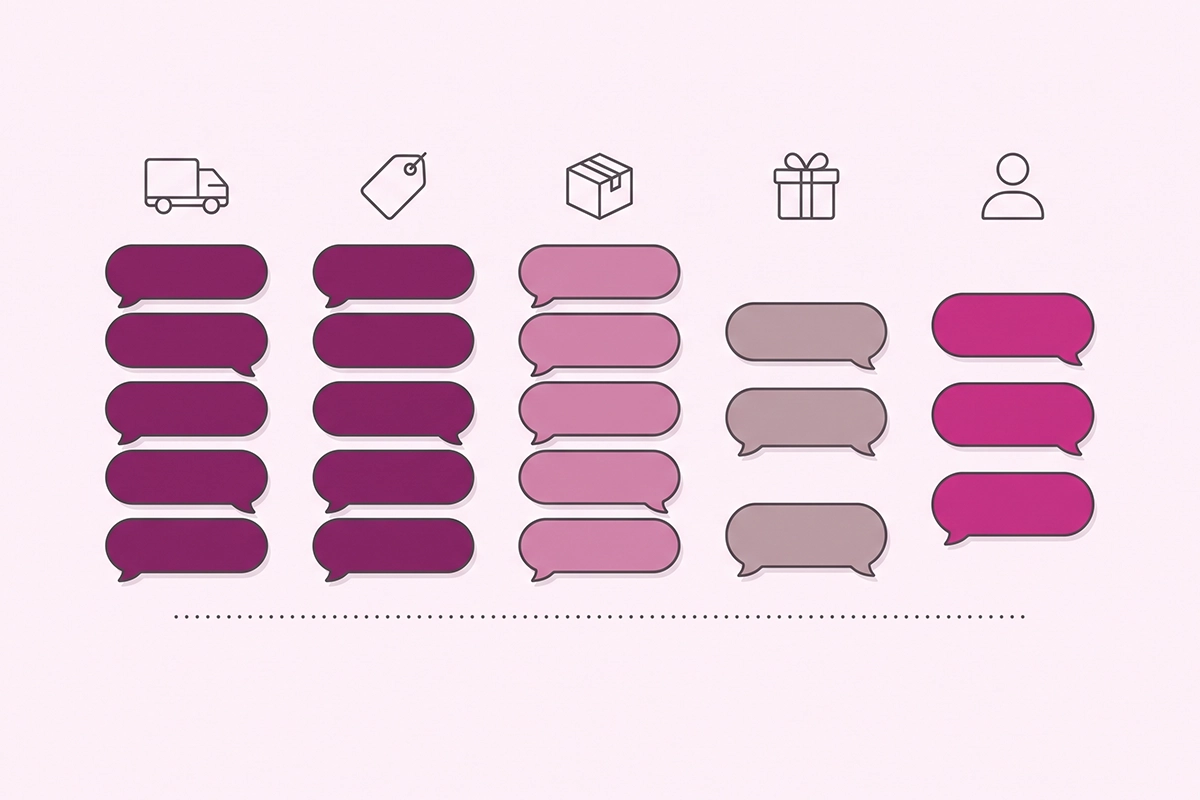
Five shipping and deadline scripts
The first three protect the sale. The last two protect your December inbox.
1. Will it arrive by Christmas?
“For delivery by December 25 to [region], order by [date] with [standard shipping] or by [date] with [express]. Those dates already include our [1 to 2] day packing time. Carriers don’t guarantee holiday delivery, so earlier is safer. Full table: [link].”
Knowledge-base entry: order-by dates worked back from the carrier’s send-by dates. Tone: dates first, one honest caveat, and never “it should be fine.”
Take the dates from the carrier’s own page. USPS has posted its 2026 send-by dates for the lower 48: December 17 for Ground Advantage and First-Class Mail, December 18 for Priority Mail, December 19 for Priority Mail Express. One third-party roundup I checked was off by a day or more, and in early October I couldn’t find 2026 dates on UPS’s own site yet. Subtract your packing time and publish the result on a holiday shipping deadlines page the bot can quote.
2. If I order today, when does it ship?
“Orders placed before [2 pm ET] on a business day ship the same day, and later orders ship the next business day. During sale week, packing takes up to [3] business days, so today’s order leaves us by [day].”
Knowledge-base entry: dispatch cutoff with time zone, plus sale-week handling time. Tone: specific. Update the handling time the hour you fall behind.
3. I missed the cutoff. Now what?
“Standard shipping can no longer reach you by December 25. Two options still work: [express shipping] if you order by [date], or a digital gift card that arrives by email in minutes. Want the link to either?”
Knowledge-base entry: last express order-by date and your gift card product URL. Tone: say the no first, then the options. No apology spiral.
4. Do you ship to my country in time?
“We ship to [country]. Delivery usually takes [7 to 14] business days, and the order-by date for December 25 is [date]. Duties and taxes are [collected at checkout]. I can’t promise a customs timeline.”
Knowledge-base entry: order-by dates per region and how duties are handled. Tone: honest about what you do not control.
5. My tracking has not moved
“I found order [number]. It shipped on [date] with [carrier], and the last scan was [date] in [location]. Scans often pause for [3 to 5] days in peak weeks. If nothing changes by [date], reply here and a person will open a trace with the carrier.”
Knowledge-base entry: a working order lookup, plus your rule for when a stalled parcel goes to a person. Tone: the date they can come back is the calming part.
Five deal and code scripts
A wrong discount answer costs money in both directions, so every script here quotes a rule you set.
6. When does the sale start, and what is included?
“Our Black Friday sale runs from [Friday, November 27, 12:00 am ET] to [Monday, November 30, 11:59 pm ET]. It’s [25% off everything except gift cards and bundles]. The discount applies automatically at checkout, so there’s no code to enter.”
Knowledge-base entry: start and end with time zone, exclusions, and automatic or code. Tone: flat facts. No countdown language.
7. My code is not working
“Sorry about that. The three usual causes: code [BFCM25] only works from [start] to [end], it needs a cart of [$50] or more before shipping, and it doesn’t apply to [gift cards or sale items]. If your cart meets all three, tell me and I’ll pass this to a person with your cart details.”
Knowledge-base entry: each code’s dates, minimum spend, and exclusions. Tone: assume the customer is right until you have checked.
8. Can I use two codes?
“Only one discount code works per order in our store, and checkout keeps the one that saves you the most. Free shipping over [$75] still applies on top of the sale price.”
Knowledge-base entry: your real combination settings, tested. Tone: state the rule as a rule, not as an apology.
Check this against your admin first. Shopify only combines discounts when you turn on Combinations for each discount. If two cannot combine, checkout applies the better one. Build one test cart that triggers every discount you plan to run and read the total.
9. Can I apply the code to my earlier order?
“I can’t change an order from chat, and a code can’t be added to an order that’s already placed. What I can do is send this to [name] with your order number. Our policy is [we refund the difference when an eligible code was missed]. You’ll hear back within [one business day].”
Knowledge-base entry: a written yes or no on missed codes. Tone: the bot’s limit first, then the path.
Why a person: Shopify’s order editing lets you add a manual discount to a line item, after which the order shows a refund owed. That’s a manual discount, not the code, and it takes a judgment call and a refund.
10. I bought last week at full price
“Our price-adjustment window covers orders placed on or after [November 20]. Yours was placed on [date], so [it qualifies, and I’ve flagged it for [name] to refund the difference].”
Knowledge-base entry: the window written as a date, not as “recent orders.” Tone: give the rule and the date. No apology for having a policy.
Four stock and backorder lines
A restock date is a promise, and the bot should only repeat promises you’ve actually made.
11. Sold out, with no restock date
“[Product] in [size] is sold out. I don’t have a confirmed restock date, so I won’t guess one. The closest option in stock is [alternative]. Or leave your email and we’ll message you once if it returns.”
Knowledge-base entry: an alternative for each top seller, and a back-in-stock signup. Tone: never invent a date to soften the no.
12. Sold out, with a restock date
“[Product] is due back on [date]. That date comes from our supplier, so it can move. If you need it by December 25, I’d pick [alternative], which is in stock now.”
Knowledge-base entry: restock dates per product, with the day you last confirmed each. Tone: name where the date comes from.
13. Can I order it on backorder?
“You can order [product] now. It’s on backorder and ships by [date], not within our usual [2 days]. If that date slips, we’ll email you a new one and you can cancel for a full refund.”
Knowledge-base entry: a ship-by date for every backordered product. Tone: the ship date comes before the buy button, not after.
That last sentence isn’t a courtesy. For US customers, the FTC’s Mail, Internet, or Telephone Order Merchandise Rule says that when you can’t ship by the date you stated you must tell the customer, give a revised date, and offer a prompt refund. I’m not a lawyer, so read the guide before you sell a backorder.
14. We oversold your order
“I’m sorry. [Product] sold faster than our stock count updated, and order [number] includes one we can’t ship. I’m sending this to [name] now. You’ll get an email within [4 hours] with two choices: a full refund, or [replacement] at the same price.”
Knowledge-base entry: none. This is a route to a person with a time on it. Tone: one sentence on what happened, and no blaming “a system issue.”
The refund is a human action, for the reasons in the returns and refunds split.
Three gift and wrapping answers
Gift questions come from someone ready to pay. Answer in three sentences or fewer.
15. Do you offer gift wrap and a note?
“Yes. Add gift wrap for [$5] at the cart and type your message in the gift note box, up to [200] characters. We print it on a card and leave prices out of the box.”
Knowledge-base entry: wrap price, where the option sits, and the note limit. Tone: warm and short.
If you haven’t set this up, Shopify’s guide says the simplest route is gift wrap as its own product, typically priced $3 to $10. No wrap? Say so in one line and offer the gift note.
16. Will the recipient see the price?
“Tick [This is a gift] at the cart and the packing slip prints without prices. To ship straight to the recipient, enter their address under shipping and yours under billing.”
Knowledge-base entry: what your packing slip shows on gift orders, confirmed with a test order. Tone: reassure with the mechanics, not with adjectives.
17. Can they return a gift?
“Gifts bought between [November 1] and [December 24] can be returned until [January 31]. The recipient needs the order number or the gift receipt, and the refund goes back as [store credit to the recipient].”
Knowledge-base entry: your holiday return window and who receives the refund. Tone: dates, not “generous.”
What should a chatbot say to an angry customer at 11 pm?
As little as possible, and all of it true. The bot’s job at 11 pm is to stop the customer repeating themselves, say when a person will read the message, and get out of the way. The four handoff triggers decide when these fire.
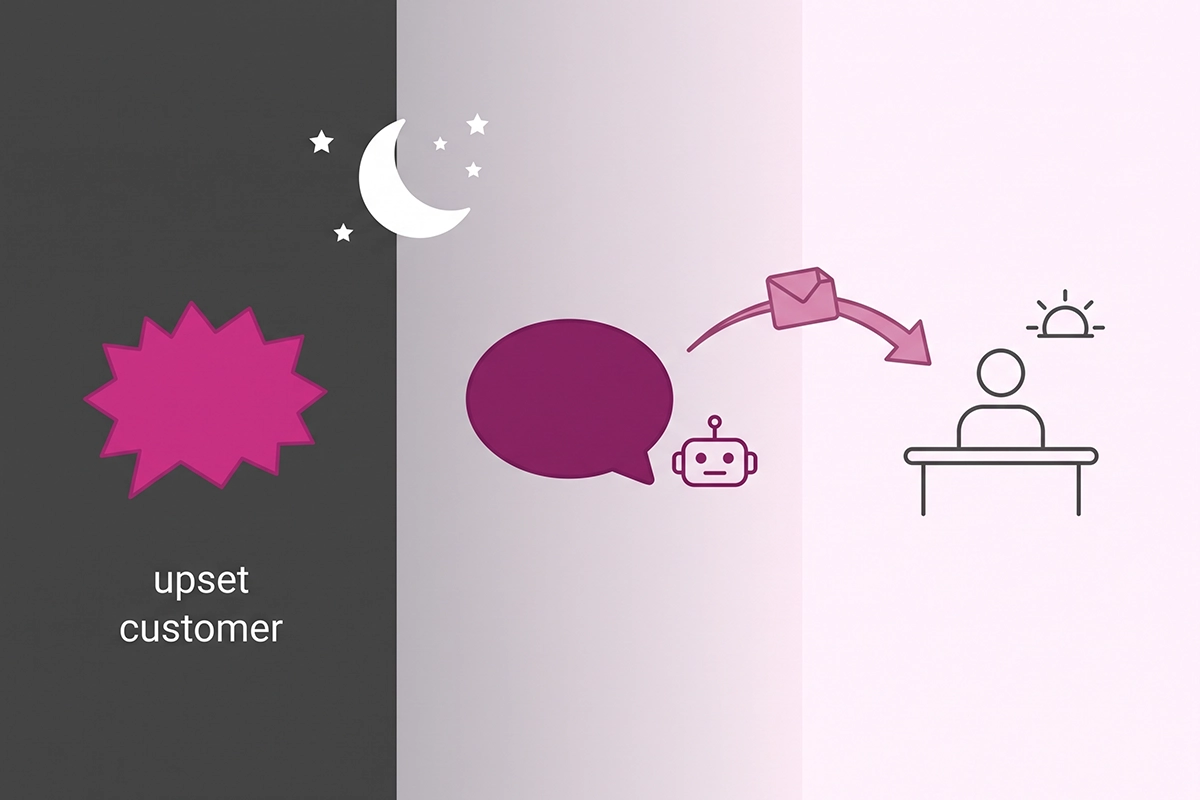
18. The customer is furious
“That’s not okay, and I’m sorry. I’m the store’s chatbot, so I can’t fix this myself, and I won’t make you explain it twice. I’ve saved this conversation and order [number]. What’s the best email for [name] to reply to?”
Knowledge-base entry: none. The trigger is capital letters, repeated messages, or words like “useless.” Tone: one apology, no policy recital, no discount code.
19. Nobody is online right now
“It’s [11:05 pm] where our team is, so nobody is online right now. Your message is first in the queue for [8 am ET], and you’ll have a reply by [10 am ET]. [If the order hasn’t shipped, I’ve added a note so it isn’t packed before someone reads this.]”
Knowledge-base entry: support hours with time zone, and a reply time you can keep on Black Friday itself. Tone: honest about the hour. Do not pretend someone is typing.
20. I want a human
“Of course. I’m passing you to a person now with a summary: your name, order [number], and what’s happened so far. [Name] replies within [2 hours] between [9 am and 6 pm ET], and the reply will come to [email].”
Knowledge-base entry: the words that trigger it (human, agent, person) and the fields in the summary. Tone: never argue with the request. No “before I transfer you, can I try one more thing.”
How to load and test these black friday chatbot messages in October
Budget about 30 minutes per group. Replace every bracket with a real fact, then delete the scripts you don’t need.
Then test each one the way a customer types: “where is my stuff,” “ur code is broken,” “will this get here for xmas.” A script that only fires on the polite version of the question isn’t loaded yet.
If you run Shopify Inbox, scripts 1 to 4, 6 to 8, and 15 to 17 fit as instant answers at no cost, and script 19 works as your outside-of-hours first reply. If the free tool covers your volume, use it. Anything that needs an order lookup or a judgment call needs an AI agent with order access, or a person.
Stop editing the wording around November 20. After that, change facts only: handling time, stock lines, and order-by dates.
Wrapping up: BFCM chatbot scripts are only as good as the facts under them
Three things matter more than the exact wording. First, every script quotes a fact you wrote down, with a date on it: order-by dates from the carrier’s page, code rules from your discount settings, restock dates from your supplier.
Second, the bot never decides anything that costs money. Scripts 9, 10, 14, and 18 to 20 all end with a named person and a reply time, and that’s deliberate.
Third, tone on this weekend means short. A customer wants a date, a rule, or a human, in the first sentence.
The work left is yours, and I won’t pretend it’s small: write the price-adjustment policy, pick a reply time you can keep, and run a test cart through every discount. Do those three and these BFCM chatbot scripts will read like your store on a calm day, even at 11 pm on November 27.
If you’d rather not build and test this yourself, here’s how the chatbot service works.
Want these loaded and tested for you?
The Studio Niza AI Chatbots service builds the bot on your real policies, loads seasonal scripts like these, and monitors it weekly. $599 setup, then $99/month, with a 90-day minimum so the bot is still tuned when January returns arrive.
See how the chatbot service works →Or email contact@studioniza.com if you have a specific question about your store. I read every one.
Frequently asked questions
If you're still unsure after reading these, just send the question.
When should I load BFCM chatbot scripts? +
Load them in October and stop editing the wording by about November 20. That gives the bot several weeks of real conversations to show you which answers miss, while there is still time to fix them. After November 20, change facts only: dates, handling times, and stock lines.
Can Shopify Inbox use these scripts? +
Yes, for the fixed answers. The shipping, deal, and gift scripts fit as instant answers in Shopify Inbox at no cost, and the after-hours line works as the outside-of-hours first reply. Scripts that need an order lookup or a judgment call need an AI agent with order access, or a person.
Should a chatbot promise Christmas delivery? +
No. It should give the order-by date for each shipping method and say plainly that carriers do not guarantee holiday delivery. A dated answer with one honest caveat prevents more follow-up messages than a reassurance does.
Should the bot offer a discount to calm an angry customer? +
No. Compensation is a human decision, and a bot that hands out codes teaches customers to complain to the bot. The handoff scripts acknowledge the problem, capture the order number, and give a reply time instead.
How many black friday chatbot messages does a small store need? +
Usually fewer than twenty. Start with the questions your inbox received last November and December, then keep only the BFCM chatbot scripts that match them. A store with no gift wrap and no backorders can skip several.
What happens to the scripts after Cyber Monday? +
Take down the sale answers on December 1 so the bot stops quoting an expired offer. Keep the shipping scripts live until your last order-by date passes, then switch the bot to your holiday returns window. Save the full set in a document so next October starts from an edit, not a blank page.