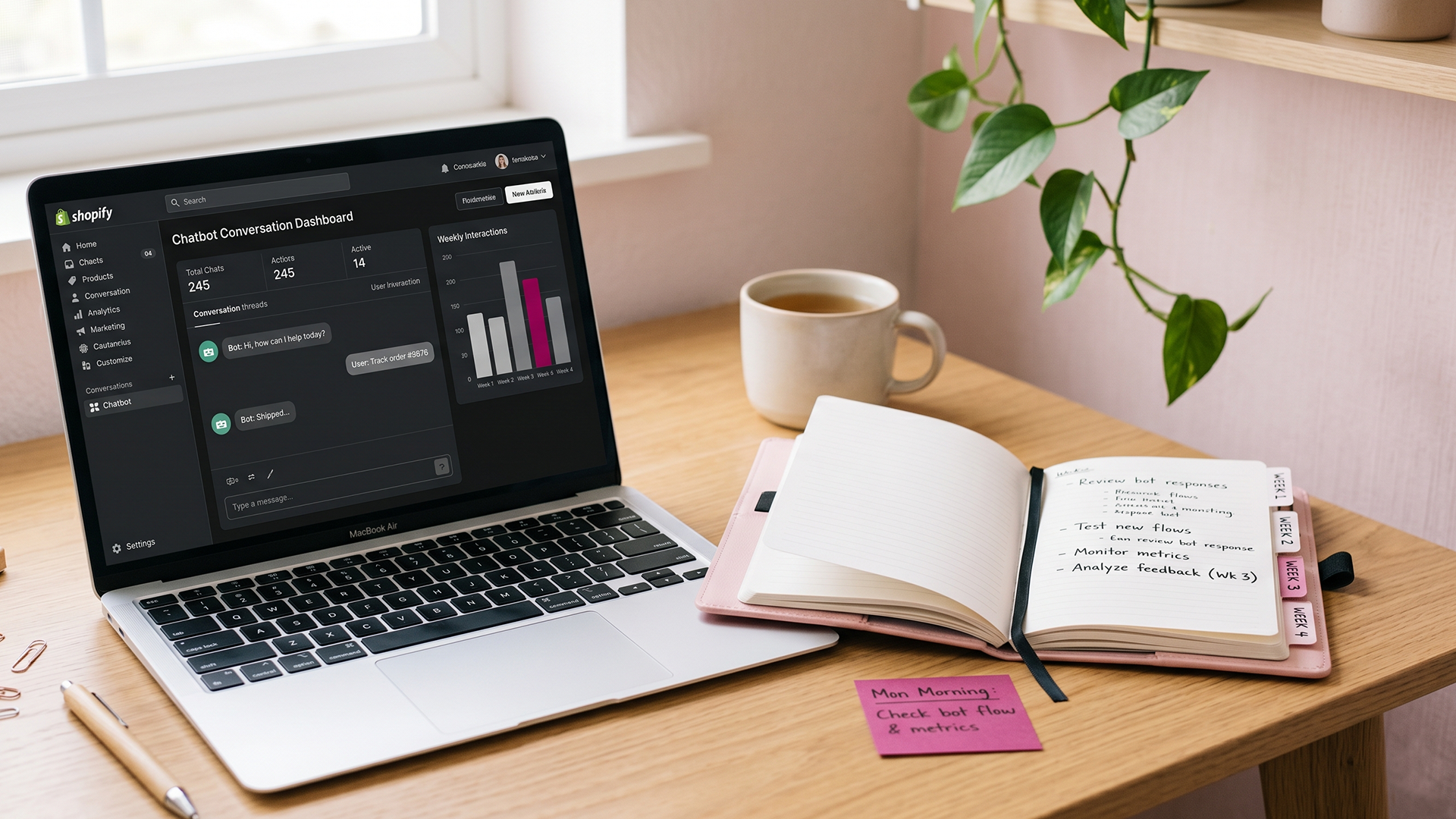
Most posts about Shopify chatbot setup stop at install day. They show you the widget, the welcome message, the seven canned questions, and then move on. Nobody tells you what happens at week one, when a real customer asks something your bot guesses at instead of looking up.
This is the post about what happens after install. Specifically, the first 30 days. What to monitor, what to fix, what to ignore, and how to know whether your bot is actually working or just talking.
I'm writing this from the seat of someone who builds and maintains these for a living. The pattern is consistent across every store I've launched. Week one looks worse than you expect. By week four, you either have a chatbot that's earning its keep or one that's quietly burning trust.
If you haven't installed yet, start with my post on what a Shopify AI chatbot actually does and doesn't do. That post answers the "should I even have one" question. This one answers the "okay it's live, now what" question.
What the first 30 days actually look like
A new Shopify chatbot is not a finished product on launch day. It's an opinionated draft that needs real customer conversations to become accurate. The training data you fed it during setup (your FAQ, your policies, your product catalog) is your best guess at what customers will ask. Real customers will ask in ways you didn't predict.
The first 30 days is the period where the bot is calibrated against actual usage. Four phases, roughly one per week:
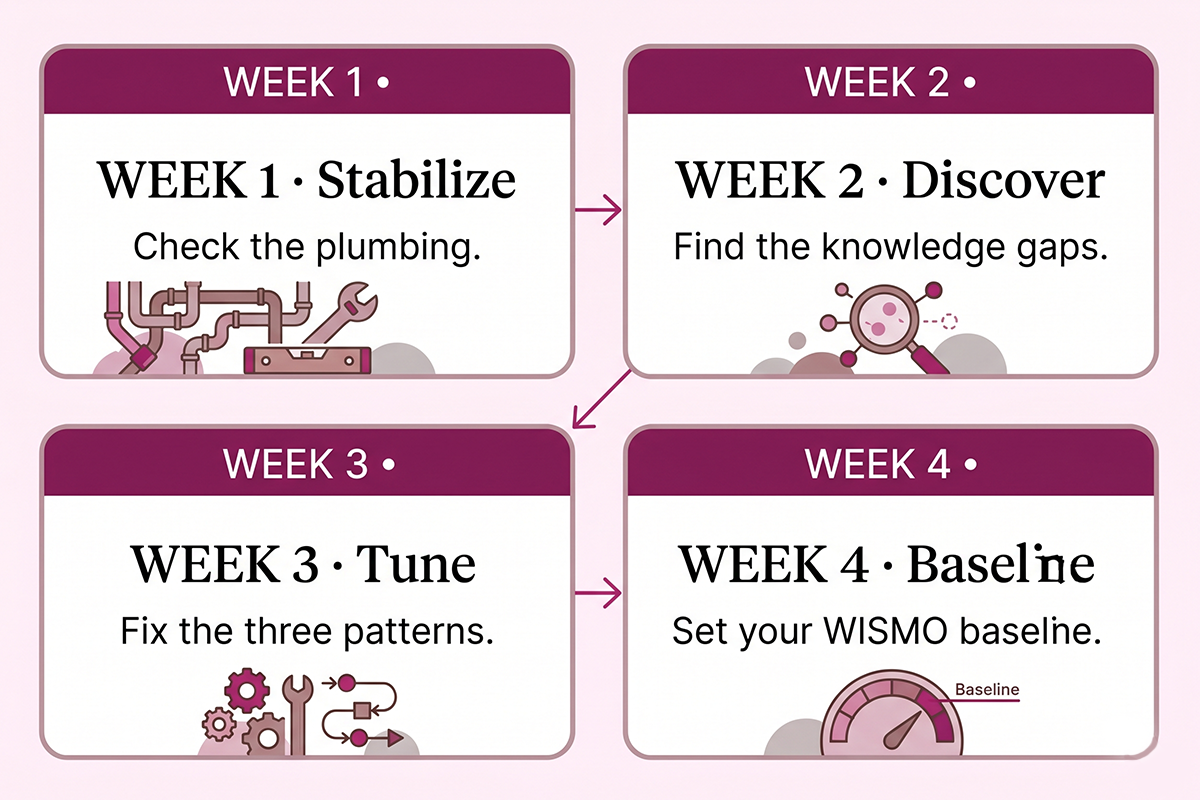
Week 1: stabilize. Confirm nothing is broken. The integrations work, the widget loads, conversations are being logged. Don't optimize anything yet.
Week 2: discover. Read every conversation. Find the questions you didn't anticipate. Build the gap list.
Week 3: tune. Fix the three most common broken patterns. Update prompts, add knowledge base entries, tighten scope.
Week 4: baseline. Measure containment, fallback, and WISMO accuracy against a now-stable bot. This is your starting line, not your finish line.
Skip any of these and you'll be debugging in month three what you should have caught in month one.
The metrics to watch (and the ones to ignore)
Most chatbot platforms show you a dashboard full of numbers. Most of those numbers are vanity. Three metrics actually matter in the first 30 days.
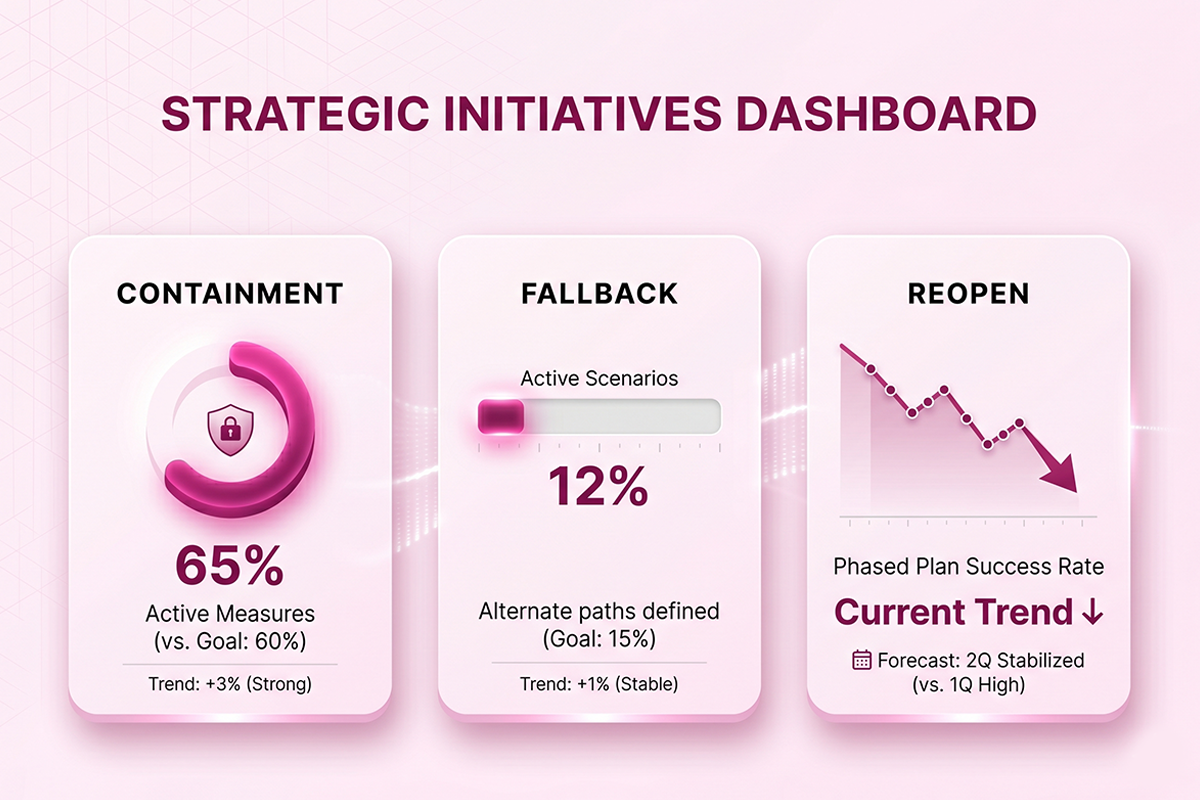
The three that matter
Containment rate. The percentage of conversations the bot fully resolved without handing off to a human. According to Oscar Chat's 2026 benchmarks, a containment rate above 60 percent paired with high customer satisfaction is the sign of a healthy bot. Above 60 percent with low satisfaction means the bot is trapping users without solving anything. Track both.
Fallback rate. The percentage of messages the bot couldn't answer and either escalated or returned a "sorry, I don't know" reply. Quickchat AI recommends an alert threshold of 15 percent. Above that, you have knowledge gaps that need attention. Below that, your bot has enough coverage to be useful.
Reopen rate. The percentage of "resolved" conversations where the same customer comes back within 48 hours with the same problem. This is the metric vendors don't put on dashboards because it exposes containment that wasn't actually resolution. Fin.ai notes that a declining reopen rate is the cleanest signal that your bot is delivering real answers, not just keeping customers in a loop.
The ones to ignore in month one
Total conversations. Sessions started. Average session length. Unique visitors who engaged. These are activity counters, not performance metrics. A bot can have thousands of conversations and resolve none of them.
The same goes for customer satisfaction scores in the first 14 days. The sample size is too small for the data to mean much. Start watching CSAT in week 3, when the bot has stabilized.
Week 1: stabilize, don't optimize
The temptation in week one is to start tweaking prompts the moment you see a bad answer. Don't. Week one is for checking that the plumbing works.
What to check daily in week 1
The widget loads on every page. Mobile and desktop. Check product pages, collection pages, the cart, and the checkout if your platform allows the widget there. Theme updates and app conflicts can break the widget without warning.
Order data is syncing. Place a test order yourself, or use a recent real order. Ask the bot "where is my order, [order number]?" The bot should pull the real tracking info from Shopify, not invent it. If it invents a status, your Shopify integration is misconfigured and that's the first fix.
Conversations are being logged. Open the conversation log in your platform. Make sure you can see what customers typed and what the bot replied. If logs are missing, you're flying blind for the rest of the month.
The handoff path works. Send the bot a message it should escalate ("I need to return a damaged item, the package arrived broken"). Confirm the email or live chat handoff actually reaches you. The most common bug in week one is a handoff that triggers but never delivers.
What not to fix in week 1
Don't rewrite prompts based on three bad conversations. Don't add training entries for questions only one customer asked. Don't change tone or personality unless something is genuinely off-brand. Week one is observational. Take notes for week two.
If your store is doing fewer than 30 orders a week, you may not even hit enough chatbot volume in week one to make decisions. That's fine. Let week two carry the discovery work.
Week 2: find the knowledge gaps
Week two is where the real work starts. By now you have 50 to 200 conversations to review, depending on your traffic. Most of them will look fine. A handful will reveal what your bot doesn't know.
The conversation review process
Block 60 to 90 minutes. Open every conversation from the past 7 days, sorted by anything flagged as fallback, low confidence, or escalated. Read the customer's question, then read what the bot said. Note where the answer was wrong, vague, or absent.
You're looking for three things. Questions the bot didn't try to answer (pure fallback). Questions it answered wrong (hallucination). Questions it answered correctly but in a way that didn't match your brand voice (tonal mismatch).
Categorize the gaps
By the end of the review, you should have a list of 5 to 15 gaps grouped by category. Common categories in month one:
| Gap category | What it looks like | The fix |
|---|---|---|
| Policy edge cases | "Do you ship to Hawaii on weekends?" The bot answers generic shipping but misses the specific case. | Add an explicit knowledge base entry for the edge case. |
| Product variant questions | "Does the navy size medium fit like the cream?" The bot guesses or refuses. | Connect variant-specific notes or escalate consistently. |
| Sale and promo confusion | "Is the 20% off code stackable with free shipping?" The bot doesn't know. | Update training when promos launch. Promo gaps are predictable. |
| Recently changed policies | The bot quotes a return window that changed last month. | Single source of truth: update the policy page, then retrain. |
| Off-scope conversations | Customer asks about a competitor or asks the bot to be a therapist. | Tighten scope. The bot should politely decline and offer to help with the store. |
What "trained on your store" actually means
A bot grounded in your real Shopify data answers from policies, products, and orders it can verify. A bot running on a generic large language model with no grounding will confidently invent answers when it doesn't know. Research on retrieval-grounded chatbots found that hallucination rates dropped from around 40 percent on ungrounded models to near zero when responses were tied to a verified knowledge base. The difference between a $19 self-serve bot and a properly built one is mostly grounding.
If your week two review is finding more than 3 or 4 hallucinations, the bot isn't grounded tightly enough. That's a scope problem, not a model problem. The fix is to narrow what the bot is allowed to answer and broaden what it's allowed to escalate.
Week 3: tune the three most common broken patterns
Across every Shopify chatbot I've launched, the same three patterns surface in weeks 2 and 3. If your bot has any of them, fix them in this order.
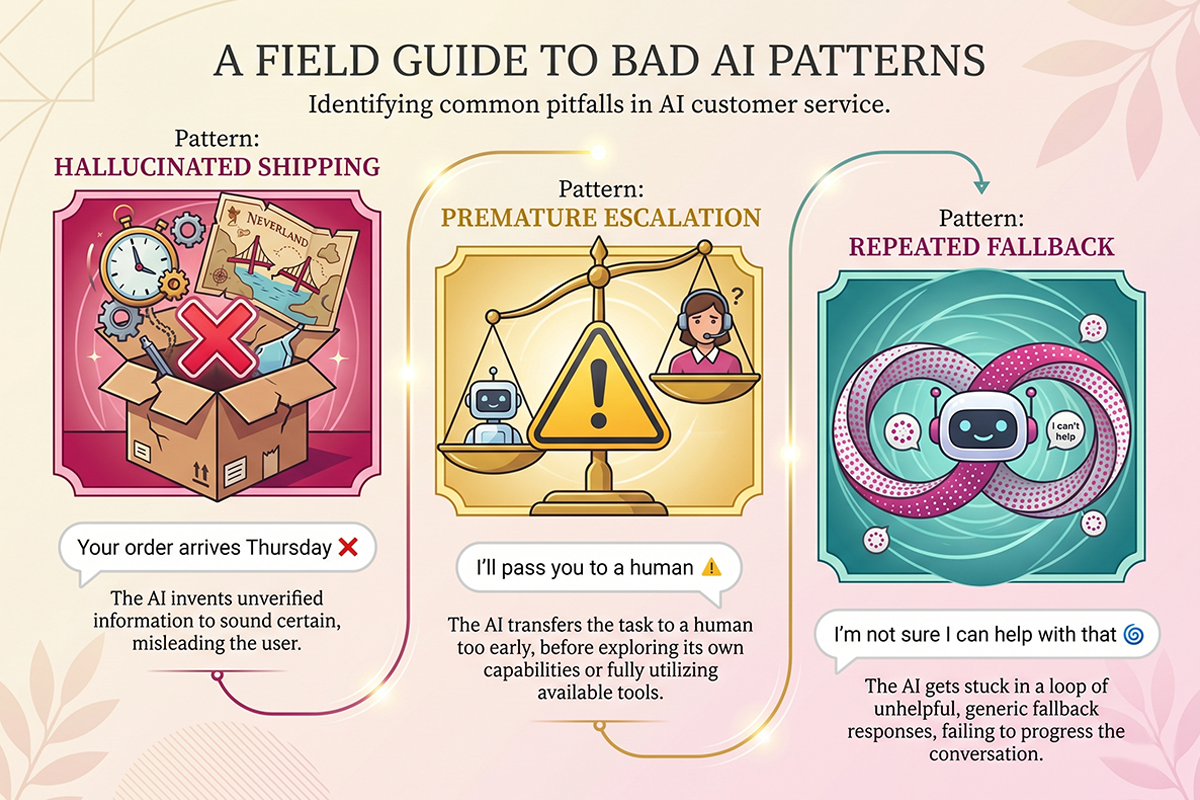
Pattern 1: hallucinated shipping windows
The single most common bug. A customer asks "when will my order arrive?" The bot, lacking a real tracking link, invents a delivery date that sounds plausible but isn't tied to anything. The customer plans around it, the package arrives late, and now you have a complaint that didn't need to exist.
The fix is structural. The bot should never answer a shipping question without either a real tracking number lookup or an explicit "I don't have the tracking info yet, let me get someone on this" handoff. Remove the bot's permission to guess.
Pattern 2: premature escalation on questions it should handle
The opposite problem. The bot escalates "what's your return policy?" to a human because the policy page wasn't in its training data, or was there but indexed badly. Now you're answering a question that shouldn't have reached your inbox.
The fix is to audit the bot's top fallback reasons in week 2 and explicitly add the missing FAQ content. Tidio's analysis of chatbot fallback patterns notes that most fallback comes from a handful of repeat topics. Fix the five most common and your fallback rate often drops by half.
Pattern 3: repeated fallback on the same topic
The most expensive pattern, because it tells you a real customer demand is being missed. If five different customers in one week ask about gift wrapping and the bot fails every time, gift wrapping needs to be in the knowledge base before the weekend. Repeat fallback is a signal, not noise.
Build a habit: at the end of week 3, look at the top 5 fallback topics and decide for each one whether to add training, change scope, or accept it as a legitimate human-only escalation.
Week 4: set your WISMO baseline
WISMO ("where is my order") is the single highest-volume question every Shopify store gets after roughly 50 orders a month. It's also the question a chatbot should handle better than anything else, because the answer lives in structured Shopify data.
By week 4, your bot should have hundreds of WISMO conversations logged. That's enough to set a real baseline.
The three WISMO numbers to record in week 4
WISMO containment rate. Of all WISMO questions, how many did the bot fully resolve with a real tracking lookup? Aim for 85 percent or higher. A well-grounded bot connected to Shopify order data should be near 95 percent on this single metric.
WISMO median response time. The bot should answer in under 5 seconds. If it's slower, the Shopify API call is misconfigured or the prompt is doing unnecessary work before the lookup.
WISMO fallback reasons. When WISMO does escalate, why? "Order not found" usually means the customer typed the order number wrong. "Status unclear" means the bot is overcautious and you can loosen its scope. "Customer wants to change the address" is a legitimate human task. Each reason gets a different fix.
What good containment actually looks like
Alhena AI's benchmarks for ecommerce chatbots put a strong containment rate at 70 to 90 percent overall, with anything below 40 percent signalling weak natural language understanding, outdated knowledge bases, or missing backend integrations. In month one, expect the overall number to land around 55 to 70 percent. If you're below 40 percent at week 4, the bot needs a structural rework, not more prompt tweaks.
Set the baseline now. Every month after this, you're measuring against week 4. The trajectory of these numbers, not the absolute values, is what tells you whether the bot is still earning its place.
When to consider upgrading to the Advanced tier
Most stores spend 3 to 9 months on a Basic-tier chatbot. The Basic tier handles the work that justifies a bot in the first place: WISMO, FAQs, product info, newsletter capture, email handoff for complex issues. If those four jobs are still your bottleneck, stay on Basic.
Move to Advanced when three signals show up together.
Signal 1: WISMO is solved and tickets keep coming
If WISMO containment is above 85 percent and you're still fielding 30+ tickets a week, the residual is probably cart questions, lead capture, or live-agent-only conversations. Advanced adds live agent handoff via Gorgias or Zendesk, abandoned cart recovery flows, and lead qualification logic. Those features only earn their cost when WISMO is no longer the bottleneck.
Signal 2: abandoned cart volume is meaningful
If your store is seeing real cart abandonment volume (the Baymard Institute pegs the global average at 70.22 percent), an abandoned cart flow that fires inside an active chat conversation converts much higher than a generic email recovery sequence. The Advanced tier includes that flow. The Basic tier does not.
Signal 3: you're starting to lose leads
If you can name a specific lead-loss pattern (people ask about wholesale and never hear back, people request a custom order and the email gets buried), lead qualification logic justifies the upgrade. Otherwise it's a feature looking for a problem.
For context on the studio's tiering: Basic is $599 setup plus $99 per month with up to 500 conversations. Advanced is $1,299 setup plus $179 per month with up to 1,500 conversations, the live agent integrations, and a monthly analytics dashboard. The full scope and the minimum terms are on the AI Chatbots service page.
One honest note that belongs in every chatbot conversation: the monthly fee covers hosting, weekly tuning, and prompt updates on a managed AI platform account. If you cancel, the bot stops working. This is by design and disclosed upfront, because a chatbot without ongoing maintenance breaks within months. Everything else Studio Niza delivers (SEO, blog content, reviews) stays with the client forever. The chatbot is the one exception.
Wrapping up
The first 30 days of a Shopify chatbot is not a launch event. It's a calibration period. Treat it that way and the bot you end month one with is a real asset. Treat it as "installed and done" and you'll have a slow leak of bad answers for the next year.
The order matters. Week 1, stabilize. Week 2, find the gaps. Week 3, fix the three patterns. Week 4, set the baseline. After that, the rhythm becomes weekly: read the conversations, fix what broke, update what changed. If you're building the underlying FAQ content yourself, the work pairs naturally with the Shopify SEO checklist since both ask the same question of your store: what would a customer actually ask, and is the answer written down anywhere?
And if you're still upstream of installing one, the chatbot vs hire decision guide walks through whether your store has the volume to make this worth doing yet. Honest scope beats impressive scope. The same applies to whether you need a bot at all.
Want the first 30 days handled for you?
The Studio Niza AI chatbot service includes the build, the launch, and the weekly tuning that makes month one actually work. Basic starts at $599 setup plus $99 per month, with the Advanced tier ready when you outgrow it.
See chatbot pricing and scope →Or email contact@studioniza.com if you have a specific question about your store. I read every one.
Frequently asked questions
If you're still unsure after reading these, just send the question.
How long until a Shopify chatbot is actually accurate? +
Usually 3 to 4 weeks of real conversations. The first week is calibration, not performance. By week 4, a well-tuned bot connected to real Shopify data should be resolving 55 to 70 percent of tier-1 questions without a human, with WISMO accuracy near 95 percent.
What is a good containment rate for a Shopify chatbot? +
In month one, 55 to 70 percent of conversations resolved by the bot is realistic. By month three with consistent tuning, 70 to 85 percent is achievable. Anything below 40 percent at week 4 usually means the bot has structural problems, not surface issues.
Should I trust my chatbot's accuracy in week one? +
Not for high-stakes answers. Treat the first 14 days as a discovery phase. Watch the conversation logs daily, confirm integrations are working, and flag anything that looks invented. Save the actual tuning work for week 2 once you have enough conversations to find patterns.
Why is my chatbot fallback rate so high? +
Almost always a knowledge base gap, not a model problem. A fallback rate above 15 percent usually means specific topics are missing from training. Audit the top 5 fallback reasons in your conversation logs and add the missing FAQ content. Fallback often drops by half within a week.
Do I need to retrain my Shopify chatbot every month? +
Not full retraining, but weekly conversation review and prompt updates are how good bots stay good. Your products change, Shopify pushes API updates, and customers find new ways to phrase old questions. Without ongoing tuning, a chatbot that is accurate on day one is wrong by month three.
When should I move from Basic to Advanced tier? +
When WISMO containment is above 85 percent and you are still personally fielding 30+ tickets a week, the residual work usually justifies the Advanced features. Those include live agent handoff via Gorgias or Zendesk, abandoned cart recovery flows, and lead qualification logic. Below that volume, Basic is doing its job and the upgrade would be a feature looking for a problem.