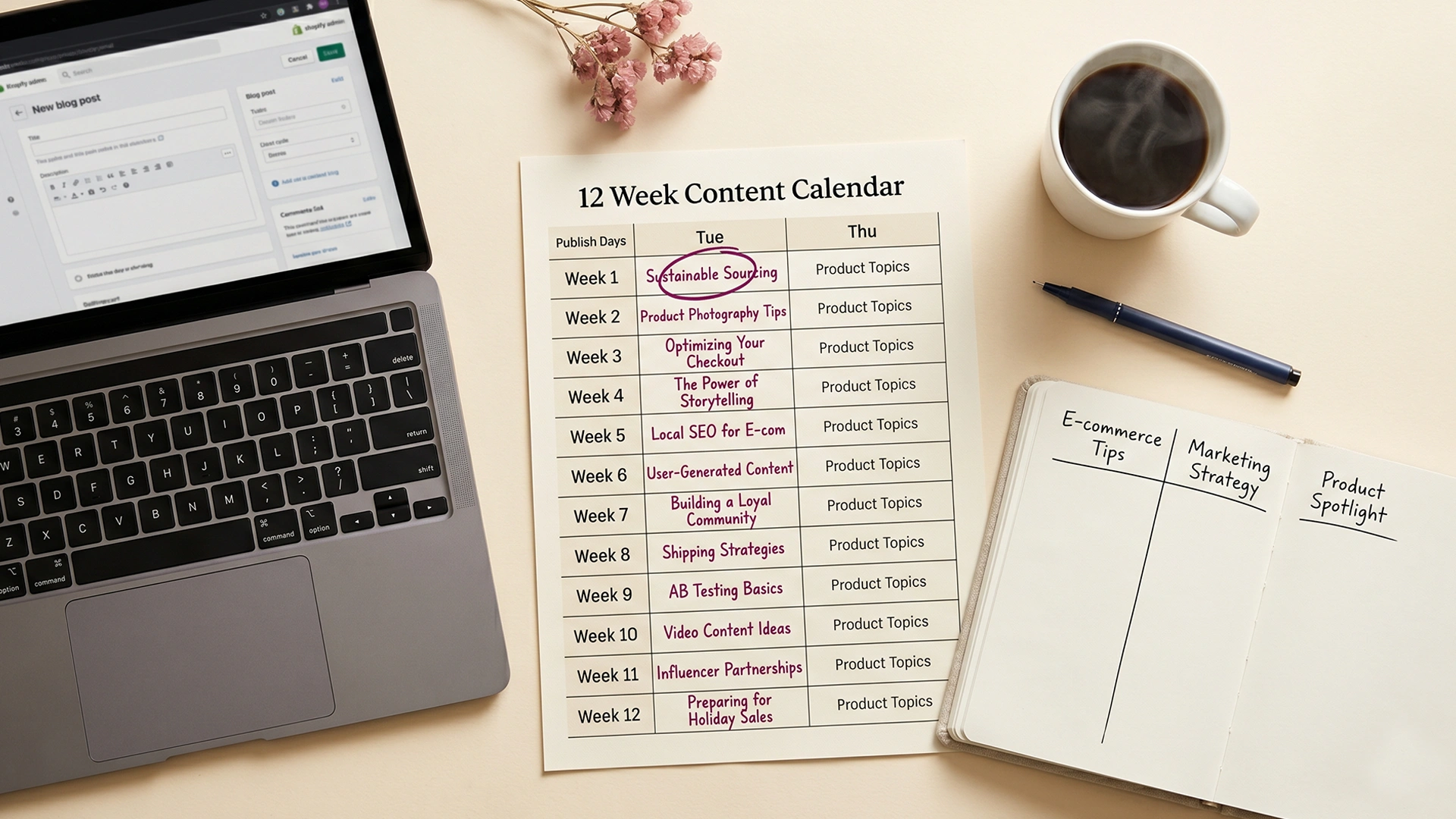
A Shopify content calendar is the plan that decides what you publish, in what order, for the next 90 days. The honest version is shorter than most templates suggest. Three pillars. Twenty-four spoke posts. Two posts a week for twelve weeks. That is the whole structure.
Most content calendars fail because they are built around how often you could post if everything went perfectly. This one is built around how often you actually will post when fulfillment runs late, a customer emails at 11pm, and you have not slept enough. If you have tried to blog for your Shopify store before and quit around week four, the calendar was probably not the problem. The cadence was.
What follows is the structure I use with Studio Niza clients and recommend to solo founders running their store alone. It is the one that keeps a single person publishing for a full quarter.
Why most Shopify content calendars fail in week six
Two patterns kill most solo Shopify blogs. The cadence is too high, or the topics are too random. Usually both.
The cadence problem is the easier one to see. A founder reads that more posts means more traffic, commits to daily blogging, and writes seven posts in week one. By week three the posts are getting shorter. By week six there is a backlog of half-finished drafts and the blog goes quiet. Blogging works fine. The schedule did not.
The math is straightforward. Orbit Media's annual blogging survey puts the average blog post at roughly four hours of work. Thirty posts a month is 120 hours of writing. For a solo founder also doing fulfillment, customer service, photography, and the inbox, that math does not work. The honest cap for one person is around eight to twelve posts a month.
The topics problem is sneakier. A founder picks 30 blog ideas in one afternoon, ranging from "history of our brand" to "behind the scenes at the warehouse" to "10 ways to style this scarf," and none of them connect to anything a buyer is searching for. The posts get written. Nobody finds them. The posts were answering questions nobody asked.
Google's helpful content guidance rewards depth in a single topic area over scattered coverage. A store publishing twelve thoughtful posts about ceramic dinnerware will outrank a store publishing thirty thin posts spread across ceramics, kitchen decor, gift guides, and lifestyle tips. Topical authority is built by going deep, not wide.
Before the calendar is the diagnostic. If your store does not have on-page SEO foundations in place (titles, meta descriptions, product schema, internal links), no blog calendar will save it. The 25-page Shopify SEO checklist covers that ground. Walk through it before post five.
What a 90-day Shopify content calendar actually is
A 90-day content calendar is three months of planned posts, mapped to topics that matter to your buyers, ordered in a sequence you can sustain. Not a full year. Not a vague "ongoing strategy." A quarter at a time. That is the planning horizon that holds up.
Why 90 days and not 30 or 365? Thirty days is too short to see whether anything is working in search. Google needs roughly 6 to 12 weeks to crawl, index, and rank a new post for anything below the most competitive keywords. A 30-day plan ends right when the first posts are starting to gain impressions.
A 365-day calendar is the opposite problem. By month three, your product line will have shifted, you will have new customer questions, and half the topics on a year-long calendar will feel stale. Ninety days is the working middle: long enough to see results compound, short enough to rebuild without throwing away months of planning.
The structure most calendars miss is the pillar-and-spoke model. Pick three pillar topics that tie directly to what your store sells. Each pillar gets a foundation post and seven supporting posts that drill into specific buyer questions. The supporting posts internally link back to the pillar post. The pillar post links forward to relevant products and collections. Google reads the cluster and treats your store as an authority on those three topics.
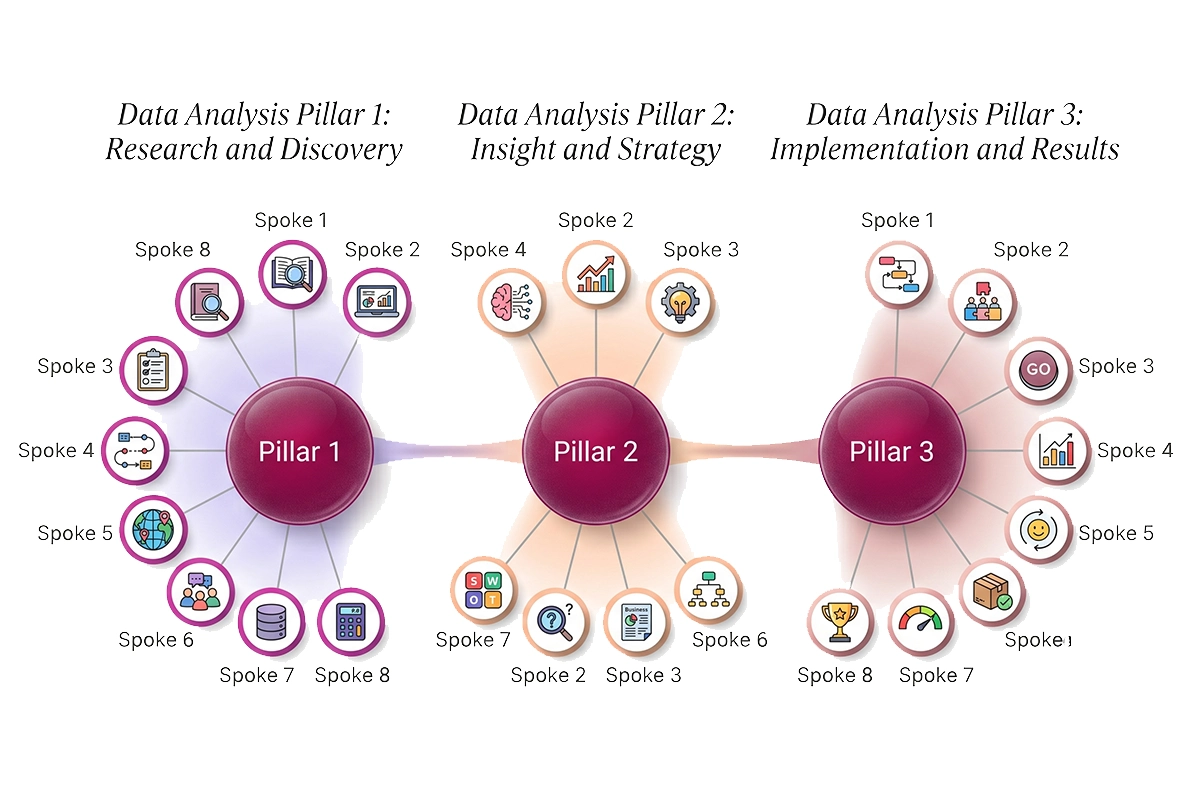
Three pillars times eight posts is twenty-four. Twenty-four posts in twelve weeks is two posts a week. The structure picks the cadence for you.
The 3-pillar, 8-spoke structure
The pillars are not topic categories. They are the things your store actually sells, framed as the questions buyers ask before purchase. Get the pillars right and the spokes write themselves.
How to pick your three pillars
Start with your top three best-selling collections or product categories. If you sell ceramic dinnerware, pillars might be ceramic mugs, ceramic plates, and ceramic serving bowls. If you sell minimalist jewelry, pillars might be stud earrings, dainty necklaces, and stacking rings. The pillars map to revenue, not to what feels exciting to write about.
The honest test: would someone Googling this pillar topic also be a likely buyer of one of your products? If yes, it is a pillar. If not, it is a magazine article.
How to generate eight spokes per pillar
Each spoke is a specific buyer question inside the pillar topic. Three free sources will give you most of what you need: Google's autocomplete, Google's "People also ask" box, and your own customer service inbox.
For a ceramic mugs pillar, autocomplete gives you "best ceramic mugs for coffee," "ceramic mugs vs porcelain," "are ceramic mugs dishwasher safe," "ceramic mugs that keep coffee hot." Each one is a spoke. Five autocomplete searches usually surface 8 to 15 candidates per pillar. Pick the eight closest to the buying decision. Some will be comparisons, some buying guides, some how-to or care posts.
The link map between pillar and spokes
The pillar post is the longest and most thorough piece in the cluster, usually 1,800 to 2,500 words. Each spoke is 1,200 to 1,800 words, drilling into one specific question.
Every spoke links back to the pillar with the pillar keyword as anchor text. The pillar links forward to all eight spokes. Both link to relevant products or collections, ideally two to four links per post. This is the structure Google uses to identify the topics your store is the authority on. It also makes product description SEO work harder, because the cluster funnels traffic to product pages with proper schema and copy.
The realistic cadence: 2 posts a week
Two posts a week, every week, for twelve weeks. That is the cadence the rest of the calendar is built around. Not three, not four, not daily. Two.
The data behind this is consistent. Shopify blog SEO frequency research covers the full case, but the short version: Google rewards quality, depth, and topical clustering. Google's John Mueller has said on the record that publishing frequency is not a direct ranking factor. A store writing two strong posts a week will outperform a store writing seven thin ones, almost without exception.
Two posts a week also fits the realistic time budget. At roughly four hours per post, that is eight hours of writing time per week. Add two hours for editing, formatting in Shopify, scheduling, and indexing. Ten hours a week. Daily blogging at 25 hours a week is not sustainable for a solo founder.
The weekly rhythm
Pick two days for publishing. Tuesday and Thursday are the most common. They give you a buffer on either side and avoid Monday inbox chaos and Friday wind-down. Then back-plan the production days.
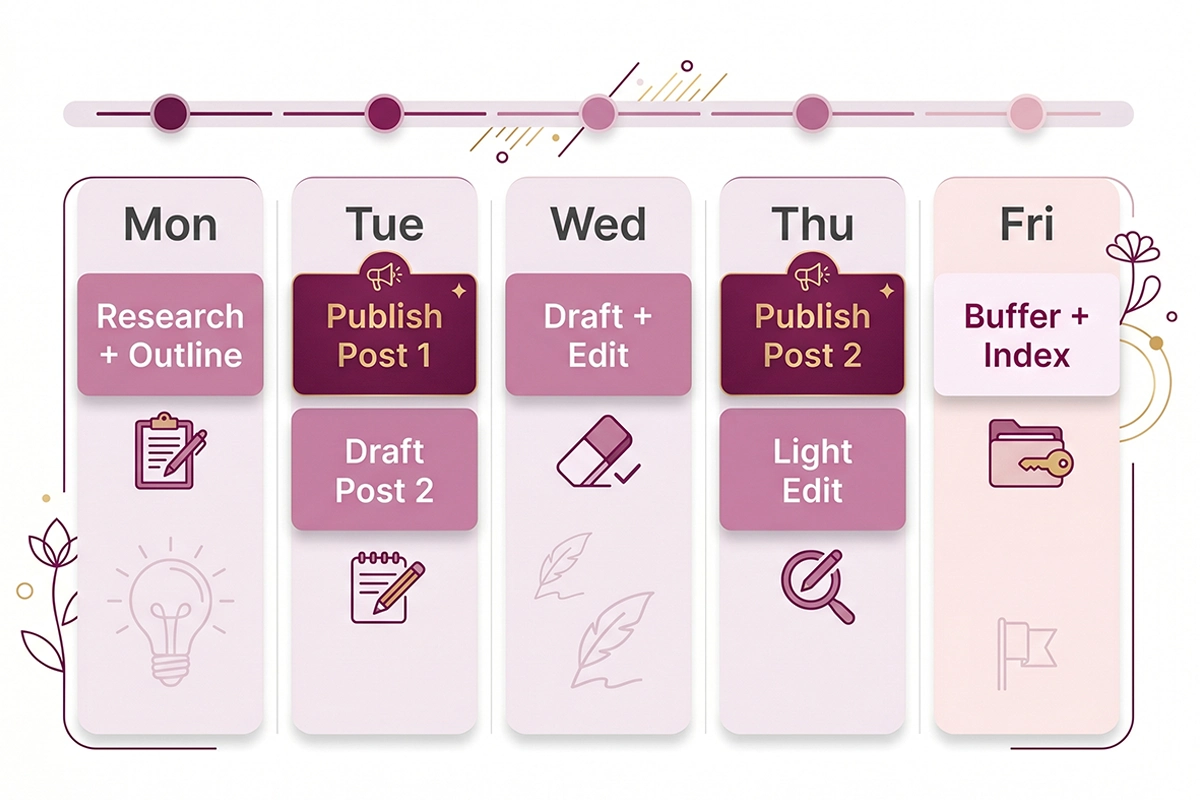
| Day | Block | Time |
|---|---|---|
| Monday | Research and outline both posts for the week | 1.5 hours |
| Tuesday | Publish post 1. Draft post 2. | 3 hours |
| Wednesday | Draft post 1 of next week. Edit post 2. | 3 hours |
| Thursday | Publish post 2. Light edit of next week's drafts. | 1.5 hours |
| Friday | Buffer. Catch-up, indexing in Search Console, repurpose to email or social. | 1 hour |
The rhythm matters more than the exact day-by-day breakdown. The point is that production is always one week ahead of publishing. You are never writing the post you are publishing today. That single rule prevents most of the burnout that ends solo blogs.
When 1 post a week is the honest answer
If two posts a week is not realistic for your stage, write one. One post a week for twelve weeks is still 12 posts. Each pillar gets four spokes instead of eight, and the calendar compresses to two pillars instead of three.
The wrong answer is "I will write three this week to catch up." Catch-up posting is how the cadence breaks. Lower the bar, hold the rhythm.
The 90-day calendar template, week by week
Here is the twelve-week template, sequenced for how a real solo store would publish it.
| Week | Post 1 (Tuesday) | Post 2 (Thursday) |
|---|---|---|
| 1 | Pillar 1 foundation post | Pillar 1 spoke 1 (buyer question) |
| 2 | Pillar 2 foundation post | Pillar 1 spoke 2 (comparison) |
| 3 | Pillar 3 foundation post | Pillar 2 spoke 1 (buyer question) |
| 4 | Pillar 1 spoke 3 (care or how-to) | Pillar 2 spoke 2 (comparison) |
| 5 | Pillar 3 spoke 1 (buyer question) | Pillar 1 spoke 4 (buying guide) |
| 6 | Pillar 2 spoke 3 (care or how-to) | Pillar 3 spoke 2 (comparison) |
| 7 | Pillar 1 spoke 5 | Pillar 3 spoke 3 |
| 8 | Pillar 2 spoke 4 | Pillar 1 spoke 6 |
| 9 | Pillar 3 spoke 4 | Pillar 2 spoke 5 |
| 10 | Pillar 1 spoke 7 | Pillar 3 spoke 5 |
| 11 | Pillar 2 spoke 6 | Refresh: update strongest week 1-4 post with new data |
| 12 | Pillar 3 spoke 6 | Refresh: update second-strongest early post |
A few rules embedded in this sequence:
Weeks 1 to 3 lead with the three pillar foundation posts. Each pillar gets its anchor piece up first so the spokes that follow have somewhere to internally link.
Pillars rotate. You never publish two posts in the same pillar back-to-back. Topical mix keeps the journal feeling fresh and gives Google a clearer picture of your range.
Weeks 11 and 12 are refresh weeks. By week 11, your earliest posts have been live for 60 to 80 days. Search Console will show which ones are getting impressions but ranking on page 2. Those are the posts worth updating with stronger examples, an additional internal link or two, and a fresh publish date. Refreshing existing posts often produces faster ranking wins than writing new ones at this stage.
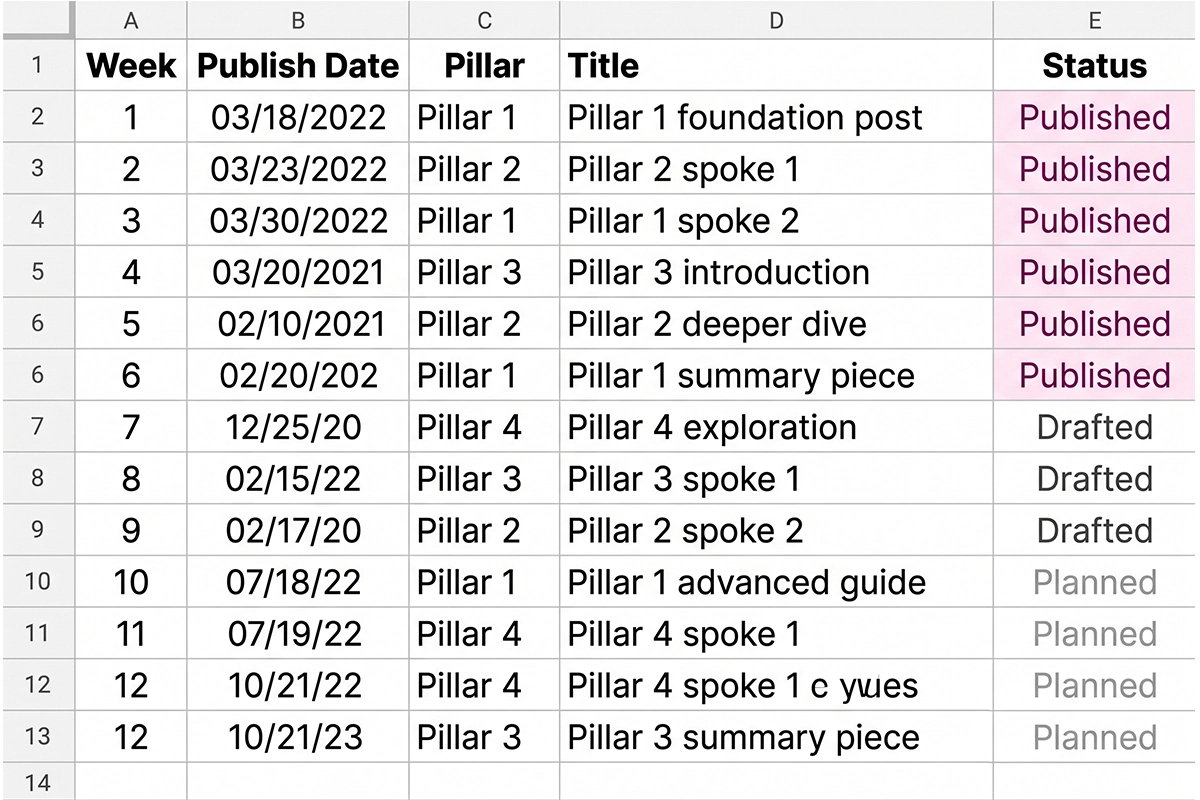
The calendar above is the skeleton. You will fill in the actual titles, target keywords, and product or collection links for your store. Twenty-four titles is doable in one afternoon if you have done the spoke-generation work in section three.
The topic vault that keeps you writing
The topic vault is the running list of ideas you collect outside of your scheduled planning sessions. It is the single biggest predictor of whether a solo founder is still blogging at week ten.
The vault prevents the panic moment. Around week six, most founders open a blank document and realize they cannot think of anything to write. The vault is the answer to "what was that customer question I wanted to answer two weeks ago." If it lives in your head, it is already gone. If it lives in the vault, it becomes next month's spoke.
What goes in the vault
Five sources feed the vault, all free:
Your customer support inbox. Every time a customer asks a question that takes more than two sentences to answer, that question is a future blog post. Tag those emails or forward them to a dedicated label.
Your store's intake form submissions. If you use Tally, Typeform, or any contact form, the "what brings you here" field is a topic mine. Real language, real intent.
r/shopify and your category's subreddit. Scan the top posts of the week. Recurring questions from real Shopify owners or buyers are spoke candidates.
Google's "People also ask" box. After you Google any existing spoke topic, the related questions are usually four to six additional spoke candidates.
Your competitor's reviews. Complaint patterns become "how to avoid X" posts. Praise patterns become "what makes Y matter" posts.
Maintain the vault as one document or spreadsheet column. One idea per line, no formatting. At week eleven planning, scan the vault and pick the ten ideas closest to your pillars. That is next quarter, half-built.
Repurposing: 1 post, 1 email, 1 social thread
Each blog post in the calendar should be the source material for at least two other pieces of content. One email to your list. One thread or carousel for whichever social platform your customers actually use. This is where the calendar starts paying off.
The 30-minute repurposing pass is the move. After publishing a post, spend 30 minutes pulling the three best paragraphs out and rewriting them as a standalone email. Subject line is the post's H1, lightly rewritten. Body is the three paragraphs. Closing line links back to the full post. That is the entire email.
For social, the same three paragraphs become a thread (X, Threads, LinkedIn) or a carousel (Instagram, TikTok). One thought per slide or post. The final card links to the blog. You do not need to rewrite the content. You need to reformat it for the platform.
What not to repurpose: care-and-maintenance posts and "what to expect on first order" content rarely translate to email or social. They are good for SEO, not distribution. Stick to comparison posts, buyer guides, and opinionated takes.
The compounding logic: a blog post on its own might bring in 200 organic visits a month after three months. The same post turned into an email reaches your subscriber list this week. The same post as a social thread reaches your followers today. One piece of work, three audiences.
Where to actually store the calendar
The tool matters less than people think. The calendar will work in a Google Sheet, a Notion database, a Trello board, an Airtable, or a paper notebook. What matters is that it lives somewhere you actually open, and that you do not switch tools mid-quarter.
The one-tab rule
One tab, one document, one board. The most common mistake is splitting the calendar across "ideas," "drafts," "published," and "ideas for next quarter," each in a different tool. The split creates friction. You stop opening any of them.
Columns for week number, publish date, pillar, title, target keyword, status (idea / outlined / drafted / edited / published), and link to the live post once it is up. That is enough.
Three honest tool recommendations
Google Sheets. Free, shareable, works on mobile, no learning curve. The right pick for 80 percent of solo founders.
Notion. Better if you already use Notion for the rest of your business. The database view lets you filter by pillar or status easily. The free tier handles a year of solo calendar use.
Trello. The kanban view (idea / drafted / scheduled / published) works well if you think visually. Slightly more friction for keyword tracking than a spreadsheet column.
Skip the dedicated content calendar apps for now. They add complexity for solo use. A spreadsheet is faster and never crashes.
Wrapping up
A Shopify content calendar is permission to write less, not more. Two posts a week, three pillars, twenty-four spokes, twelve weeks. The structure does the hard work so you do not have to renegotiate the plan every Monday.
The first month will feel slow. By month two, the second wave of posts is going up while the first wave starts to gain impressions in Search Console. By month three, you have 24 indexed posts, internal links between them, a list of top performers worth refreshing, and a topic vault with 30 more ideas ready for the next quarter. That is the compounding point.
If you have tried to blog for your store before and quit, the calendar above is the version that holds. Pick three pillars this week. List eight spokes per pillar. Block Tuesday and Thursday on your calendar for the next twelve weeks. Open a Google Sheet. Write your first pillar post on Tuesday.
Want a 90-day content calendar built for your store?
The Studio Niza Blog Starter tier covers keyword research, the topic vault, internal linking, schema, and indexing follow-up. Editorial calendar locked before any writing starts. Plans from $449 a month.
See pricing & services →Or email contact@studioniza.com if you have a specific question about your store. I read every one.
Frequently asked questions
If you're still unsure after reading these, just send the question.
How many blog posts should a Shopify store publish in 90 days? +
For a solo founder, 24 posts in 90 days is the working baseline, which works out to 2 posts a week. Stores with a dedicated content person can sustain 30 to 36 in 90 days. Beyond that, quality almost always drops and the posts stop ranking.
Can I use AI to plan my Shopify content calendar? +
Yes, for brainstorming spoke topics, generating outlines, and drafting first versions. No, for unedited posts published directly to your store. Google's helpful content guidelines penalize content written primarily for search engines, and AI-only drafts read like exactly that. Use AI to speed up research and outlining, then write or heavily edit the final post yourself.
What should the three content pillars be for a Shopify store? +
Your three top-selling collections or product categories, framed as the questions buyers ask before purchase. If you sell jewelry, pillars might be stud earrings, dainty necklaces, and stacking rings. If you sell home goods, pillars might be ceramic mugs, throw pillows, and candles. The pillars map to revenue, not to what is exciting to write about.
How long does it take for a Shopify blog post to start ranking? +
Honestly, 3 to 6 months for individual posts to start ranking, and 6 to 12 months for the cluster to compound. Track impressions in Google Search Console weekly. Position changes lag impressions by 4 to 8 weeks, so impressions are the leading indicator.
Is a Shopify content calendar worth it if I'm the only person at my store? +
Yes, but only if the calendar is built around 2 posts a week, not daily. A calendar designed for a team of three will burn out one person by week six. The right solo calendar is 24 posts in 12 weeks, three pillars, eight spokes per pillar.
What's the best free tool to manage a Shopify content calendar? +
Google Sheets, for most solo founders. It is free, mobile-friendly, and has no learning curve. Notion is a strong second choice if you already use it for the rest of your business. Skip the dedicated content calendar apps until you hire a writer.