
You have reviews. Maybe fifty, maybe three hundred. They sit on your product pages, which is the one place a shopper has already decided to look. By the time someone reads a review there, they are most of the way to buying.
The channels that bring new shoppers in, paid ads and email, are where a stranger first meets your brand. Those are exactly the places most small stores show polished product shots and their own marketing copy, not the words of real customers. That is a miss, because reviews as social proof in ads and email are the highest-trust, lowest-cost creative you already own.
This post is about moving that content off the product page and into the channels that drive traffic. You will learn how to find the exact lines in a review that sell, how to turn a photo or video review into an ad, where reviews belong in your email, and the compliant way to quote a customer so you stay on the right side of the FTC. None of it needs a bigger budget. It needs a routine.
If you are still working on getting reviews to show up in more places on your own storefront, start with showing your reviews everywhere: storefront, Google, and social. This post picks up where that one leaves off, in the paid and owned channels beyond your site.
Why your reviews are your best ad creative
Your reviews are your best ad creative because they carry trust you cannot manufacture, and they cost nothing to produce. A shopper quietly discounts what a brand says about itself. They believe another customer.
The data backs it up. Benchmarks from Emplifi, drawn from tens of thousands of brands, found that content from real customers drove 6.7 times higher conversions in early 2026, up from 4.3 times the quarter before. Pages featuring customer content pulled about four times more visits than pages without it, and the trend has been moving in one direction.
The cost side is the other half of the case. A hired creator or a product photoshoot is a real line item. A review you already collected is free. When you run a review as an ad, you put your most trusted asset into your most expensive channel, which is the cheapest way to make that channel work harder.
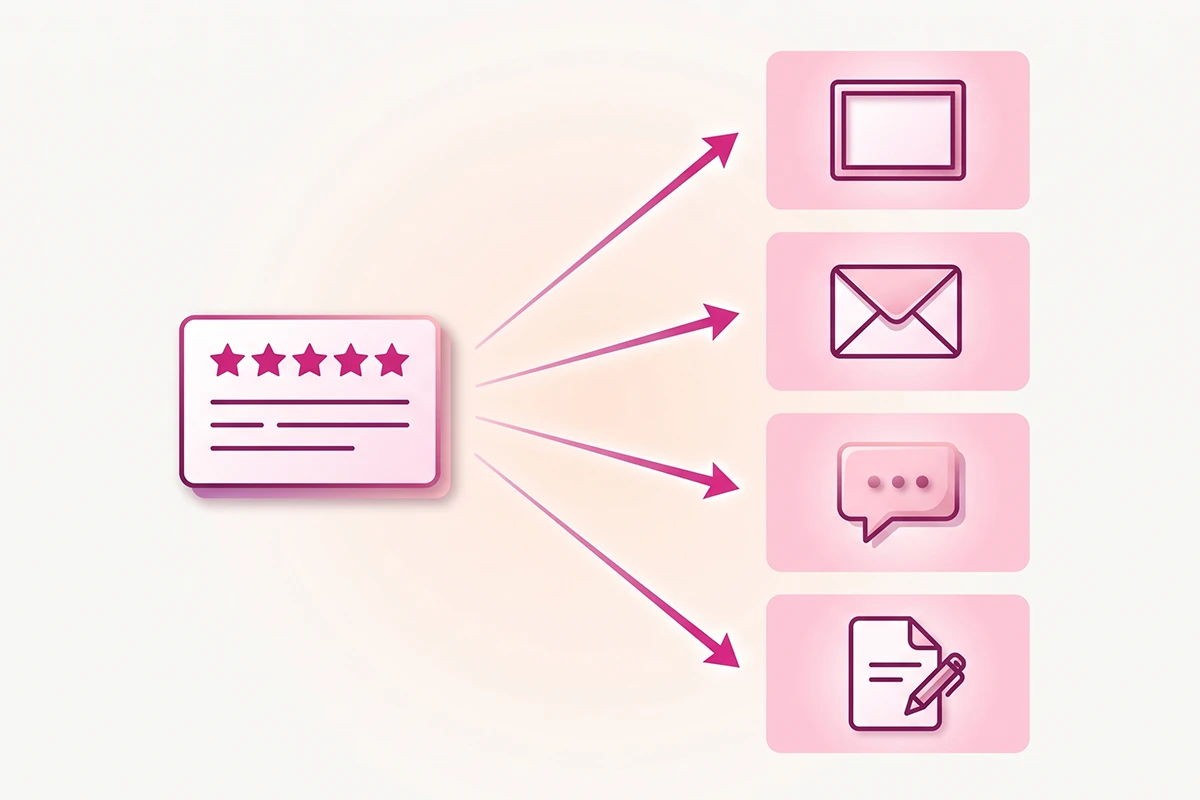
The catch is simple: reviews only build trust where people can see them. A five-star average that lives in one widget on one page is trust you paid for, in product quality and service and follow-up, and then left on the shelf. Not every review is ad material, though. The ones worth pulling are specific, which is the next section.
Mine your reviews for the lines that sell
The lines worth pulling from a review are the ones that answer an objection, name a specific outcome, or describe the product in a buyer's own words. Skip the generic "love it, five stars." Keep the sentence that overcomes hesitation.
Three things to look for. First, objection-answers: "I was worried it would run small, but it fits true to size" sells to every shopper with that same worry. Second, specific outcomes: "Set it up in ten minutes without instructions" beats any adjective. Third, buyer language, the exact words customers use to describe the problem your product solves.
That third one does double duty. The words your buyers use are also the words they search, so you can mine those same reviews for your product descriptions, and the ad and the page end up reinforcing each other.

Here is how to do it without reading everything. Sort your reviews by rating, then scan the four and five-star ones for sentences with a concrete noun or a number. Copy those into a running document, one line per row, with the reviewer's first name and the product. That document becomes your creative library, and ten good lines is enough to start.
One honest note. Do not only harvest the glowing outliers. If you build ads from your most enthusiastic reviews alone, you drift toward a picture that is rosier than the average customer's experience, and the FTC treats non-representative testimonials as a problem. Pick lines that are strong and typical.
Turn a photo or video review into creative
A photo or video review becomes an ad in one of three shapes: a quote card, the customer's own photo as the ad image, or a short customer video cut for the feed.
A quote card is the fastest ad you will ever make. Take one strong line, set it in your brand type on a clean background in your colors, add the stars and the customer's first name. It works in feed, in stories, and as a banner inside an email.
A customer's own photo often beats a studio shot, because it looks like the feed, not like an ad. Photo reviews already convert better than text on your product page, and the same holds in paid social. A ten-second clip of someone unboxing or using the product is the closest thing to a creator-made ad without hiring a creator. It reads as native content, which is most of why this kind of ad tends to hold attention and cost less per click than a polished brand ad.
Match the format to the channel. A vertical customer video suits TikTok and Reels, where content that could pass for organic performs best. A quote card or a single photo suits feed placements. One caution before you post: quoting text a customer wrote publicly is one thing, but using their photo, video, or likeness is another. Get their yes first. More on that line in a moment.
Where reviews belong in your email
Reviews earn their place in four email moments: the welcome series, browse and cart abandonment, post-purchase, and winback. Each is a point where a little outside proof tips a hesitant reader toward the click.
Email is worth the effort here. Trustpilot reports that 82% of consumers say ratings and reviews in an email make them more likely to buy, and Klaviyo's 2025 survey of more than 8,000 shoppers found customer reviews were the single most influential factor in the decision to buy. Email is where you already have permission to talk to a shopper, so adding proof to that conversation is close to free.
Place them where they answer a real doubt. In the welcome series, one strong review after the intro means a new subscriber's first impression includes another customer's voice, not just yours. In browse and cart abandonment, show a review of the exact product they looked at, which is the highest-impact spot because it answers the doubt that made them leave. In post-purchase, a review of a complementary product nudges the second order. In winback, a recent review shows the brand is still active and still delivering.
The tooling is the easy part. Judge.me, whose free tier covers most new stores, feeds reviews into common email tools. Klaviyo has a review quote block built in, and its Reviews add-on starts around $25 a month on top of the email plan. If you are keeping costs low, a copy-pasted quote card inside MailerLite's free tier does the same job by hand. The tool matters less than the habit.
The compliant way to quote a customer
To quote a customer in an ad or email without legal risk, keep it real, unedited, attributed, and attached to the right product. The moment you feature a review in marketing, it stops being a hosted review and becomes a testimonial, which the FTC holds to a higher standard.
This is not theoretical. The FTC's rule on consumer reviews and testimonials (16 CFR Part 465) took effect in October 2024, and it carries civil penalties of up to $51,744 per violation. The rule targets fake and misleading review use, not honest repurposing, so an honest store has little to fear. You just have to stay honest on four points.
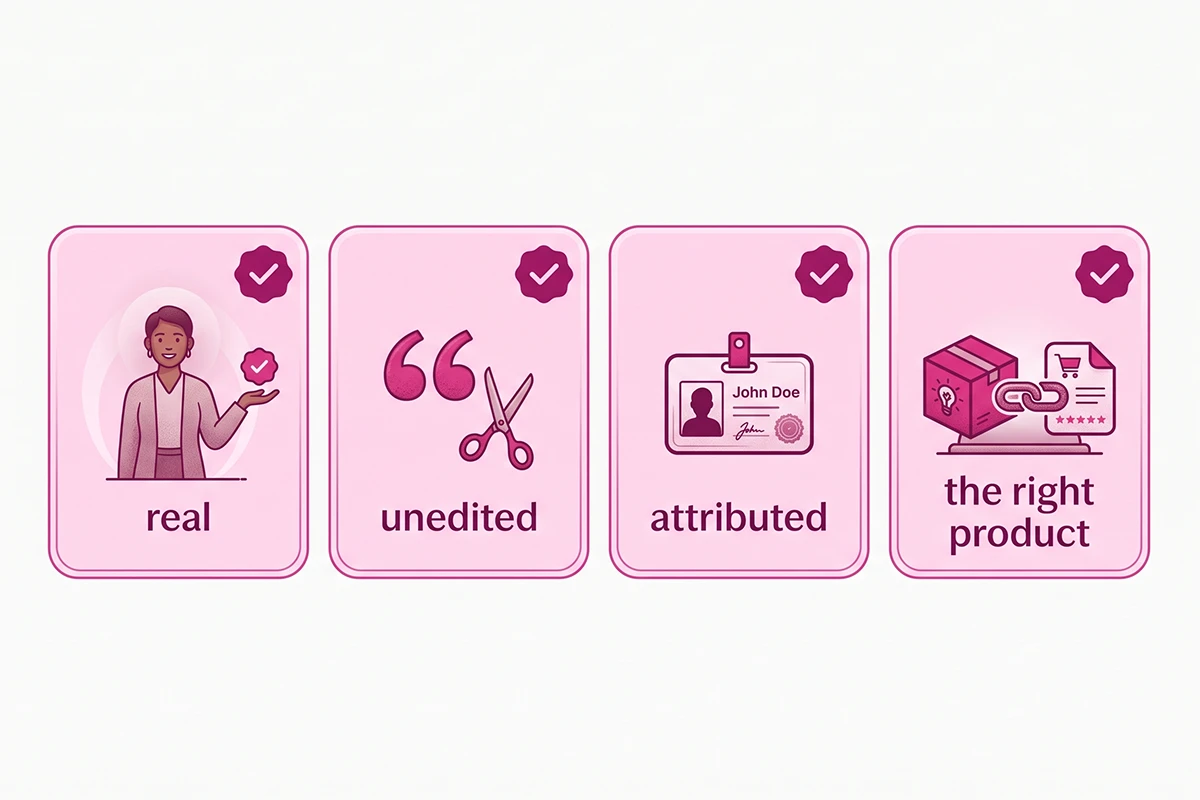
Real. The review has to come from an actual customer who actually used the product. No writing your own, no AI-generated praise, no reviews bought in exchange for a positive rating.
Unedited in substance. Fixing an obvious typo or trimming a long review with an ellipsis is fine. Changing what the customer said is not. If an edit alters the meaning of their experience, you have misrepresented it.
Attributed. Use a real first name, or "Verified buyer" if the customer prefers. Do not invent a persona. For photos and video, get explicit permission, because that uses the person's likeness, not just their words.
Right product. Keep the review with the product it was written about. The FTC dropped the specific review-hijacking clause from the final rule, but moving a review onto a substantially different product can still be treated as deceptive. If you ask for and handle reviews the compliant way from the start, this part takes care of itself. This is not legal advice, but the honest version and the compliant version are almost always the same version.
A simple monthly harvest routine
The whole system runs on a thirty-minute monthly harvest: pull the month's new reviews, tag the strongest, clip the photos and videos, and route the best lines into a shared document your channels draw from.
Four steps. Pull: open your reviews app and filter to the last month, four stars and up. Tag: mark the ones with an objection-answer, a specific outcome, or a strong photo or video. Clip: save the images and video files into one folder, named by product. Route: add the best lines to your creative library, then drop them where they belong.
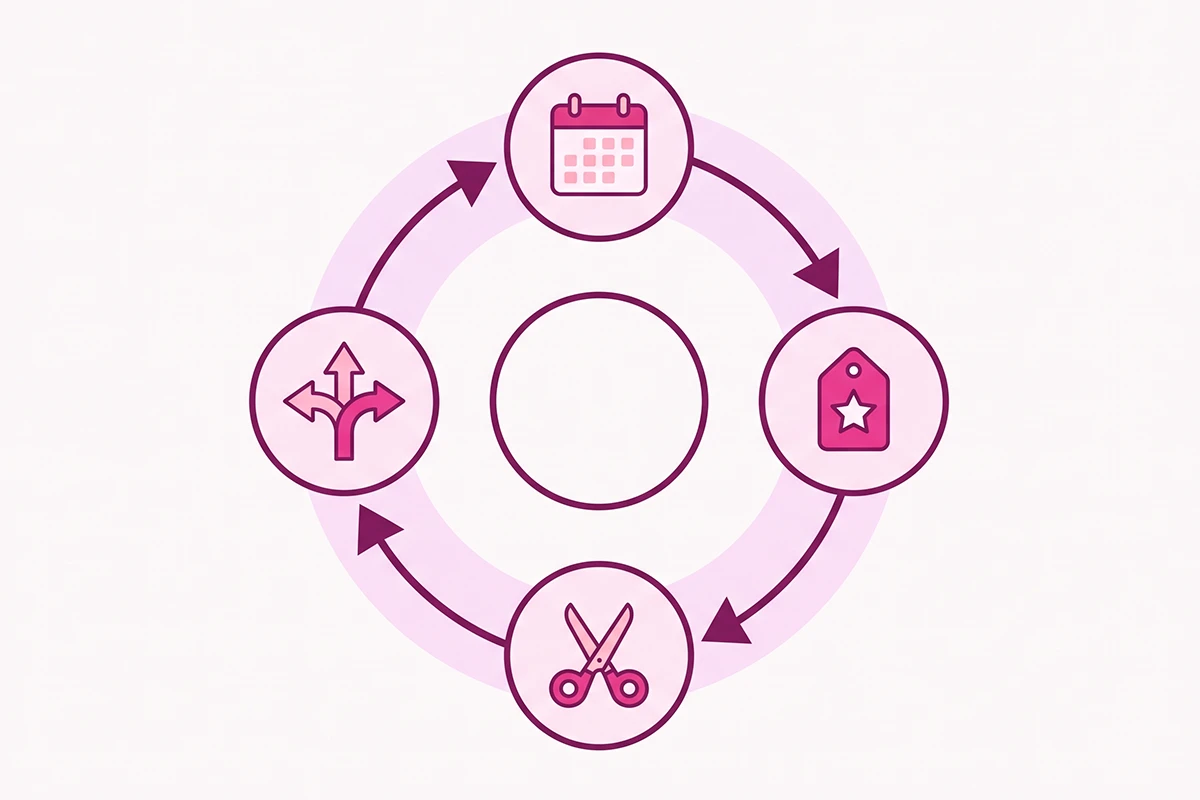
That last step is the quiet win. The same harvested review can feed your chatbot so it answers pre-sale questions in real customer language, and it can anchor a blog post with a first-hand detail that AI search engines like to cite. One piece of content, four channels.
| Review type | Best format | Where it goes |
|---|---|---|
| Line that answers an objection | Quote card | Feed ads, cart-abandonment email |
| Customer photo | Photo ad or email banner | Paid social, browse-abandonment email |
| Customer video | Vertical clip | TikTok, Reels, product page |
| Specific outcome or result | Pull quote | Welcome email, blog proof point, chatbot answer |
Do this once a month and you never run dry on creative. Skip it for a quarter and you are back to guessing what to post.
Where to start this week
Your reviews are creative you have already paid for, and most of that value is sitting unused on the product page. Move it to the channels where strangers meet your brand, which are the ads and email that actually bring in traffic.
Start small. Pull ten strong lines this week, make one quote card and one email block, and put them live. You do not need a big library to begin. You need one good line in one new place, then a habit that adds to it.
Keep it honest. Real, unedited, attributed, right product. That is not only compliance, it is the reason review content works at all. The trust is the whole asset, and if you edit it away you are left with nothing.
The work that remains is the routine. The harvest takes thirty minutes a month once you have done it once. The hard part is remembering to do it, which is exactly the kind of steady, unglamorous task that quietly compounds while flashier tactics burn out.
Want your best reviews working in every channel?
The Studio Niza Reviews Management service keeps a steady flow of real reviews coming in, replies to each one, and preserves the reviews you would otherwise lose when products change. That gives you a growing library of honest review content to pull into your ads and email. Plans from $199/month.
See pricing & services →Or email contact@studioniza.com if you have a specific question about your store. I read every one.
Frequently asked questions
If you're still unsure after reading these, just send the question.
Can I use customer reviews in my Facebook and Instagram ads? +
Yes. Featuring a real customer's review in a paid ad is allowed, as long as the review is genuine, you do not change what the customer said, and you attribute it to a real person. Once a review appears in an ad it counts as a testimonial under FTC rules, so keep it honest and representative of the typical customer experience.
Do I need a customer's permission to use their review in my marketing? +
For the text of a public review, permission is usually not required, though a quick heads-up is good practice. For a customer's photo, video, or likeness, get explicit permission first, because that uses more than their words. When in doubt, ask. A short message keeps you clear of both etiquette and legal issues.
How do I add customer reviews to my Shopify email campaigns? +
Most review apps, including Judge.me on its free tier, feed reviews into email tools. Klaviyo has a built-in review quote block, and its Reviews add-on starts around $25 a month on top of an email plan. If you are on a tight budget, a copy-pasted quote card in MailerLite's free tier works just as well.
Do I need consent to use a customer's photo or video from a review in an ad? +
Yes. Text a customer posted publicly is different from their image or likeness. Using someone's photo or video in an ad without their okay can create both legal and trust problems, so always get a clear yes first. A short message asking permission is enough, and most happy customers say yes.
What is the difference between a review and a testimonial under FTC rules? +
A review hosted on your product page is covered by an exemption as long as you are only displaying customer feedback. The moment you feature that review in an ad, email, or other marketing, it becomes a testimonial and the exemption no longer applies. Testimonials must not misrepresent a real customer's actual experience.
Can I edit a customer review to shorten it or fix a typo for an ad? +
You can trim a long review with an ellipsis and fix an obvious typo. You cannot change the substance of what the customer said. If an edit alters the meaning of their experience, that misrepresents the review and crosses the FTC line, so keep any edits cosmetic.
How many reviews do I need before repurposing them is worth it? +
Even a handful is enough to start. Ten strong lines will supply a quote card, an email block, and a chatbot answer. Turning reviews as social proof into ads and email is about quality and placement, not volume, so a small store with genuine reviews can begin today.
Do repurposed reviews work better in ads or in email? +
Both channels benefit, in different ways. In ads, review content lowers the cost of paid social because it looks native and builds trust fast. In email, reviews lift clicks and conversions at moments of hesitation, like cart abandonment. Use them in both, since the same harvested line often fits each.