
Your chatbot told a customer you offer free returns. You don't. Now they want a refund label you never promised, and you're the one sorting out the mix-up.
This is the most common complaint I hear about Shopify chatbots, and it almost never means the bot is broken. It means nobody fed it your real store data. A generic chatbot answers from whatever it learned during training, not from your shipping policy, your returns window, or your product specs. When it doesn't know the answer, it guesses. Confidently.
To train a Shopify chatbot is to give it your actual store information and tell it to answer from that, not from memory. That sounds obvious, but most owners install a chatbot app, type a one-line welcome message, and assume the bot somehow already knows their store. It doesn't.
This post covers what a chatbot knowledge base actually is, the four sources you should feed it (your shipping and returns policy, your FAQ, your product details, and your past support tickets), how the blog posts you already wrote double as training material, and how to catch the bot when it starts making things up. None of it needs code, and most of it uses content already sitting in your Shopify admin.
What is a chatbot knowledge base?
A chatbot knowledge base is the collection of your store's real information that the bot reads before it answers a question. Think of it as the bot's open book: your policies, your FAQ, your product details, all in one place it can search.
Without a knowledge base, an AI chatbot answers from its training data, which is general internet knowledge frozen at the point the model was built. It knows what a return policy usually looks like. It does not know yours. If you want a refresher on what a Shopify chatbot actually does and doesn't do, that post pairs well with this one.
The technical name for the open-book approach is retrieval-augmented generation, or RAG. The bot retrieves the most relevant pieces of your knowledge base, then writes its answer using those pieces as the source. IBM describes RAG as a way to anchor a language model in factual, current, authoritative data instead of letting it answer from memory alone. For a store, that authoritative data is your own content.
Rule-based bot versus a bot that reasons over your knowledge base
A rule-based chatbot follows a script. You write "if the customer says this, reply that," and it never leaves the map. It's predictable and it never invents anything, but it also can't answer a question you didn't anticipate. Ask it something slightly off-script and it stalls.
A knowledge-base chatbot reads your documents and reasons over them. It can answer a question you never explicitly scripted, as long as the answer lives somewhere in what you fed it. This is the difference 2026 buyers are starting to notice: a scripted bot that says "I didn't understand that" versus one that reads your returns policy and explains it.
Neither is automatically better. A rule-based bot is fine for a tiny store with five repeat questions, and it's worth understanding the self-serve versus managed tradeoffs before you commit. The knowledge-base approach earns its keep once customers ask varied questions and you can't script every one.
Why does my Shopify chatbot give wrong answers?
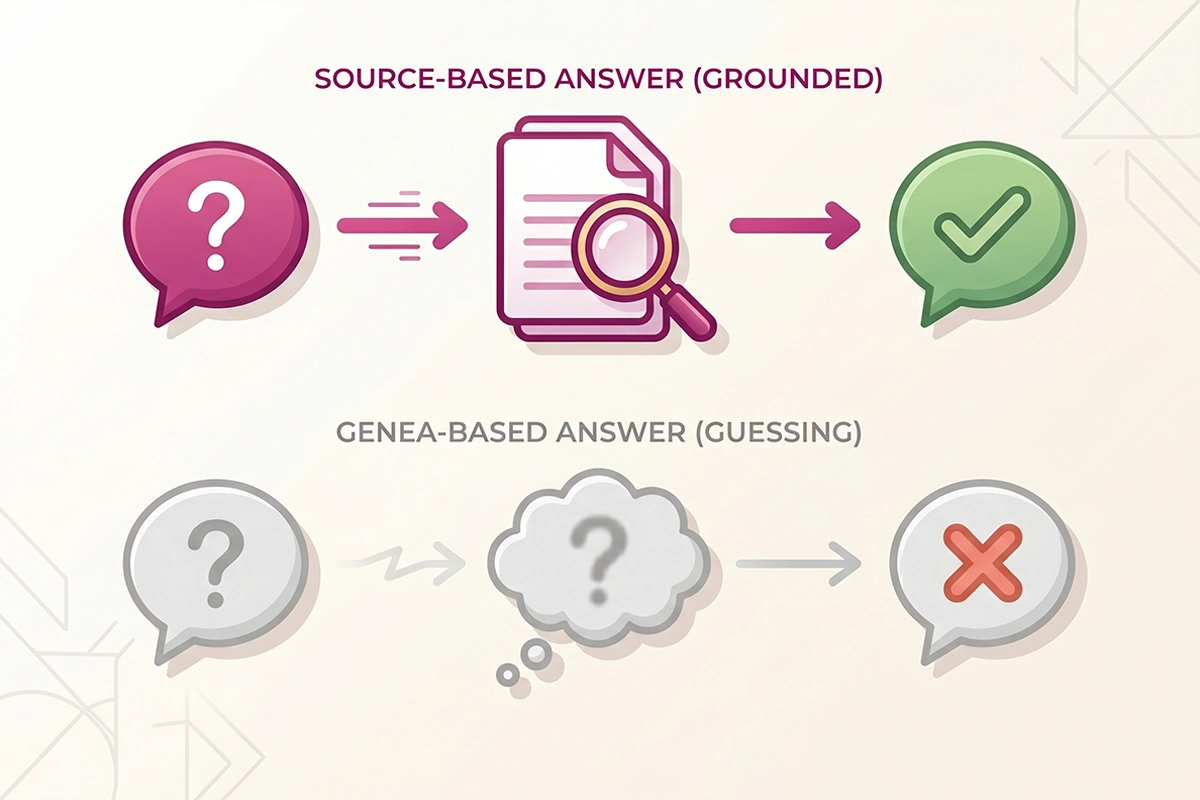
Your Shopify chatbot gives wrong answers because it was never given the right ones. When an AI model doesn't have a fact in front of it, it doesn't say "I don't know." It produces the most plausible-sounding answer it can, which is often wrong. The industry term is hallucination.
This isn't a rare glitch. Research on customer service bots finds that models answering without a grounded knowledge base distort or invent answers a meaningful share of the time, and the failures cluster around exactly the questions stores care about: refund eligibility, shipping windows, and product specs. Grounding the bot in your real data reduces that risk, though it never makes a model error-proof. It is still the single biggest thing you can do to cut the error rate.
The bot's words are your words
In 2024, a Canadian tribunal ordered Air Canada to honor a refund policy its chatbot had invented. The bot told a grieving customer he could claim a bereavement discount after booking; the airline's real policy said the opposite. The tribunal held the airline responsible for what its chatbot said, rejecting the argument that the bot was a separate entity.
The dollar amount was small. The precedent is not. If your bot tells a customer they have 90 days to return an item and your policy says 30, you're the one who has to honor it or eat the bad review. This is why feeding the bot accurate data isn't a nice-to-have. It's the whole job.
The four sources to feed your Shopify chatbot
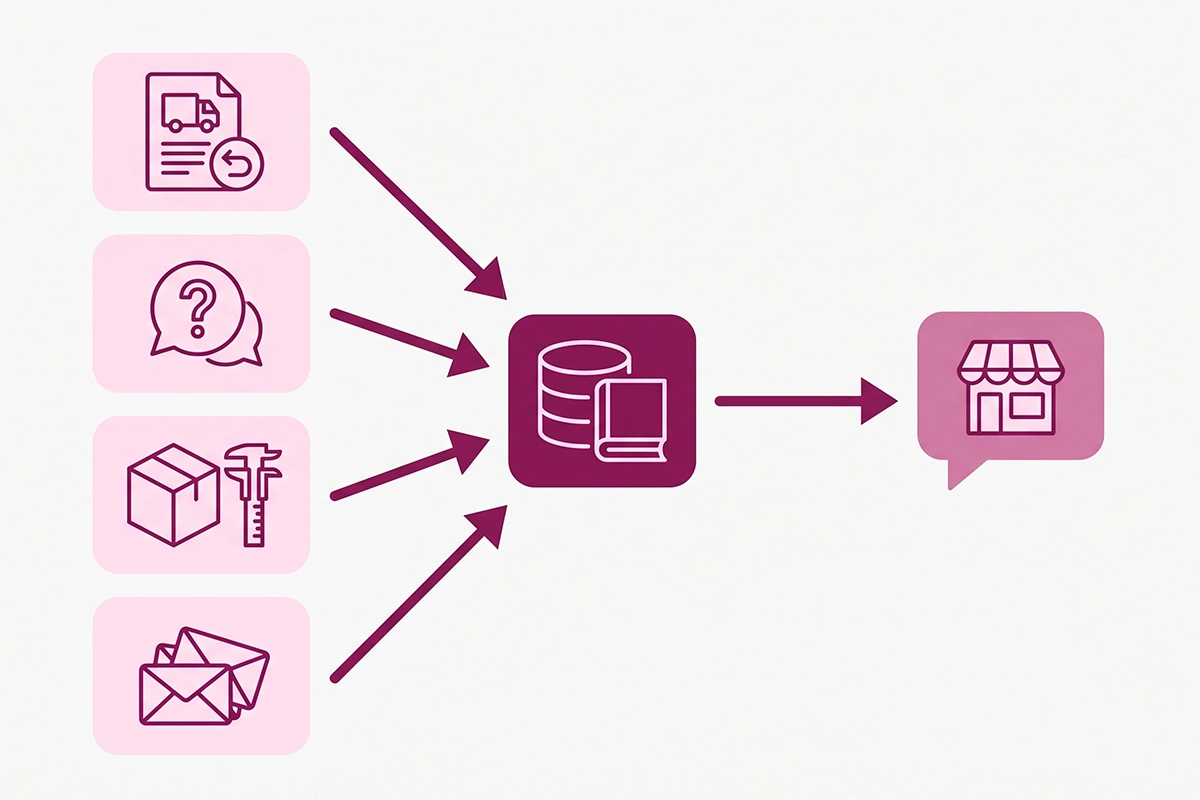
Four sources cover almost every question a Shopify customer asks: your shipping and returns policy, your FAQ, your product details, and your past support tickets. Feed the bot these four and it can answer the large majority of pre-sale and post-sale questions without guessing.
1. Your shipping and returns policy
This is the highest-value source because it answers the highest-volume questions: how long shipping takes, what it costs, where you ship, and how returns work. You already wrote this. It lives on your Shopify policy pages and probably your shipping page.
Feed the bot the full text, not a summary. Include the edge cases: international rates, holiday cutoffs, restocking fees, and what happens to sale items. Vague policies produce vague answers.
2. Your FAQ
Your FAQ is the bot's cheat sheet for questions that don't fit neatly into a policy: sizing, materials, care instructions, gift wrapping, and when something restocks. If you have an FAQ page, that's the source. If you don't, your support inbox will tell you what belongs there.
A good FAQ does double duty. It feeds the bot, and the same questions and answers can power FAQ schema on your pages, which now matters more for getting cited in AI search than for Google rich results.
3. Your product details
The bot needs to know what you sell in specifics: dimensions, materials, weight, compatibility, and what's in the box. This is the source most stores under-feed, because product descriptions are written to sell, not to answer questions.
A customer asking "will this fit a 15-inch laptop" needs a real measurement, not "roomy and versatile." Give the bot the spec table, not just the marketing copy. A RAG-based ecommerce assistant pulls from product catalogs, FAQs, and reviews to answer this kind of question precisely.
4. Your past support tickets
Your old support emails and chat logs are the most underused source you own. They're a record of every real question a customer has asked, in the customer's own words. The patterns in there tell you what's missing from your knowledge base.
You don't paste raw tickets full of personal data into the bot. You read them for recurring questions, then write clean answers into your FAQ and policies. Past tickets are the map. The knowledge base is the destination.
| Source | Questions it answers | Where it already lives |
|---|---|---|
| Shipping & returns policy | Delivery time, cost, destinations, return window, refunds | Shopify policy pages, shipping page |
| FAQ | Sizing, materials, care, restocks, gifting | FAQ page, or your support inbox |
| Product details | Dimensions, compatibility, what's included | Product pages, spec sheets, supplier data |
| Past support tickets | The real questions customers actually ask | Email, Shopify Inbox, help desk logs |
How your blog posts double as chatbot training data
The blog posts you've already published are ready-made chatbot training data. A buying guide, a how-to, a "which model is right for you" post: each one answers questions customers ask, in full sentences, already in your brand voice. Add them to the knowledge base and the bot can pull from them.
This is the quiet payoff of content that most stores miss. A post explaining the difference between your two best-selling products doesn't just rank in Google. It also lets your chatbot give a real recommendation when a shopper asks which one to buy.
It works the other way too. Every post you write becomes a reusable asset you can point in several directions, and feeding the bot is one more place it earns its keep. If you're already publishing for SEO, you're already building chatbot training data. You just have to point the bot at it.
One caution: blog posts age. A post that mentions last year's pricing or a discontinued product will feed the bot stale facts. Keep the posts you put in the knowledge base current, or leave the time-sensitive ones out.
How do I know if my chatbot is hallucinating?
You spot a hallucinating chatbot by testing it against answers you already know, then watching for confident answers it has no source for. The bot is hallucinating when it states a policy, price, or product detail that isn't in anything you fed it. Here is a fifteen-minute self-test you can run today.
Ask it questions you know the answer to
Open your own chat widget and ask what a customer would: your return window, your shipping cost to a specific country, whether a product comes in a certain size. Compare each answer to your real policy. If the bot gets your own facts wrong, the knowledge base is missing or out of date.
Push it toward the edges
Ask something your policy doesn't cover, like returning a used item after 60 days. A well-built bot says it isn't sure and offers to connect you with a human. A hallucinating bot makes up a confident answer. Restraint is the correct behavior here, not creativity.
Watch for two tells: invented specifics (a return window or price you never set) and confident vagueness (a fluent answer that never commits to a fact). Both mean the bot is filling gaps instead of reading your data.
Read the transcripts
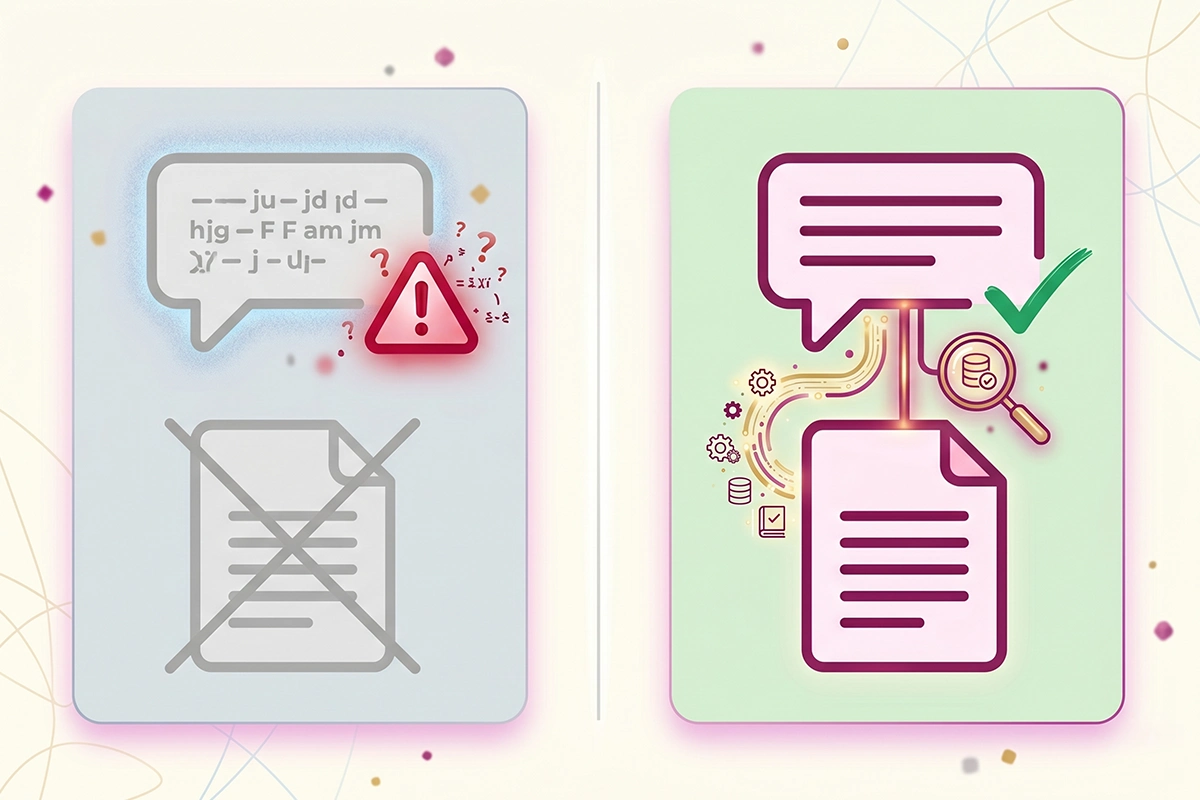
The fastest way to catch problems at scale is to read what your bot actually said. Most platforms log every conversation. Skim them weekly for answers that don't match your policy, then patch the knowledge base. This is the same habit that makes a chatbot better over its first month.
Keeping the knowledge base current (the part most stores skip)
A chatbot knowledge base is only as accurate as its last update. A bot trained on correct data in January will give wrong answers by March if your prices, policies, or products changed and the knowledge base didn't. Stale data is the quiet, common cause of wrong answers, and it has nothing to do with the model.
Update the knowledge base whenever something it depends on changes: a new shipping rate, a revised return window, a discontinued product, a price change. At a minimum, review it every quarter. High-volume stores benefit from a quick monthly pass on the most common questions.
This is the part that catches owners off guard. A chatbot is not a one-time setup you install and forget. It's closer to a page on your site that has to be maintained. Someone has to notice when the policy changes and update the bot to match.
This is the work a managed setup does for you
If keeping a knowledge base current sounds like one more task you don't have time for, that's the honest case for a managed chatbot. The monthly fee on a managed plan isn't really for the software. It's for someone watching the transcripts, catching the wrong answers, and updating the knowledge base as your store changes.
That's how I run chatbots at Studio Niza: trained on your real store data, then monitored and updated each month so the answers stay true as your store grows. The setup is the start. The maintenance is the point.
Wrapping up
A Shopify chatbot is only as good as what you feed it. A generic bot with no knowledge base will guess, and its guesses become promises you have to keep. A bot grounded in your real store data answers accurately, escalates when it isn't sure, and saves you from answering the same shipping question for the hundredth time.
The work breaks down into four sources you already own: your shipping and returns policy, your FAQ, your product details, and your past support tickets. Add the blog posts you've published and the bot has plenty to work with. None of it needs code. Most of it is gathering content that's already in your Shopify admin.
The two things most stores get wrong are starting with no knowledge base at all and never updating the one they built. Both produce the same symptom: a confident bot giving wrong answers. Both are fixable with content you already have.
If you want to test your own bot this week, run the fifteen-minute check: ask it questions you know the answers to, push it toward the edges, and read a few transcripts. You'll know within minutes whether it's reading your data or making things up. And if you'd rather not build and maintain the knowledge base yourself, that's the part I handle for clients.
Want the bot fed and maintained for you?
The Studio Niza managed AI chatbot is trained on your real store data, then monitored and updated as your policies and products change. Setup from $599, then $99/month all-in, hosting included.
See chatbot pricing & setup →Or email contact@studioniza.com if you have a specific question about your store. I read every one.
Frequently asked questions
If you're still unsure after reading these, just send the question.
Do I need to train a Shopify chatbot myself, or does it learn automatically? +
Some apps claim to learn your store automatically by crawling your pages, but you still need to check what they picked up and fill the gaps, because auto-crawled data is often incomplete or out of date. Plan to feed the bot your policies and FAQ directly, then review its answers, rather than trusting it to train itself.
How often should I update my Shopify chatbot's knowledge base? +
Update it whenever a policy, price, or product changes, and review the whole thing at least once a quarter. High-volume stores benefit from a quick monthly pass on the most common questions. A knowledge base that isn't maintained is the most common reason a once-accurate bot starts giving wrong answers.
Can a Shopify chatbot pull live order and tracking data? +
Yes. If it's integrated with your Shopify store, the bot can look up real order status and tracking for a customer. That live order lookup is separate from the knowledge base, which handles general questions like policies and product details. A good setup uses both: integration for order-specific answers, knowledge base for everything else.
What happens if my chatbot gives a customer the wrong information? +
You are generally responsible for what your chatbot tells customers, the same as any other statement on your site. A Canadian tribunal once made a company honor a refund policy its bot invented. Keep your knowledge base accurate, make sure the bot escalates when it's unsure, and have a plan to correct errors quickly.
How much content does a chatbot need before it works well? +
Less than most owners expect. Your shipping and returns policy, a solid FAQ, and accurate product details cover the majority of questions on day one. You add more over time as you spot gaps in the transcripts, but you don't need hundreds of documents to start.
Is a rule-based chatbot or an AI chatbot better for a small Shopify store? +
It depends on how varied your questions are. A rule-based bot following a script is fine if customers ask the same few things and never wander off it. Once questions get varied, a bot that reasons over your knowledge base handles more without you scripting every case. Many small stores start simple and move to a knowledge-base bot as volume grows.