
“Alternate page with proper canonical tag” is not an error. Google’s own page indexing documentation describes the status and then says, in plain words, that there is nothing you need to do about it.
That is worth sitting with, because almost nothing else written about this phrase agrees with it. Search the term and you get fix-it guides, theme edits, and robots.txt rules. The Shopify Community thread that keeps resurfacing has one commenter saying it is not an error and three more recommending code changes anyway.
So here is the honest version. If you just opened the pages report in Google Search Console for the first time, you are probably looking at a few hundred URLs marked “not indexed,” and most of them are supposed to be there. Shopify generates several web addresses for the same product on purpose. Google notices, picks one, and files the rest under “alternate page with proper canonical tag.” That is the system working.
The trouble is that Search Console shows all of it in one list, under one alarming heading, with a big number next to it. Four statuses, four different meanings, and no indication of which ones deserve your Saturday. This post decodes each one for a Shopify store: what triggers it, whether it is normal, and what to do. It also answers the two questions the forums never answer directly, about filter URLs and pagination URLs.
What this status actually means
Google’s page indexing report documentation defines it this way: the page is marked as an alternate of another page, it correctly points to the canonical page, and the canonical page is indexed. Then the recommended action: there is nothing you need to do.
Unpack the word “alternate” and the panic drains out of it. An alternate is a second address for something that already has a home. Your product is not missing from Google. It is indexed under one address, and the other addresses leading to it have been filed as duplicates of that one.
This matters for rankings in a specific way. When Google consolidates duplicate URLs, it does not split your ranking signals across them. Links, relevance, and authority collect on the canonical URL. Five paths to one product page means one strong page, not five weak ones.
The count is what misleads people. The report counts addresses, not products, so a store with 60 products can easily show 400 URLs. If you are working through a wider indexing problem, the five real causes of Shopify pages not getting indexed by Google covers the diagnosis side; this post is the status-by-status companion to it.
Why your Shopify store makes so many of these URLs
Shopify builds more than one route to most pages, and each route is a URL Google can find. Knowing where they come from makes the number much less frightening.
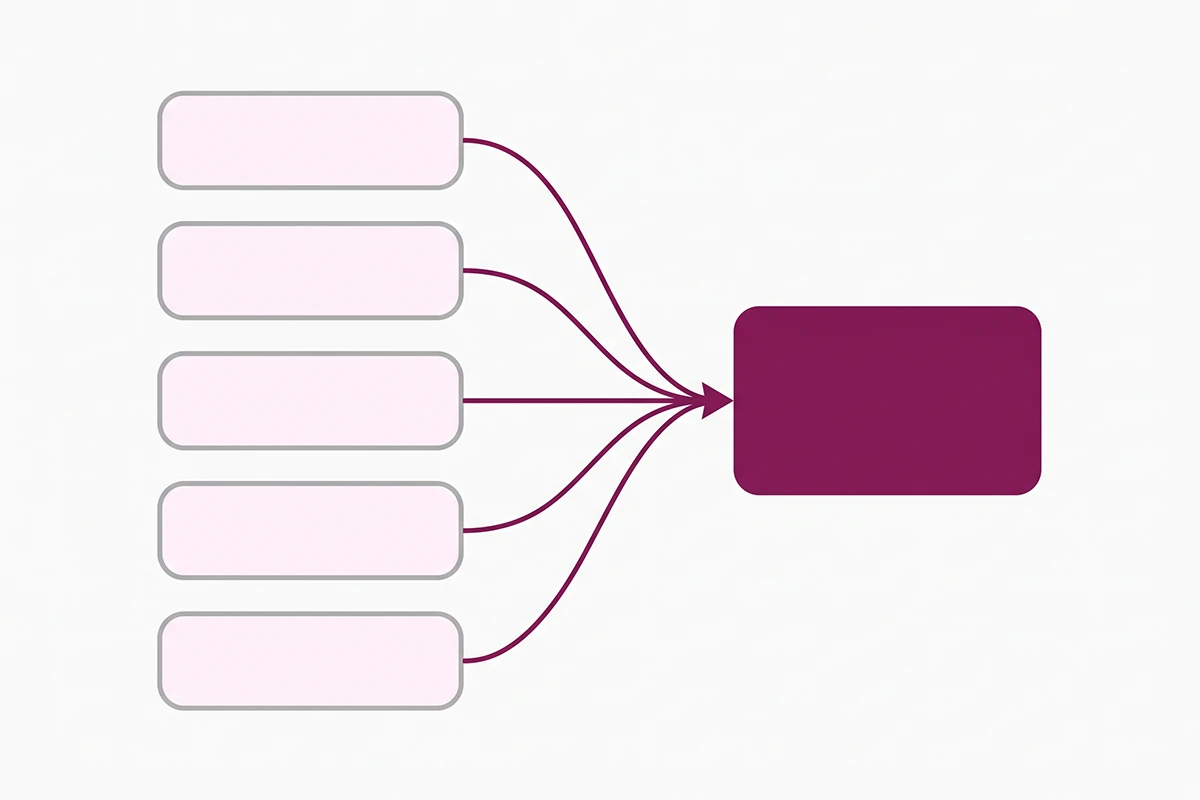
Four common sources on a typical store:
Collection-prefixed product URLs. When a shopper clicks a product from inside a collection, many themes link to /collections/summer-linen/products/oat-linen-shirt rather than /products/oat-linen-shirt. List that product in four collections and you have five addresses for one page.
Variant URLs. Clicking a color or size swatch appends something like ?variant=47693684506848. Every variant is another crawlable address for the same page.
Pagination URLs. Collection page two arrives as ?page=2, and so on through your catalog.
Filter URLs. Storefront filters add query parameters such as ?filter.v.option.color=. A collection with three filter groups can generate dozens of combinations.
Shopify handles the canonical tag for all of these automatically. Its themes work out the canonical version of a page from your store’s structure and write that tag into every duplicate address, which is the mechanism producing the status you are reading about. You can confirm it on your own store in a moment using the view-source check further down. For the detail, I wrote separately about how Shopify sets your canonical URL automatically and how variant, collection, and tag URLs quietly create duplicates.
Why the number jumped this year
If your count climbed noticeably in 2026 without you changing anything, there is a reason most guides on this topic have not caught up with. On March 16, 2026, Shopify changed storefront filter URLs to use stable identifiers instead of text values. A filter that used to read color=Blue now carries a longer identifier string.
The change was made so links survive renamed filter labels and translated storefronts, which is sensible. The detail that matters here is that Shopify confirmed all former filter URLs continue to work. Both generations resolve, both are crawlable, and a store running filters for a year effectively acquired a second set overnight. That alone can explain a few hundred new entries in the report this year.
The other three statuses, decoded for Shopify
The alternate-canonical status rarely arrives alone. Three others show up in the same list, and they do not mean the same thing.
What does “Crawled, currently not indexed” mean on Shopify?
Google fetched the page, read it, and decided not to index it for now. Google’s documentation adds that it may be indexed later and that there is no need to resubmit the URL.
On a Shopify store this bucket fills with filter and sort variations, tag pages, and thin product pages. Thin means a supplier description of two sentences, no unique copy, no reviews. Filter URLs sitting here is Google doing what you would want. Product pages sitting here is the one status on this list that points at a content problem rather than a plumbing one.
What does “Discovered, currently not indexed” mean?
Google found the URL, usually through your sitemap, and has not crawled it yet. Google’s stated reason is scheduling: it wanted to crawl the page but expected that doing so would overload the site, so it rescheduled.
On a large site this is a crawl budget conversation. On a new Shopify store it is a waiting conversation. A handful of URLs here two weeks after launch is ordinary. Hundreds of product pages stuck here for two months is not, and that usually means weak internal linking.
What does “Excluded by noindex tag” mean?
Google tried to index the page, found a noindex instruction, and honored it. This is the only status here that comes from an explicit instruction in your store rather than a judgment call by Google.
On Shopify the usual occupants are search results, cart and checkout, and policy pages. All of those belong there. The thing to check is whether anything you want ranking has ended up in this bucket, usually because a theme setting or an SEO app added the tag without you noticing.
| Search Console status | What triggers it on Shopify | Normal? | What to do |
|---|---|---|---|
| Alternate page with proper canonical tag | Collection-prefixed product URLs, variant URLs, pagination, filters | Yes, almost always | Nothing. Check that a money page has not landed here by mistake. |
| Crawled, currently not indexed | Filter and sort variations, tag pages, thin or near-duplicate product pages | Normal for filters, not for product pages | Ignore the filter URLs. Add real copy to any product page listed here. |
| Discovered, currently not indexed | New URLs waiting in the queue, pages with few internal links | Normal for a few weeks after launch | Wait. If it persists past two months, improve internal linking. |
| Excluded by noindex tag | Search results, cart, checkout, policy pages, app-added tags | Yes, for those page types | Confirm nothing you want ranking is in this list. |
Do filter and pagination URLs need fixing?
These are the two questions store owners actually type into Google, and the forum threads answer with theme code instead of a verdict. Here are the verdicts.
Filter URLs: leave them alone
Shopify already blocks a good portion of this for you. According to Shopify’s robots.txt documentation, the default file disallows /admin, /cart, /checkout, /search, /policies/, and /collections/*+*, which covers the older plus-sign tag filter format. Shopify also states that the default file works for most stores.
What the default does not cover is the newer query-parameter filters, the ?filter.v. style URLs. Those are crawlable, which is why they turn up in your report. That is fine. Google crawling a filter URL and declining to index it costs you nothing on a store of normal size, and the alternative carries real risk.
I would not add filter rules to robots.txt on a store under a few thousand products. Editing that file is the most consequential SEO change available in a Shopify admin, and a pattern written slightly too broadly can remove pages you depend on. If you are considering it anyway, read what to block and what to never touch in robots.txt first.
Pagination URLs: check before you touch anything
Pagination is the one case here where the status might point at something real. Google’s guidance for ecommerce pagination is direct: do not use the first page of a paginated sequence as the canonical page, and give each page its own canonical URL. Some Shopify themes follow that. Some point page two back at page one, which is what puts ?page=2 into your alternate-canonical list.
Checking yours takes thirty seconds. Open collection page two, view the page source, and search for rel="canonical". If the address still ends in ?page=2, your theme is doing what Google asks. If it has dropped back to the base collection URL, your theme is consolidating pagination, and products that only appear on page two or later are reachable by Google only through other links.
What you should not do is block ?page= in robots.txt, the fix most often suggested in these threads. On a store with 200 products and 24 per collection page, pages two through nine are a primary route Google uses to find your catalog. Blocking them to clean up a status report trades a cosmetic number for real discovery.
The minority that actually needs action
None of this means every URL in the report is fine. A small number deserve your time, and they share a trait: a page you care about is affected, not just an address that happens to exist.
1. A page you need ranking is listed as an alternate. If your main collection page, a buying guide, or a hero product shows up under alternate-canonical, Google is pointing it somewhere else. That is worth tracing.
2. You see “Duplicate, Google chose different canonical than user.” A different status, and it means Google disagreed with the canonical you set. Google’s canonicalization troubleshooting guide, updated in August 2026, says to inspect the URL to see which page Google picked, check for technical misconfigurations, and make sure the clustered pages are different enough to justify existing separately. It also notes that re-evaluation can take up to two weeks.
3. Product pages appear under “Crawled, currently not indexed.” Filter URLs there are normal. Product pages there are Google saying the page does not add enough to be worth storing. The fix is copy, not code: original description, real specifics, answers to the questions buyers ask.
4. “Discovered, currently not indexed” is large on a small store. Under a few hundred URLs this points at internal linking, not crawl scheduling. Pages nothing links to are hard for Google to justify crawling.
Everything outside those four is a number rather than a problem. That is worth saying plainly, because status lists are what template SEO services bill against. It is straightforward to produce a report showing 340 issues resolved when Google’s documentation says 300 of them required no action. Real SEO work is deciding which 40 mattered.
How to check any URL in two minutes
You do not have to take my word for any of this. Search Console will tell you about your own store directly.
Paste a URL into the inspection bar at the top of Search Console and read two fields. The first is whether the URL is on Google. The second, under coverage details, is the Google-selected canonical. If that field shows a clean product URL and yours was the collection-prefixed version, the system is working as intended and your product is indexed.
Two reality checks are worth running while you are in there.
Compare against your sitemap, not against the total. Your sitemap lists the URLs you consider real: products, collections, pages, blog posts. If nearly all of those are indexed, your store is healthy no matter how many alternates sit in the other column. A 60-product store showing 400 URLs and 340 alternates is not an 85% failure. It is 60 products indexed once each.
Crawl budget is almost certainly not your issue. This is the concern raised most often in these threads, and Google is specific about who it applies to. The crawl budget guide, updated in July 2026, opens by saying that if your pages are crawled the same day they are published, you do not need to read it. The thresholds it gives are sites over one million pages changing weekly, or over ten thousand pages changing daily. A store with 400 URLs is not in that conversation.
Wrapping up
Three things to take away. “Alternate page with proper canonical tag” is Google telling you duplicate addresses were consolidated onto the right page, and Google’s documentation says no action is needed. Shopify generates those addresses by design, through collection paths, variants, pagination, and filters, with a new batch arriving this year from the March 2026 filter URL change. And the four statuses mean four different things, so reading them as one number is what turns a normal store into a broken-looking one.
There is work left, and it is not in the report. The useful version of this hour is checking that your money pages are indexed, adding real copy to any product page Google crawled and passed on, and leaving the filter URLs to sort themselves out. That is less satisfying than clearing a list to zero, but the list was never meant to reach zero. A healthy Shopify store has more addresses than pages, permanently.
If you do change something, give it time. Re-evaluating a cluster of pages can take up to two weeks, and Search Console validation runs on its own schedule after that. Checking daily tells you nothing except that the number has not moved yet.
And if none of the four signals apply to your store, that is the good outcome. Close the tab and go write a better product description. That will do more for your traffic this month than anything on that list.
Not sure which of your URLs actually matter?
The Studio Niza SEO and GEO service includes an indexing pass: I go through the pages report URL by URL, separate the normal from the real, and fix only the ones that can move traffic. Pricing starts at $499 one-time.
See pricing & services →Or email contact@studioniza.com if you have a specific question about your store. I read every one.
Frequently asked questions
If you're still unsure after reading these, just send the question.
Is “alternate page with proper canonical tag” an error? +
No. Google’s page indexing documentation describes it and then states that there is nothing you need to do. It means the URL is a duplicate address that correctly points at a canonical page, and that canonical page is indexed. Search Console groups it under “not indexed,” which is what makes it look like a failure.
How many not-indexed pages are normal for a Shopify store? +
There is no fixed number, because the report counts addresses rather than products. A 60-product store can legitimately show 300 or more not-indexed URLs. The useful comparison is your sitemap: if the products, collections, and blog posts listed there are indexed, the store is healthy regardless of the total.
Should I block Shopify filter URLs in robots.txt? +
Usually no, not on a store under a few thousand products. Shopify’s default robots.txt already disallows the older plus-sign filter format along with search, cart, and checkout, and Shopify says the default works for most stores. A rule written slightly too broadly can remove pages you depend on, which is a larger risk than a tidy report is worth.
Why does Shopify create /collections/name/products/name URLs? +
Shopify keeps the collection in the path so shoppers stay in context while browsing, which is why themes link that way from collection pages. The same product also lives at its plain /products/ address. Shopify’s themes set the canonical automatically, so the collection-prefixed versions are consolidated onto the plain one.
Will fixing these statuses increase my Shopify traffic? +
For the alternate-canonical bucket, almost never, because those URLs were never going to rank separately and their signals already sit on the canonical page. The traffic upside is in the smaller group: product pages sitting under “crawled, currently not indexed” that need real copy, and any page where Google chose a canonical you did not intend.
How long does Search Console take to update after I fix something? +
Google’s canonicalization guidance says re-evaluating a cluster of pages can take up to two weeks after you make a change, and Search Console validation runs on its own schedule after that. Plan on a few weeks before the numbers move, and avoid stacking several changes at once so you can tell which one worked.