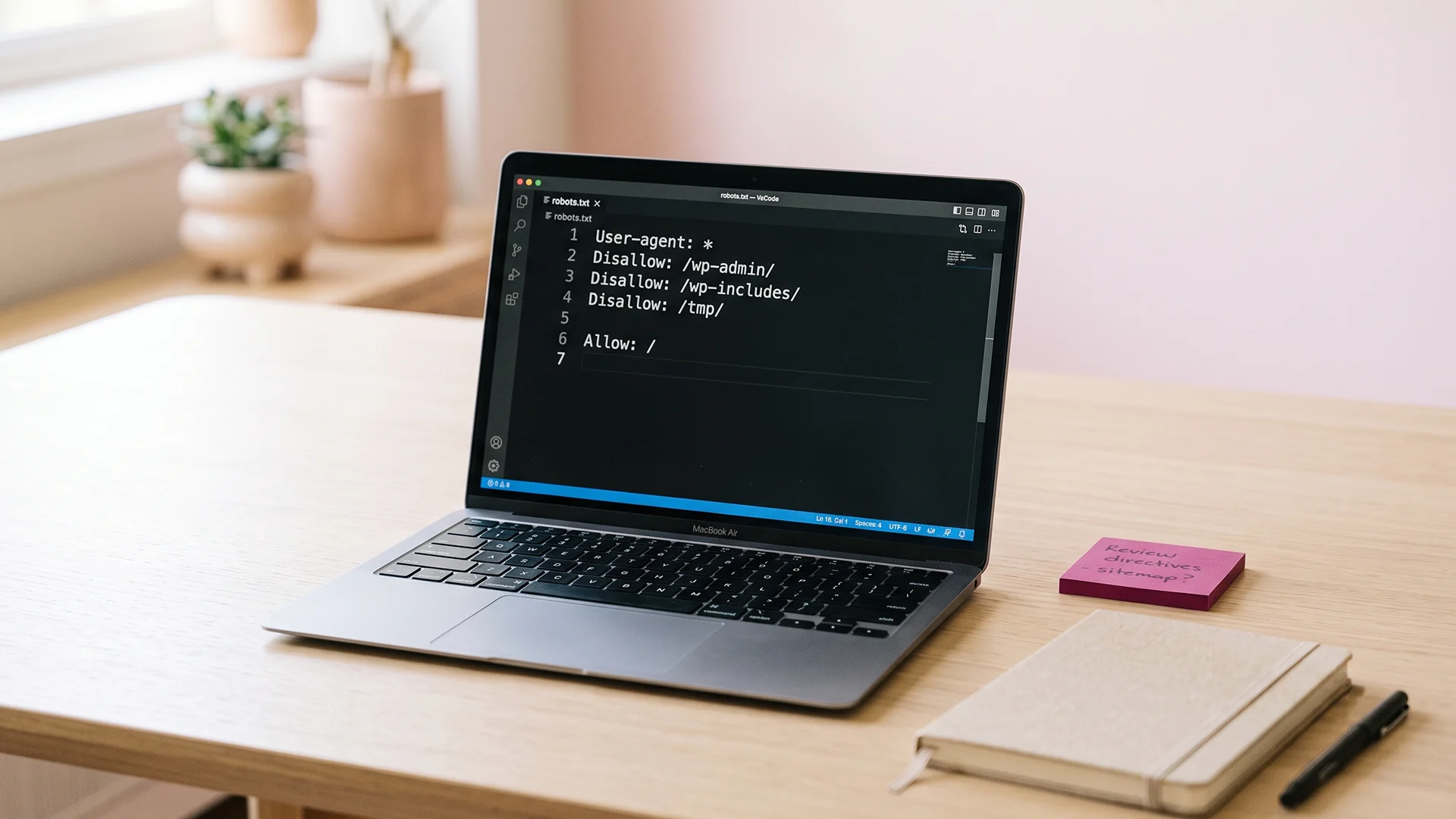
Somewhere in a Shopify SEO checklist, you read a line like "hide certain pages from Google." Maybe it was about tag pages, your internal search, or a duplicate collection. So now you are staring at your robots.txt file and your theme code, one edit away from either fixing a small problem or deindexing your whole store by accident.
Here is the reassuring part first. On a Shopify store, most of the "hide this from Google" work is already done for you. Shopify ships a default robots.txt that blocks the pages that should never be indexed, and it adds canonical tags automatically. For most new stores, the correct move is to change nothing.
The risky part is that Shopify lets you edit robots.txt yourself, and the internet is full of advice telling you to. That advice is where stores get hurt. One wrong line under User-agent: * can tell Google to stop crawling your entire site, and the traffic can take months to come back.
This post is the careful version. You will learn what robots.txt actually controls (it is not what most people think), what Shopify already blocks for you, the handful of pages genuinely worth keeping out of Google, and how to noindex a page safely. We will also sort out the difference between noindex and canonical, since mixing those up is where most "shopify no index" searches begin. By the end, you will know exactly what to touch and what to leave alone.
What robots.txt actually controls (and what it doesn't)
Robots.txt controls crawling, not indexing. That one distinction explains almost every mistake in this topic.
Crawling is when a search engine bot reads the code on your page. Indexing is when that page becomes eligible to appear in search results. They sound like the same thing, but they are two separate steps, and robots.txt only touches the first one.
Google is blunt about this in its own robots.txt documentation: the file manages crawler traffic, and it is not a way to keep a page out of Google. If another site links to a page you blocked in robots.txt, Google can still index that URL. It just shows up with no description, because Google was never allowed to read the content.
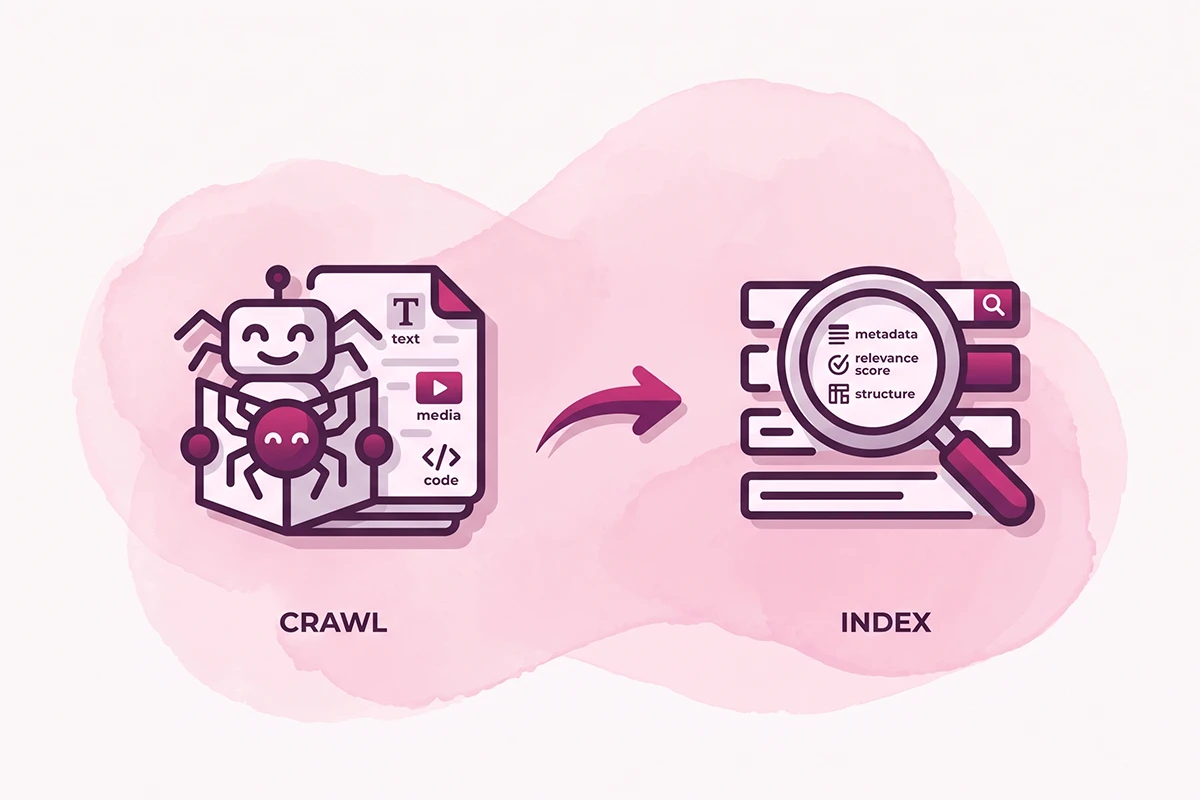
So if your goal is "keep this page out of search results," robots.txt is the wrong tool. The right tool is a noindex tag, which we will get to. If your goal is "stop wasting crawl budget on junk URLs," robots.txt is exactly right, and Shopify has already handled most of it.
What Shopify already blocks for you
Before you edit anything, look at what Shopify already does. Every store ships with a default robots.txt that blocks the pages no store wants indexed. You can see yours right now by adding /robots.txt to your domain.
Here is what the default file keeps crawlers away from, according to Shopify's own documentation:
| URL pattern | What it is | Why it's blocked |
|---|---|---|
| /cart | The shopping cart | Unique per visitor, nothing to index |
| /checkout, /orders | Checkout and order pages | Private, no search value |
| /account | Customer account pages | Private to each customer |
| /search | Internal search results | Endless low-value URLs |
| /collections/*+* | Stacked filter pages | Duplicate, thin content |
| /collections/*sort_by* | Sorted collection views | Same products, different order |
| /policies/ | Auto-generated policy pages | Near-identical across stores |
| /admin | Store admin | Not public anyway |
This is why a common panic is misplaced. On r/shopify, new owners regularly find their robots.txt "full of Disallow lines" and assume something is broken. It is not. Those lines are Shopify's defaults, tuned for SEO, and they are supposed to be there.
Shopify updates these default rules over time so best practices stay applied. For the large majority of new stores, this file needs no changes at all. In practice, the studio touches it for maybe one client in twenty, and only for a specific, tested reason.
The pages actually worth keeping out of Google
Most stores never need to block anything beyond the defaults. A few situations are the real exceptions. Here is where a deliberate block earns its place.
Thin tag and filter pages. Shopify's blog tag pages (like /blogs/news/tagged/sale) and some filtered collection URLs create thin, near-duplicate pages. Shopify blocks stacked filters by default, but a custom filter setup or an app can generate URLs the default rules miss. If Google is indexing dozens of these, they compete with your real pages. Our breakdown of Shopify's tag pages and blog URL structure covers this in detail.
A custom internal search that changed the URL. Shopify blocks /search by default. But many stores install a search app that serves results at a different path, like /pages/search or an /apps/ route. Once that happens, the default rule no longer protects you, and Google can start crawling infinite query pages.
A/B test duplicates and staging pages. If you clone a landing page to test two versions, you do not want Google indexing both. The same goes for any "draft" or "temp" page you published to preview.
Genuinely private content you still published. A wholesale page, a hidden gift guide, a page you only share by direct link. These need real hiding, not just a robots.txt line.
Notice the pattern. Almost every one of these is better solved with a noindex tag than a robots.txt block, because you want the page kept out of results, not merely uncrawled. That is the next section.
How to noindex a page on Shopify (the safe way)
A noindex tag tells search engines to drop a page from their results, even if other sites link to it. It is the honest way to hide a page. On Shopify you have three ways to add one, and one of them is clearly the safest.
Method 1: The seo.hidden metafield (recommended, no code)
Shopify supports a built-in metafield called seo.hidden. Set it to 1 on a product, page, or blog post, and Shopify applies a noindex tag, removes the page from your XML sitemap, and hides it from internal search, all at once. Shopify's own team documents this method, and it is the cleanest option because it keeps every signal consistent. To reverse it, delete the value and save.
Method 2: A conditional tag in theme.liquid (code, more control)
If you need to noindex by rule (say, every page matching a certain handle), you can add a conditional meta tag in your theme's head. Shopify's help docs show the exact snippet. The catch: a meta tag alone does not remove the page from your sitemap, so you send Google a mixed signal (noindex on the page, but still listed in the sitemap). It also means editing core theme files, where one typo can break your layout.
Method 3: Unlisted product status
For products specifically, Shopify's Unlisted status hides the product from search, the Shopify Catalog, and your sitemap, while keeping it reachable by direct URL. Good for a link-only product.
| Method | No code | Removes from sitemap | Best for |
|---|---|---|---|
| seo.hidden metafield | Yes | Yes | Most pages, most owners |
| theme.liquid meta tag | No | No | Rule-based noindex |
| Unlisted status | Yes | Yes | Link-only products |
For most owners, the metafield is the answer. It is reversible, it does not touch theme code, and it keeps your sitemap honest.
One more thing that trips people up: noindex is not instant. Google has to recrawl the page to see the tag, which can take days to weeks. You can speed it up by requesting a recrawl in Google Search Console, but the page will not vanish overnight.
Noindex vs canonical: they do different jobs
This is where "shopify no index" searches often go wrong. Noindex and canonical both deal with pages you would rather Google not spotlight, but they solve different problems.
A canonical tag says: these near-duplicate URLs are the same page, count them as one, and rank this version. The page stays indexable. You are consolidating signals, not hiding anything. Shopify adds canonical tags automatically for variant and tag URLs, which is why you rarely need to think about them. We wrote a full breakdown of how variant and tag URLs create duplicate content and what the canonical tag does about it.
A noindex tag says: drop this page from the index entirely. Nothing gets consolidated. The page simply leaves search results.
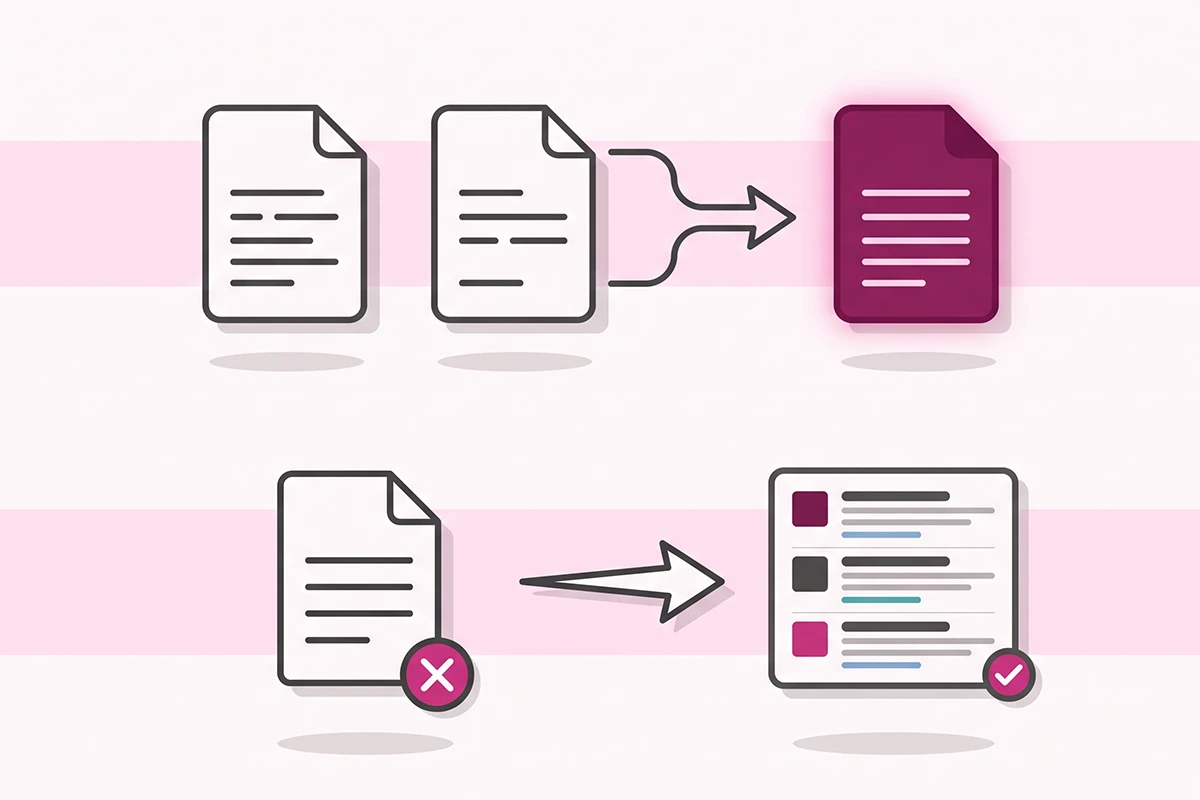
Here is the simple rule. If two URLs show basically the same content and you want the stronger one to rank, that is a canonical job, and Shopify usually handles it. If a page should not be in Google at all, that is a noindex job, and you add it yourself.
Do not make them fight each other. A noindex tag combined with a canonical pointing to a different page sends Google mixed instructions. For a page you want gone, a plain noindex (with the self-referencing canonical Shopify already provides) is enough.
The edits that wreck rankings overnight
Now the part that keeps store owners up at night. These are the mistakes that actually cost traffic, in rough order of how much damage they do.
1. Disallowing your whole site. A single line, Disallow: / under User-agent: *, tells every crawler to stay off your entire store. Stores have done this by accident and dropped out of Google within days. Shopify warns in its docs that incorrect robots.txt edits can result in the loss of all traffic, and they mean it.
2. Blocking a page you also want deindexed. This is the most common one, and it is counterintuitive. If you add a noindex tag to a page and also block that page in robots.txt, Google can never crawl the page to see the noindex tag. So it stays indexed, often showing up as "Indexed, though blocked by robots.txt" in Search Console. Google is explicit that a noindex tag only works if the page can be crawled. The fix is to allow crawling and let the noindex do its job. If your pages are stuck this way, our diagnostic for Shopify pages not getting indexed walks through it.
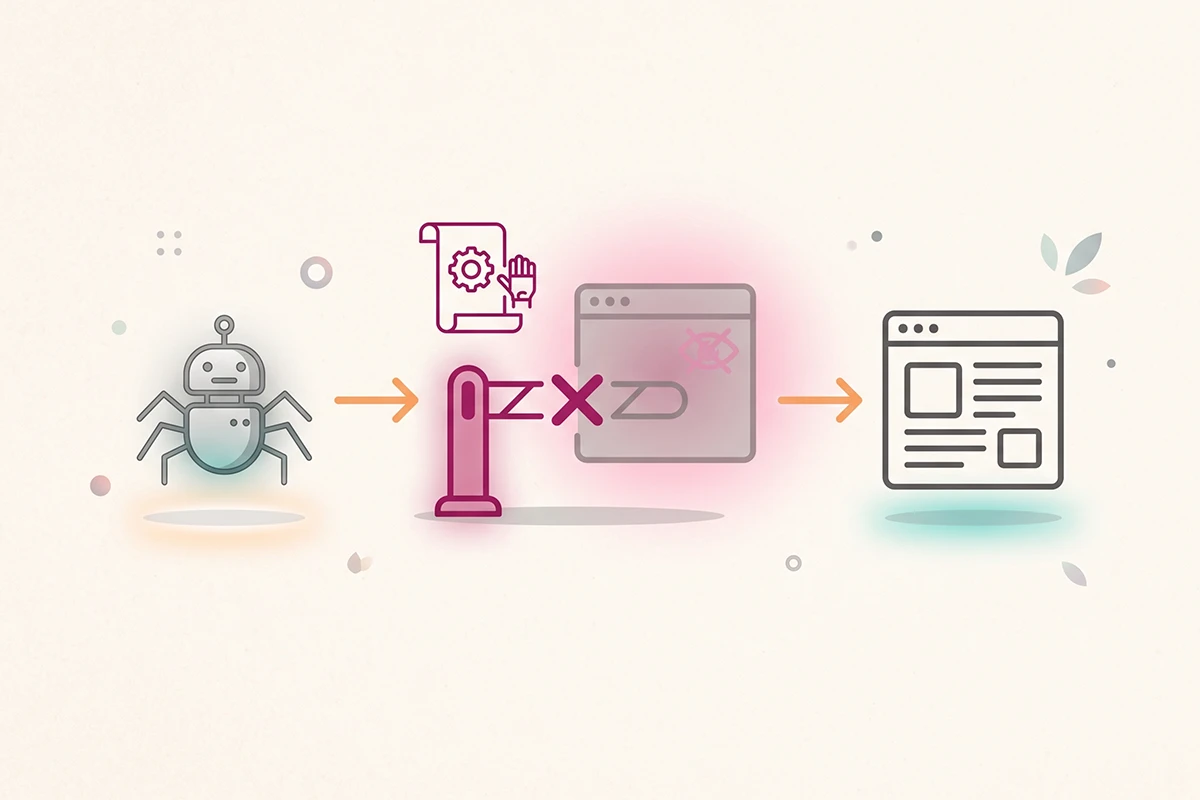
3. Deleting Shopify's default rules. The default robots.txt is maintained and updated by Shopify. If you replace it with your own plain-text version, you freeze it in time and lose those updates. Shopify recommends against this for exactly that reason.
4. Accidentally blocking AI crawlers. In 2026, some SEO and security apps add broad Disallow rules that catch AI crawlers like OAI-SearchBot, PerplexityBot, and ClaudeBot along with everything else. If you care about being cited in ChatGPT or Perplexity, an over-broad block quietly cuts you off. Check what your apps have added before you assume your robots.txt is clean.
The golden rule: never put a Disallow and a noindex on the same page. Pick one. To keep a page out of Google, use noindex and let Google crawl it. To save crawl budget on junk URLs, use Disallow and skip the noindex.
Wrapping up: a safe order of operations
Most of the fear around "shopify no index" comes from treating robots.txt like an on-off switch for Google. It is not. Here is the order that keeps you safe.
Start by changing nothing. Check your /robots.txt and confirm it looks like Shopify's defaults. If it does, and your pages are indexing fine, you are done. A weekend SEO audit will tell you far more than a robots.txt edit ever will.
When you do have a page that genuinely should not be in Google, reach for the seo.hidden metafield first. It is reversible, needs no code, and keeps your sitemap consistent. Save robots.txt edits for the rare case of real crawl-budget waste, and test every change in Google Search Console before you trust it.
And remember the one rule that prevents the worst outcomes: noindex to remove a page, Disallow to save crawl budget, never both on the same page. Get that right and you will not deindex anything by accident.
If you are still unsure whether a page should be hidden at all, that hesitation is usually correct. Most pages earn their place in search. If you are not sure which ones matter most, our Shopify SEO checklist covers the pages worth optimizing first. When in doubt, leave it indexed and ask.
Rather not risk the robots.txt edit?
The Studio Niza SEO service handles index coverage the safe way: the right pages noindexed, your sitemap and canonicals set correctly, and robots.txt left alone unless it truly needs a change. Pricing starts at $499 one-time.
See pricing and services →Or email contact@studioniza.com if you have a specific question about your store. I read every one.
Frequently asked questions
If you're still unsure after reading these, just send the question.
Can I edit robots.txt on Shopify? +
Yes. Shopify has allowed robots.txt edits through a robots.txt.liquid theme template since 2021. That said, the default file is already tuned for SEO, so most stores should leave it alone and only edit it with a clear, specific reason.
Will a noindex tag remove my Shopify page from Google immediately? +
No. Google has to recrawl the page to see the noindex tag, which can take a few days to a few weeks depending on how often the page is crawled. You can speed it up by requesting indexing in Google Search Console, but the page will not disappear instantly.
Does adding noindex on Shopify also remove the page from my sitemap? +
Only if you use the seo.hidden metafield method, which removes the page from your XML sitemap and internal search as well. A noindex meta tag added through theme.liquid does not touch your sitemap, so the page stays listed there and sends Google a mixed signal.
What does “Indexed, though blocked by robots.txt” mean in Search Console? +
It means Google found your URL, usually through a link, but could not crawl it because robots.txt blocks it, so it indexed the URL without content. If it is a page Shopify blocks by default, this is usually normal and needs no action. If it is a page you want gone, allow crawling and add a noindex tag instead.
Should I block my Shopify internal search from Google? +
Shopify already blocks its default internal search at /search, so you usually do not need to. The exception is if you use a search app that serves results at a different URL, in which case those pages can get crawled and you may want to block that specific path.
Is it safe to delete Shopify's default robots.txt rules? +
No. Shopify maintains and updates those default rules to keep SEO best practices applied over time. Replacing them with your own plain-text version freezes the file and risks blocking pages you need indexed, which can cost real traffic.