Ask an AI assistant what your Shopify store's return window is. Then open your own policy page and compare the two answers.
If they don't match, schema markup won't fix it, because the assistant probably never read your policy page. It read a set of store facts that Shopify generates about your business and hands to AI shopping agents. Those facts live in a free first-party app most store owners have never opened: the Shopify Knowledge Base app.
This matters more than it did a year ago. AI-referred traffic to US retail sites grew 138% year over year in May 2026 according to Adobe Analytics, and shoppers who arrive that way spend 53% more time on the site than everyone else. Those visitors have already asked an assistant about you before they land.
The Shopify Knowledge Base app is the most direct lever a non-technical owner has over what those assistants say. It's free, the first pass takes about thirty minutes, and almost nobody outside Shopify's own help center writes about it. It is also badly misunderstood, including by the merchants leaving one-star reviews on it.
This post covers what the app generates, where those facts go, how to correct the wrong ones, and the fifteen-minute monthly review that keeps them current. It also covers what the app will not do, because that gap is where most of the disappointment comes from. If you've already read how AI engines decide which stores to cite, this is the next concrete thing to do.
What the Shopify Knowledge Base app actually does
The Shopify Knowledge Base app is a free app built by Shopify that lets you view and edit the FAQs AI shopping agents use when answering questions about your store. It launched on the Shopify App Store in May 2025 and runs on every Shopify plan at no cost.
Here is the part that trips people up. Shopify states directly that your FAQs are not displayed on your storefront. Nothing renders. No widget, no accordion, no new page. The FAQs exist purely as a trusted data source that AI platforms read when they generate responses about your store.
One App Store reviewer put it bluntly: the documentation does not make clear that this is not a FAQ you can display in your shop, and they wanted Shopify to fix the docs so other merchants stop wasting an afternoon on it. That reviewer is right about the confusion and right about the app.
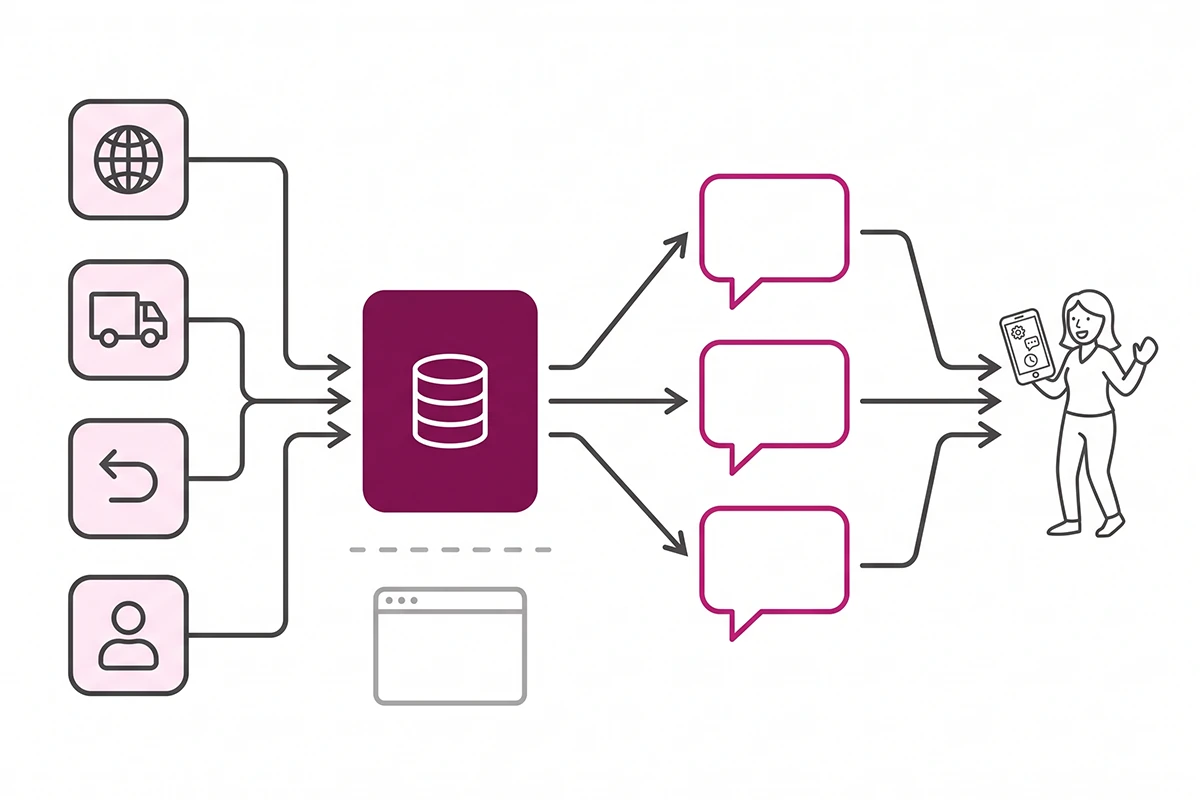
So think of it as a back channel. Your storefront serves humans and search crawlers. The Knowledge Base serves the assistant that a shopper is talking to at 11pm, three minutes before they decide whether your return policy is safe enough to buy on.
Where your store facts come from (and why some are wrong)
You don't start from an empty page. Shopify generates a starter set of facts about your business the moment you install the app, and it builds them from settings you already filled in.
The four settings surfaces Shopify reads
Per Shopify's documentation, the auto-generated facts draw on four areas of your admin: language settings (which languages your store runs in), customer account settings (whether shoppers can submit return requests or pay with store credit), shipping and delivery settings (where you ship and whether you offer local pickup), and return rules (your return window and conditions).
That's a sensible list. It is also a short one, and it explains most of what goes wrong.
What it can't see
Anything you never configured as a setting has to be guessed at or left blank. If your return rules are empty because you handle returns by email, the app has nothing accurate to generate from. If your shipping zones are half set up, the facts inherit that.
Merchants have reported real damage from this. One App Store review describes generated answers claiming worldwide shipping when only two countries were actually active, and notes that the brands the store carries weren't pulled from product listings at all. Another reports the app inventing a URL during testing.
This is the honest state of the tool in 2026. The app's App Store rating sits at 3.2 stars across 20 reviews, and the low ratings are mostly accuracy complaints. That is not a reason to skip it. It is a reason to treat the generated set as a first draft written by someone who has never seen your business, which is exactly what it is.
How to review and fix your store facts
Install the app from the Shopify App Store, then open Apps, then Knowledge Base in your admin. You'll land on an overview with your generated facts, a query log, and a section for top unanswered questions.
Override, don't fight it
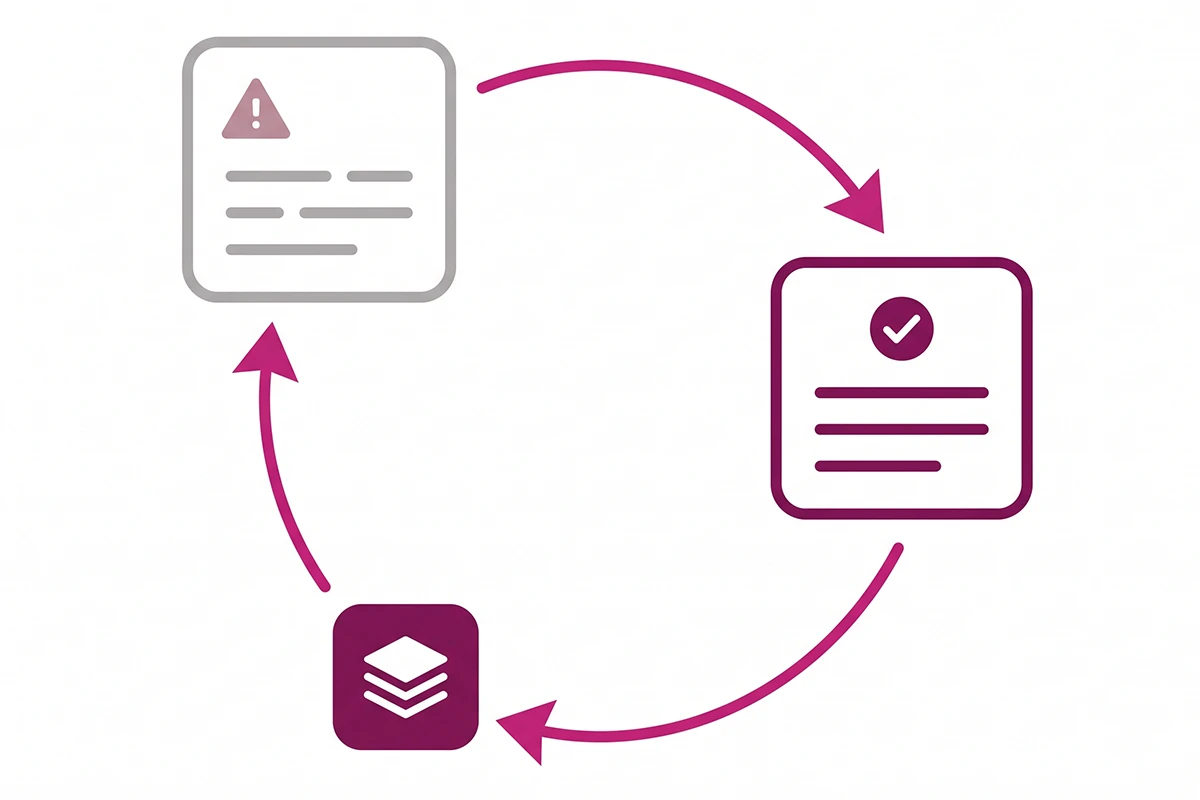
Auto-generated FAQs behave differently from ones you write. You cannot delete an auto-generated FAQ. You can only click Override next to the information source and rewrite the answer, and a Return to default option puts the original back. FAQs you create manually are fully editable and can be deleted, permanently.
There's a better first move than overriding, though. If a generated fact is wrong because the underlying setting is wrong, fix the setting. Shopify's own guidance is to update the source information when the generated content needs improvement. That way the correction flows everywhere the setting is used, not just into one FAQ.
The eight facts to check first
These are the ones that cost you sales when an assistant gets them wrong, in rough order of damage.
| Fact to check | Why it commonly goes wrong |
|---|---|
| Where you actually ship | Generated from shipping zones. Merchants have reported it claiming worldwide shipping on stores with two active countries. |
| Return window length | Pulled from return rules. If you never configured them, there is nothing accurate to generate from. |
| Who pays return shipping | Often the single most asked question and often the vaguest answer. |
| Whether you do exchanges | Rarely a setting at all, so it tends to be silent or invented. |
| What brands or materials you carry | Not reliably read from product listings, per merchant reports. |
| Store credit and gift cards | Comes from customer account settings, which many new stores leave at default. |
| Local pickup availability | Comes from shipping and delivery settings and goes stale when you change locations. |
| Order changes and cancellations | Almost never a setting, so this one is nearly always a custom FAQ you have to write yourself. |
Writing answers an assistant can use
Shopify asks for a brief one to two sentence answer per FAQ, and that constraint is a gift. Write the answer the way you would say it to a customer on the phone, with the specific number in it. "Returns accepted within 30 days of delivery, unworn, buyer pays return shipping" beats "we have a customer-friendly returns process" every time, because the second one gives the assistant nothing to repeat.
Use the app's test feature before you move on. In the FAQ query log section, click Test your knowledge base, type a question the way a shopper would phrase it, and see what the system matches it to. If it comes back Unanswered, you found a gap worth filling.
The query log: what shoppers are asking AI about your store
The FAQ section is the part everyone talks about. The query log is the part worth checking every month.
It shows real questions customers asked in AI shopping conversations about your store, with four fields per row: the Agent that asked, the Query itself, what it was Matched to, and the Date. You can filter by all queries, answered, or unanswered.
Two things make this useful beyond the app. First, the Agent column is the only honest answer to "which AI assistants are actually asking about my store," because Shopify does not publish that list anywhere. Second, unanswered queries roll up into a Top unanswered questions section where you can turn each one into a new FAQ in two clicks.
One caveat from Shopify's own docs: data doesn't appear until your products start showing up in AI shopping conversations. A brand-new store with 40 orders will likely see an empty log for a while. That's not a bug, and it's not a reason to uninstall. Write your custom FAQs anyway so the answers are already in place when the queries start.
If the log does fill up, treat those questions the way you would treat chatbot transcripts or support email. They are unfiltered demand signal, and several of them will make good blog posts.
Will this get ChatGPT to recommend you more? No.
This is the most important sentence on the whole subject, and Shopify buries it in a note box: the app improves the accuracy of AI responses about your store but doesn't affect how often your store appears in AI platform results.
Read that twice before you install anything. The Shopify Knowledge Base app is an accuracy tool, not a discovery tool. It makes the assistant answer correctly when it is already talking about you. It does not make the assistant bring you up.
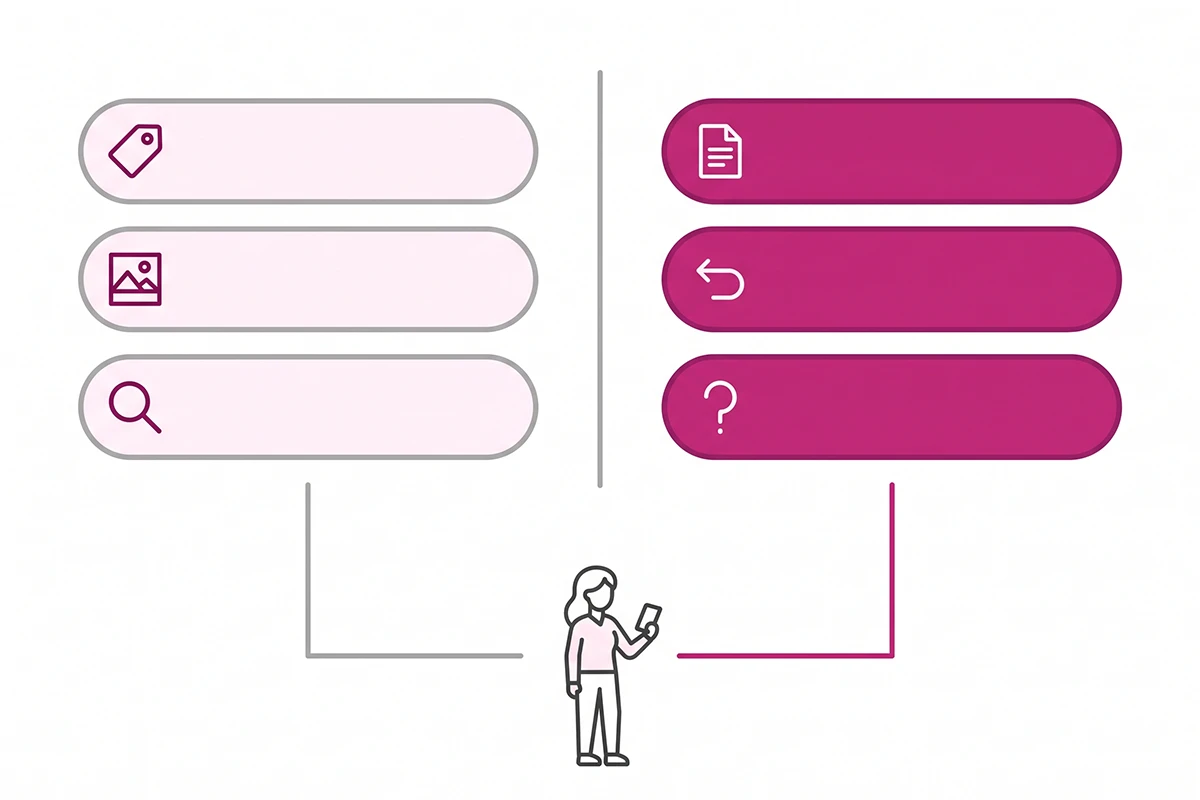
Discovery runs on a different stack: your product data quality, your catalog eligibility, and whether AI systems can read your pages at all. Shopify's own Agentic Storefronts channel is what syndicates your products to ChatGPT, Google AI Mode, Microsoft Copilot, and Gemini from one place in the admin. That's the discovery layer. The Knowledge Base is the answer layer sitting behind it.
Most of the one and two-star reviews on the app are really complaints that it isn't a discovery tool. That's an expectation problem Shopify created with its own marketing copy, not a defect. If discovery is what you're missing, start with why your store isn't showing up in ChatGPT instead, then come back here.
How this fits with schema, your catalog, and your chatbot
New store owners keep asking whether the Knowledge Base replaces the structured data work they already did. It doesn't. These are four different surfaces read by four different systems, and you want all of them saying the same thing.
| Layer | What it controls | Who reads it |
|---|---|---|
| Schema on your pages | How your products, articles, and FAQs are described in machine-readable form | Google, Bing, and AI systems that visit your site directly |
| Product data and catalog | Whether your products are eligible to be surfaced at all | AI shopping channels through Shopify |
| Knowledge Base facts | What the assistant says about your policies and your business | AI shopping agents, through Shopify's answer layer |
| Your own chatbot | What a shopper is told once they are already on your site | Visitors on your storefront |
The catalog side is worth understanding separately, and what the Universal Commerce Protocol means for your catalog covers the plumbing. On the schema side, FAQ schema on your own pages is still the version that Google reads and that a shopper can actually see, which the Knowledge Base version can't do.
One practical note if you run a chatbot: your bot's answers and your Knowledge Base facts should be copied from the same source of truth. When they drift, a shopper gets one return window from ChatGPT and a different one from your bot ninety seconds later, and you lose the sale to the confusion rather than to the policy.
The fifteen-minute monthly review
Setup is a one-time job. Keeping the facts true is not, because the facts describe a business that keeps changing.
Put fifteen minutes in your calendar on the first working day of each month and do this:
Minutes 1 to 5. Open the query log, filter to Unanswered, and read every row. Answer anything asked more than once. If a question keeps appearing that you can't answer in two sentences, that's a signal your policy itself is unclear.
Minutes 6 to 10. Scan the generated facts against anything that changed last month. New shipping country, new return window, a location you closed, a product line you dropped. This is where stale facts actually come from.
Minutes 11 to 15. Run three test questions through Test your knowledge base, phrased the way a shopper would. Something about shipping, something about returns, something about a specific product category you sell.
Do it right after you check whether AI search is sending you shoppers, since both live in the same fifteen-minute habit and the numbers give each other context. If AI referrals are climbing and your unanswered queries are climbing with them, that is the clearest possible signal to spend an hour on this instead of fifteen minutes.
Wrapping up
Three things are worth carrying out of this post.
First, the Shopify Knowledge Base app is free, first-party, and takes about thirty minutes for the first pass. For a solo founder, there is almost no cheaper GEO action available right now, and the fact that its App Store rating is mediocre says more about mismatched expectations than about whether you should install it.
Second, the generated facts are a draft, not an answer. Assume some of them are wrong until you have read every one. The merchants complaining loudest about accuracy are describing exactly the work the app is asking you to do.
Third, be clear about what you're buying with that half hour. You are buying correctness, not exposure. If ChatGPT never mentions your store, this app will not change that, and anyone telling you otherwise hasn't read Shopify's own note on the subject.
There's real work left after this. Your product data still has to be good enough to be surfaced, your pages still have to be readable by machines, and your policies still have to be worth repeating once an assistant repeats them accurately. But the specific problem of an AI confidently telling shoppers the wrong thing about your business has a free fix sitting in the App Store, and most stores haven't used it yet. That won't stay true for long.
Want your store facts handled?
The Studio Niza SEO service covers the Knowledge Base audit alongside schema, product data, and indexing follow-up, so the facts AI agents read about your store are ones you actually wrote. Pricing starts at $499 one-time.
See pricing & services →Or email contact@studioniza.com if you have a specific question about your store. I read every one.
Frequently asked questions
If you're still unsure after reading these, just send the question.
Is the Shopify Knowledge Base app free? +
Yes. It is a first-party app built by Shopify, available on all Shopify plans at no cost, with no paid tiers. It launched on the Shopify App Store on May 16, 2025.
Do Knowledge Base FAQs show up on my Shopify storefront? +
No. Shopify states that your FAQs are not displayed on your storefront and instead act as a data source for AI platforms. If you want a visible FAQ page for shoppers and for Google, you still have to build one on your own site.
Can I delete an auto-generated FAQ in the Shopify Knowledge Base app? +
No. Auto-generated FAQs can only be overridden, not deleted, and a Return to default option reverts your edit. Only FAQs you created manually can be deleted, and that deletion is permanent.
Which AI agents read my Shopify Knowledge Base FAQs? +
Shopify does not publish a full list of participating agents. What you get instead is the Agent column in the query log, which names the AI shopping agent that asked each question, so you can see the real answer for your own store over time.
Does the Shopify Knowledge Base app work in languages other than English? +
The app interface is English only. You can write custom FAQs in your storefront's primary language, but a single store cannot hold the same FAQ in multiple languages. Shopify suggests separate FAQ sets per store if you run multiple markets.
Will installing the Knowledge Base app make ChatGPT recommend my products more often? +
No, and Shopify says so plainly: the app improves the accuracy of AI responses about your store but does not affect how often your store appears in AI platform results. Discovery is handled by your product data and catalog eligibility, not by your FAQs.
Do I still need FAQ schema on my site if I use the Shopify Knowledge Base app? +
Yes. The two serve different readers. FAQ schema on your own pages is read by search crawlers and by any AI system that visits your site directly, while the Knowledge Base feeds Shopify's own answer layer for AI shopping agents.
Where are Knowledge Base FAQs stored in the Shopify admin? +
Manually created and overridden FAQs are saved as metaobjects. You can find and edit them in your Shopify admin under Content, then Metaobjects, which is useful if you want to audit every custom answer in one list.