If your Shopify sessions dropped in late September and your orders did not, your traffic probably did not go anywhere. Shopify changed how it counts a session. The rollout ran from September 21 to 23, 2026, and it arrived without anyone switching a setting.
That is why the numbers look strange. Sessions moved, conversion rate moved the other way, and sales stayed flat. Most owners read that as a traffic problem, because for years a falling sessions line meant exactly that.
This time the ruler changed, not the thing being measured. Shopify now leaves identified bots out of session reports by default. It also changed two quieter rules about when a session starts and ends, which is why some stores saw sessions rise instead of fall.
This post covers what changed and which nine metrics it touched, why conversion rate moved, how to compare before and after without fooling yourself, how to see the bot share you were carrying, and why GA4, Clarity, and Search Console still will not match Shopify. It ends with a short note you can send to a client or partner who asks why traffic fell.
For the wider picture of reading your own numbers across tools, start with how to check any Shopify store's traffic. This post is the September update to that one.
Shopify sessions dropped: what changed between September 21 and 23
Shopify announced the update in its changelog on September 21, 2026 and explains the detail on its session measurement help page. Most write-ups call it a bot filter and stop there. It is three changes that landed together.
Three changes, not one
Identified bots are filtered out by default. Sessions that Shopify classifies as bots no longer appear in session reports unless you ask for them. The filter is not new. Shopify added the "Human or bot session" filter on October 27, 2025. What changed in September is that it is now switched on for you.
Sessions no longer end at midnight UTC. A visit that ran across midnight UTC used to be cut off at that point. Now a session follows continued activity and ends after 30 minutes of inactivity.
Sessions with no pageview now count. Shopify's example is a customer who goes straight to checkout from a cart link. That visit was invisible before. Now it is a session.
The first two changes lower the count. The third raises it. Which way your store moved depends on how much bot traffic you had and how many shoppers arrive through direct checkout links. I have not found a published figure for the typical size of the change, and Shopify does not give one.
The nine metrics that moved
The changelog names nine session-based metrics that can look different after the update.
| Metric | What it tells you |
|---|---|
| Sessions | Visits to your online store |
| Conversion rate | Share of sessions that end in an order |
| Add-to-cart rate | Share of sessions with an add to cart |
| Reached checkout rate | Share of sessions that reach checkout |
| Checkout conversion rate | Share of checkout sessions that complete an order |
| Bounce rate | Share of sessions that view one page and leave |
| Pageviews per session | Average pages viewed in a session |
| Online store visitors | Unique devices that visited |
| Searches | Searches run on your storefront |
The help page adds average session duration and any metric that attributes orders or customers to sessions.
What did not move
Orders, sales, and customer counts were not touched. Shopify also says your historical data was not deleted or reprocessed. Nothing was lost. Older reports can look different only because the bot filter is now applied when you open them.
Why did my conversion rate go up when nothing else changed?
Conversion rate is orders divided by sessions. Shopify changed the bottom number and left the top one alone.
Say your store had 4,000 sessions and 60 orders in a month. That is a 1.5% conversion rate. Now take out 1,000 sessions that were bots. The same 60 orders over 3,000 sessions is 2.0%.
The rate rose by a third and not one extra person bought anything. The store did not get better at selling overnight. The old number was diluted by visits that were never going to buy.
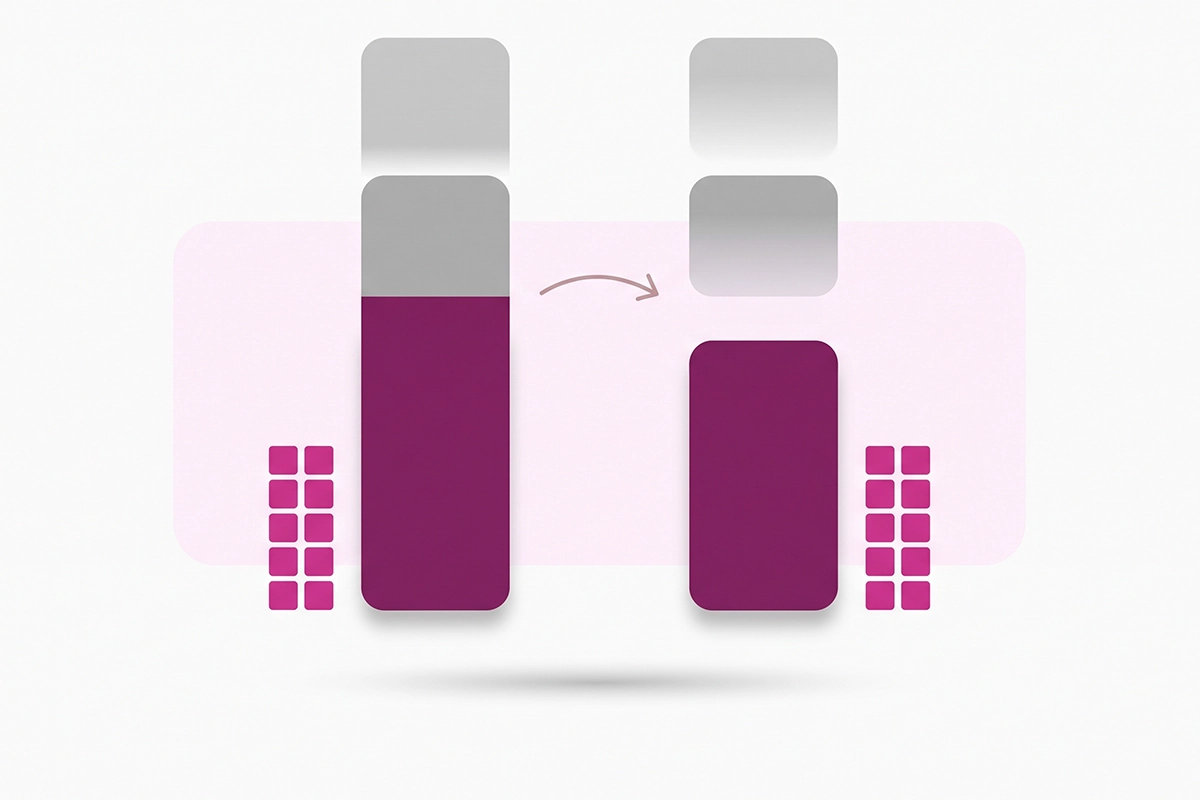
The same thing happens to add-to-cart rate and reached checkout rate, because both divide by sessions. Bounce rate can fall too, since a bot that loads one page and leaves counted as a bounce.
When it goes the other way
Some stores saw sessions rise. If a lot of your shoppers land on checkout from a cart link in an email or a social post, those visits now count for the first time. More sessions over the same orders means a lower conversion rate. Shopify's help page is plain about this: the direction depends on whether your session count went up or down.
Either way, the honest reading is the same. The new rate is closer to how real shoppers behave. It is a new baseline, not a result. Do not report the jump as a win, and do not treat a dip as a loss.
How to compare before and after without fooling yourself
Start with orders and sales
These did not change, so they are your control. If orders in the last week of September line up with the first three weeks, the store is fine, whatever the sessions line says.
Use full weeks after September 23
Shopify's advice is to treat data after the update as the new baseline for session-based metrics. The rollout reached stores across three days, so September 21 to 23 is a mixed window. Skip it.
Your first clean comparison is September 24 to 30 against October 1 to 7. Both weeks were counted under the same rules. Comparing the week of September 14 with the week of September 28 tells you about the rule change and nothing about your shoppers.
Add a note wherever you keep monthly numbers: "Session measurement changed September 21 to 23, 2026." In March you will not remember why the line steps down.
Watch the October 7, 2025 line
Bot classification only exists for sessions from October 7, 2025 onward. Shopify cannot go back and label older visits. Anything before that date includes bots, with no way to take them out.
For dates after October 7, 2025, keep the same filter setting on both sides of a comparison. That handles the bots. It does not undo the other two rule changes, so Shopify still says to treat anything that spans the rollout as a measurement change.
This matters for Black Friday. Your 2025 holiday sessions can be shown as humans only, but they were still counted under the old session rules. Compare orders and sales year over year, and read sessions as a rough guide.
Restart any test that spans the change
If you changed a theme, a price, or a product page in mid-September and planned to judge it by conversion rate, the before and after are no longer comparable. Run the test again inside the new baseline.
For content, sessions were never the cleanest yardstick. The leading indicators for measuring whether your Shopify blog is working sit in Search Console, which this update did not touch.
How much bot traffic were you carrying?
You can now see it, which is the useful part of this update. Shopify's bot filtering guide covers the steps. Go to Analytics, then Reports, and open a sessions report. From the Dimensions menu, add "Human or bot session."
The report splits into a Human row and a Bot row. Set the date range to start on or after October 7, 2025, since nothing earlier is classified. Divide the Bot row by the total. That is the share of Shopify Analytics bot traffic your old numbers included.
To bring bots back into a report, find the Human or bot session row under Filters. Set it to include both Human and Bot, or remove the filter.
Why small stores feel it more
Owners have reported steady visits from data-center towns such as Council Bluffs, Iowa, and Ashburn, Virginia, for years. Those are automated checks and crawlers, not shoppers. On a store with 40 real visits a day, ten automated ones bend every rate on the dashboard. On a store with 4,000, they vanish into the total.
The filter is cautious on purpose
Shopify says its classifier would rather miss some bots than label a real customer as one. So the Human row still holds some automated visits. Treat your bot share as a floor, not an exact figure.
Filtering is also not blocking. Search crawlers and AI assistants still reach your store, and that is what you want. A person who arrives from ChatGPT or Perplexity is a human session like any other, so tracking AI search traffic works the way it did before.
Why do GA4, Clarity, and Search Console still disagree with Shopify?
Because they never counted the same thing. None of them changed in September. Only Shopify did.
| Tool | What it counts | How it treats bots | Changed in September? |
|---|---|---|---|
| Shopify Analytics | Sessions on your storefront, ending after 30 minutes of inactivity | Identified bots filtered out by default | Yes, September 21 to 23 |
| Google Analytics 4 | Sessions from browsers that load its tag, with a 30-minute timeout | Known bots excluded automatically, with no setting and no count shown | No |
| Microsoft Clarity | Sessions recorded by its script | Bot detection on by default, with the excluded count shown | No |
| Google Search Console | Clicks from Google results to your pages | Not a session counter | No |
GA4 was already leaving bots out. Google says known bot traffic is excluded automatically in Analytics properties, using its own research and the IAB's spiders and bots list. You cannot turn that off or see how much was removed. That is one reason GA4 often ran below Shopify. The gap may narrow now. It will not close, because GA4 also misses visitors who block its tag or decline cookies.
Clarity filters bots by default too. Its setup documentation says bot detection is on by default and shows the excluded count at the top of the dashboard.
Search Console counts clicks, not sessions. A click in Search Console is someone leaving Google's results for your page. It knows nothing about bots on your store, and Shopify's update did not touch it. That makes it your steady reference. If search clicks for the last 28 days are level and Shopify sessions fell, the fall is measurement. If you have not connected it yet, here is how to set up Google Search Console for your Shopify store.
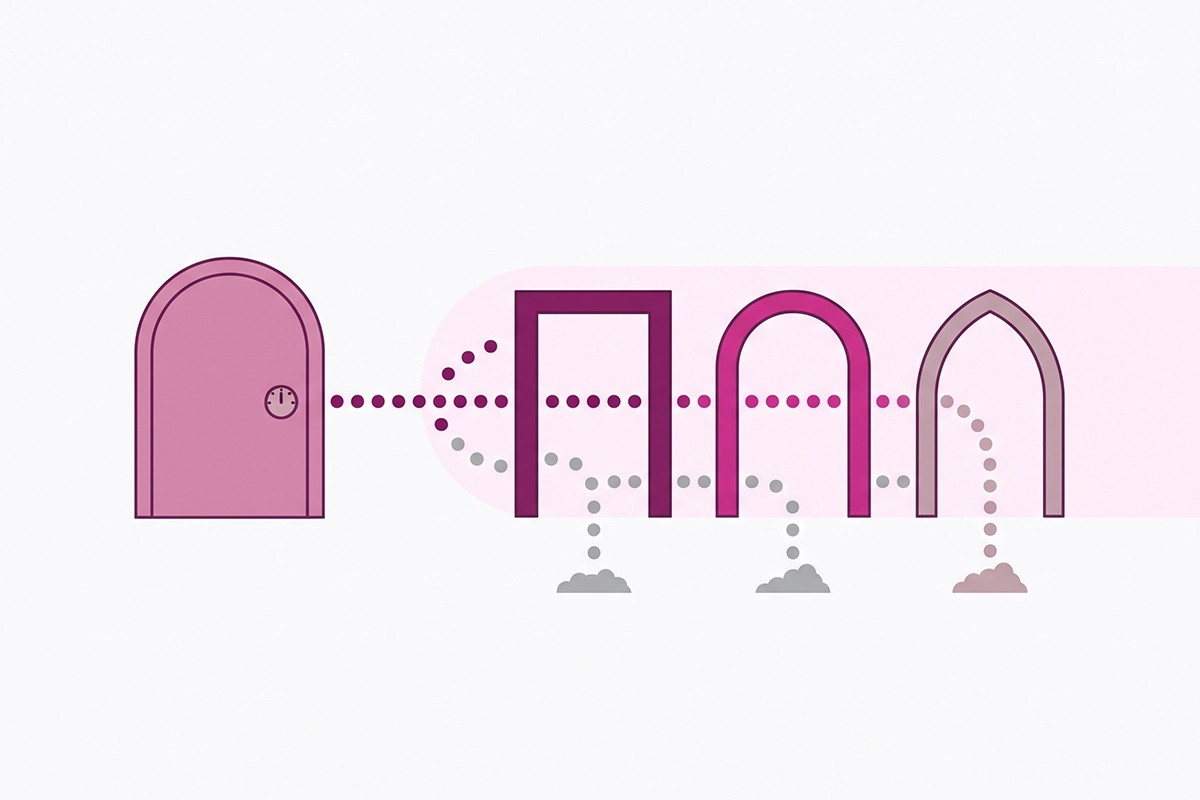
My rule is one tool per question. Orders and revenue come from Shopify. Search demand comes from Search Console. On-page behavior comes from Clarity. Do not try to make the totals agree. None of these tools cost extra, and for a store doing under $200K a year they are enough.
When Shopify sessions dropped for a real reason
The update explains most late-September drops. It does not explain all of them. Check these five before you relax.
Orders fell too. A measurement change cannot move orders. If sales dropped alongside sessions, something real happened.
Search Console clicks fell in the same weeks. That is lost search traffic, and it needs its own diagnosis.
The drop started on a different date. A step down on September 12 or October 2 is not this update.
Sessions sit near zero on days with orders. That points to storefront tracking, not the filter. Look at recent theme edits, custom pixels, or a headless setup. Shopify's help page has a section on storefront implementation issues, and this one is worth a support ticket.
You added or changed a cookie banner. For visitors in the EEA and UK, Shopify only collects session data after consent. A new banner lowers counted sessions without a single shopper leaving.
If none of the five apply, you are looking at the new count.
What to tell a client or partner who asks why traffic fell
Keep it short and lead with the part they care about. Here is a note you can edit.
"Shopify changed how it counts sessions between September 21 and 23, 2026. Automated bot visits are now left out by default, and two session rules changed. Orders and sales were not affected. Sessions and conversion rate before and after those dates are measured differently, so I am treating September 24 onward as the new baseline. Google Search Console, which was not part of the change, shows [X] search clicks in the last 28 days against [Y] in the 28 days before."
Attach three things: an orders chart covering both periods, the Search Console clicks comparison, and the human versus bot split. Those three answer the follow-up questions before they arrive.
One thing to leave out: do not say conversion rate improved. It was restated. If you claim the lift now, you will have to explain next month why it stopped rising.
Wrapping up
If your Shopify sessions dropped in late September with orders steady, the count changed and your shoppers did not. Three takeaways cover most of it.
First, the update was three changes: bots filtered by default, no more midnight UTC cutoff, and sessions without a pageview now counted. Sessions and conversion rate can move in either direction, and orders and sales did not move at all.
Second, September 24 onward is a new baseline. Compare full weeks after the rollout with each other, keep the bot filter set the same way on both sides, and remember that nothing before October 7, 2025 can be filtered.
Third, Search Console is the reference that did not change. When Shopify, GA4, and Clarity disagree, search clicks tell you whether demand for your store moved.
There is still work on your side. Pull the human versus bot split once, write the date of the change into your monthly notes, and rerun any test that straddled it. That is about twenty minutes, and you only do it once.
After that, the new numbers are better than the old ones. A conversion rate with fewer bots in it is a number you can make decisions with. If the organic side of those numbers is thinner than you would like, that is the work I do.
Want a second pair of eyes on your numbers?
The Studio Niza SEO & GEO service sets up Search Console, fixes indexing, and builds the organic traffic you can measure the same way every month. Pricing starts at $499 one-time.
See pricing & services →Or email contact@studioniza.com if you have a specific question about your store. I read every one.
Frequently asked questions
If you're still unsure after reading these, just send the question.
Did Shopify delete my old session data? +
No. Shopify says historical data was not deleted or reprocessed by this update. Older reports can look different because the bot filter is now applied by default, and bot classification only exists for sessions from October 7, 2025 onward.
Can I see bot sessions again in Shopify Analytics? +
Yes. Open a sessions report under Analytics, then Reports, and find the Human or bot session row in the Filters section. Set it to include both Human and Bot, or remove the filter. You can also add Human or bot session as a dimension to see the two side by side.
Is my new Shopify conversion rate the real one? +
It is closer to how real shoppers behave, because identified bots no longer sit in the session count. It is still an estimate, since Shopify's classifier is cautious and lets some bots through rather than mislabel real customers. Treat it as a new baseline and compare it only with dates after September 23, 2026.
If my Shopify sessions dropped, will my Google rankings fall? +
No. Google does not see your Shopify Analytics. The update changed how Shopify reports visits inside your admin, and nothing about how your pages are crawled, indexed, or ranked.
Does the change affect Meta or Google Ads reporting? +
Not inside the ad platforms. Meta and Google Ads count clicks and conversions with their own tags, so their dashboards did not change. Reports inside Shopify that tie orders or customers to sessions can look different, because they use Shopify's session count.
How long should I wait before trusting the new Shopify session numbers? +
Give it two full weeks after September 23, 2026. That gives you two like-for-like weeks measured under the same rules, which is enough to set a baseline for sessions and conversion rate. Orders and sales never changed, so you can keep reading those as usual.