
You wrote a good post. You checked it twice, added the images, hit publish, and then opened Search Console the next morning to watch. Nothing moved. A week later, still nothing. If that is where you are, you are not doing anything wrong, and you are far from alone.
Here is the part most advice skips. A new post usually takes a week or two just to show up in search at all, and months to settle into a real ranking. The quiet stretch after you publish is normal. It is also the exact window where a small push does the most good.
To be clear about what that push can and cannot do: promoting a post will not trick Google into ranking it faster, and clicking your own link forty times does nothing. What promotion actually does is speed up discovery and put the post in front of real people who might read it, share it, or link to it. Those are the signals that matter, and they do not happen on their own.
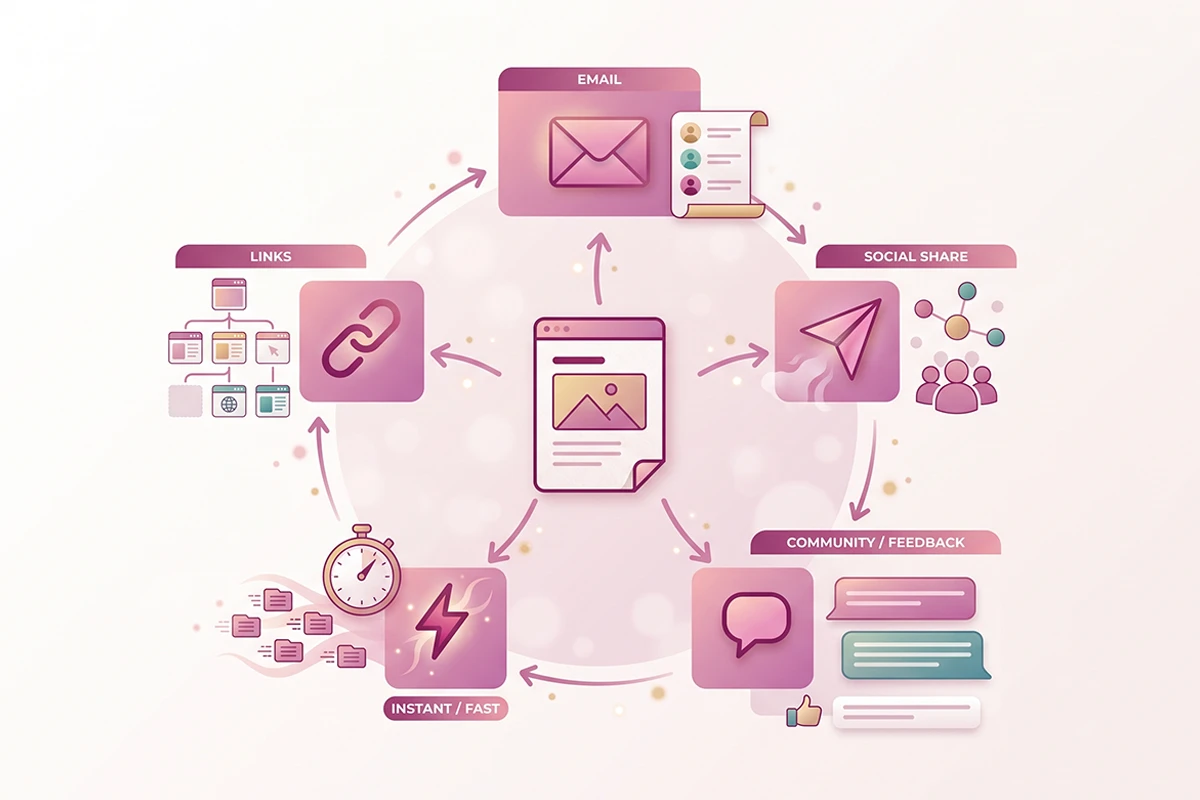
This is the missing step for owners who publish and then wait on Google alone. Below is the low-effort checklist I run to promote a Shopify blog post: internal links from older posts, one email, one honest social post, the chatbot knowledge base, and an IndexNow ping. It takes about twenty minutes. I will also tell you which channels a solo owner can skip, because doing five things well beats doing fifteen things once.
What the first two weeks actually decide
New content moves through three stages, and it helps to know which one you are in. First, Google has to find the page. Then it has to index it, which means adding it to the pool of pages that can show up for a search. Only after that does it start testing where the page should rank.
On an established store, a fresh post is often found and indexed within a few days. Showing up in search is not the same as ranking, though. New posts commonly appear at fluctuating positions for a week or two, then climb slowly as Google tests them against more queries.
This is why impressions, not clicks, are the number to watch in the first two weeks. Rising impressions in Search Console mean your page is entering the eligible pool for more searches, even before anyone clicks. Shopify's own team puts meaningful results at three to six months for most stores, so early quiet is expected, not a red flag.
So what does the first push actually change? Two things. It shortens the time to discovery, mostly through internal links from pages Google already crawls often. And it sends real humans to the post, which is where shares and the occasional link come from. Neither of those is a ranking trick. Both are things that will not happen if the post just sits there.
If you want the fuller picture of when traffic actually shows up, I mapped it out in a realistic month-by-month timeline. For this post, the point is narrower: the first two weeks are for discovery and humans, not for rankings you can force.
The 20-minute distribution checklist
Here is the whole routine. None of it requires design skills, a budget, or a following. Do it the day you publish, ideally within the first hour while the post is still fresh in your head.
| Move | Time | What it actually does |
|---|---|---|
| Add internal links from two or three older posts | 5 min | Speeds discovery and passes relevance from pages Google already crawls |
| Send it to your email list | 5 min | Reaches an owned audience that already trusts you, the highest-return channel |
| Post once on your main social channel | 3 min | Puts it in front of people today, where a share can start |
| Add it to your chatbot knowledge base | 3 min | Lets your bot surface the post in relevant conversations |
| Ping IndexNow | 2 min | Tells Bing and AI-linked engines to crawl it now, not next week |
Add internal links from two or three older posts
This is the highest-leverage move on the list, so it gets its own section below. The short version: find two or three older posts on a related topic and add a link from each one to the new post, using plain descriptive anchor text. Googlebot follows those links from pages it already crawls, which is often how a new post gets found in the first place.
Send it to your email list
Email is the one channel you fully own. It does not depend on an algorithm, and it reaches people who already raised their hand. Across the industry, email keeps ranking as the highest-return marketing channel, roughly thirty-six dollars back for every dollar spent, and many marketers name it their most effective channel for revenue. A three-line note that says here is what I wrote and why it might help is plenty.
If you do not have a list yet, start one for free with MailerLite and send your first note once you have a handful of subscribers. A tiny list of real buyers is worth more than a big list of strangers.
Post once on the one social channel you actually use
One post, on the single platform where you already spend time. Not five platforms. Say what the post helps with in plain words and link it. The goal is not to go viral. It is to reach the few people who will find it useful today, because a share from one of them travels further than anything you can do alone.
You can also turn that one post into a few smaller pieces later if the topic has legs, so a single article keeps feeding your feed for weeks.
Add it to your chatbot's knowledge base
If you run an AI chatbot on your store, your new post is a support answer waiting to happen. Add it to the bot's knowledge base so it can point shoppers to the post when they ask a related question. This is a channel most owners never think of, and it costs you two minutes. Here is how to train your chatbot on your own content so it uses your posts, not generic answers.
Ping IndexNow
IndexNow is a free protocol that tells participating search engines to crawl a page now instead of waiting for their next pass. Google does not support it, so this is not a Google play. Bing, Yandex, and a handful of others do, and Bing feeds several AI search tools, so a ping can help you show up in those answers sooner.
Shopify added native IndexNow support in 2025, and you can also submit a URL by hand in Bing Webmaster Tools. One caveat worth keeping in mind: IndexNow signals that a page is worth crawling. It does not guarantee indexing, and it will not move your Google ranking.
Internal links do the heavy lifting
Of everything on the checklist, internal links are the one I would keep if I could only keep one. They do two jobs at once. They help Google find and crawl the new post, and they pass topical relevance from established pages to the new one.
Think of it like this. Your older posts have been indexed for weeks or months, and Google crawls them on a regular schedule. When you add a link from one of those pages to your new post, you are handing Googlebot a path straight to it. A single link from a page that gets crawled often is frequently enough to get a new post discovered.
The how matters as much as the habit. Pick two or three older posts that cover a related topic, and add a link inside the body copy where it actually fits, not jammed into a footer. Use descriptive anchor text that tells the reader and the search engine what the linked post is about. "How long blog content takes to rank" is a better anchor than "click here" or "this post."
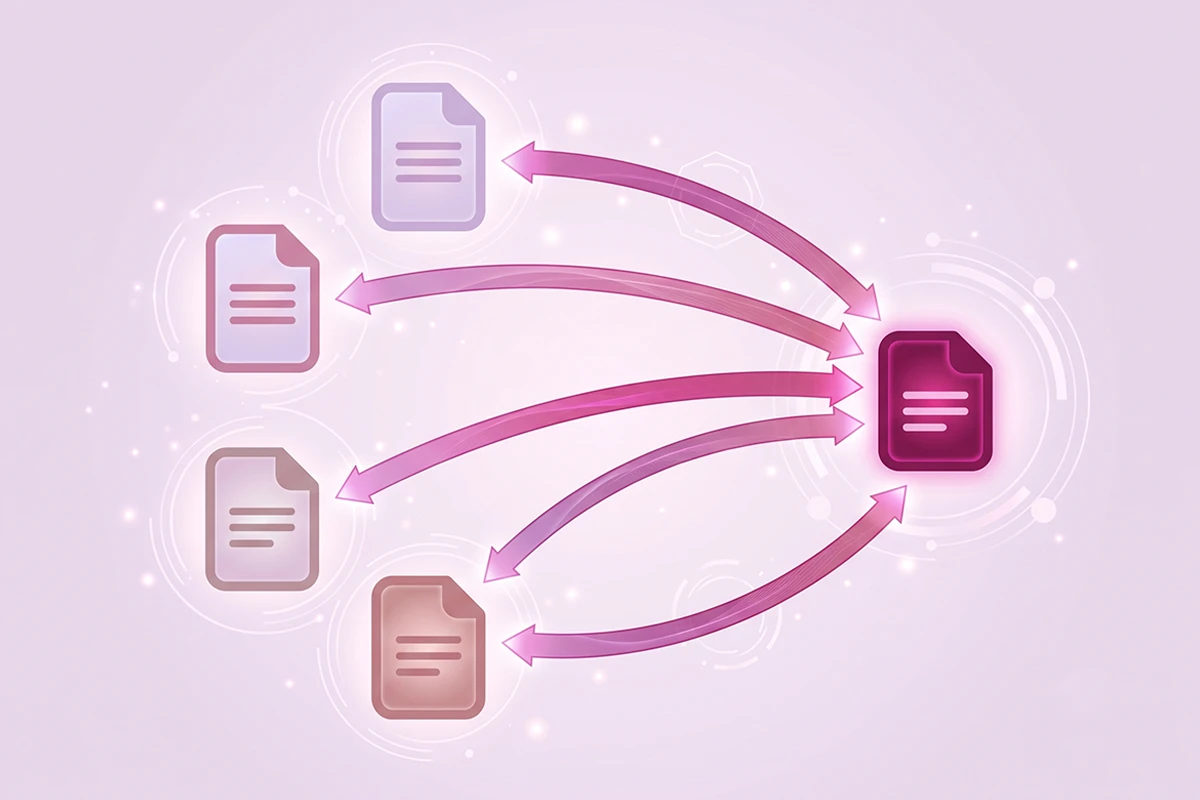
There is a second half most owners forget. Linking from old posts to the new one is only one direction. Go back and add a link from the new post to the older ones too, so the relationship runs both ways. Over time this turns a pile of separate posts into a connected group that Google reads as real coverage of a subject. I wrote a whole piece on internal linking if you want the full method.
Which channels should a solo owner skip?
Most promotion advice is written for teams with a marketing person and a budget. You are one person running a store. That changes the math, and it means some of the standard advice is not worth your time.
Skip republishing the full post on other platforms like Medium or LinkedIn articles. Posting the same content in two places can create a duplicate-content muddle, and it sends readers away from your store instead of to it. A short summary that links back is fine. The full copy living somewhere else is not.
Skip paid promotion of a blog post. Ads work for products and offers, where you can measure a sale against the spend. A blog post sits at the top of the funnel, so paying to send cold traffic to it rarely earns its cost for a small store. Put that budget toward the product pages that actually convert.
Skip forums and directories where dropping a link reads as spam. If you are a genuine regular in a community, sharing a post that answers a real question is welcome. Showing up only to post your own links is not, and it can cost you more goodwill than it earns in traffic.
Skip any channel you will not keep up. A Pinterest board or a new social account only helps if you feed it consistently, and consistency is the scarce resource for a solo owner. Three touchpoints you actually repeat every time beat ten you try once and abandon. Pick the few that fit how you already work, and let the rest go without guilt.
How promotion compounds over a quarter
One promoted post is a small thing. The habit, repeated across a quarter, is where it turns into traffic.
Here is the compounding part. Every time you publish, you link to two or three older posts and link back from them. Do that for twelve weeks and your internal link graph gets denser with every post. Newer posts get found faster because the site around them is well connected, and Google starts to read your store as an authority on the subject rather than a scatter of one-off articles. Established sites see new content rank faster for exactly this reason: the groundwork is already there.
Your email list compounds too. Each post adds a few subscribers, and each send reaches a slightly larger owned audience than the last. Content compounds hardest when you reuse it, so the post you promote today can feed an email, a social note, and a chatbot answer for months.
The realistic picture over a quarter looks like this. Weeks one and two: discovery and a trickle of early readers from your own channels. Weeks three to eight: impressions climb in Search Console as Google tests the post for more queries. Weeks eight to twelve and beyond: the posts that were going to rank start settling into position, and the internal links you added keep sending both readers and crawl signals their way. None of it is fast. All of it stacks.

If you want to make the habit stick, put the checklist into your content calendar as a publish-day task so it happens every time without you having to remember it.
Wrapping up: the first push, then let it work
Publishing is the halfway point, not the finish line. The gap between hitting publish and seeing traffic is real, and it is the exact window a small push helps most.
So keep it small and keep it consistent. Add internal links from two or three older posts, send one email, post once on the channel you actually use, add the post to your chatbot, and ping IndexNow. That is about twenty minutes, and it does the two things that matter: it speeds discovery, and it puts your work in front of real people.
None of this makes a post rank overnight. What it does is stop good posts from sitting in silence, and it starts the compounding that makes every future post easier. Do the checklist, then let the post work while you write the next one.
Rather have this handled for you?
The Studio Niza blog content service writes the post, builds the internal links, and gives each one a real first push the day it goes live. It runs at $449 a month.
See how blog content works →Or email contact@studioniza.com if you have a specific question about your store. I read every one.
Frequently asked questions
If you're still unsure after reading these, just send the question.
How long after publishing should I promote a Shopify blog post? +
Ideally the same day, within the first hour while the post is still fresh. The full checklist of internal links, email, one social post, the chatbot, and an IndexNow ping takes about twenty minutes. Early promotion mostly helps with discovery, so sooner is better than later.
Does promoting a blog post help it rank higher on Google? +
Not directly. Promotion speeds up discovery and sends real readers who might share or link to the post, and those are the signals that help. It will not force a ranking, and clicking your own post does nothing. Ranking still takes months.
What is the best way to get traffic to a new blog post? +
Email your list and add internal links from two or three older posts. Owned channels reach people who already trust you and pages Google already crawls, so they beat cold social every time. Paid ads rarely pay off for a top-of-funnel blog post.
Do I need to submit my Shopify blog post to Google manually? +
Usually not. If the post is internally linked and included in your sitemap, Google will find it on its own, and Shopify submits your sitemap automatically. You can request indexing in Search Console's URL Inspection tool for a priority post, but it is not required.
What is IndexNow, and does Shopify support it? +
IndexNow is a free protocol that tells search engines to crawl a page right away instead of waiting. Google does not support it, but Bing and several others do, and Bing feeds some AI search tools. Shopify added native IndexNow support in 2025, and you can also submit a URL by hand in Bing Webmaster Tools.
Should I post my blog on social media every time? +
Post once, on the single channel you already use, in plain words that say what the post helps with. You do not need to be on five platforms. One honest post where your people already are beats spreading yourself across accounts you will not keep up.
How many places should I share a blog post? +
Three or four owned touchpoints done every single time beat ten done once and forgotten. For most solo Shopify owners that means internal links, email, one social post, and the chatbot. Consistency matters more than raw reach here.
Can my chatbot help promote blog content? +
Yes. Add each new post to your chatbot's knowledge base so it can surface the post when a shopper asks a related question. It turns your content into support answers and gives the post a small, steady stream of readers with almost no extra work.