
You already know when to send the review request. You installed the app, set the delay, opened the template editor, and then stopped at the blank compose window. Writing three sentences to a customer who already paid you feels harder than it should.
That is where most new Shopify stores stall. Not the timing, not the app setup, the wording. So this post is mostly text you can copy. Six complete review request email templates, subject lines included, each built for a specific moment: the standard post-delivery ask, the photo review ask, the reminder, the low-star follow-up, the repeat customer, and the wholesale or B2B order.
Every review request email template here is short on purpose. A request email is not a marketing email. It has one job, and every extra sentence you add is another reason to close the tab.
Two things before the templates. First, timing beats wording, and if your send delay is wrong the best copy will not rescue it. Second, the incentive question has a real legal answer, and it is not the one most store owners assume. Both get a short section, then you can start copying.
Written for stores under $200K a year running Judge.me, Stamped, Loox, or Klaviyo. None of this needs a developer.
Why the blank compose window is the hard part
The technical part of review collection is solved. Any review app will fire an email a set number of days after fulfillment. What no app solves is the social part, which is asking a person for a favor after the transaction is already finished.
That discomfort produces two predictable drafts. The first over-apologizes: Sorry to bother you, I know you are busy, only if it is not too much trouble. The reader now has to work out whether you actually want anything.
The second over-sells. It adds a discount code, a new arrivals link, a newsletter signup, and three product recommendations under the review button. Every one of those competes with the ask. A request email with four links is a request email with no request.
The fix is not better writing. It is deciding, before you type, that this email does one thing. Someone opens it, understands what you want in four seconds, and either clicks or does not.
The six parts of a review request email that works
Strip a working request email down and there are six components. Three of them are copy, two are context, and one is legal housekeeping that your app probably handles for you.
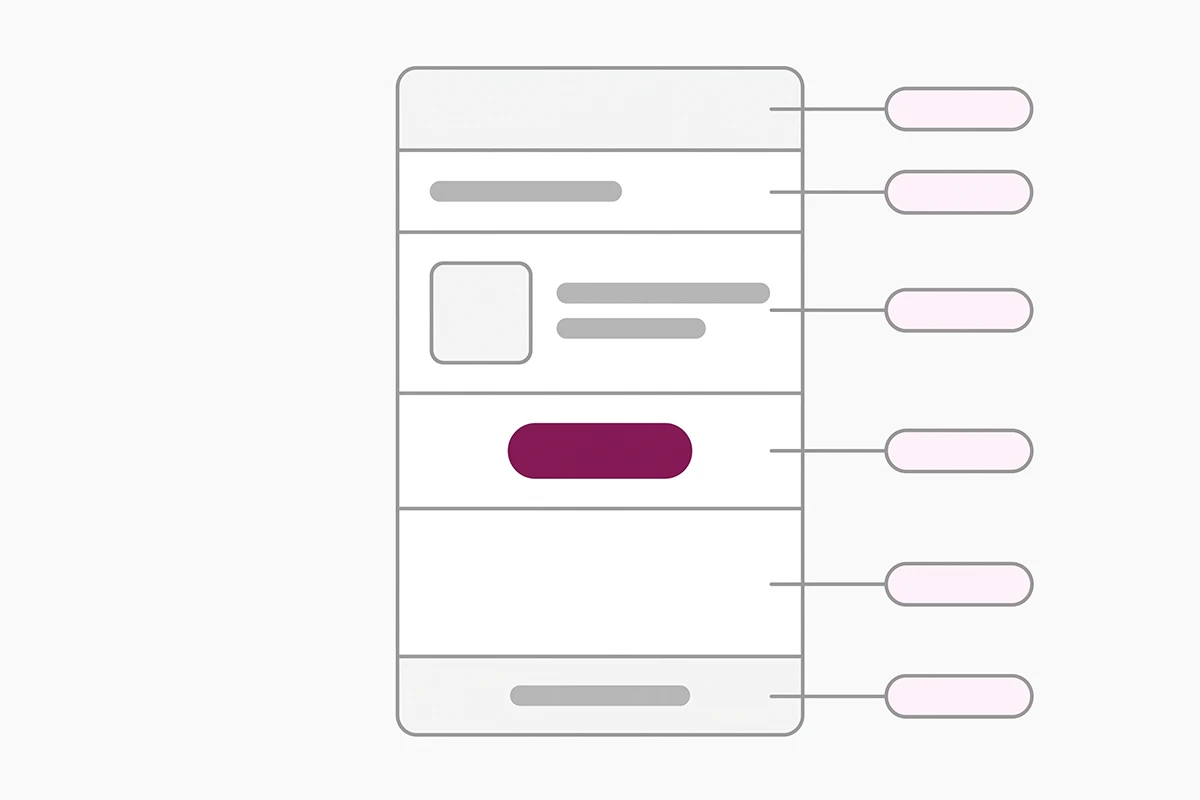
| Part | What it does | The rule |
|---|---|---|
| Subject line | Earns the open | Under about 50 characters so it survives phone truncation. Name the product, not the task. |
| Preview text | The second subject line | Most stores leave it as the default and lose a free line of copy. Write it. |
| Opening line | Proves a human is behind it | Reference the order, the product, or the delivery. Never open with your brand name. |
| The ask | The only action in the email | One button or one star row. No secondary links, no upsell, no social icons. |
| Product context | Removes the memory problem | A product image and title, pulled in by the app. Nobody remembers the SKU they ordered. |
| Footer | Keeps you compliant | Working unsubscribe link and a valid postal address. |
That last row is not optional. The FTC's CAN-SPAM compliance guide requires a valid physical postal address and a working opt-out in commercial email, with opt-outs honored within 10 business days. Review requests that carry any promotional element sit inside that definition, and the penalties run to tens of thousands of dollars per email. Your app almost certainly inserts both already. Check once, then stop thinking about it.
When to send each of these
Wording only matters after timing is right, and I covered the data behind that in a separate post on the best time to send a Shopify review request. The short version: measure from delivery, not from the order, and give the customer enough time to actually use the thing.
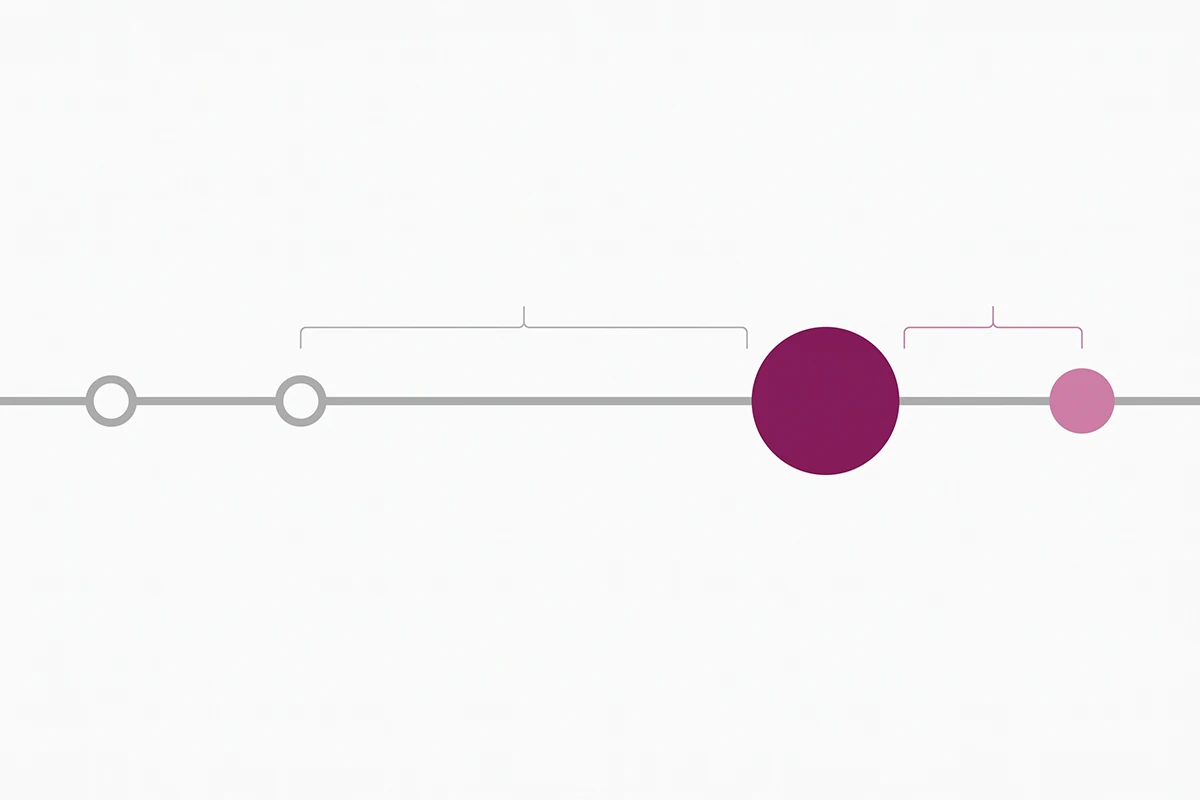
| Template | Trigger | Delay |
|---|---|---|
| 1. Standard post-delivery ask | Order fulfilled or delivered | 7 to 14 days after delivery |
| 2. Photo review ask | Order fulfilled or delivered | Same window, for visual categories |
| 3. Gentle reminder | No review submitted | 4 to 7 days after template 1 |
| 4. Low-star follow-up | Review submitted at 1 to 3 stars | Within 24 hours, by hand |
| 5. Repeat customer | Third order or later | 7 to 14 days after delivery |
| 6. B2B or wholesale | Second reorder from the same account | 2 to 3 weeks after delivery |
Two exceptions worth setting by hand. Supplements, skincare, and other slow-result categories need 21 to 30 days, because a review written on day seven is a review of the packaging. Anything with a break-in period, boots, mattresses, tools, should wait until the customer has an opinion worth publishing.
Six review request email templates you can copy today
Copy these as-is, then change the bracketed parts. Each has a note on why the wording is built that way and what to customize, because a template you paste without understanding is one you cannot fix when it underperforms.
Template 1. The standard post-delivery ask
Subject: How is the [product name] working out?
Preview text: Two minutes, honest answer, either direction.
Hi [first name],
Your [product name] arrived about a week ago, so you have had a little time with it.
If you have two minutes, I would like to know what you think. Good or bad, it helps the next person decide.
[Leave a review]
Thanks,
[Your name], [store name]
Why the wording works. The subject is a real question about their thing, not a request for your benefit. The phrase good or bad does quiet legal work: it signals you are not fishing for five stars. And two minutes sets an honest expectation.
What to change. The delay reference in the first line, so it matches your real send timing. If you say a week and the email arrives on day 21, the whole thing reads as automated.
Template 2. The photo review ask (with an FTC-safe incentive)
Subject: Any chance you took a photo of the [product name]?
Preview text: One picture beats a paragraph, and there is a code in it for you.
Hi [first name],
Photos from real customers are the first thing new shoppers look at, so I will ask directly: if you can add one picture with your review, it helps more than anything I could write myself.
Everyone who leaves a review this month gets a 10% code for their next order, whatever the rating.
[Add your review and photo]
Thanks,
[Your name], [store name]
Why the wording works. Whatever the rating is the sentence that keeps this legal, and it belongs in the email, not just in your internal policy. Asking for the photo explicitly matters too, since photo reviews carry more weight with shoppers than text reviews and almost nobody adds one unprompted.
What to change. The incentive itself. A discount code works, so does a draw entry or store credit. What cannot change is the clause that keeps the offer unconditional.
Template 3. The gentle reminder
Subject: Still curious what you thought
Preview text: Last note about this, promise.
Hi [first name],
I sent a note last week about your [product name]. No pressure at all if you would rather skip it.
If you do have a minute, the form takes about that long.
[Leave a review]
[Your name], [store name]
Why the wording works. It admits this is a second email, which anyone who saw the first one already knows. Explicit permission to ignore it lowers the annoyance cost and protects your unsubscribe rate.
What to change. Very little. Hold firm on one thing: there is no third email. If two polite asks did not land, the answer is no.
Template 4. The low-star recovery follow-up
This one is different. It goes out after a customer leaves a 1 to 3 star review, and it is the only template on this list you should write by hand.
Subject: About your review of the [product name]
Hi [first name],
I read your review. You are right that [the specific thing they raised] is not good enough, and I would rather fix it than argue about it.
If you reply to this email, I will [specific remedy: replace it, refund it, send the missing part].
Either way, thank you for writing it. It told me something I would not have known otherwise.
[Your name], [store name]
Why the wording works. There is no request to change, soften, or remove the review anywhere in it. That omission is deliberate: pressuring a customer to take down a truthful negative review is the conduct the FTC rule was written to stop, and it reads as desperate. The remedy is specific, and the reply lands in a human inbox.
What to change. The bracketed specifics, every time. For the public-facing side, I wrote separately about how to reply to a negative review on the product page.
Template 5. The repeat customer version
Subject: Your [fourth] order. Mind telling people why?
Preview text: Two lines from you would help someone on the fence.
Hi [first name],
This is your [fourth] order, which tells me more than any survey could.
If you would write two lines about why you keep coming back, it would help someone who is still deciding on their first order.
[Leave a review]
Thanks for the repeat business,
[Your name], [store name]
Why the wording works. It uses information only you have. A customer on their fifth order who gets the first-timer template knows nobody is paying attention. Repeat buyers also write the most persuasive reviews, because they are describing a pattern rather than one unboxing.
What to change. The trigger. Most apps let you segment by order count, so fire this on order three or later and let template 1 handle everyone else.
Template 6. The B2B and wholesale variant
Subject: Quick reference for [company name]?
Preview text: Two or three lines on lead time would do it.
Hi [first name],
You have been ordering [product] for [company name] since [month]. If it has been solid on your end, would you be willing to leave a short review?
Two or three lines about lead time, packaging, or reorder speed would be more useful to other buyers than anything about the product itself.
[Leave a review]
Thanks,
[Your name], [store name]
Why the wording works. Business buyers judge suppliers on operations, not delight. Naming lead time and reorder speed removes the biggest barrier to a finished review: not knowing what would be useful to say.
What to change. Who receives it. Send to the person who placed the order, not the billing contact, and use a longer delay since the first reorder is the real signal.
What can you actually offer in exchange for a review?
Most store owners believe incentivized reviews are banned outright. They are not. The line is narrower and more specific than that, and knowing where it sits is what lets you use template 2 with a clear conscience.
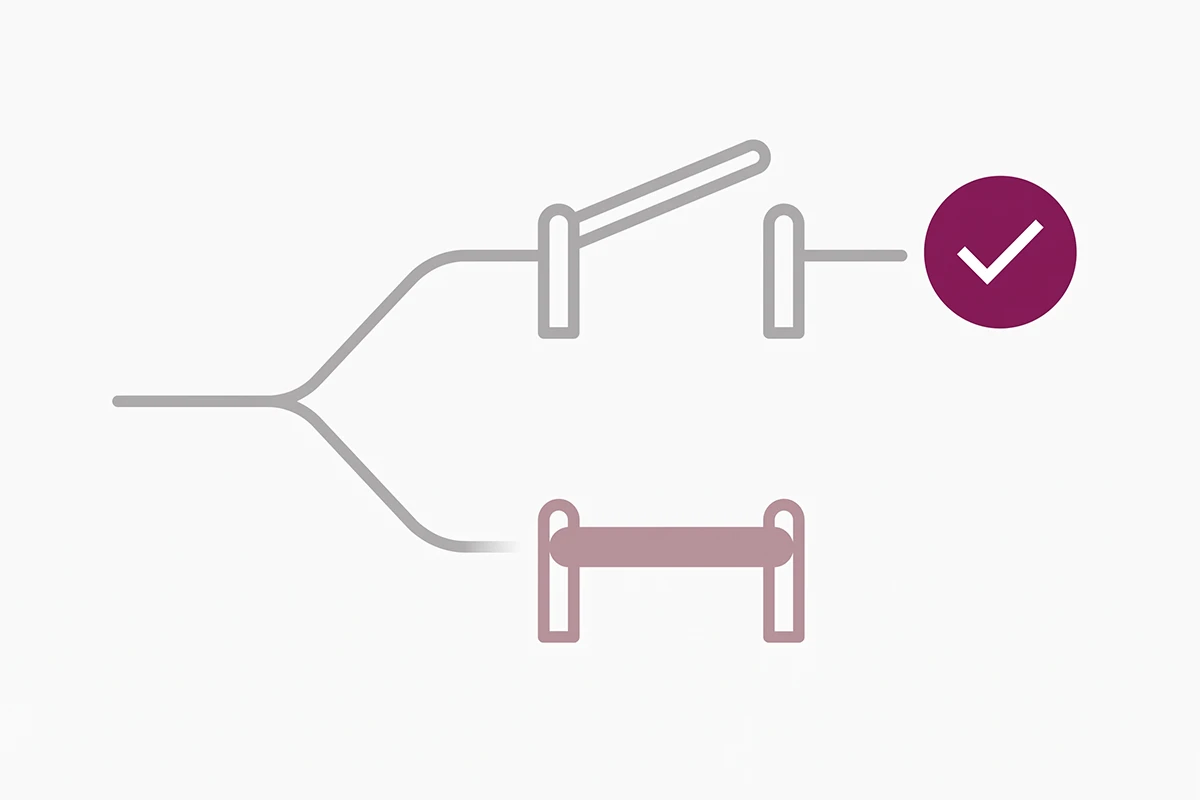
The FTC's Rule on the Use of Consumer Reviews and Testimonials took effect on October 21, 2024. Its Section 465.4 prohibits providing compensation or other incentives in exchange for, or conditioned on, reviews expressing a particular sentiment, whether you state that condition outright or only imply it. In the FTC's own questions and answers on the rule, incentivized reviews are treated as testimonials, and the agency declined to require disclosure of every incentive.
So the practical test is one question: would a customer who plans to give you two stars still get the offer? If yes, you are on the right side of the line. If no, or if your email hints that the code is for happy customers, rewrite it.
Two related traps. Sending requests only to customers you expect to be happy is review gating, and selective display is covered by a separate section of the same rule. Paying someone to take down a truthful negative review is worse still. For the longer walkthrough, I covered asking for reviews without breaking the FTC rules in its own post.
One caveat: this is the US rule. UK and EU consumer protection regimes have their own requirements around review authenticity, and they are not identical. I am not a lawyer, and a store selling seriously into several markets should check its copy against local rules.
How to load these into Judge.me or your review app
Judge.me is the default recommendation for stores under $200K a year, so this uses it. The concepts map onto Stamped, Loox, and Klaviyo under different menu names.
Requests are scheduled per product when an order is marked fulfilled, and by default a multi-product order sends a separate request for each product. That setting is behind the complaint most new stores get in their first month: three emails landing at once. Switch it to one request per order, or set a wait time between them.
The copy lives under review request and reminder emails, where you can edit subject line, preview text, and body blocks. Personalization runs on variables like buyer first name and product title, which is what the bracketed placeholders above become. The unsubscribe block is mandatory and the editor will not save without it.
Here is the honest part. Most of that editing sits on Judge.me's paid Awesome plan. The free plan lets you adjust preview text and preview the emails, but full rewriting is gated. At 40 orders a month, do not upgrade just to change wording. Fix the send delay first, which is free, then revisit the copy when volume makes the difference measurable. When you are ready to automate it, I stepped through how to set the sequence to run on autopilot separately.
What to measure before you rewrite anything
There is no trustworthy public benchmark for review request response rates at small-store volume. The figures quoted around this topic, the 39% response rates and the 270% lifts, trace back to vendor marketing with no published methodology. I would rather say the number does not exist than repeat one.
Measure your own instead. The metric that matters is submission rate: reviews submitted divided by requests sent. Open rate is close to useless now, because Apple's Mail Privacy Protection pre-loads images and inflates opens across a large share of your list. Clicks and submissions require a human.
Give a version at least 200 sends before judging it, change one thing at a time, and start with the subject line since it gates everything downstream. If your submission rate is under 2%, the cause is almost always timing or a broken review link, not adjectives.
One thing worth naming: no template produces a fixed number of reviews. Order volume and product quality decide that, and neither lives in the email. The wording controls the share of people who open and then finish. That is the part you can systematically improve.
Wrapping up
Three things carry most of the result here. Send from delivery rather than from the order date. Keep one action in the email and delete everything that competes with it. And if you use an incentive, offer it to everyone who reviews, regardless of what they write.
The six review request email templates above are a starting position, not a finished system. Paste template 1, fix your send delay, and let it run for a month. Then add the reminder. Once you have enough volume for a difference to show, try the photo ask on your most visual products.
What is left is the part templates cannot do. Template 4 needs you to read the review and write a real reply. Template 5 needs your app segmented by order count. That is an hour of setup and a few minutes a week, and it is the difference between a review program that runs and one sitting half-configured in an app you stopped opening.
If your product is good, the reviews already exist in people's heads. A review request email template is just what gets them written down.
Want these written for your products instead?
Reviews Management sets up the whole request sequence: the wording in your voice, the send timing, the reminder, and the replies, on Judge.me or whichever app you already run. Both tiers include templates written against your actual catalog.
See Reviews Management pricing →Or email contact@studioniza.com if you have a specific question about your store. I read every one.
Frequently asked questions
If you're still unsure after reading these, just send the question.
How long should a review request email be? +
Between 60 and 120 words. One idea, one button, one signature. Anything longer starts competing with itself for attention, and the completion rate drops because the reader has to decide what you actually want from them.
Do I need an unsubscribe link in a review request email? +
Yes, in practice. A review request that carries any promotional element counts as commercial email under the FTC's CAN-SPAM rules, which means a working opt-out and a valid postal address. Judge.me makes the unsubscribe block mandatory in its custom templates, so the app handles it for you.
Should I send review requests by SMS instead of email? +
Only if the customer gave explicit SMS consent at checkout, and even then, start with email. SMS consent rules are stricter than email rules, and a store doing under a few hundred orders a month will not learn much from splitting a small sample across two channels.
Can I ask for reviews from customers who bought before I installed a reviews app? +
Yes. Most review apps can import past orders and send requests against them. Cap the backfill at roughly the last 90 days and spread the sends over a week or two, because a sudden burst to old addresses is the fastest way to hurt your sending reputation.
How many review request emails is too many? +
Two per order. The initial request and one reminder. A third email almost never produces a review and it does produce unsubscribes, which cost you the ability to ask on the next order.
Can I use the same review request email template for every product? +
For your first year, yes. The one exception is any product where the customer cannot form an opinion in a week, like supplements, skincare, or anything with a break-in period. Those need a longer delay and a line that acknowledges it.
What subject line works best for a review request email? +
A short, specific question that names the product. Keep it under about 50 characters so it survives truncation on a phone, and skip the word review in the subject where you can, since it tells the reader this is a chore before they open it.
Do review request emails hurt email deliverability? +
Not on their own. They hurt it when you ignore unsubscribes, send a third and fourth reminder, or backfill hundreds of stale addresses at once. Two well-timed sends per order to recent customers is a low-risk pattern.