
Somewhere in your store there is a product you deleted. Maybe it sold out permanently, maybe the supplier disappeared, maybe you renamed the handle to something that reads better. The product is gone from your admin. The URL is not gone from the internet.
Google still has it. Someone's Pinterest board still points at it. A customer who bought it last year still has the link in their confirmation email. Every one of those paths now ends at a 404 page.
Shopify 301 redirects are the fix, and they are already built into your admin. No app, no code, no monthly fee. What almost nobody gets right is not how to make a redirect. It is where to point it.
Point a dead product URL at the wrong destination and Google quietly throws the redirect away, which leaves you with the same lost traffic plus the false comfort of thinking you fixed it. So this post covers where Shopify 301 redirects live, the decision tree for deleted products, how to find your existing 404s for free, the bulk CSV method, and the two mistakes that build redirect chains. Most of it takes an afternoon, once.
What a 301 redirect actually does
A 301 is a permanent instruction. When a browser or a crawler asks for the old URL, your server answers "that moved, permanently, go here instead" and sends them on. The visitor usually never notices it happened.
The permanent part is what matters for search. Google's documentation on redirects draws a clean line: permanent redirects tell Google to show the new target in search results, while temporary redirects (302) tell it to keep showing the original page.
Shopify's native redirect feature creates permanent redirects, with no toggle for 302. That is fine, because for deleted products and renamed handles permanent is what you want.
Redirects are also the strongest signal you can send about which URL is the real one. In Google's ranking of canonicalization methods, redirects sit above canonical tags and well above sitemap inclusion. If you have been cleaning up variant and tag URLs that create duplicates, a redirect is the heavier tool.
Does a 404 hurt my rankings?
Not directly, and it is worth saying plainly because a lot of redirect apps market on the opposite assumption. Google has been consistent for years that 404s are a normal part of the web and are not a negative quality signal.
What a 404 costs you is specific and local: the traffic that one URL was getting, and the value of any links pointing at it. If nothing linked to it and nobody visited it, the 404 costs you nothing. If it was pulling 200 sessions a month and had a backlink from a gift guide, that is a different conversation.
The goal is not zero 404s. The goal is zero valuable 404s. That reframing is what keeps this project down to an afternoon instead of a month.
Where do URL redirects live in Shopify admin?
Content > Menus > View URL redirects > Create URL redirect. That is the whole path, and it is why so many owners can't find it: older tutorials still say Online Store > Navigation, which is where it used to live. Shopify's help doc on URL redirects has the current route.
Two fields. Redirect from is the old path. Redirect to is where it should go. Use a relative path like /collections/tees for anything on your own domain, and a full URL only when you are sending traffic off-site. To send someone to your homepage, the destination is a single forward slash. Redirects start working immediately, with no publish step.
The checkbox most owners miss
If you are renaming rather than deleting, you never need that screen. Open the product or collection, scroll to the search engine listing section, click edit, change the handle, and tick the "Create a URL redirect for..." box before you save. Shopify builds the redirect for you.
Leave that box unticked and the old URL becomes a dead end with no warning. This is the single most common way a new store generates a pile of 404s: a bulk handle cleanup done quickly, on an SEO app's recommendation, with the box unchecked. It is what most stores do at this stage, and it is fixable after the fact.
The rule that breaks most redirects
You can only redirect from a URL that is already broken. If the old URL still loads a real page, Shopify accepts the redirect and then does nothing with it. No error, no warning, just silence.
That trips people up when you want to retire a collection but keep the products. Set the collection's online store visibility to hidden first. The URL starts returning a 404, which makes it eligible, and the redirect takes effect. Products work the same way through draft status or removal from all sales channels.
One catch before you rely on it. If you later switch that collection back to visible, Shopify deletes the redirect automatically, because redirects only exist for URLs that 404. You will need to recreate it next season.
Some paths can never be redirected at all. Anything beginning with /apps, /application, /cart, /carts, /orders, /services, or /shop is off limits, and so are the fixed paths /products, /collections, and /collections/all. You can redirect /collections/summer-2025. Not /collections itself.
Deleted a product? Here's the decision tree
Four destinations. Pick based on what the visitor was actually looking for when they clicked, not on what is convenient for you.
| Situation | Send it to | Why |
|---|---|---|
| You replaced the product with a newer version or a merged listing | The new product page | A true one-to-one match, and the case that passes the most value. |
| Product is gone, but a close alternative is live | The closest live product | The shopper still gets something they can buy, and Google reads it as a real replacement. |
| Discontinued, and the category is still active | The parent collection | No single product matches, but the intent does. The safe default. |
| Seasonal or one-off, nothing comparable, no traffic and no links | Nothing. Let it 404 | An honest 404 is correct when there is no replacement. |
The one destination that is almost always wrong is your homepage. When Google follows a redirect and lands on a page with nothing to do with the URL it asked for, it treats the whole thing as a soft 404. The redirect gets ignored, no value transfers, and the old URL drops out of the index anyway. You do the work and get none of the benefit.
The rule that keeps you out of trouble: a redirect should read as an answer to the request, not a dismissal of it. If a person clicking that old link would be confused by where they landed, Google is making the same judgment.
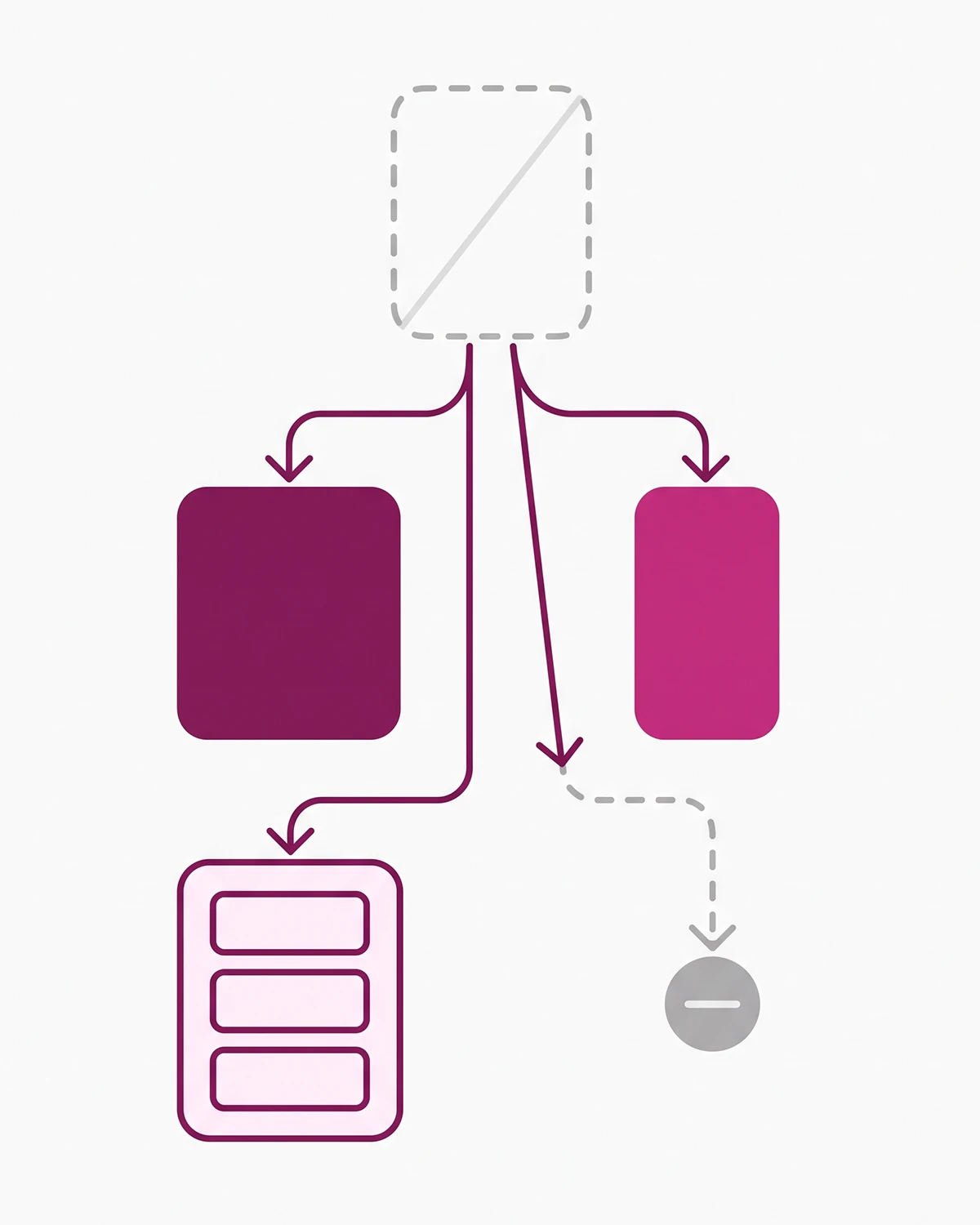
One more thing that gets missed when a product goes away. The URL is not the only asset attached to it. So are the reviews. A listing with 60 reviews and a 4.8 average carries real conversion weight, and deleting the product orphans every one of them. While you are in the admin, that is the moment to also migrate the reviews off the discontinued listing to whatever you pointed the URL at. Same event, two consequences, and most stores fix neither.
How to find the 404s you already have, for free
Shopify's admin will not tell you which of your URLs are being crawled and failing. Google will. If you have not already set up Google Search Console for your store, start there, because the rest of this section depends on it.
In Search Console, go to Indexing > Pages, scroll to "Why pages aren't indexed," and open the Not found (404) row. That is every URL Google tried to crawl and could not find. Export it. Check the Soft 404 row too, since that is where badly aimed redirects surface.
Then triage. Three questions per URL:
- Did it get traffic? Check the Performance report filtered by page. Impressions in the last six months means it is worth a redirect.
- Does anything link to it? Open the Links report. A backlink pointing at a dead URL is the clearest case for a 301.
- Is there an obvious replacement live right now? If you cannot name one in five seconds, the parent collection is the answer.
If all three answers are no, leave it alone. A 404 that nobody visits and nobody links to is the correct response. In practice, most stores under a few hundred SKUs find the actionable list is 10 to 30 URLs, not the hundreds the report first suggests.
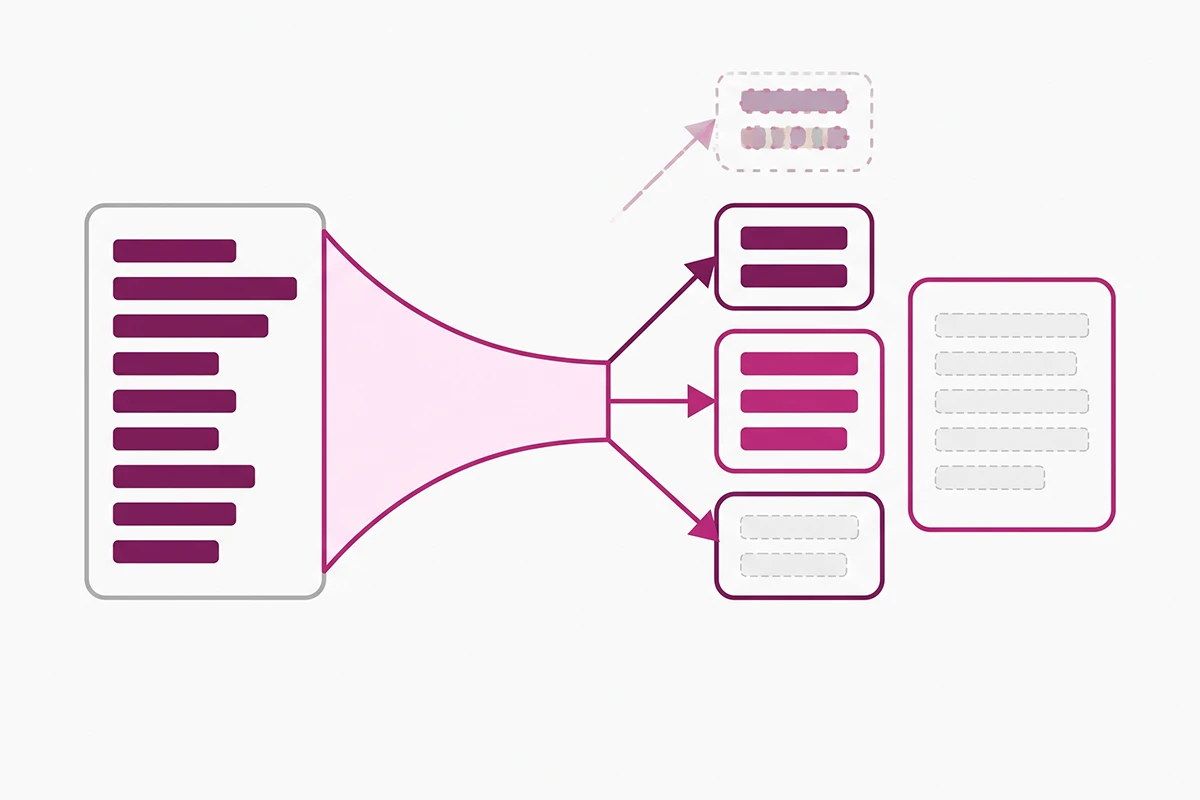
Search Console will not show you one important category: broken links inside your own site. Your main menu, a collection description, a blog post from March, all still pointing at URLs you retired. Google reports the destination as a 404 but will not tell you where the link lives. Click through your menu, footer, and five most-visited posts by hand. It is the same audit you would do for internal linking anyway.
An honest note on tools, since this is where the upsells start. Most stores at this stage do not need a paid redirect app. Shopify's native table plus Search Console is free and covers discovery, single redirects, bulk import, and export. Apps become worth paying for at continuous monitoring across thousands of URLs. Under a few hundred products, the free stack is the whole job.
The bulk CSV method for migrations
If you are moving from WooCommerce, Etsy, Squarespace, or Magento, or restructuring several hundred handles at once, do not create redirects one at a time. Click Import instead of Create URL redirect, and upload a two-column CSV: redirect from, redirect to. Shopify publishes a sample redirect CSV template you can download and fill in, which saves an argument with the importer over column headers. Practical Ecommerce's walkthrough covers the same flow.
Four things that save time on a real migration:
- Always use relative paths starting with a forward slash. Paths without one get auto-formatted, which is how you end up with 300 redirects all pointing somewhere slightly wrong.
- Import in batches of around 1,000. Finding one failed row in a batch of 1,000 is a task. Finding it in a batch of 8,000 is a day.
- Export what already exists first. Shopify has probably built redirects for you from every handle edit where the checkbox was ticked.
- Build the map in a spreadsheet first. Old URL in column A, new URL in column B, your reasoning in column C. That third column is what makes this reviewable in six months.
On limits: standard plans hold up to 100,000 redirects and Plus holds up to 20,000,000. Neither is a real ceiling for a small store, even after a full platform move.
If you sell internationally, one redirect covers all your market subfolders automatically. Shoppers hitting the Canadian subfolder version of a dead product URL get sent to the Canadian version of the collection. You only need per-locale redirects when you want a different destination for each market.
For ongoing maintenance, Shopify Flow has a Create redirect URL action that fires when a product is deleted. One caveat: the workflow builds the old URL from the product title, so if the product had a customized handle, the redirect may point at the wrong source. Treat it as a safety net under a real redirect map, not a replacement for one.
Two mistakes that create redirect chains
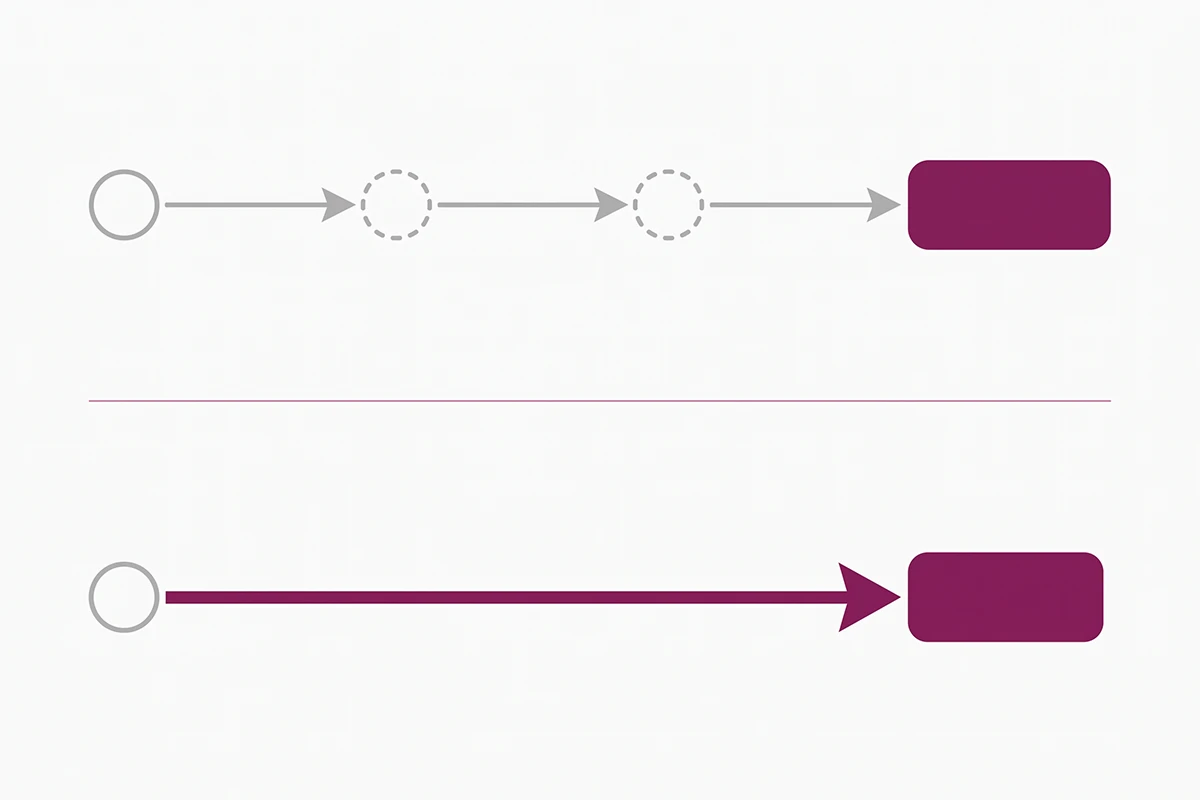
A redirect chain is A pointing to B pointing to C. Every hop adds latency for the shopper, and Google stops following after a handful. Chains are rarely deliberate. They come from two specific habits.
Renaming the same page twice
You rename a handle in March and tick the redirect box. You rename it again in July and tick it again. Now the original URL points at the March version, which points at the July version. Nobody chose that; it accumulated.
The fix is to point every old URL directly at the final destination. Shopify helps: it rejects a new redirect whose destination is already the source of another redirect, so you cannot build a fresh chain by hand. What it will not do is retroactively flatten chains you already created through the handle-edit checkbox. After any second rename, open the redirect table and check.
Leaving your own links pointing at the old URL
The redirect works, so the page loads, so it looks fine. But every visitor arriving from your own menu, footer, or blog post takes an unnecessary hop, and you are telling Google the old URL is still the one you consider current. After any redirect goes live, update the links you control.
Three shorter ones worth knowing:
- Using a temporary redirect where a permanent one belongs. Not possible natively, but some apps offer both. A 302 keeps the old URL in the index, the opposite of what a deleted product needs.
- Removing a redirect too early. There is no cost to leaving one running, and pulling it early can put the old URL back in the index in a weaker state.
- Redirecting a URL that still resolves. Covered above, but worth repeating: it accounts for most of the "my redirect isn't working" threads on the Shopify forums.
Wrapping up
Three things to take away. Shopify 301 redirects are native and free, and live at Content > Menus > View URL redirects, so nothing stands between you and the fix except knowing where the screen is. The destination matters more than the mechanic, and the homepage is almost never it. And most of your 404s do not need fixing at all, which is why triage comes before you create a single redirect.
The work that remains is yours to do. Pulling the Not found list, checking which URLs had traffic or links, and deciding where each should point takes judgment about your own catalogue that no tool can make for you. Budget an afternoon for a couple of hundred products, and a day or two after a platform migration.
Then keep the habit that prevents the next pile: every time you delete a product or rename a handle, create the redirect in the same sitting. The gap between deleting and redirecting is where all of this accumulates, and closing it costs about thirty seconds each time. If you finish the triage and find 400 dead URLs from a migration you inherited, that is a mapping project rather than an afternoon, and it is reasonable to hand it off. Either way, every month those URLs sit there is another month of shoppers hitting a wall on their way to something you still sell.
Want the redirect cleanup handled?
Studio Niza's SEO work includes a full 404 audit, a redirect map built from your actual Search Console data, and the bulk import done for you. The Starter tier is $499 one-time.
See pricing & services →Or email contact@studioniza.com if you have a specific question about your store. I read every one.
Frequently asked questions
If you're still unsure after reading these, just send the question.
Does Shopify use 301 or 302 redirects? +
Shopify's built-in URL redirect feature creates permanent redirects, and there is no setting to switch a native redirect to a temporary 302. Shopify's own documentation refers to them as 301 redirects when it explains caching behaviour. That is the right default for deleted products and renamed handles, because a permanent redirect tells Google to show the new page in search results instead of the old one.
Do I need an app to create Shopify 301 redirects? +
No. Everything most stores need is native: single redirects, bulk CSV import, export, filtering, and bulk editing. A paid redirect app earns its fee when you need continuous 404 monitoring across thousands of URLs or pattern-based rules. For a store under a few hundred products, the free stack of Shopify's redirect table plus Google Search Console covers it.
Why is my Shopify redirect not working? +
The most common cause is that the source URL still loads a real page. Shopify only applies a redirect when the old URL is genuinely broken, so a live product or a visible collection will simply ignore the rule. Check for typos in both fields, confirm the path is not a reserved Shopify prefix, and test in a private browser window because 301 redirects get cached.
Can I redirect a Shopify URL that still works? +
Not directly. You need to make the URL return a 404 first, which you do by setting the product to draft, removing it from all sales channels, or changing a collection's online store visibility to hidden. Once the URL is broken, the redirect takes effect. Note that if you later make the collection visible again, Shopify deletes the redirect automatically.
How many URL redirects can a Shopify store have? +
Stores on standard plans can hold up to 100,000 URL redirects. Shopify Plus stores can hold up to 20,000,000. These caps are fixed and cannot be raised, but almost no small store will get near them, even after a full platform migration.
Should I redirect deleted products to my homepage? +
No, and this is the mistake worth avoiding above all others. When Google follows a redirect and lands somewhere unrelated to the URL it requested, it treats the result as a soft 404, ignores the redirect, and drops the old URL from the index anyway. Send the URL to the closest relevant live page, or let it return an honest 404 if nothing fits.
Do Shopify 301 redirects work across international market subfolders? +
Yes. A single redirect automatically applies to every language and market subfolder set up through Shopify's international tools. If your Canadian market lives at example.com/en-ca, one redirect from a deleted product to a collection covers both the primary market and the subfolder. You only need separate redirects when you want a different destination per market.
How long should I keep a 301 redirect in place? +
Keep it indefinitely unless you have a specific reason to remove it, because a redirect costs you nothing to leave running. At minimum, give it a year before you consider deleting it, and longer for any URL that earned backlinks. Removing a redirect too early can put the old URL back in the index in a weaker state.