You asked ChatGPT for the kind of thing you sell, and it recommended someone else. Maybe you tried again with your own product name and still got nothing back.
That is how most Shopify owners find out about Shopify Catalog eligibility. Nobody emails you to say your products were skipped.
Here is what happened. On March 24, 2026, Shopify switched agentic storefronts on by default for eligible merchants. No app, no opt-in, no setting to hunt for. Your products started flowing to ChatGPT, Microsoft Copilot, Google AI Mode, and Meta through Shopify Catalog, the structured product feed underneath all of it. If that plumbing is new to you, the Universal Commerce Protocol post covers how the pieces connect.
The word doing all the work in that paragraph is eligible.
There are three separate states here, and most advice collapses them into one. You can be enrolled in agentic storefronts and still fail Shopify Catalog eligibility. You can pass eligibility and still never get recommended. Each has a different cause and a different fix, and fixing one does nothing for the others.
This post walks the checks in order: what Shopify Catalog eligibility requires, the four extra conditions ChatGPT layers on top, how to check all of it in your admin in about fifteen minutes, and how to test what ChatGPT actually sees.
Enrolled, eligible, and recommended are not the same thing
Think of it as three gates, each one narrower than the last.
Gate one is enrollment. Shopify handled this for you. In your admin, Sales channels then Agentic shows which AI channels have access to your product data. Unless you turned something off, they all do.
Gate two is eligibility. Shopify Catalog has published requirements at the store level and the product level. A product that fails any single one is not in the feed at all. This is pass or fail, not a ranking.
Gate three is ranking. Once you are in the feed, you compete against every other Shopify product for the same query. Shopify is careful here: relevance depends on signals like popularity, customer engagement, and brand recognition that build over time, alongside the listing data you control.
Most advice on this treats all three as one problem, which is why the checklists feel scattered when you try to act on them.

The citation path and the catalog path are two different problems
There is a second split underneath this, and it causes more confusion than anything else.
When ChatGPT mentions your store in a sentence and links to it, that is the citation path. It runs on crawling: whether the answer bots can reach your pages, whether your product schema ships in your raw HTML instead of being injected by JavaScript, and whether anyone else on the web describes what you sell. That path is the subject of why your Shopify store isn't showing in ChatGPT.
When ChatGPT shows a product card with your image, your price, and a way to buy, that is the catalog path. It runs on Shopify Catalog and the data in your admin. Your robots.txt file does not affect it. Neither does a blog post. Shopify says so plainly: blocking AI crawlers at the robots.txt or network layer affects open-web discoverability only, and does not stop Catalog from feeding your active channels.
Which one are you actually failing?
If a customer told you ChatGPT mentioned your site and they clicked through, that was citation. If they described a card with a photo and a price, that was catalog. Worth asking, because the answer tells you which half of the work to do first. The rest of this post covers the catalog path, because that is the one eligibility governs.
What Shopify Catalog eligibility actually requires
Shopify publishes the full requirements list. It is shorter than you would expect, and most of it you can verify in a few minutes.
| Level | Requirement | Where to check it |
|---|---|---|
| Store | On the Starter plan or higher, and not in password-protected private mode | Settings > Plan, and Online Store > Preferences |
| Store | Compliant with Shopify's Terms of Service and Acceptable Use Policy | Account notices in your admin |
| Product | Has a title and at least one product image | Products |
| Product | Has a price greater than zero. Free products are excluded. | Products > Pricing |
| Product | Published to your online store, Hydrogen, or Headless channel | Product page > Sales channels |
| Product | Has an identifiable product URL | Product page > Search engine listing |
| Product | Not set to Unlisted status and not hidden from search engines | Product status, and the seo.hidden metafield |
| Product | Contains no sensitive or mature content | Product description and media |
Two of these catch small stores far more often than the rest.
Free products are out. A price above zero is a hard requirement. If you list a free sample, a digital freebie, or a $0 placeholder variant, none of it reaches the feed.
Unlisted status is a trapdoor. Unlisted hides a product from your sitemap, from search engines, and from your own storefront search, and it pulls the product out of every AI channel including Shop. Some stores use it for seasonal items, then forget they did.
The account standing rules most guides skip
Shopify also gates Catalog on the overall standing of your account, reviewed over time rather than checked once. The published list covers verifying your email, two-step authentication, a passkey, identity and business verification when prompted, a real record of fulfilled orders, a low chargeback rate, invoices paid on time, and no open compliance issues.
Read that twice if your store is new. A store with no sales history is not being penalized, it just has not built the signals yet. Eligibility is reviewed over time, so you can gain it later and lose it if things slip.
The four extra things ChatGPT asks for
Catalog eligibility gets you into the feed. ChatGPT layers four more conditions on top of it.
One: your store has to sell to customers in the United States.
Two: three specific policies have to be published. Terms of service, Privacy policy, and Return and refund policy, all completed under Settings then Policies. Not the generated template left half-finished. Real published text. This is the most common gap I see on first-year stores, and it is a ten-minute job.
Three: you have to read and agree to the Shopify Agentic Storefronts Supplemental Terms of Service.
Four: your products have to be allowed. Anything on OpenAI's prohibited products list does not display in ChatGPT product discovery, and business-to-business products are excluded from agentic storefronts entirely.
Does my store have to be based in the United States?
No. Your store can be based anywhere. What counts is whether you sell to buyers in the United States. If you run a UK-only or Australia-only market, ChatGPT is not an available channel for you yet, and no amount of product data work changes that.
One detail that is easy to miss: keep any required legal disclosures inside the first 6,000 characters of your product description. If yours sit at the bottom of a long description, move them up.
ChatGPT is not the only door either. Google AI Mode and Gemini get your products through the Google & YouTube sales channel or Google Merchant Center, so a clean Merchant Center feed still earns its keep.
How to check your eligibility in the admin
You do not need an app for any of this. It all sits in your Shopify admin, costs nothing, and takes about fifteen minutes on a small catalog.
Step one: the policies
Settings then Policies. Confirm all three contain real published text. If any is empty, stop here and write it. Nothing downstream matters for ChatGPT until they exist.
Step two: the Agentic section
Sales channels then Agentic. You need store-owner access, or the Products View plus App and sales channel Agentic permissions. This screen shows which channels have Shopify Catalog access, whether Allow Shopify to manage for me is on, and per-channel sales, orders, sessions, and conversion.
What if my catalog count is lower than my active product count?
That gap is your to-do list. Some products are failing eligibility, usually for one of the reasons above: a zero price, no image, Unlisted status, or not published to the online store channel. Work the difference instead of auditing all 300 products.
Step three: the search preview
Same screen. Type a query a real buyer would use, or click one from Top search queries or Queries where your products appeared. Shopify returns the raw output of Catalog search: which of your products rank in the global top results, and which were relevant but not competitive enough to make it.
Shopify is honest about the limits, and so should you be. AI channels re-rank using their own logic, so treat the preview as a directional signal rather than a prediction.
The product fields that decide whether you get picked
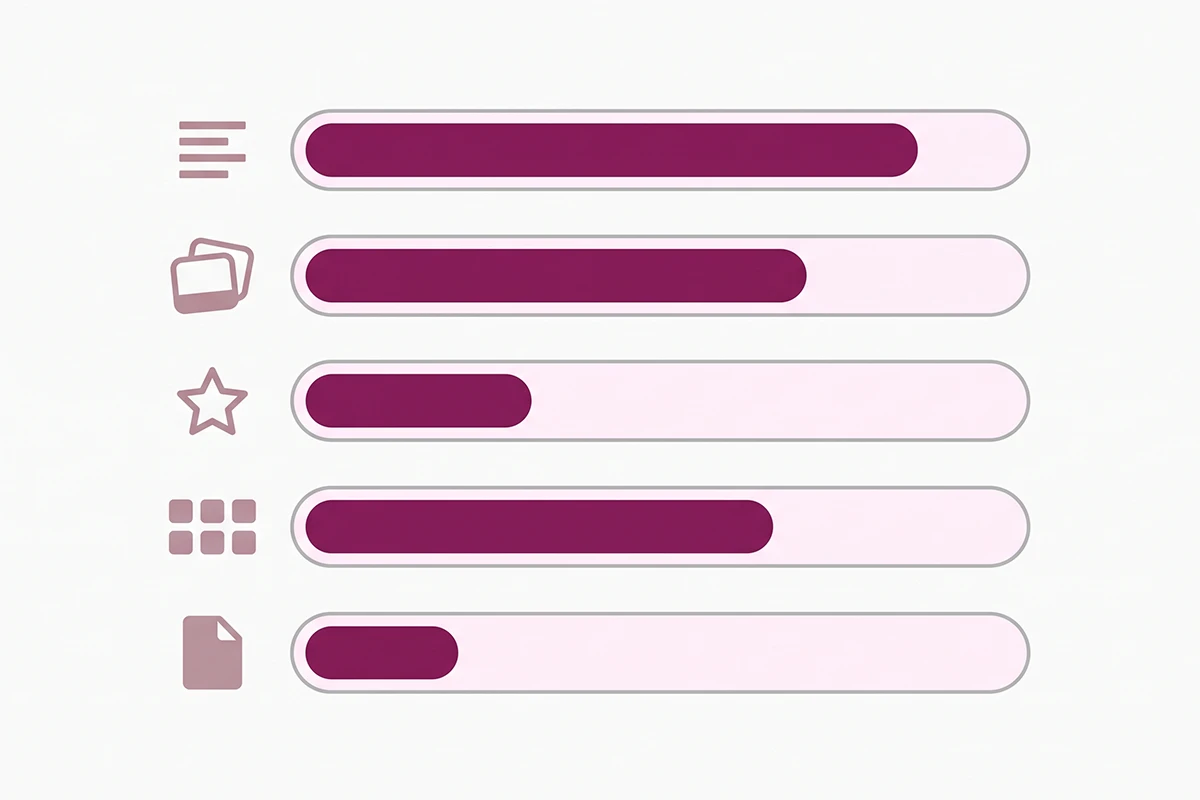
Click the arrow on any product in the search preview and you get Listing insights, which break the listing quality meter into five named signals. It is the most useful part of the feature, and almost nobody writing about ChatGPT visibility mentions it.
| Signal | What Shopify measures | What to do about it |
|---|---|---|
| Description completeness | The word count of your product description | Write specs, materials, dimensions, and use cases out in plain language. AI channels match descriptions against natural-language questions. |
| Image coverage | The number of product images | Add angles, scale references, and in-use shots so a channel can represent the product in different contexts. |
| Product reviews | Average rating and review count, from sources Shopify trusts | Collect reviews consistently. This is a trust and popularity signal, not a vanity metric. |
| Variant and option completeness | Number of variants and options, stock availability, and whether names use acronyms or numbers agents struggle to read | Rename "Opt 2 / BLK-LG" to "Black / Large" and keep stock status accurate. |
| Shop policy completeness | Whether shipping, returns, refund, and other store policies exist | The same three policies from earlier. They count twice: once for eligibility, once for ranking. |
Titles are still the single biggest lever
Shopify names the fields AI platforms consider: title, description, images, product organization details like type, vendor, collections and tags, the barcode field for ISBN, UPC or GTIN, and variants including option names.
Start with the title. A product called "The Luna" tells an agent nothing. "Organic Cotton Sleep Mask with Adjustable Strap" tells it what the thing is and who it is for. You are not writing for a shopper who can already see the photo. You are writing for a system matching text against "best sleep mask for side sleepers."
Then the boring fields, which are boring precisely because nobody fills them in. Assign a real product category. Put a GTIN in the barcode field if your products carry one. Keep brand naming consistent, and remember the Vendor field is often your supplier, not your brand.
What about the Knowledge Base app?
Worth ten minutes. The free Knowledge Base app lets you review the facts AI platforms generate about your store and write your own questions and answers. It does not change eligibility, but it changes what an agent says when a shopper asks about shipping mid-conversation.
How to test what ChatGPT actually sees
Why does the same query show different stores each time?
Because these answers are not deterministic. Ask the same buying question twice and you can get two different sets of stores. Results shift by session, region, and model version. Plenty of merchants run five queries, see nothing, and conclude they are invisible, when what they measured was variance.
Prompt testing is still worth doing, done properly. Pick eight to ten questions a buyer would type, not your brand name. Run them across ChatGPT and Copilot. Repeat weekly and read the pattern, not the single result.
The checks that hold still
Two measurements do not move around, and both are free. The first is the search preview from the last section, which reflects Catalog search directly, without the noise of a live chat session.
The second is the performance data in Sales channels then Agentic: sessions, orders, sales, and conversion, broken out per AI channel. That matters more than it sounds, because AI referrals often land in ordinary analytics as direct traffic. A fair number of stores are already getting AI-driven visits and have quietly concluded the channel is dead, because nothing ever labelled it.
Shopify also runs a free product page scan that reports on the structured data and robots.txt access AI shopping assistants look for. That one checks the citation path, so treat it as the other half of the picture.
A word on the numbers you are being sold
You have seen the headline figure. In Q1 2026, Shopify reported AI-driven traffic to its stores up eight times year over year, orders from AI-powered searches up nearly thirteen times, and new buyers ordering through AI channels at close to twice the rate of other channels.
The Q2 figure was closer to three times. Not because growth stopped, but because the base it is measured against keeps rising. Large multiples off a small starting point are still small in absolute terms.
So: worth an afternoon of free admin work, and worth doing before others in your category get to it. Not yet worth moving budget out of the channels paying your bills today.
Wrapping up: fix the top twenty first
Three things to carry out of this.
First, enrolled is not eligible, and eligible is not recommended. Work out which gate you are stuck at before you change anything, because the fix is different at each one.
Second, the highest-value ten minutes in this post is Settings then Policies. Three published policies. That is the whole task. If any is missing, nothing else you do reaches ChatGPT.
Third, do not audit your whole catalog. Sort by revenue, take the top twenty products, and give each a full pass: a title that names the thing rather than nicknames it, a real category, a barcode if you have one, a description that answers a buying question in plain words, three or more images, and variant names a stranger could read out loud. Then leave it thirty days, because ranking changes lag data changes.
None of this needs an app. If your theme already outputs product schema, adding a second app that does the same usually makes things worse, since two conflicting Product blocks on one page tend to get ignored rather than merged.
The honest part: you can do all of this and still not be the store ChatGPT names for your category, because relevance also runs on popularity and brand recognition that take years. What you control is whether you are legible at all. That part is winnable, and most stores your size have not done it.
Want someone to run this on your catalog?
The Studio Niza SEO & GEO service covers exactly this: Shopify Catalog eligibility, product titles and categories, real schema, and the admin checks across your best-selling products. Starter pricing is $499 one-time.
See pricing & services →Or email contact@studioniza.com if you have a specific question about your store. I read every one.
Frequently asked questions
If you're still unsure after reading these, just send the question.
Does Shopify Catalog eligibility cost anything? +
No. There is no app to buy, no subscription, and no extra transaction fee. Shopify states that selling in ChatGPT carries no fees beyond your standard payment processing rates, and every eligibility check lives in your existing Shopify admin.
Do I have to be based in the United States to show up in ChatGPT shopping? +
No. Your store can be based anywhere in the world. The requirement is that your store sells to customers in the United States. If you only sell into other markets, ChatGPT is not an available channel for you yet, regardless of how clean your product data is.
Do free products show up in ChatGPT shopping? +
No. Shopify Catalog eligibility requires a price greater than zero, so free products are excluded from the feed entirely. If you list samples, digital freebies, or zero-priced placeholder variants, those items are not reaching any AI channel.
Can my products be in Shopify Catalog and still not show up in ChatGPT? +
Yes, and this is the normal case rather than the exception. Being in the catalog makes your products available to be recommended. Whether they actually surface depends on how well your listing data matches the query, plus signals like reviews and brand recognition that build up over time.
How long does it take for product changes to reach AI channels? +
Shopify Catalog updates your product data continuously, so pricing and availability move quickly. Ranking is slower and less predictable. Give any title, description, or category change a full 30 days before you judge whether it worked.
Do I need an app to fix my Shopify Catalog eligibility? +
No. Every check runs in the Shopify admin under Settings, Products, and Sales channels. Adding a schema app on top of a theme that already outputs product schema often makes things worse, because two conflicting Product blocks on one page tend to get ignored rather than combined.