Your chatbot has been keeping a record. Every question a shopper typed at 11pm, every doubt they raised before closing the tab, every time they asked the bot something your product page should have answered on its own. Most store owners never open it.
That is the gap this post is about. Chatbot metrics tell you how the bot performed. Chatbot transcripts insights tell you what your store is missing. Those are two different reports, and only one of them doubles as free market research.
If you have already worked through the six chatbot metrics worth watching, you have the performance side covered: deflection, resolution, escalation. This is the other half. Transcripts are the only place your customers state their objections in their own words, unprompted, with no survey question shaping the answer first.
The reason nobody reads them is not laziness. It is volume. Eight hundred stored conversations feels like a project, not a Tuesday morning, so the log sits there growing, useful and unread.
What follows is a 30-minute monthly ritual. You read four buckets in a fixed order, tag what you find using one of seven labels, and turn the top three themes into three specific fixes: a product page edit, an FAQ entry, and a blog post. Then you feed the corrected answers back into the bot so the same question stops arriving.
It is not glamorous work. It compounds anyway. For a store doing under $200K a year, chatbot transcripts insights are the cheapest customer research available to you, because you already paid for the data.
Why chatbot transcripts beat every other research method you have
You have three usual sources of customer signal, and each one is filtered. Analytics shows behavior with the reason stripped out. Search data shows intent from before the customer ever reached you. Reviews come from people who already bought and already had an opinion worth typing up.
Chatbot transcripts sit in the gap all three miss: someone who was on your site, considering the purchase, uncertain enough to ask, and not yet a customer. That is the one shopper every other tool loses track of, which is what makes transcripts insights worth 30 minutes.
Isn't this what keyword research is for?
Keyword research tells you the words people typed at Google. Transcripts tell you the words people typed at you, after they landed, with the hesitation still attached. "Do these ship to Canada" and "shipping to Canada" are the same topic and completely different data. One is a query. The other is a stalled sale with a reason on it.
Search Console will also never surface a question with no measurable search volume. Plenty of the questions that block your buyers have no volume anywhere. They still cost you orders.
The people who ask are the visible edge of a much larger group
This is the part worth sitting with. In Baymard Institute's product page testing, almost no users reached for a chat option when a product description failed to answer their question. They abandoned the page instead, and sometimes the site.
So the ten people who asked you about sizing are not ten people. They are the small, unusually persistent slice of a much bigger group who had the identical question and left without typing it. Treat every theme in your tag counts as standing in for many times its number.
Cart abandonment research points the same direction. Across Baymard's collected abandonment studies, unexpected extra costs and insufficient product information sit near the top of the reasons people leave. Those are precisely the themes a chat log surfaces first.
Where your chatbot transcripts actually live
Before the ritual, you need access. This is where most stores stop, so here is the honest version for each setup.
Shopify Inbox. Conversations are stored and searchable inside the app and on desktop, and Shopify's own documentation covers how the conversation view and the Inbox agent work. There is no bulk export to a spreadsheet. If you want a year of chats in one file, you are reading in the app and copying by hand. That is a real limitation and it is better to know it before you design a process around it.
Help desk platforms. Gorgias, Zendesk, and Re:amaze store conversations as tickets with tags, filters, and exportable reports. If you already pay for one, most of your reading job is filtering rather than hunting.
Custom or managed chatbots. Whether transcripts are stored at all comes down to how the bot was built. The Studio Niza chatbot writes every conversation to a database, specifically so the log can be read later. Storage is not a nice extra on a chatbot. It is the difference between a bot you can improve and a bot you can only watch.
What if my bot doesn't store transcripts at all?
Then fix that before anything else here. A chatbot with no conversation history hands you a deflection percentage and nothing you can act on.
Ask your vendor three questions: where are transcripts stored, how long are they kept, and how do I get them out. If the answers are vague, that is itself the answer.
The 30-minute monthly transcript reading ritual
The trick is not reading faster. It is reading in the right order, so the clock runs out on the low-value conversations instead of the high-value ones.
Four buckets, highest signal first. This is the same logic contact centers apply to conversation intelligence, scaled down to something one person can finish before their coffee goes cold.
| Bucket | Minutes | What it tells you | Typical fix |
|---|---|---|---|
| 1. Unanswered (bot said it didn't know) | 12 | Exactly what is missing from the bot's knowledge base, in the customer's phrasing | New knowledge base entry, new FAQ |
| 2. Escalated to you or a human | 8 | Questions too specific, too emotional, or too policy-heavy for the current answers | Policy page rewrite, clearer product copy |
| 3. Abandoned mid-conversation | 6 | The moment the shopper gave up, and what was on screen when they did | Answer flow rewrite, shorter path to the fact |
| 4. Resolved cleanly | 4 | Questions the bot answered well that the site should have answered first | Product page edit, above-the-fold detail |
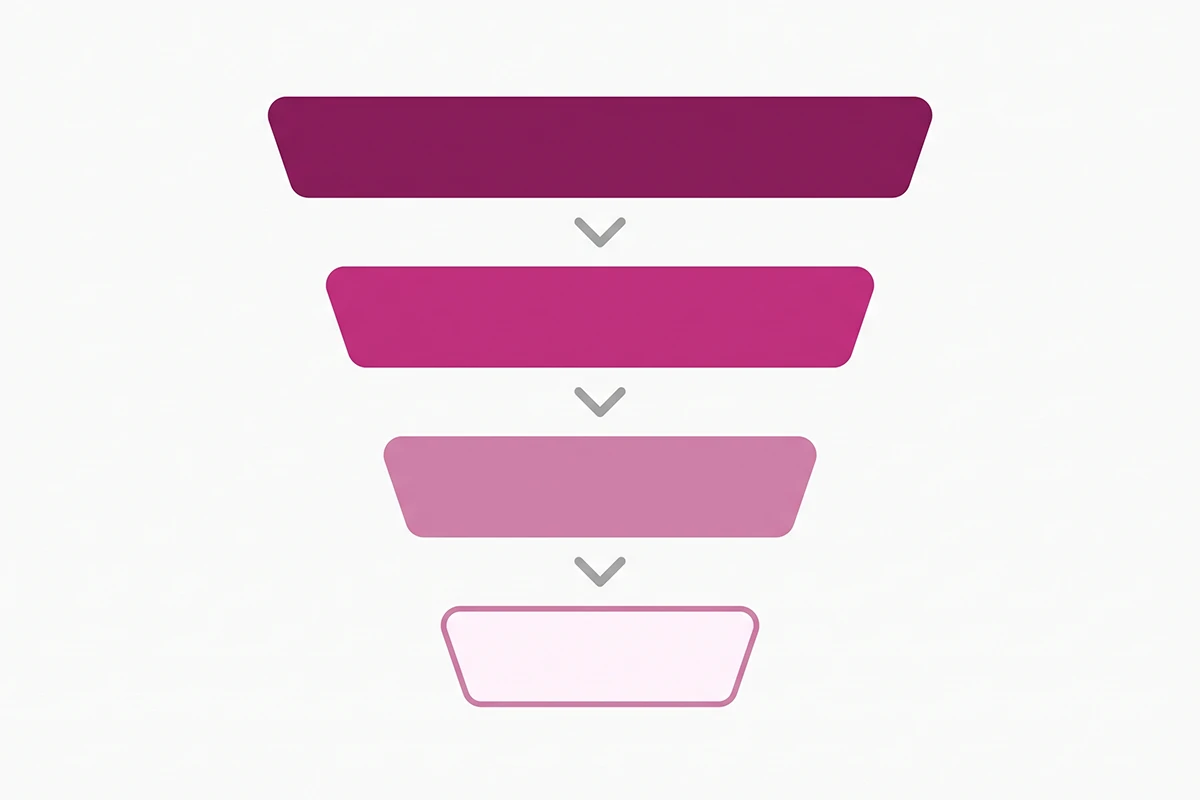
Set a timer. When it goes, stop. You are not trying to read everything. You are trying to find the top three themes, and those almost always show up in the first two buckets.
Bucket four is the one people want to skip, and it is the sneakiest. If your bot keeps flawlessly explaining your return window, your return window is buried somewhere it shouldn't be.
How many conversations do you need before this is worth doing?
Two numbers matter. You need at least 30 conversations in the period before the tag counts mean anything, and a single theme needs four or five conversations behind it before it earns a fix.
Below that you are reacting to one loud shopper. If your store does not generate 30 chats in a month yet, read quarterly instead. The ritual is identical. The clock is just longer.
The seven tags I use, and what each one means
Tagging fails for one predictable reason: people invent tags while they read. You end up with 40 labels, no counts worth comparing, and no reason to open the file again next month.
Use a fixed list. One tag per conversation, forced choice, even when two of them fit. If a conversation genuinely fits none of the seven, that tells you the list needs one more label. It does not mean this conversation needs three.
| Tag | What lands here | What it usually points at |
|---|---|---|
| Product info gap | Materials, ingredients, care, compatibility, what is in the box | Product description is thin or the detail is hidden in a tab |
| Policy confusion | Returns, exchanges, warranty, cancellations, order changes | Policy page is unclear, or nothing links to it from the product page |
| Sizing, fit, and specs | Measurements, size charts, weight, dimensions, "will this fit" | Missing size guide, or specs written for you rather than the buyer |
| Shipping and delivery | Where you ship, how fast, how much, customs, tracking, WISMO | Shipping facts live only at checkout, which is too late |
| Price and promo | Discount codes, bundles, price matching, subscription pricing | Offer terms are ambiguous or the code rules are undocumented |
| Trust and proof | Is this real, is it authentic, who made it, has anyone else bought it | Missing reviews, missing About context, no visible brand signals |
| Off-catalog demand | Products, variants, colors, or bundles you do not sell | A real product decision, or a blog post, or both |
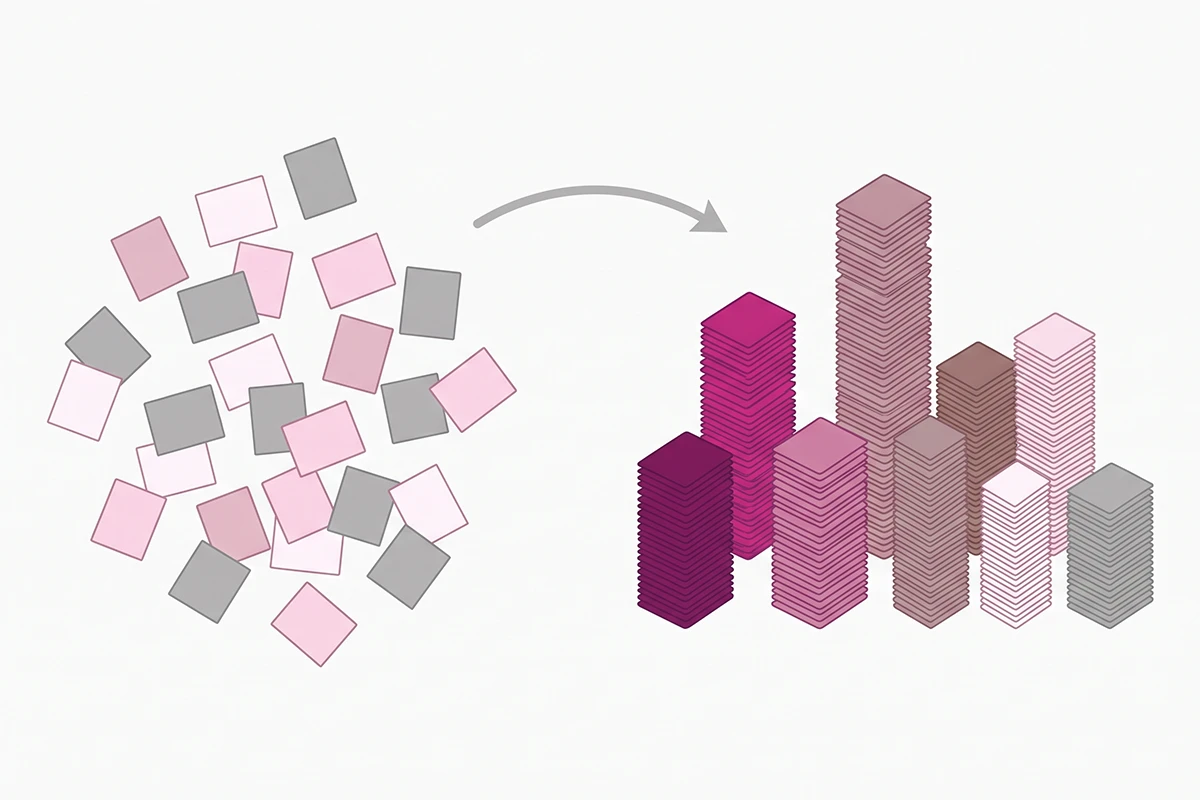
Three of the seven exist to catch pre-sales questions on purpose. Warranty, sizing, and ingredient questions come up on nearly every store, which is why help desk vendors build entire self-serve help centers around that cluster. You do not need a help center to benefit. You need to know which of the three is loudest on your store.
Turning the top three themes into three fixes
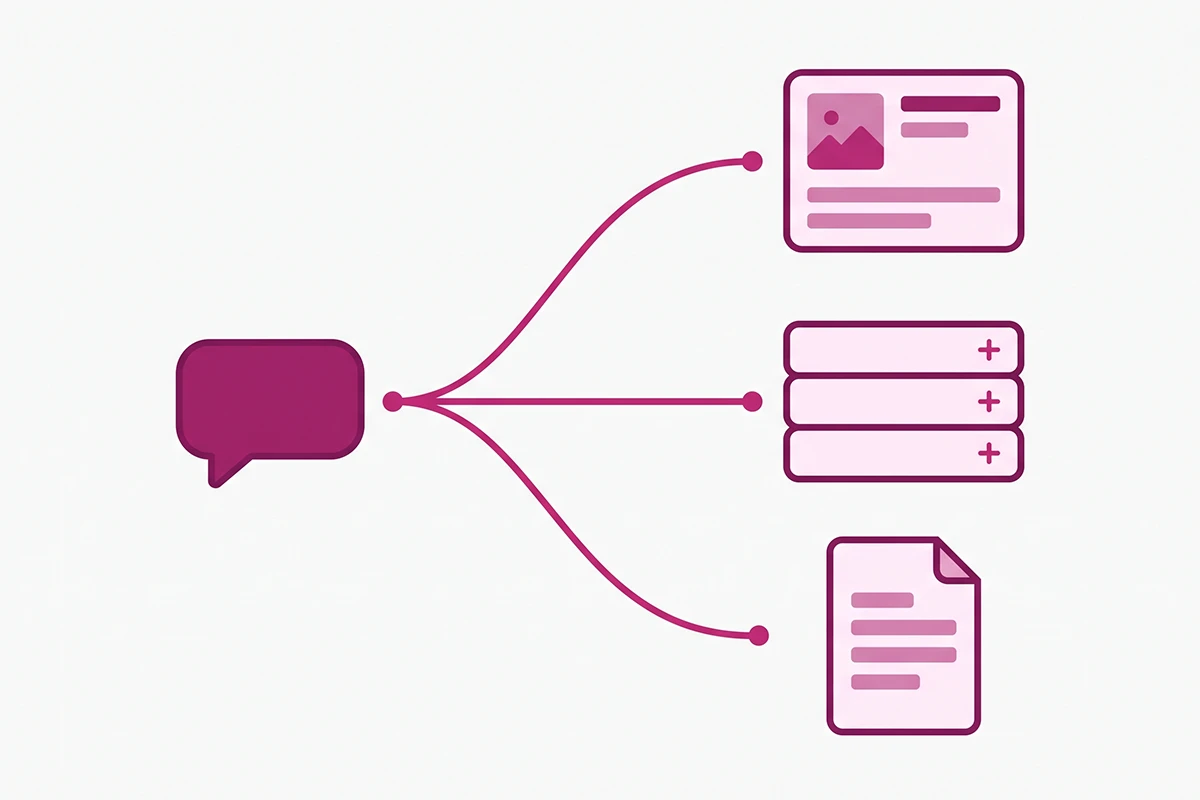
At the end of the reading you have counts. Take the top three and route them by rule, one fix each. Three fixes a month is achievable for a solo founder. Twelve is a plan you will abandon in week two.
Theme one becomes a product page edit
Take whichever theme is most tied to a single product or collection. A candle store I looked at had a steady trickle of shoppers asking whether the wax was safe around cats. The answer existed, three scrolls down, inside an ingredients accordion.
The fix was not a new page. It was one line of copy moved above the fold, in the customer's own words rather than the supplier's. That is what a product page edit looks like: relocate or add the fact at the moment the question occurs.
Theme two becomes an FAQ entry
Policy confusion belongs here, because policy answers are short, stable, and reusable. Write the question using the customer's phrasing from the transcript, not your internal wording. Shoppers ask "can I swap it for a different size," not "what is your exchange policy."
Then mark it up. FAQ schema on Shopify is what lets that answer get pulled into search results and AI answers instead of sitting on a page nobody visits.
Theme three becomes a blog post
Off-catalog demand, comparison questions, and use-case questions make the best posts, because they need more than three sentences to answer honestly. This is the same pipeline as turning support tickets into blog posts, just with a faster and cheaper source.
It also happens to be exactly what Google describes as people-first content. Their helpful content guidance asks whether you have a specific audience who would find the content useful if they came to you directly. A post built from questions your own shoppers asked you last month is about as direct an answer to that as exists.
Then feed the corrected answers back into the bot
This is the step that gets skipped, and skipping it is why some stores read transcripts twice and quit. If you fix the product page but never update the bot, the same question arrives next month and your tag counts never move.
Add each new answer to the bot's source material, then test it by asking the question the way the customer asked it. Training a Shopify chatbot on your own policies and product knowledge covers the mechanics. The short version: a fallback rate above 20 percent is a content problem, not a bot problem, and every unanswered transcript is a free instruction on what to write next.
Reading transcripts without stepping on customer privacy
Chat logs are personal data. Not usually sensitive data, but personal data, because a conversation can often be tied back to a specific person through an email address, an order number, or the account they were signed into.
Do I need permission to read my own chat logs?
Reading your own conversation logs to improve your store is normally fine, provided your privacy policy discloses that you store chat conversations and use them for service improvement. The reading is not usually the risky part.
The regulated parts are how long you keep the logs and what else you do with them. GDPR Article 5 sets out purpose limitation and storage limitation in plain terms: collect for a stated purpose, keep it no longer than that purpose needs. I am not a lawyer, so check your own obligations if you sell into the EU, the UK, or California. Studio Niza's post on what to disclose about chatbot data goes further into the disclosure side.
Three rules that keep this simple
Tag the theme, not the person. Your notes should record "sizing question, 6 conversations," never a customer name. The output of this ritual is a count, not a dossier.
Set a retention period and honor it. Pick a window, write it into your privacy policy, and actually delete on schedule. Ninety days covers a monthly ritual comfortably. Keeping everything forever because storage is cheap is the most common version of getting this wrong.
Strip identifiers before any third-party tool touches a transcript. Pasting chat logs into an AI summarizer is a reasonable time saver, and it is also a data transfer your privacy policy needs to cover. Remove names, emails, order numbers, and addresses first. Themes summarize fine without them.
Wrapping up
Three things to carry out of this.
First, chatbot metrics and chatbot transcripts insights answer different questions. Metrics tell you whether the bot is doing its job. Transcripts tell you what your store is failing to say clearly. A store doing under $200K a year needs both, and only one of them takes 30 minutes a month.
Second, the read order does the heavy lifting. Unanswered, then escalated, then abandoned, then resolved. Seven fixed tags, one per conversation. Top three themes become one product page edit, one FAQ entry, and one blog post, and then the corrected answers go back into the bot.
Third, month one will feel thin. You will find two themes instead of three, and one of them will be something you already suspected. That is normal. The value shows up around month three, when the counts start moving and you can see which fixes actually stopped a question from arriving. This is slow, cumulative work, and it is also the rare kind that gets easier rather than harder.
If you take one thing away: the questions your customers are asking your chatbot are the questions your site should have answered before the chat window ever opened. Every transcript is a small, free note telling you where to look. The only cost is opening the folder.
Want someone reading the transcripts for you?
Every Studio Niza chatbot stores its conversations, and monthly transcript review is part of the plan. You get the tagged themes and the fixes, not a folder of raw chat logs. Chatbot Basic starts at $599 setup plus $99/month.
See how the chatbot service works →Or email contact@studioniza.com if you have a specific question about your store. I read every one.
Frequently asked questions
If you're still unsure after reading these, just send the question.
How often should I read my chatbot transcripts? +
Monthly is the right cadence for most Shopify stores doing under $200K a year. Read weekly for the first 30 days after launch, when the bot is still learning your store and the gaps are largest. If your store gets fewer than 30 chats a month, switch to quarterly so each session has enough conversations to show a pattern.
How many conversations do I need before chatbot transcripts insights are reliable? +
You need at least 30 conversations in the period before the tag counts mean anything, and a single theme needs four or five conversations behind it before it earns a fix. Below that you are reacting to one unusually persistent shopper rather than a pattern. Volume is the reason quarterly reading beats monthly reading for very small stores.
Can I paste my chatbot transcripts into an AI tool to summarize them? +
Only after you strip names, email addresses, order numbers, and shipping addresses, and only if your privacy policy discloses that customer data may be processed by third-party services. Summarizing themes is a reasonable use. Uploading raw customer conversations to a tool your privacy policy never mentioned is not.
Does Shopify Inbox let me export chat conversations to a spreadsheet? +
No. As of August 2026 Shopify Inbox stores and searches conversations inside the app, but there is no bulk export to CSV. You read in the app and copy by hand. This is worth weighing when you choose a chat tool, because a bot whose transcripts you cannot get out is a bot you can only watch.
What is a good fallback rate for a small Shopify store chatbot? +
Under 10 percent is healthy and under 5 percent is unusually good. Above 20 percent almost always means missing knowledge base content rather than a bad bot. Fallback rate is the fastest metric to move, because every fallback names the exact question the bot could not answer.
Should I bother reading conversations the chatbot answered correctly? +
Yes, but last and briefly. A correct answer to a question that should never have needed asking is a product page problem, not a chatbot success. If the bot keeps explaining your return window perfectly, the return window is buried somewhere on your site.
Is it legal to read my own customer chat transcripts? +
Reading your own conversation logs to improve your store is normally fine when your privacy policy discloses that you store chat conversations and use them for service improvement. The regulated parts are how long you keep them and what else you do with them, not the reading itself. I am not a lawyer, so check your own obligations if you sell into the EU, the UK, or California.
What if my chatbot does not store transcripts at all? +
Fix that before anything else in this post. A chatbot with no conversation history gives you a deflection percentage and nothing you can act on. Ask your vendor where transcripts are stored, how long they are kept, and how you get them out. A vague answer is itself an answer.