
The Shopify Inbox AI agent is probably already talking to your customers. Most owners flip it on, glance at the persona box, type something like "friendly and helpful," and get back to packing orders. Then a shopper asks whether the sweater runs small and the agent says something you would never have said.
Here is what to know before you touch a single setting. The persona box does not hold your facts. It holds your voice. Shopify's documentation is direct about this: facts added only to the persona are not treated as source information and might not be used consistently. Your return window, your shipping cutoff, your sizing notes: those live in your product pages, policies, and the Knowledge Base app. The persona decides how the Inbox agent sounds. Your store content decides whether it is right. Miss that split and you will spend a week rewriting the persona while the agent repeats the same wrong answer.
Shopify says roughly 70 percent of Inbox conversations happen while a customer is deciding whether to buy. A badly configured agent does not just embarrass you. It costs orders. Here is the setup, start to finish. If you are still weighing whether Inbox is the right tool at all, my review of whether the free chat tool is enough for your store covers that first.
What the Shopify Inbox AI agent actually is
Shopify Inbox is a free app. The Inbox agent is the AI sales associate inside it, and it is opt-in: if you had Inbox before the agent existed, your conversations stayed with staff until you turned it on.
One caveat most write-ups skip. Shopify's help pages for the agent persona and training still carry an early access notice: the Inbox agent is available only to certain merchants. It is free, but still rolling out, so your admin may not match the screenshots you have seen.
The three assignment modes
The first real decision is when the Inbox agent answers at all. You pick one of three assignment modes under Sales channels, then Inbox. Switch any time; changes apply immediately to new conversations.
| Mode | What it does | Who it suits |
|---|---|---|
| All conversations | The Inbox agent takes every new chat automatically. | Solo founders with no support hours. |
| Only when your staff is unavailable | The agent answers outside your set availability hours. Inside them, customers reach you. | Owners who do pre-sales chat themselves but sleep sometimes. |
| Never | The agent is off. Default for stores that had Inbox before it shipped. | Stores with thin or outdated policy pages. Fix the content first. |
What it can and cannot do
It answers product questions, recommends from your catalog, looks up an order once the customer signs in, adds items to a cart, and replies in the customer's language. It does not process refunds, cancel orders, or change addresses, and it cannot email on your behalf. Comparison posts saying Inbox only drafts replies for a human to send describe the older Shopify Magic behavior and are out of date.
Check these five things before you turn it on
Turning the Inbox agent on takes eight seconds. The prep is the work, and skipping it is why stores end up with an agent that sounds fine and answers badly.
Does your store even qualify?
Four requirements, and the third disqualifies a lot of stores. You need Inbox installed, an active online store, new customer accounts, and a Basic, Grow, Advanced, or Plus plan. The Inbox agent does not work with legacy customer accounts at all. If you cannot find the toggle, check Settings, then Customer accounts, before assuming it is a bug.
The other four
Your policy pages have to be current. The Shopify Inbox AI agent reads your catalog, policies, published pages, blog posts, and Knowledge Base facts. A return policy you copied from a template in month one is now customer-facing copy an AI will paraphrase confidently. Read it again.
Install the Knowledge Base app. This is where facts your policies do not cover belong, and it is the fastest lever on answer quality. My post on the Knowledge Base app as a free GEO tool covers the search side of it.
Check your privacy policy. Shopify's template already discloses AI-assisted chat. If you wrote your own, Shopify says it should state that you use Shopify to power AI-assisted chat and that Shopify processes chat communications to generate responses and improve the agent over time.
Decide your customer sign-in setting. Customers can always chat with the Inbox agent without signing in, but an unsigned visitor shows up as a Shop visitor with no name, no cart, no order history, and no way for you to email them after they leave. Shopify added a middle option in late August 2026 under Chat settings: require sign-in, require name and email, or allow anonymous chats. Name and email is the sensible default for most new stores.
Why the persona box is not where your facts go
This is the section I would read twice. The Inbox agent draws on two separate inputs. The persona shapes how it communicates: tone, wording, personality, service style. Your store sources supply what it says: product details, policies, published pages and blog posts, and Knowledge Base facts. Product facts always come from your store, never from the web.
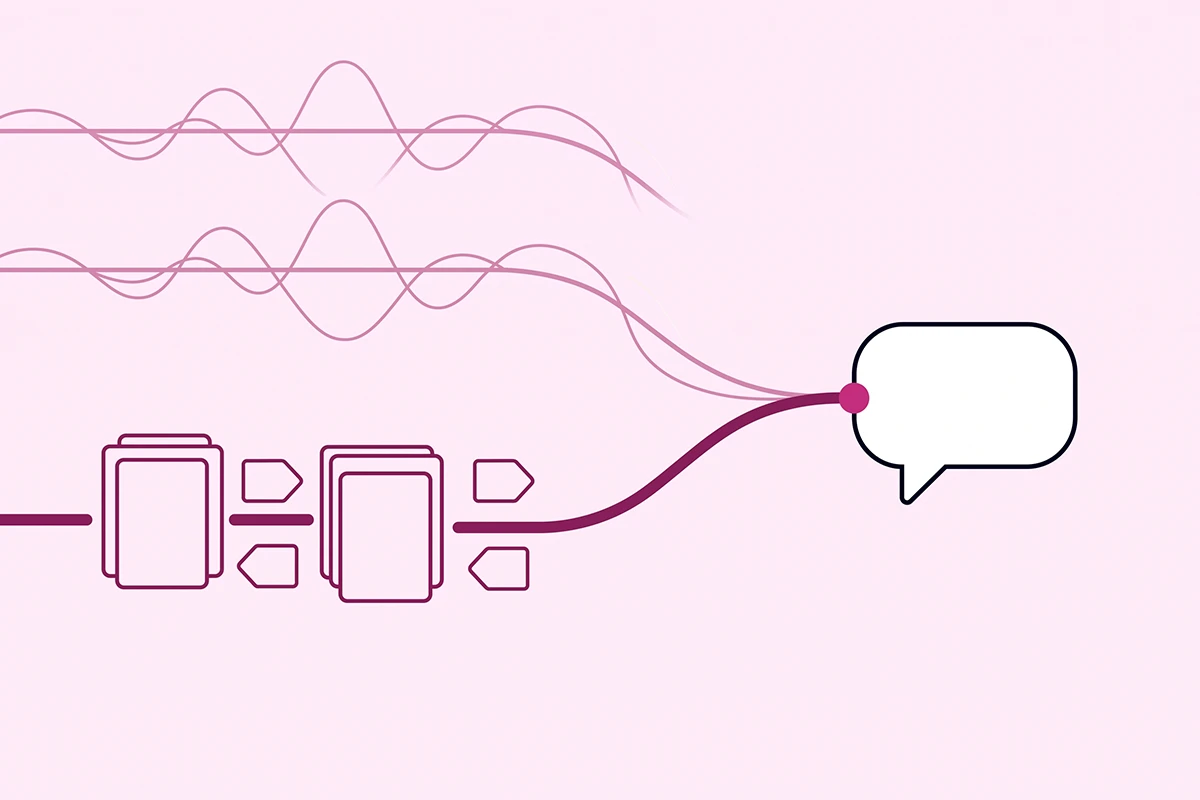
Write "we ship to Canada in three business days" into the persona and you have taught the agent nothing reliable. Shopify states plainly that store facts added only to the persona are not treated as source information and might not be used consistently. It might repeat it. It might not.
Put the same sentence in your shipping policy or as a Knowledge Base FAQ and it becomes a source the Inbox agent draws on every time.
Where each thing belongs
The filing rule: how the agent talks goes in the persona, what is true goes in a store source, and when the agent acts goes in Inbox settings.
Two Knowledge Base features earn their keep on day one. The FAQ query log lists the top unanswered questions customers are asking, a free map of the gaps in your content. And a test box lets you ask a question and see which resource the agent would match. Unanswered means write a two-sentence FAQ. Same discipline as any bot, which I covered in training a Shopify chatbot on your own policies.
What to actually write in the tone and rules fields
Activating the Inbox agent generates a default persona from your store content. Do not leave it as-is, and do not write an essay. The field takes two kinds of guidance. Tone and personality is how the agent sounds: casual, professional, warm, concise. Service style is how it handles a request, and Shopify's examples are good ones: acknowledge frustration before offering a solution, avoid pressure to buy.
A persona you can adapt
A starting point for a small store. Adjust the specifics, keep the shape.
Speak in short, plain sentences, warm but not chatty. Use the customer's words back to them. Never more than three sentences before asking what they need. Acknowledge frustration before offering a solution. Recommend a product only when the customer has described what they are looking for, and recommend one or two, never a list. If you are not confident about a detail, say so and offer to pass the question to a person rather than guessing. Do not use exclamation points. Do not describe products as amazing, perfect, or the best.
Notice what is not in there: no shipping times, no return windows, no prices. Those are facts. They go elsewhere.
A "Refine with Sidekick" button beside the persona suggests tone based on your business. Fine as a second opinion, though it runs warmer than most stores sound. If your brand voice is written down already, use that. My post on keeping an AI chatbot on-brand covers writing that document.
What gets quietly ignored
Shopify says not to use the persona to force Inbox behavior, and names three examples: preventing all staff handoffs, requiring a product recommendation in every reply, and routing every conversation to one contact. Instructions that conflict with your settings or with built-in safety behavior might not be followed. Write "never transfer to a human" and you have disabled nothing. You have added a line the system may disregard.
The questions your agent should never answer alone
Most guides hand you rules to paste into the persona. That advice half works, because a persona line is a preference, not a hard block. The useful version tells you where each guardrail actually holds.
| What it should not answer alone | Why | Where the guardrail belongs |
|---|---|---|
| "When exactly will this arrive?" | A promised date you cannot control becomes a complaint. | Shipping policy: ranges, not dates. |
| "Can you give me a discount?" | An invented code is a support ticket and a margin leak. | Knowledge Base FAQ with your real discount policy. |
| "I want a refund." | The Inbox agent cannot process one anyway. | Return policy page. Explain, then hand off. |
| "My order arrived damaged." | Needs a photo, a judgment call, and a human apology. | Availability hours, plus a Knowledge Base FAQ on what happens next. |
| "Is this safe for my skin condition?" | Health, allergy, and safety claims carry real liability. | Product page ingredients and warnings. Never the persona. |
| "Will this fit me?" | Confident sizing guesses drive returns. | A published sizing guide the agent can quote. |
| "Do you do wholesale?" | Terms vary per buyer. It is a sales conversation. | Knowledge Base FAQ pointing to your wholesale contact. |
| "Can you change my shipping address?" | The agent cannot take account actions. | Knowledge Base FAQ on the window, then handoff. |
| "Is your competitor's version better?" | You do not want AI improvising comparisons. | Persona line: do not compare against other brands. |
| "When is this back in stock?" | A guessed restock date is a broken promise. | Knowledge Base FAQ on your restock process, no dates. |
Read down the third column and the pattern is obvious. Seven of the ten guardrails are content, not configuration. That is the honest answer to "how do I stop my Inbox agent saying the wrong thing," and it is why this post spends more time on your policy pages than on the settings screen. One line from Shopify's docs makes it stick: you are responsible for the accuracy of what the agent tells your customers. Not Shopify.
What happens when a customer asks for a human
When someone asks for a person, or the Inbox agent decides a conversation needs you, one of two things happens. Which one depends entirely on your availability hours.
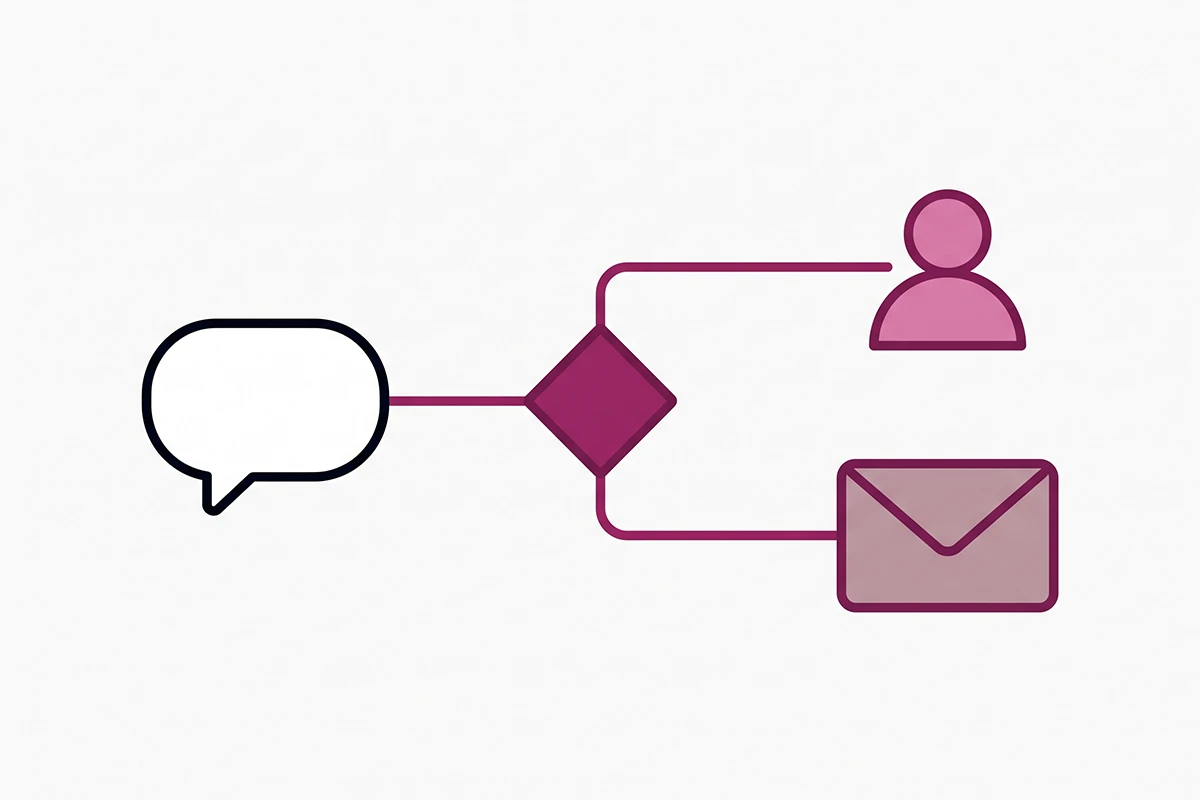
If staff handoff is available, the conversation moves to the Unassigned folder in your Inbox and the agent's prior context carries over with it, so the customer is not starting again.
If it is not, the customer receives your store's sender email address. The Inbox agent cannot email on your behalf, so they have to write it themselves, and a portion will not. That is the real cost of leaving your availability hours empty.
You cannot switch handoff off
People search for this, so let me answer plainly. There is no setting that removes human handoff from the Shopify Inbox AI agent, and telling it never to escalate in the persona is one of the exact examples Shopify gives of guidance that may not be followed.
That constraint is defensible. SurveyMonkey's 2025 research found 89 percent of consumers believe companies should always offer the option to speak to a human. A bot that traps people is worse than one that occasionally gets out of the way. If your goal was fewer escalations rather than none, the fix is better source content, not a blocked exit. More on that in designing the escalation moment.
The limits nobody tells you about
In one conversation the Inbox agent responds to up to 100 messages for unsigned customers and 1,000 for signed-in ones, and each customer can start 50 conversations a day. Hit a limit and it stops and hands off if it can. Rate limiting, spam detection, and blocked-sender filtering run underneath, unconfigured.
Training with ratings, and the four numbers worth reading
There are two ways to train the Inbox agent. Practice scenarios generate conversations from your catalog and persona and ask you to pick between two responses or write your own. Rating real conversations is a thumbs up or down on what it actually said. Both feed a system that proposes an updated persona for you to review, never applied automatically.
Here is the part the marketing copy blurs. Training changes voice, not knowledge. Rating a wrong answer does not correct the fact, and does not change the message the customer already saw. If the Inbox agent quoted your old return window, thumbs-down does nothing. Go edit the return policy.
The Overview page
Shopify reports four Inbox agent metrics: assisted sessions, assisted orders, satisfaction rate, and average response time. Assisted orders decides whether any of this was worth the afternoon. Satisfaction rate counts only rated responses, so treat it as directional until the sample is real.
Budget thirty minutes a month for transcripts, not just the dashboard. Sort by Shopify's topic tags, find the same question three times, turn it into a Knowledge Base FAQ. That loop is most of what a managed chatbot service does, and at your size you can run it yourself.
When has a store outgrown the free agent?
Three signals. You need it to take actions rather than answer, because refunds and address changes are eating your week. You need it on email, SMS, or social, not just the storefront widget. Or you need to take over mid-chat, which the current Inbox does not allow.
None of those apply to a store doing under a few hundred orders a month with clean policy pages. If that is you, the free Inbox agent is genuinely enough, and paying $300 a month for a managed bot right now would be early. I would rather say that than sell you something.
Wrapping up
The persona is your voice, not your facts. Nearly every "my Shopify Inbox AI agent said the wrong thing" problem is a content problem wearing a settings costume, and the fix lives in your product pages, your policies, and the Knowledge Base app.
Check eligibility before you plan around it. New customer accounts are required, the plan floor is Basic, and Shopify still calls the Inbox agent early access.
Set your availability hours honestly. They quietly decide whether an escalating customer reaches a person or gets handed an email address and left to write it themselves.
The work left is not glamorous: reread your shipping policy, write eight Knowledge Base FAQs from questions people actually ask, read transcripts monthly. That is the whole job, and it is doable in an afternoon plus half an hour a month after. Shopify is still shipping changes here, so check your settings again in a quarter.
Want the guardrails set up properly?
The Studio Niza AI Chatbots service covers the part the free agent leaves to you: the policy pages and Knowledge Base facts your agent actually reads, the escalation rules, and monthly transcript review. Setup is $599 with $99/month ongoing. If the free Inbox agent is enough for your stage, I will tell you that instead.
See how the chatbot service works →Or email contact@studioniza.com if you have a specific question about your store. I read every one.
Frequently asked questions
If you're still unsure after reading these, just send the question.
Is the Shopify Inbox AI agent free? +
Yes. Shopify Inbox is a free app and the Inbox agent is included at no extra cost. The catch is not price, it is eligibility: Inbox requires a Basic, Grow, Advanced, or Shopify Plus plan, and Shopify's documentation still describes the Inbox agent as early access available only to certain merchants.
Does the Shopify Inbox AI agent work with legacy customer accounts? +
No. The Inbox agent requires new customer accounts. If your store still uses legacy customer accounts, your conversations stay with your staff until you upgrade in Settings under Customer accounts. This is the single most common reason a store owner cannot find the agent toggle in their admin.
Can I stop the Shopify Inbox AI agent from handing off to a human? +
No, and writing a persona instruction that tries to prevent all staff handoffs will not work. Shopify's documentation says persona instructions that conflict with Inbox settings or built-in safety behavior might not be followed. What you can control is your availability hours, which decide whether a handoff reaches your staff or sends the customer your email address instead.
Do I need to update my privacy policy before turning on the Inbox agent? +
If you use Shopify's template privacy policy, the current version already includes the disclosures about AI-assisted chat. If you wrote a custom policy, Shopify says it should disclose that you use Shopify to power AI-assisted chat and that Shopify processes chat communications to generate responses and improve the agent. That is not legal advice, and a lawyer familiar with your market is the right check.
Can customers tell they are chatting with AI on my Shopify store? +
Yes. Shopify displays a notice that the chat is powered by Shopify and that the customer is chatting with AI. The notice appears automatically and cannot be removed or customized. You do not need to add your own disclosure line to the greeting.
Can the Shopify Inbox AI agent process a refund or cancel an order? +
No. The Inbox agent answers questions, recommends products from your catalog, looks up orders once the customer signs in, and adds items to a cart. It does not take account actions like refunds, cancellations, or address changes. Those still reach you, which is the correct design for a store under a few hundred orders a month.
How many messages can the Shopify Inbox AI agent handle in one conversation? +
Shopify caps a single conversation at 100 agent responses for customers who are not signed in and 1,000 for signed-in customers, and each customer can start up to 50 conversations per day. When a limit is reached the agent stops and hands the conversation to your staff if handoff is available. Your own Inbox is not limited.
Why does my Inbox agent give the wrong answer even after I edited the persona? +
Because the persona controls voice, not facts. Shopify says facts added only to the persona are not treated as source information and might not be used consistently. Put the correct detail in the product page, the store policy, a published page, or a Knowledge Base FAQ, then re-test it in the Knowledge Base app.