
If you have opened your Shopify admin lately, you have seen both names. A sparkle icon next to your product description field. A separate chat panel that answers questions about your own store. Both are labeled AI, and neither explains what the other is for.
The shortest honest answer to Shopify Sidekick vs Magic: Magic is the generation layer, Sidekick is the assistant that uses it. Magic is a set of buttons. Sidekick is a conversation. Same underlying AI, two different jobs.
That covers two thirds of what is running in your store. Most explainers stop at that two-way split because it is how things worked in 2024. Shopify Inbox now ships an agent that answers shoppers directly on your storefront, which means the question "does Shopify have a built-in chatbot" finally has a yes attached to it, with conditions.
So this post gives you the plain taxonomy. What Magic writes, what Sidekick does inside your admin, what the Inbox agent does on your storefront, and a task-to-tool table so you stop guessing which button to press. Then the part no one selling you a chatbot wants to write down: when the free built-in stack is genuinely enough for a new Shopify store, and the three signs it is not enough anymore. If you want the wider version of that question, I covered what a Shopify AI chatbot actually does separately.
Shopify's built-in AI is three things, not one
Shopify's built-in AI splits into three layers. The difference that matters is not what each one can write. It is who is on the other end of it.
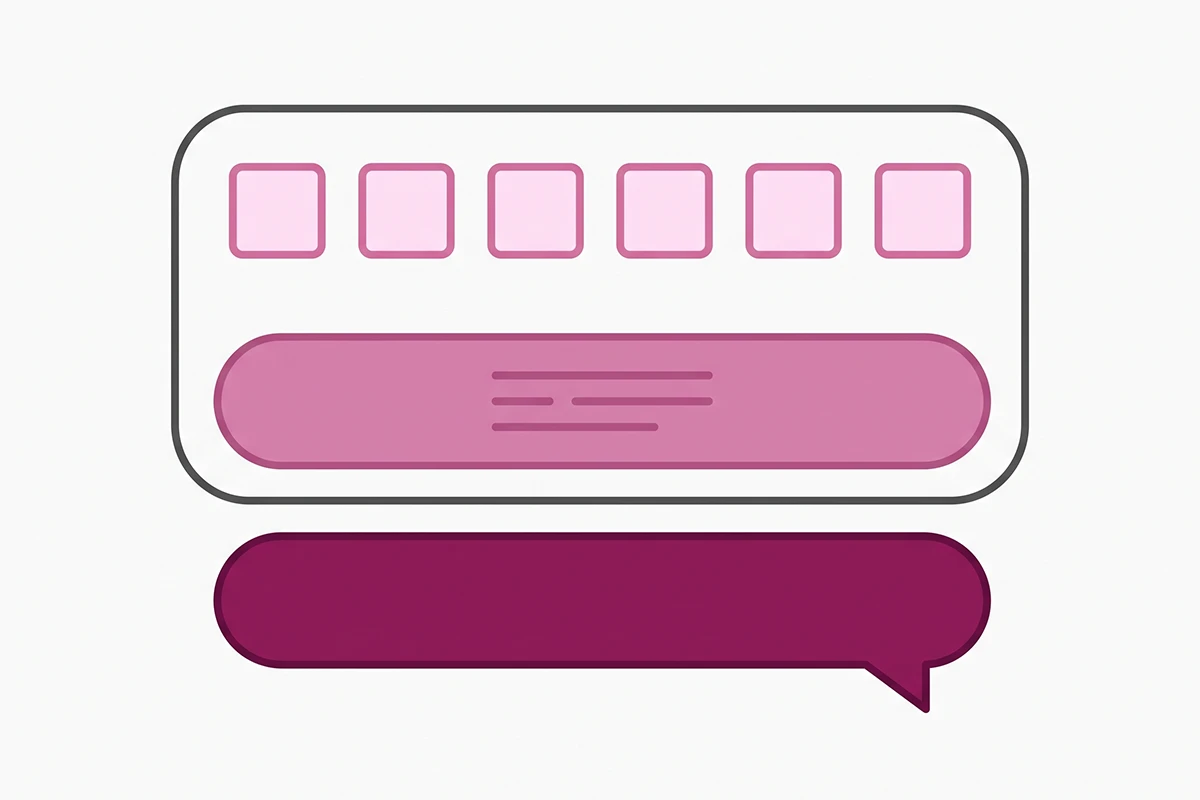
Layer one: the generation layer
This is Shopify Magic. It is not an app you open. It is the label for the AI behind a lot of individual buttons scattered across your admin. You stand in a field, click generate, and text or pixels appear there.
Layer two: the admin agent
This is Sidekick, a chat panel you open from anywhere in the admin. You describe what you want in ordinary language, it plans the work, and it calls the generation layer when it needs to write something. It talks to you.
Layer three: the storefront agent
This is the Shopify Inbox agent. It sits in the chat widget on your storefront and answers your shoppers. It carries neither brand name in most of the interface, which is exactly why owners miss it.
One more thing worth naming: a separate third-party app on the App Store uses a similar Sidekick name. If forum advice does not match what you see in your admin, check which one the poster means.
What Shopify Magic actually does
Shopify describes Magic as a suite of free AI features integrated across Shopify's products and workflows, available regardless of your subscription plan. Generally available features work on all plans and in all languages, though early-access features vary.
Text generation shows up in specific places: blog posts, pages, product descriptions, Shopify Messaging email, the theme editor, and both the instant answers and suggested replies inside Shopify Inbox. That last one matters later.
Magic also handles media generation in the file editor, covering background removal, logo generation, and hero banners. It generates whole themes, builds custom theme blocks from a text prompt, summarizes App Store reviews, describes customer segments in plain language, and powers the spend projections in the customer cohort report.
What Magic is good at, and what still needs your hands
Magic is good at the first draft when you are already standing in the right field. Fifty supplier descriptions that read like a parts catalog become fifty usable starting points in an afternoon, and background removal saves real money.
It is weaker at brand voice and at anything that has to be correct the first time. It writes competent, slightly generic ecommerce copy: fine as a floor, thin as a ceiling. Treat the output as raw material.
The pattern worth knowing from owner forums: on large batch jobs, explicit instructions get dropped partway through. Character limits get exceeded, banned words come back, and non-English catalogs report output reverting to English mid-batch. Spot-check bulk work.
What Sidekick does that Magic doesn't
Sidekick is the conversational layer. Shopify calls it an AI-enabled commerce assistant that presents changes for your review before applying them, and it works from any admin page on desktop or mobile, by text or voice.
The practical difference is context and scope. Sidekick reads the page you are on, so a question asked while you are looking at Analytics gets an answer built from the data in front of you. It remembers preferences across conversations, and you can save a prompt you keep retyping as a reusable skill.
Where Magic writes one field, Sidekick spans screens. "Create a 15 percent discount for this collection, valid two weeks, and draft the announcement email" is a Sidekick request. "Write this product description" is a Magic click. That is the whole shopify sidekick vs magic distinction: Magic is faster when you know what you want and where it goes, Sidekick is better when the task crosses more than one page.
Does Sidekick change your store on its own?
No. Shopify states plainly that Sidekick is never allowed to make changes to your shop without your approval and only presents options for you to review. That is a design decision, not a gap, and it is why the tool is safe to hand a nervous first-year owner.
What Sidekick is gated behind, and what it cannot do
App generation, the headline feature of recent Editions releases, is available only on the Grow, Advanced, and Plus plans. Hourly and weekly usage limits apply, and complex apps burn more of the allowance. Those apps only work inside the Shopify admin, are not visible to customers, and cannot reach themes or checkout.
Beyond that, Sidekick cannot edit images already sitting in a store theme or your product list, and it is not available in mobile web admin or on tablets including iPad.
And the one that settles the question this post exists to answer: Sidekick cannot talk to your customers or handle customer support conversations on your behalf. Shopify documents this directly. Sidekick talks to you. It will never be your chatbot, no matter how many features get added to it.
The part that changed: a customer-facing agent
Shopify Inbox used to be a free live chat inbox with canned instant answers. It is now marketed as an AI-powered sales associate for your storefront that answers buyer questions and helps shoppers find products from your catalog. The app is free and sits at 4.6 stars across more than 5,400 reviews. The agent itself is still in early access, so availability varies by store. This is the layer that partly competes with a paid chatbot, so it is worth understanding before you shop for one.
Where the free agent gets its answers
The Inbox agent draws from your product catalog, your store policies, your published storefront content (pages, blog posts, sizing guides, care guides), and facts in the Shopify Knowledge Base app. For a specific catalog product it can also use cited web search for qualitative signals like reviews, but product facts and care instructions come from your own store sources, and recommendations come from your catalog only.
The single most useful line in Shopify's documentation is the split between persona and facts. The persona controls how the agent sounds: tone, wording, service style. Facts do not belong there. Store facts added only to the persona are not treated as source information and may not be used consistently. If your return window is 30 days, that belongs in your policy page or the Knowledge Base, not in a personality description.
The Knowledge Base app is where most owners should spend their first hour. It generates facts from your settings, logs what shoppers actually asked, lists the top unanswered questions, and lets you test a question to see which resource would answer it. Answering five unanswered questions there does more for reply quality than any amount of persona tuning. The same principle applies to paid bots, which is why I wrote about training a chatbot on your own policies and product knowledge.
Suggested replies are a different feature
Do not confuse the agent with suggested replies. Shopify is explicit that suggested replies are a composing aid for staff and do not drive the automatic responses the agent sends. They require an English store and admin, at least one Inbox conversation, and a catalog of 200,000 products or fewer. You still press send.
The limits, including the ones owners are unhappy about
In a single conversation the agent responds to up to 100 messages for shoppers who are not signed in and up to 1,000 for signed-in shoppers, and each customer can start up to 50 conversations per day. When it is not confident, or when a shopper asks for a person, it hands off to your staff. Order lookup always requires the customer to sign in.
That last point is where the current friction sits. The most recent App Store reviews, from August 2026, come from small stores frustrated that the rebuilt Inbox tells them much less about who they are talking to unless the shopper signs in with Shop. Owners describe losing the pre-chat name and optional email capture they used for follow-up, thinner cart and location context, and conversations splitting into separate threads when a visitor leaves and returns. If you run chat personally, test this before you build a process on it. Fuller breakdown in my Shopify Inbox review.
Which Shopify AI do I reach for?
Here is the practical version. Read the third column first, because it decides everything else.
| Task | Reach for | Who it talks to | The catch |
|---|---|---|---|
| Draft one product description | Magic, in the description field | You | Reads generic until you edit it |
| Rewrite 40 descriptions at once | Sidekick | You | Spot-check every one; rules get dropped at volume |
| Ask why sales dropped last week | Sidekick | You | Answers from your store data only |
| Remove a product photo background | Magic, in the file editor | You | Cannot edit images already in a theme |
| Build an internal reorder tool | Sidekick app generation | You and staff only | Grow plan and up, with usage quotas |
| Answer a shopper at 2am | Inbox agent | Your shopper | Order lookup needs the shopper signed in |
| Recommend a product to a browser | Inbox agent | Your shopper | Recommends from your catalog only |
| Reply faster to a chat you are handling | Inbox suggested replies | You, then your shopper | English only, and you still press send |
| Answer on WhatsApp, Instagram, or email | None of the three | Nobody, yet | Outside Shopify's chat surface entirely |
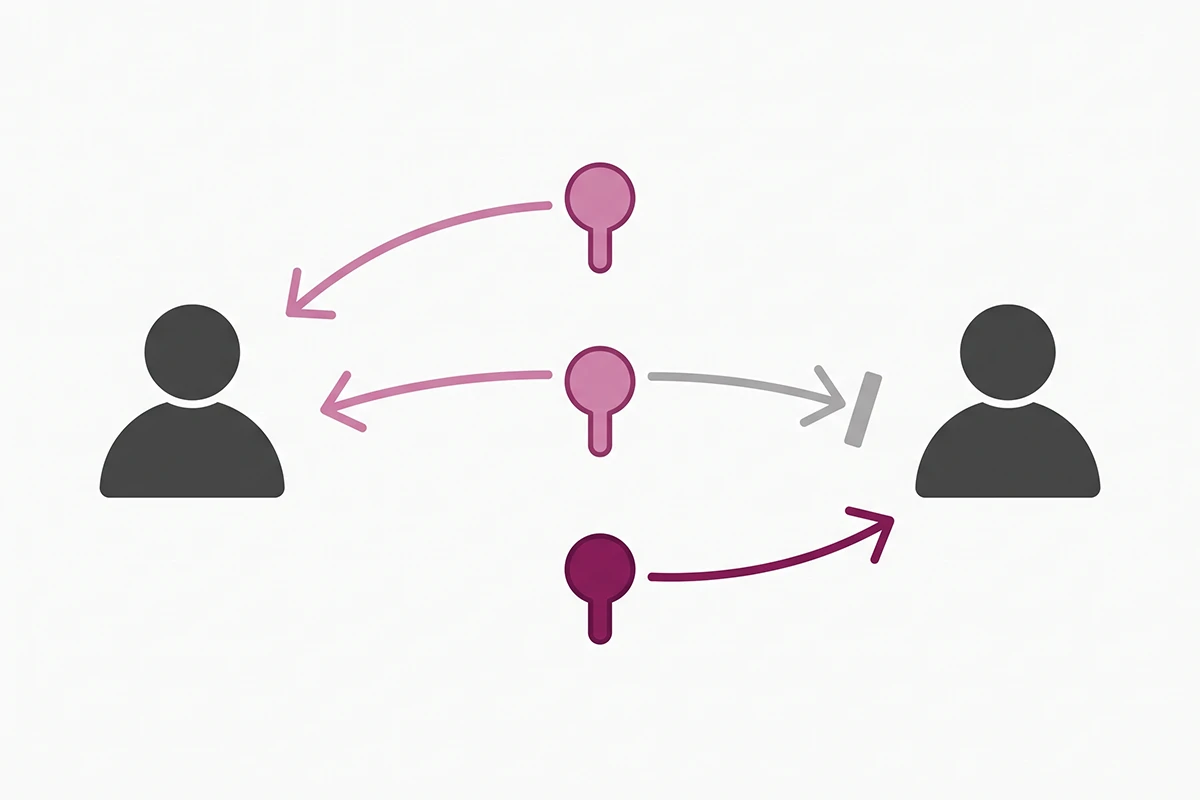
If you remember one thing here, make it that column. Two of these tools help you do work. One does work in front of a customer. Different risk profiles, different amounts of your attention.
When the built-in AI is enough (and when it isn't)
For a large share of first-year Shopify stores, the free stack is enough, and I would rather say that than sell you something you do not need yet. Magic for drafts, Sidekick for admin questions, the Inbox agent on the storefront, and an hour in the Knowledge Base is a real setup. It costs nothing and covers most of what a store under a few hundred orders gets asked.
| The free stack is probably enough when | Why |
|---|---|
| Storefront chat is your only support channel | The agent lives there and nowhere else |
| Your answers live in your catalog, policies, and pages | Those are exactly its data sources |
| A wrong answer costs an apology, not money | Early access means occasional misses |
| You still read every conversation yourself | You catch the failures before customers do |
Three signs you have outgrown it
Your answers live outside Shopify. Tracking held by a 3PL, sizing in a supplier spreadsheet, a warranty process in a shared doc, a helpdesk holding your ticket history. The Inbox agent reads your Shopify store and nothing else. When most of your repeat questions need data Shopify does not hold, no amount of persona tuning fixes it.
You need answers in more than one place. If half your questions arrive by Instagram DM, WhatsApp, or email, a storefront-only agent solves half the problem. This is the most common reason the small stores I talk to end up wanting something else, and it has nothing to do with answer quality.
A wrong answer is expensive. High average order value, made-to-order work, compliance language, or sizing that drives your return rate. In those stores the real design question is not what the bot says, it is where it stops talking. I wrote about where the handoff to a human belongs because most bad chatbot experiences are bad escalation design.

None of those three mean the free agent is bad. They are about scope. A tool that reads your Shopify store and answers in one widget is doing exactly what it was built to do, and it stops at that boundary. For the numbers on what the paid alternative runs, I broke down what a Shopify chatbot costs with the actual line items.
Wrapping up
Three things worth keeping after you close this tab.
First, the shopify sidekick vs magic question has a boring answer and you can stop researching it. Magic generates inside a field. Sidekick converses across screens and calls Magic to do the writing. They are not competing products and you do not choose between them.
Second, neither one is a chatbot. Shopify documents that Sidekick cannot talk to your customers, and that will not change with the next Editions release, because it is a scope decision rather than a missing feature. The customer-facing AI is the Inbox agent, it is free, and it is a different product from the Inbox you may have installed and ignored two years ago.
Third, the free stack deserves a real attempt before you pay for anything. Turn on the Inbox agent if your store has access, open the Knowledge Base app, read the top unanswered questions, and write five honest one-sentence answers. That is under an hour of Monday morning work, and it will tell you more about whether you need a paid chatbot than any comparison post will, including this one.
The unglamorous part stays yours either way. Your policies have to be accurate, your product pages have to contain the facts shoppers ask about, and someone still has to read the transcripts. Built-in AI does not remove that work. It just means you are no longer paying monthly to find out whether it was done.
When free stops being enough
Studio Niza builds Shopify chatbots trained on your policies, your products, and the edge cases the built-in agent guesses at, with a handoff path for the questions a bot should not answer. Basic is $599 setup plus $99/month, with a 90-day minimum so there is time to actually tune it.
See how chatbots work →Or email contact@studioniza.com if you have a specific question about your store. I read every one.
Frequently asked questions
If you're still unsure after reading these, just send the question.
Is Shopify Sidekick free? +
Yes. Sidekick is included with every Shopify plan at no extra cost, the same as Shopify Magic. The exception is app generation, which is limited to the Grow, Advanced, and Plus plans and carries hourly and weekly usage quotas. Everything else, including analytics questions, content drafts, and admin tasks, works on any paid plan.
What is the difference between Shopify Sidekick and Shopify Magic? +
Shopify Magic is the generation layer behind the sparkle buttons scattered across your admin, so it writes in whatever field you are already standing in. Sidekick is a conversational assistant that plans multi-step work and calls Magic to do the writing. On shopify sidekick vs magic, the practical rule is that Magic is faster for one field and Sidekick is better when a task crosses several admin pages.
Can Shopify Sidekick talk to my customers? +
No. Shopify documents that Sidekick cannot talk to your customers or handle customer support conversations on your behalf. Sidekick is an admin assistant that talks only to you. The customer-facing AI in Shopify is the Inbox agent, which is a separate feature inside the free Shopify Inbox app.
Do I still need a chatbot app if I have the Shopify Inbox agent? +
Not always. If storefront chat is your only support channel and your answers live in your catalog, policies, and pages, the free Inbox agent covers a lot of ground. You outgrow it when your answers live outside Shopify, when you need coverage on channels like WhatsApp or Instagram, or when a wrong answer costs real money rather than an apology.
Where does the Shopify Inbox agent get its answers? +
It draws on your product catalog, store policies, published storefront content such as pages and blog posts, and facts stored in the Shopify Knowledge Base app. Product recommendations come from your catalog only. Facts written into the agent persona are not treated as source information, so policy details belong in your store sources rather than in a personality description.
Is Shopify Magic available on every plan? +
Yes for generally available features. Shopify states that Magic tools are free regardless of subscription plan, and that generally available features work on all plans and in all languages. Access to specific features can still vary, and early-access features may be limited by language or by store.