
A five-star average tells a shopper that other people were happy. It does not tell them whether the dress runs small, or whether shade 4W will sit right against their skin. Those two questions are what stall an apparel or beauty cart, and a star count answers neither one.
That gap is the real problem with reviews for a clothing store on Shopify. You can collect two hundred glowing reviews and still watch a shopper leave, because the one thing they needed was buried in review number 47, where somebody mentioned they are 5'4" and took the medium.
The fix is not a bigger review count. It is structured information attached to each review: a fit scale, the size the reviewer bought, their height, their skin type, the shade they matched to. Every major Shopify reviews app can collect this. Most small stores never turn it on, usually because nobody told them the setting was there.
This post covers what to ask for, which apps support attribute questions and at what price, how to ask for try-on and swatch photos without tripping the FTC rule, where the summaries belong on the product page, and when to send the request for something a customer has to wear before they can judge it.
Why a star rating does almost nothing for apparel and beauty
In most categories, a rating is a proxy for quality. A 4.7 on a kitchen scale means it probably weighs things accurately. In apparel and beauty, quality is only half the decision. The other half is whether the product fits this particular body or matches this particular skin, and a five-star review from someone two sizes away is close to useless.
Shoppers know this, so they do something laborious instead. They open the review list and start reading, hunting for anyone who sounds like them. Baymard Institute's apparel research found that 82% of apparel sites still fail to give shoppers enough sizing information, and that a quarter of them do not show an aggregate fit score anywhere in reviews. That leaves the shopper doing the tallying in their head.
Two things happen when that gets hard. Some shoppers guess, then return the item. Others do not guess at all and go somewhere with better information. Neither outcome shows up as a bad review, which is why this problem is easy to miss from inside the admin.
Photo reviews help a great deal here, and that is a separate subject worth its own read on why photo reviews convert better than text-only ones. But a photo shows drape and colour. It does not tell you the reviewer is 5'9" and normally wears a small. That part has to be asked for.
The five attributes worth collecting (and two that waste a slot)
Attribute questions are extra fields on the review form. The customer answers them while leaving the review, and the answers display alongside it, which turns a paragraph of opinion into something a stranger can compare themselves against.
Keep the list short. Every question you add lowers the chance the form gets finished, so five is a working ceiling and three is often better.
For clothing and accessories
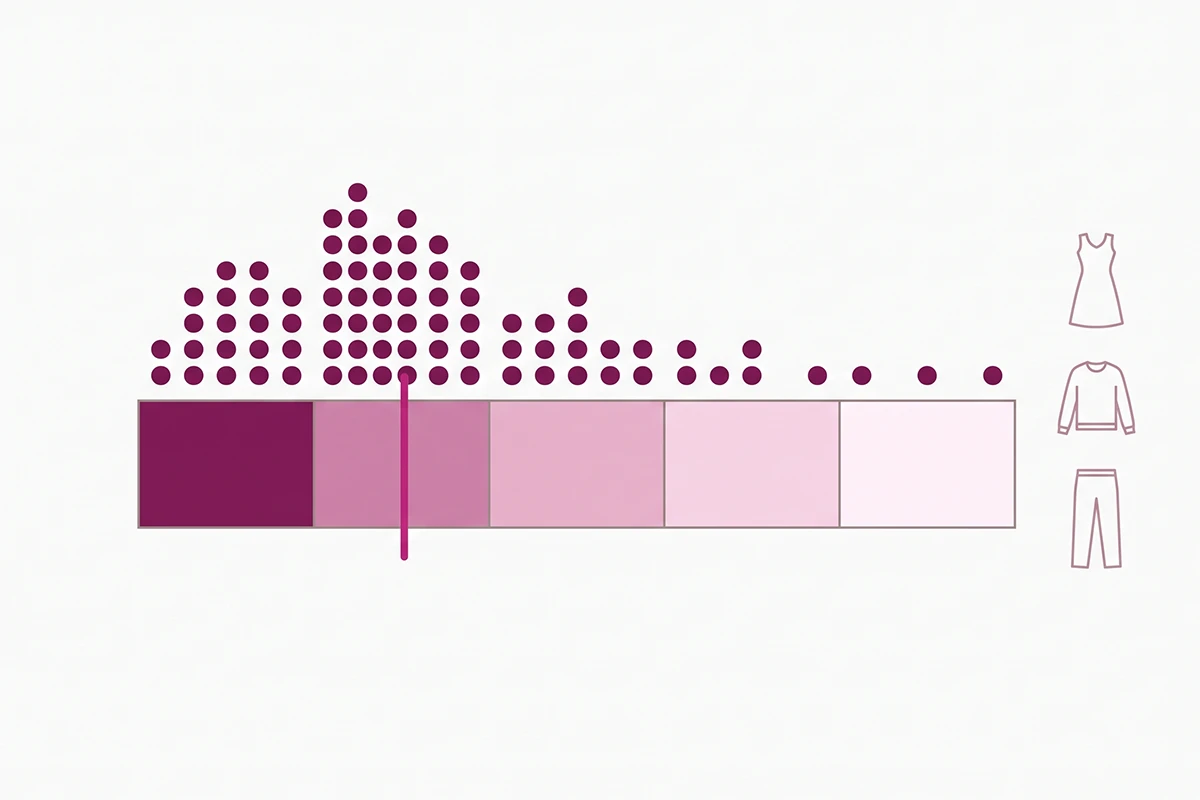
Fit scale. A five-point range from "runs small" to "runs large," with "true to size" in the middle. This is the single highest-value field on the form, because it is the one shoppers are actually hunting for. Baymard recommends showing it as a bar chart rather than a sentence, so the shopper reads the distribution at a glance.
Size purchased. A single-select list that matches your actual size range. Without it, the fit scale is floating: "runs small" means something different from a reviewer who sized up on purpose.
Height. Grouped into bands (under 5'2", 5'2" to 5'5", 5'6" to 5'9", over 5'9") rather than a free-text box, so the answers stay filterable. For dresses, trousers, and anything with a hemline, this matters more than the fit scale.
For beauty and skincare
Skin type or hair type. Normal, dry, oily, combination, sensitive. For hair, texture and porosity. This is the field that lets a shopper filter down to people whose results are likely to resemble theirs.
Shade purchased and whether it matched. Two linked questions for anything colour-matched: which shade they bought, and whether it ran lighter, matched, or ran darker. Colour cosmetics live or die on this and almost nobody collects it.
The two that waste a slot
"Would you recommend this product?" duplicates the star rating you already have. It feels like data and tells you nothing new.
"Any other feedback?" as a required open-text question drops your completion rate for something you will rarely act on. If you want it, make it optional and set it to internal-only so it lands in your dashboard instead of the widget.
Which Shopify reviews apps actually support attribute questions
Three apps handle this well for stores under roughly $1M a year. All three gate it behind a paid tier, which is the part that trips people up, since the free plans that cover ordinary reviews do not cover these questions.
| App | Question formats | Plan needed | Price | Filter reviews by answer |
|---|---|---|---|---|
| Judge.me | Single choice, multiple choice, rating scale, slider, open text | Awesome | $15/month flat | Yes, on choice questions |
| Loox | Single select, multi-select (2 to 5 options), 1 to 5 rating scale | Convert | $49.99/month | Answers show inside each review; can be hidden |
| Okendo | Range slider, multi-select, single select, plus ready-made beauty and hair sets | Essential and up | Free to 50 orders, then from $19/month | Yes |
Judge.me is the one I set up most often for small stores. Its Custom Questions feature (renamed from Custom Forms) supports five formats, lets you mark each answer public or internal, and lets shoppers filter the review list by answer. You can hold up to ten question templates, so a boutique can run one set for dresses and a different set for shoes. At $15 a month with no order-volume scaling, it is the cheapest route to a proper fit scale.
Loox supports three question types on its review form and each question can be assigned to up to ten collections, which is useful if your catalogue splits cleanly into apparel and accessories. The catch is the price step: custom questions sit on the Convert plan at $49.99 a month, against $14.99 for the entry tier.
Okendo is the strongest option for beauty specifically, because it ships attribute sets rather than making you invent them. Its beauty attribute library already covers skin type, skin tone, eye colour, hair texture, and product standouts like coverage and blendability. If you sell colour cosmetics or haircare, that saves you a week of guessing at your own taxonomy.
Is $49.99 a month worth it just for attribute questions?
For most first-year stores, no. If attribute questions are the feature you are buying, Judge.me at $15 does the same job for a third of the cost. The Loox and Okendo tiers earn their price when you also want what else is on them, and if you are weighing those two specifically, the Loox and Judge.me comparison goes through the rest of the feature gap.
How to ask for try-on and swatch photos without breaking FTC rules
Try-on photos and swatch photos are the highest-value review content in these two categories, and they are the hardest to get. A discount is the obvious lever, and it is legal, but the wording matters more than most store owners realise.
The FTC's Consumer Reviews and Testimonials Rule took effect on 21 October 2024. Its own guidance is explicit that incentives are allowed: the rule "does not prohibit giving incentives for reviews, as long as there isn't an express or implied requirement that the reviews have to express a particular sentiment."
The word doing the work there is implied. "Send us a photo and tell us how much you love it for 15% off" implies the reward depends on a positive review. "Send us a photo with your review for 15% off, whatever you thought" does not. Same offer, and only one of them is a problem.
Three rules that keep a photo incentive clean:
Offer the same reward for every review, not just the good ones. Never gate it on a star threshold, and never quietly withhold a code when a review comes back at three stars. Disclose the incentive on the review itself, which Judge.me, Loox, and Okendo can all badge automatically. The rule does not strictly require the disclosure, but leaving it off can still breach the broader FTC Act, so there is no upside to hiding it.
The full breakdown of what you can and cannot offer lives in the post on asking for reviews without breaking the FTC rules. If you are weighing whether to push for moving footage as well, what video reviews add over photos covers where the extra effort pays and where it does not.
Where fit and shade summaries belong on the product page
Collecting the data and burying it are both easy. The fit summary belongs near the size selector, not at the bottom of the page inside the review widget, because that is the moment the shopper is deciding which size to add to the cart.
In practice that means two placements. A compact fit bar sits directly under or beside the size buttons, showing the distribution from "runs small" to "runs large" with the review count behind it. The full attribute breakdown stays in the review section further down, where a shopper who wants to read individual reviews can filter by size, height, or skin type.
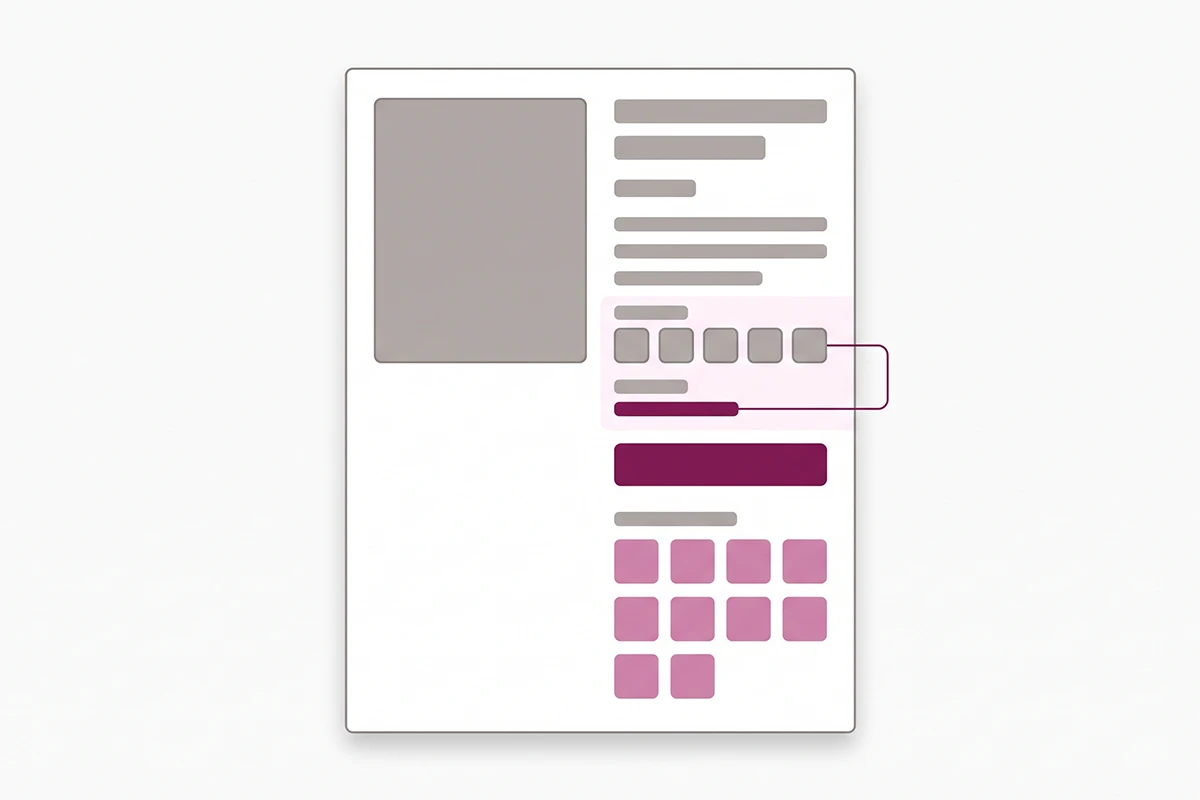
Two placement mistakes are common at this stage. The first is putting the fit bar below the fold on mobile, where the size selector is visible but the summary is three scrolls away. The second is showing customer photos only inside individual reviews. Baymard found that 90% of apparel sites do not let shoppers browse reviewer photos in a single gallery, which means most stores collect try-on photos and then make them hard to look at.
The attribute answers are also a writing resource. When 30 reviewers describe the same trouser as "roomy through the hip," that is the phrase to put in the product copy, and the post on using customer reviews in your product descriptions covers how to do that without inventing testimonials.
When to send the request for a try-on category
Standard review-request advice says to send a few days after delivery. For clothing and beauty, that is often too early. The customer has the box, but they have not worn the thing to work yet, and they certainly have not used the serum long enough to have an opinion worth reading.
Trigger off delivery rather than fulfilment wherever you can. Judge.me offers a Delivered trigger on its Awesome plan, with separate timing for domestic and international orders, which matters if half your parcels take three weeks to clear customs. Loox defaults to 14 days after fulfilment and lets you set anything from 1 to 70 days.
Rough starting points by category, adjusted after you see your own response rates:
Clothing and shoes: 7 to 10 days after delivery. Long enough for a wear and a wash, early enough that the purchase is fresh.
Colour cosmetics: 7 days after delivery. Shade opinions form immediately.
Skincare and haircare: 21 to 28 days after delivery. Asking at day seven gets you "nice texture," which is not a review anyone buys from.
One reminder is worth sending, usually a week after the first. A second reminder mostly buys unsubscribes. There is more detail on the windows in the post on the best time to send a Shopify review request.
How much of this actually cuts returns
Returns are the reason most apparel and beauty owners start caring about fit reviews, so it is worth being careful about what can honestly be claimed. The National Retail Federation put 2025 returns at $849.9 billion, or 15.8% of annual sales, with online orders returning at 19.3%. Apparel sits above that line and colour cosmetics are not far behind.
What I will not do is attach a percentage to attribute reviews. The figure that circulates most widely (that 64% of clothing returns are caused by fit) traces back to an undated survey with no published methodology, and it gets repeated because it is convenient, not because it is solid. Every competing post on this topic quotes it. I would rather tell you it is shaky.
Here is what is defensible. Fit information reduces the amount of guessing a shopper does at the size selector, and guessing is what produces wrong-size orders. Whether that moves your return rate by two points or eight depends on your category, your price point, and how far your sizing sits from the industry norm.
The honest way to find out is to measure it yourself, and it takes about ten minutes a quarter. Note the return rate on your top ten products before you turn attribute questions on. Turn them on. Compare the same ten products a quarter later, once each has accumulated at least fifteen or twenty attribute answers. If your Shopify returns carry reason codes, watch the size-related share specifically rather than the overall rate.
That is a slower answer than a case study headline. It is also the only one that will be true about your store.
Where to start this week
If your store sells clothing, the first move is a fit scale and a size-purchased question on your best-selling ten products. Not the whole catalogue. Ten products will tell you within a month whether the answers are being filled in and whether the distribution is telling you something you did not know.
If you sell beauty, start with skin type and shade match on your colour range, and leave skincare alone until you have moved the request timing out to three or four weeks. A skincare review written at day seven is not worth collecting attributes on.
Three things are true about this work that are worth saying plainly. It costs $15 a month if you use Judge.me, which is the cheapest meaningful conversion work available to a small apparel store. It takes a quarter before the summaries have enough answers to be readable, so turning it on in October will not help your Black Friday. And it only works if the summary sits where the shopper is choosing a size, rather than at the bottom of the page where review widgets usually live.
None of this replaces a decent size chart or honest product photography. It sits on top of them, and it answers the one question your photography cannot: what happened when somebody shaped like this shopper actually wore it.
Want the attribute setup done for you?
The Studio Niza Reviews Management service configures the fit and shade questions, writes the request sequence, and replies to every review that comes back. From $299 setup and $199 a month, all over email. No calls.
See how reviews management works →Or email contact@studioniza.com if you have a specific question about your store. I read every one.
Frequently asked questions
If you're still unsure after reading these, just send the question.
Which reviews tool is best for beauty brands? +
Okendo is the strongest fit for beauty because it ships ready-made attribute sets for skin type, skin tone, eye colour, and hair texture instead of making you build your own. It starts free up to 50 orders a month, then $19 on the Essential plan. If budget is the deciding factor, Judge.me at $15 a month can collect the same attributes, you just have to write the questions yourself.
Can Judge.me ask customers what size they bought? +
Yes, through Custom Questions on the Awesome plan at $15 a month. You add a single-choice question listing your size range, and the answer displays next to the review. Shoppers can then filter the review list by size, which is the part that makes it useful rather than decorative.
Do photo and video reviews convert better than text reviews? +
Photo reviews consistently outperform text-only reviews in apparel and beauty, because drape, colour, and shade are visual questions. Video adds the most for anything with movement or application technique, and the least for flat-lay accessories. Both matter less than whether the shopper can find a reviewer who resembles them, which is what attribute questions solve.
Should I ask a fit question on every product or only clothing? +
Only where fit is genuinely uncertain. Clothing, shoes, and anything sized belongs in the fit question set. Accessories, homeware, and one-size items do not, and adding the question there just lowers your form completion rate. Judge.me and Loox both let you assign different question sets to different collections, so you can split it cleanly.
Can I offer a discount for a photo review on my boutique's Shopify store? +
Yes. The FTC rule permits incentives for reviews as long as nothing implies the review has to be positive. Offer the same reward for every review regardless of rating, avoid phrasing like “tell us how much you loved it,” and let your reviews app badge the review as incentivised.
How many reviews do I need before a fit summary means anything? +
Around fifteen to twenty attribute answers on a single product before the distribution is worth showing. Below that, two or three outlier reviewers can skew the whole bar toward “runs small” and mislead the next shopper. Most apps let you hide the summary until a minimum count is reached, which is worth switching on.