
Most advice on Shopify blog SEO reads like it was written by someone who has never waited four months for a click. As of October 2026, here is the verdict up front: a Shopify blog still works, but only if you write posts close to a buying decision, publish two to three a week, and accept that impressions show up in weeks while clicks take months.
I know because I ran the test on my own site. Between May 8 and October 1, 2026, I published 144 posts on a brand-new domain with no backlinks.
Google showed those posts 13,859 times and sent 67 clicks. Bing's Copilot cited them 306 times. Both numbers are in this guide, including the unflattering one.
If you're deciding whether to start or restart a blog, you probably want the whole method on one page before you commit months to it. That is what this is. Ten sections, each a short summary of a longer post, with the link if you want the detail.
It is written for new Shopify stores and first-year founders doing this between everything else. Here is the whole guide in one table.
| Decision | Short answer | Full post |
|---|---|---|
| Should you blog at all? | Yes, once product and collection pages are in shape | Product page vs blog post |
| What to write first | The post closest to a buying decision | The first 10 posts, in order |
| How to pick keywords | Search Console queries at positions 8 to 25 | Keyword research with free tools |
| How to structure a post | Answer first, 5 to 7 sections, FAQ last | The blog post template |
| How long | 1,200 to 1,800 words for most posts | Blog post length |
| FAQ schema | Keep it for AI search, not for Google rich results | FAQ blocks and a table of contents |
| How often | 2 to 3 posts a week | Why 2 to 3 a week beats daily |
| When traffic shows up | Impressions in 2 to 6 weeks, clicks in months 4 to 12 | The month-by-month timeline |
Is a Shopify blog still worth it in 2026?
Yes, if your product and collection pages are already in decent shape and you can keep a steady pace for six months. No, if you're hoping a blog will carry a store whose product pages aren't written yet.
The fair objection is zero-click search. More searches now end on the results page, with an AI summary answering the question.
Seer Interactive's April 2026 study of 53 brands and 5.47 million queries found organic clickthrough of 3.82 percent with no AI Overview and 2.36 percent with one. The more useful finding sits underneath. On informational queries, brands cited inside the AI Overview earned 2.07 percent, and brands left out earned 0.94 percent.
So the job changed. Shopify blog SEO now pays off in two ways: the click, and being the source an AI answer quotes. My own numbers show the second arriving first.
Bing reported 306 Copilot citations of my posts in five months, against 4 Bing clicks. That is visibility, not revenue, and I won't dress it up as more.
Two rules decide whether a blog is the right next step for your store.
Product pages first. For a store under six months old with a small catalog, product and collection pages earn attention before any blog post does. The blog becomes the main lever later, once the store is past its first year and the catalog has grown.
Blog post or page? If the date on a piece of content will still be useful in two years, make it a blog post. If a date would only make it look stale, as it would on a size guide, make it a page.
Read next: what zero-click search means for your Shopify blog, where your SEO effort should go first, Shopify blog vs page, and what the best ecommerce blogs do differently.
What should you write first?
Write the post closest to a buying decision first, then work backwards. A comparison or a buying guide for your best-selling category goes before your brand story, every time.
This matters because the common result of blogging without a plan is traffic that never buys. A post can rank well for a broad question and still send hundreds of readers who never intended to order anything. Choosing the format before the topic is what prevents that.
There are eight post types worth a store's time. Four answer buying questions. Four build trust and pull in wider traffic.
| Post type | The question it answers | When to write it |
|---|---|---|
| Buying guide | Which one should I choose? | First |
| Comparison | This one or that one? | First |
| Sizing and fit | Will it fit me? | Early, if fit questions are common |
| Gift guide | What do I buy for them? | Six to eight weeks before the season |
| How-to and care | How do I use it or look after it? | After the buying posts |
| FAQ roundup | The questions already in your inbox | After the buying posts |
| Behind the product | Why does it cost what it costs? | Later |
| Data or case study | What did you measure? | Later, once you have numbers |
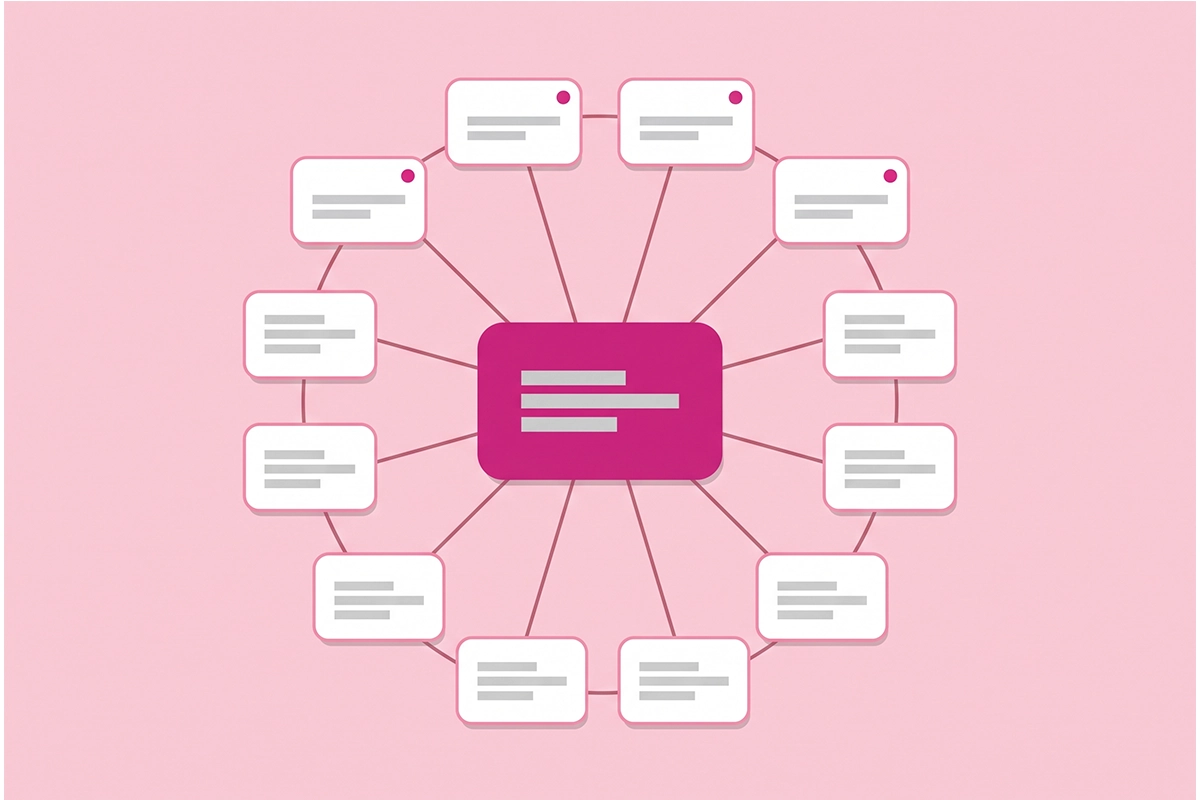
Then group posts by topic so they support each other. One product category gets one hub post and a handful of supporting posts. Each supporting post answers a single buyer question and links back to the hub. On my site, clustered posts reached positions 7 to 12 in the first 12 weeks, while one-off posts on competitive topics sat at 24 to 31.
If you're short on topics, your support inbox is the best source you have. Every question a customer has emailed you twice is a post.
Read next: the 8 types of Shopify blog posts, the first 10 posts a new store should write, 30 post topics that drive buyers, how to write a buying guide, turning support tickets into posts, and how to build a topic cluster.
Keyword research for Shopify blog SEO, starting in Search Console
You don't need a paid tool to start. The best keyword list for a small store is the one Google is already showing you in Search Console, plus what autocomplete and the People Also Ask box suggest.
| Step | What to do |
|---|---|
| 1 | Write a seed list by hand: what you call the product, what customers call it, and what they compare it to. |
| 2 | Expand each seed with Google autocomplete and People Also Ask. |
| 3 | Check rough volume in Bing Webmaster Tools and Google Keyword Planner. Both are free. |
| 4 | Read the results page for your top eight keywords, about three minutes each, to see what kind of page ranks. |
| 5 | Assign one primary keyword per page in a spreadsheet, so two posts never chase the same phrase. |
Once your store has three months of data, open the Performance report in Search Console, set the range to the last three months, switch on Average position, and sort queries by impressions. Queries sitting at positions 8 to 25 are near-misses. Each one is either a post to improve or a post to write.
Step 5 is the one most stores skip at this stage, and I skipped it too. My site has two posts competing for the same comparison query. One sits at position 14.7 and the other at 24.1, and splitting the signal is the likely reason neither is on page one.
Read next: Shopify keyword research for beginners and how to set up and read Google Search Console.
Shopify blog SEO structure: the template
Every post I publish follows one template. It runs to about 2,000 words and puts the answer first, because readers and AI engines both take the first clear answer they find.
| Part | Rule |
|---|---|
| Title | 50 to 60 characters, primary keyword near the front |
| Direct answer line | One sentence of 25 to 40 words, right under the title |
| Introduction | 150 to 250 words that name the problem and promise the method |
| Body | 5 to 7 sections of 200 to 350 words, with 2 to 4 headings phrased as real questions |
| Closing section | 200 to 300 words, then a short call to action |
| FAQ block | 6 to 8 questions that don't repeat the headings |
| Links | 3 to 6 internal links, plus at least one number linked to its primary source |
Shopify adds a few constraints of its own. Every store ships with a default blog called News, so posts live at yourstore.com/blogs/news/your-post-handle. The /blogs/ part cannot be removed, and it is not hurting you. Shopify's Help Center notes that a page title over 70 characters or a meta description over 160 may get cut off in search results, so write to those limits.
Tags need a rule too. Each tag creates its own page, and loose tagging can leave a 40-post blog with 60 to 80 thin tag pages. Keep five to ten tags across the whole blog.
Last, every post should carry trust signals: a named author with a real bio, first-hand detail only your store could write, linked sources, and both a publish date and a last-updated date. A named author is the one most small stores skip.
Read next: the blog post template I use for every article, Shopify blog URL structure and tags, E-E-A-T trust signals for Shopify blogs, writing content that gets cited in AI Overviews, and internal linking strategy.
How long should a post be, and what goes in the title?
Most Shopify blog posts should run 1,200 to 1,800 words. Go shorter for a single question and longer for a buying guide or comparison. Google's guidance on helpful content says plainly that it has no preferred word count, so length should follow the question, not a target.
| Post type | Word range |
|---|---|
| Quick answer or FAQ | 500 to 900 |
| How-to walkthrough | 1,200 to 1,800 |
| Evergreen explainer | 1,400 to 2,000 |
| Listicle of 10 or more items | 1,500 to 2,200 |
| Buying guide or comparison | 1,800 to 2,500 |
This guide runs past 3,000 words because it is a hub that summarizes about 30 posts. That is the exception, not the model for your next post.
Titles do a different job. Keep the title tag to 50 to 60 characters so it displays in full, and pick one of four shapes: a specific number, a clear promise, an honest question, or an outcome without the usual pain.
Titles matter more than I expected. In my October data, nine of my posts rank at position 11 or better with 30 or more impressions each, and zero clicks between them. At those positions, a title that matched the searcher's wording should have earned something. Rewriting them is on my list this month.
Read next: how long Shopify blog posts should be, blog titles that earn the click, and meta descriptions that earn the click.
FAQ blocks and schema after May 2026
Keep the FAQ block. Change your reason for having it. Google retired FAQ rich results on May 7, 2026, so FAQ markup no longer earns expandable questions under your listing. Most guides that rank for Shopify blog SEO still recommend it for that purpose.
The markup is still worth having, for three reasons. FAQPage remains a valid schema type, and Google has said unused structured data causes no problems. Bing and the AI retrieval crawlers still read it. And a short FAQ lets you answer the long-tail questions that didn't fit a heading, in the question-and-answer shape AI engines quote.
Shopify's blog editor has no FAQ block, no accordion, and no table of contents. You have three ways to add them.
| Route | Setup time | Best for |
|---|---|---|
| HTML details tags pasted in the editor | About 10 minutes | Fewer than two posts a month |
| A theme block | 2 to 4 hours | Weekly publishers comfortable in theme files |
| An article metafield plus a template | 3 to 6 hours | Two or more posts a week |
One rule covers all three: the questions a reader sees and the questions in the schema must match word for word. The metafield route makes that automatic, because both render from one source. A table of contents is worth adding once a post passes about 1,200 words.
Read next: how to add FAQ blocks and a table of contents and FAQ schema on Shopify.
Blog images that do a job
A blog image should explain something, not decorate. Two to five per post is enough: one hero, a diagram or screenshot where a concept needs it, and a share card for social previews.
Export everything in the post as WebP. Keep the hero under 200 KB and diagrams under 150 KB. Name the file descriptively before you upload it, because Shopify keeps the filename in the image URL.
Write alt text as one clear sentence that says what the image shows, with your keyword once if it fits. Make the share card 1200 by 630 pixels so the link looks right when someone posts it.
A plain diagram of your own process usually beats a stock photo. It is also the one image nobody else has.
Read next: Shopify blog image SEO.
How often should you publish?
Two to three posts a week is the pace I recommend for Shopify blog SEO, which works out to 8 to 12 posts a month. If that is too much alongside running the store, one solid post a week beats three rushed ones.
The reason is time. Orbit Media's 2026 survey of 1,042 content marketers puts the average post at 3 hours 20 minutes of work, and only 13.9 percent of respondents reported strong results. Among those who spend six hours or more per post, about 31 percent did. Effort per post predicts results better than post count does.
I should be honest about my own schedule, because it contradicts my advice. I published almost daily for five months. It built visibility quickly, and it only works because writing is my product and I do it full time. For a store owner, daily posting usually means thin posts.
AI drafts are fine. Unedited AI volume is the risk. The same Google guidance treats content mass-produced to chase rankings as spam, whoever or whatever wrote it. Use AI for outlines and first drafts, then check every number and add what only you know.
For a plan, use a 90-day calendar. Two posts a week for twelve weeks is 24 posts, split across your three best-selling categories. Spend the last two weeks refreshing the earliest posts with what you have learned.
Read next: why 2 to 3 posts a week beats daily posting, the 90-day content calendar, my 90 days of daily blogging data, whether AI-generated blog content is worth it, and the BFCM content plan.
Promotion and measurement
Publishing is half the work. The other half takes about 20 minutes on the day the post goes live.
| Step | Time |
|---|---|
| Add links to the new post from two or three older posts | 5 minutes |
| Send it to your email list | 5 minutes |
| Post it once on your main social channel | 3 minutes |
| Add it to your chatbot's knowledge base, if you have one | 3 minutes |
| Submit it through IndexNow so Bing picks it up quickly | 2 minutes |
Internal links do the most over time. One post can also become an email, a product page FAQ, a social post, a short video script, and a help doc. That takes about three hours and saves writing five new things.
For measurement, revenue is the last number to move. Watch four leading indicators first: impressions and average position, assisted conversions, AI citations, and engagement. A 15-minute review once a month in Search Console and GA4 is enough.
When a post has impressions but sits between positions 15 and 40 with almost no clicks, refresh it before you write something new. Update the numbers, tighten the first two sentences, add a short FAQ, and link it from newer posts.
Read next: how to promote a post after you hit publish, repurposing one post into five pieces, Reddit for Shopify stores, how to measure whether your blog is working, tracking AI search traffic, and refreshing old posts.
The realistic timeline to traffic, with my own curve
Expect impressions within two to six weeks, the first steady clicks between month four and month twelve, and compounding after that. Here is what the curve looked like on my own site, from Google Search Console.
| Month (2026) | Posts live by month end | Impressions | Clicks | Average position |
|---|---|---|---|---|
| May (from the 8th) | 24 | 1,752 | 32 | 29.1 |
| June | 54 | 2,956 | 9 | 19.1 |
| July | 85 | 3,987 | 5 | 22.1 |
| August | 113 | 2,332 | 7 | 23.5 |
| September | 143 | 2,712 | 14 | 10.2 |
Three things in that table are worth reading closely.
May's clicks are not real demand. They were launch-week brand searches and my own visits. Take out the clicks from my own country, which were almost certainly me, and 67 clicks for the whole period becomes 38.
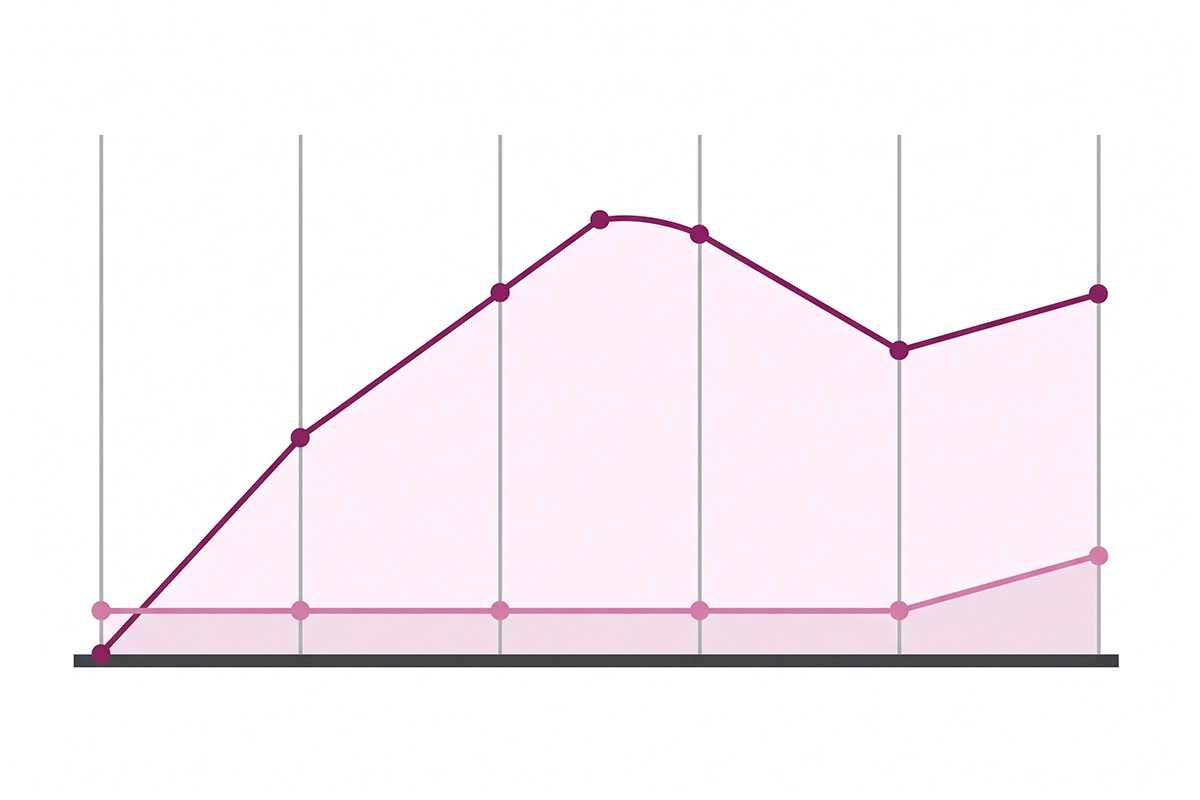
Impressions arrived long before clicks. By the end of September, 56 of my posts ranked in the top 10 for something. Yet 76 percent of all impressions still sat on pages ranking 11 to 30, and page two earns almost nothing.
August dipped, then September recovered at a much better position. Growth is not a straight line. A flat or falling month is normal, and it is not a reason to stop.
The fastest posts were not the broad ones. Setup guides, pricing explainers, worked examples, and definitions published in September reached page one in under four weeks. One of them, on blog posts versus pages, was at position 3.2 with clicks inside a month. That speed came on a five-month-old site with more than 100 posts behind it, so don't expect it in your first month.
For the wider picture, Ahrefs tracked a million new pages and found that only 1.74 percent reached the top 10 within a year. Of those that did, about 41 percent got there in the first month. Fast wins are real and rare, and they go to specific posts on topics a site already covers.
For a new Shopify blog publishing two to three posts a week, this is the general shape to plan around.
| Period | What usually happens |
|---|---|
| Weeks 1 to 4 | Posts get crawled and indexed. Positions are deep and clicks are close to zero. |
| Months 2 to 3 | Impressions climb and positions improve. Still no steady traffic. |
| Months 3 to 4 | The first posts reach page two and a trickle of clicks begins. |
| Months 4 to 6 | Your best posts reach page one. |
| Months 6 to 12 | Older posts keep climbing and new posts rank faster. |
One more honest number. In my first 12 weeks, organic search produced zero client inquiries. Shopify blog SEO is a slow channel, and the first months look flat for almost everyone.
And one encouraging number. The blog content posts on my site are the smallest group by impressions, but they have the highest clickthrough rate of my four topics, at 0.99 percent. Specific posts for a specific reader get clicked.
Read next: how long until blog content drives traffic and the full 90-day search data.
Wrapping up
Shopify blog SEO in 2026 comes down to three things. Write the posts closest to a buying decision first. Publish two to three a week at a quality you can keep up for six months. Judge the blog by impressions and position for the first few months, and by clicks and sales after that.
The parts that changed this year are worth remembering. FAQ markup no longer earns a rich result in Google, yet it still helps AI engines quote you. AI answers take some clicks, and being the cited source wins part of them back.
Neither change makes blogging pointless. Both reward specific, well-sourced posts over volume.
There is still real work in this. You have to pick the topics, write them, and wait through months that look flat. My own curve took five months to reach the edge of page one on average, and clicks are only now starting to follow.
If you want a place to start on Monday, open Search Console, find three queries at positions 8 to 25, and write one comparison or buying guide for your best-selling category using the template above. Then do it again next week.
Want the blog written for you?
The Studio Niza Blog Content service covers keyword research, writing, on-page SEO, schema, a featured image, and publishing on your Shopify store. Plans from $449/month.
See pricing & services →Or email contact@studioniza.com if you have a specific question about your store. I read every one.
Frequently asked questions
If you're still unsure after reading these, just send the question.
Does Shopify have a built-in blog, and is it good enough for SEO? +
Yes. Every Shopify store comes with a default blog called News, and each post has its own editable page title, meta description, and URL handle. That covers the basics of Shopify blog SEO. What the editor lacks is a native FAQ block and a table of contents, so those take a little HTML or a theme edit.
Is Shopify blog SEO different from SEO for product pages? +
Yes. Product and collection pages target people ready to buy, so they rank for product names and categories. Blog posts target the questions people ask before they buy, such as comparisons, sizing, and care. For a store under six months old, product and collection pages come first and the blog comes second.
How many blog posts does a store need before Google starts ranking it? +
There is no minimum. Google can show a single post within a few weeks if it answers a specific question well. On my own site, page-one rankings came faster once several posts covered the same topic and linked to each other. A cluster of six to eight related posts is a more useful target than a total post count.
Can I use AI to write my Shopify blog posts? +
Yes for outlines and first drafts, no for publishing unedited output at volume. Google does not penalize AI authorship by itself, but its spam policies cover content produced mainly to manipulate rankings. Edit every draft, check every number, and add details only your store would know.
Should I delete blog posts that get no traffic? +
Not in the first six months. New posts often sit on page two or three for a long time before they move. Refresh posts that have impressions but rank between positions 15 and 40. Only consider removing a post if it has had no impressions at all after six months and covers nothing your customers ask about.
Do Shopify blog tags help SEO? +
Not by themselves. Every tag creates its own page at a /tagged/ URL, and a blog with loose tagging can end up with dozens of thin pages competing with the real posts. Keep five to ten tags across the whole blog and treat them as navigation for readers, not as keywords.
Does blogging help my store show up in ChatGPT and Copilot? +
It can. AI engines quote pages that answer a question directly and include specific numbers, and blog posts are where most stores publish that kind of content. Bing reported 306 Copilot citations of my posts in five months, mostly on comparison and cost posts. Citations bring visibility more reliably than clicks, so treat them as a leading indicator.
Do I need an SEO app to do Shopify blog SEO? +
No. Shopify's built-in fields cover the page title, meta description, URL handle, and image alt text, and Google Search Console is free. An app can save time on a large blog, but it will not fix thin content or a poor choice of topic. Spend the first month on writing and the free tools.