
This Shopify AI chatbot guide puts the whole decision on one page: whether you need a bot, which tool fits your store size, what it costs, and how to set it up. All prices are in USD.
The verdict, as of October 3, 2026: if your store handles under 100 support conversations a month, turn on the free Shopify Inbox agent and stop there. Paid tools start to earn their fee above that line.
| Conversations a month | Start with | Monthly cost (USD) |
|---|---|---|
| Under 100 | Shopify Inbox agent | $0 |
| 100 to 500 | Inbox agent, Tidio with Lyro for social channels, or a managed build | $0, from $32.50, or $99 flat |
| 500 to 2,000 | Gorgias with AI Agent (team) or Tidio (solo) | From about $285 |
| 2,000 and up | A helpdesk with per-resolution AI | $360 plus about $0.90 per AI resolution |
I have published 37 separate posts on Shopify chatbots since May. This page is the map. Each section gives the short answer and the number that matters, then links the deep dive.
You should know who is writing. I build managed chatbots for small Shopify stores, so I am not neutral. I will still tell you when the free tool is enough, because for most first-year stores it is.
One definition before the detail. A conversation here means one customer chat or support email thread, start to finish. Count yours for the last 30 days before you read on, because every recommendation below depends on that number.
Do you need a Shopify AI chatbot yet?
If you get fewer than about 20 support conversations a week, no. Answer them yourself. At that volume each reply takes minutes, and each one teaches you what customers are confused about.
A Shopify AI chatbot does one job well. It answers the repeat questions (shipping times, return windows, sizing, order status) from your own store data, at any hour. It does not fix a confusing product page or a slow courier, and the plain version of that split is in what a Shopify AI chatbot actually does.
Three signals tell you it is time. They usually show up together, somewhere around 15 to 20 conversations a week.
| Signal | What it looks like in your inbox |
|---|---|
| Repeat questions | Shipping, returns, sizing, and order status are 70 to 80 percent of your inbox |
| Off-hours silence | Shoppers ask a pre-purchase question overnight, get no reply, and leave |
| Action requests | Customers ask to track a package or change an address |
Volume sets the rest. Under 20 conversations a week, handle them yourself. From 20 to 50, automation starts to pay for itself, and from 50 to 100 it is hard to run the store without it. Above 100 a week, expect a good bot to resolve about half and a person to take the rest.
Here is the break-even I use. A store with 300 orders a month sees roughly 150 support conversations. If a bot resolves half at five minutes each, you get back a little over six hours, worth about $156 at $25 an hour. That covers a $99 to $150 tool, and below 200 orders a month it rarely does, as I show in do AI chatbots work for small Shopify stores.
If you are weighing a bot against a person, a part-time support VA runs $400 to $1,200 a month. Automate first, hire second. The thresholds are in when to add a chatbot vs hire customer support, and the per-ticket math is in support VA vs chatbot.
Two more reads if you are still deciding. Shoppers do not hate chatbots, they hate being trapped by one, and the 2026 data on whether customers hate chatbots shows where that line sits. If the terms are blurring together, chatbot vs live chat vs help desk explains which tool does which job.
Start free: what the Shopify Inbox agent does in 2026
Shopify Inbox is Shopify's own chat app, and it costs nothing. Until this year it was a live chat tool with instant answers and suggested replies. In 2026 Shopify added the Inbox agent, an AI that answers shoppers on its own using your catalog, your policies, your Knowledge Base, and your published pages.
The requirements are short. Per Shopify's Help Center, you need the Basic, Grow, Advanced, or Plus plan, the Inbox app installed, an active online store, and new customer accounts (legacy accounts will not work). The agent is opt-in and set to Never by default.
| What the Inbox agent does | What it leaves to you |
|---|---|
| Answers product questions on details, availability, and price | Refunds and cancellations |
| Recommends products and adds items to the cart | Address changes and order edits |
| Looks up orders for signed-in customers | Anything that needs an exception to your policy |
| Replies in the language the customer writes in | Complaints, damage claims, and judgment calls |
You pick one of three modes: all conversations, only when your staff is unavailable, or never. Start with the middle one. Let it cover nights and weekends for a week, read what it said, then widen it.
Two weak spots are worth knowing. The first is handoff. The agent passes complex or sensitive questions to staff, but if nobody is available the customer is given your store email address and the chat ends there.
The second is sign-in. Order lookups need the customer to be signed in, and some merchants report fewer chats since that step arrived. Neither is a reason to skip the agent, and both are reasons to test it.
One setting trips up many owners. Rating the agent's replies trains its voice, not its facts. Shopify says so directly: training does not change what the agent knows about your store. Facts live in your policy pages, your product data, and the Knowledge Base app, so when an answer is incorrect, fix the source.
The setup walkthrough, including the ten question types the agent should never answer alone, is in how to set up the Shopify Inbox AI agent. The longer look at the app itself is in my Shopify Inbox review.
Three terms get mixed up here. Sidekick and Magic are Shopify's AI for you, inside the admin, and they do not talk to customers (Sidekick vs Magic explained). Instant answers in Inbox are rule-based buttons, not an AI that reads the question (rule-based vs AI chatbots). A bot that answers is also not an agent that acts on orders, which carries more risk (chatbot vs AI agent).
My rule is simple. If a free tool fits, I recommend the free tool.
The best AI chatbot for Shopify in 2026, by store size
There is no single best AI chatbot for Shopify in 2026. There is a best Shopify AI chatbot for your volume and your channels, in four bands.
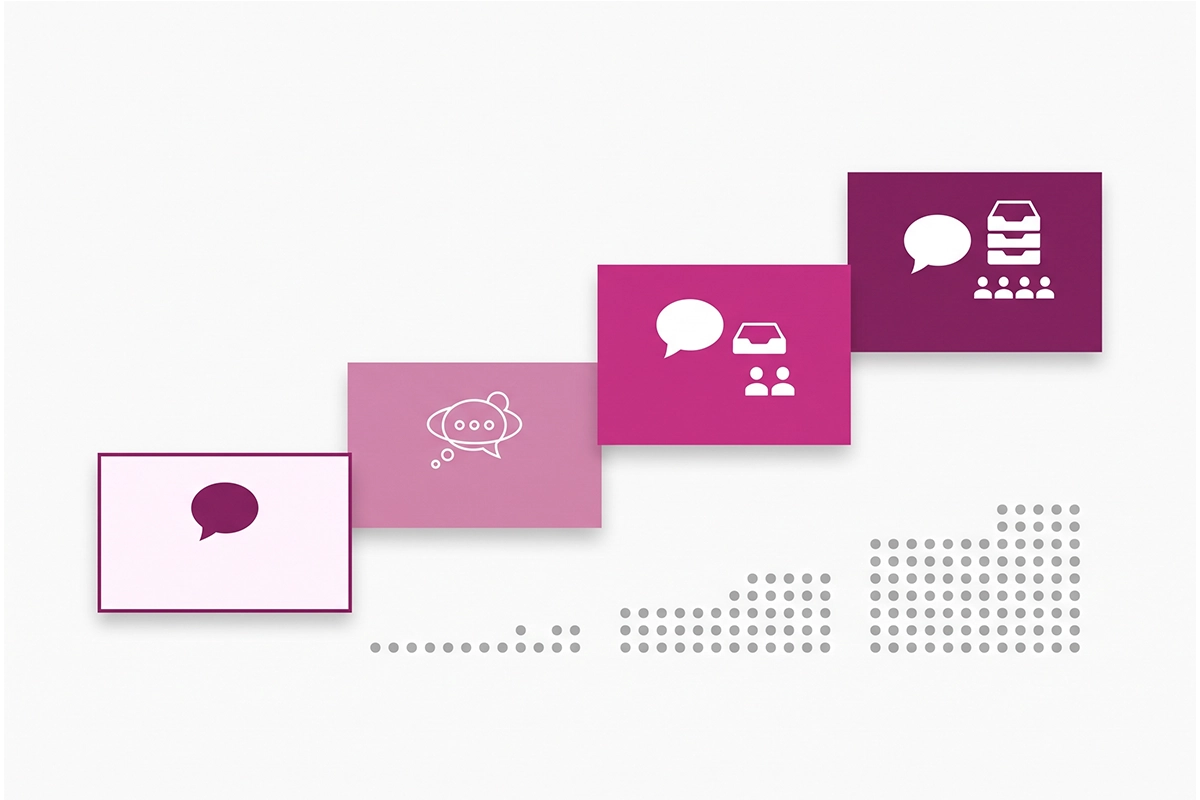
Under 100 conversations a month: the Shopify Inbox agent. It costs $0, and the settings take about half a day.
100 to 500 a month: stay on Inbox if most questions arrive on your storefront. Move to Tidio with its Lyro AI agent if customers message you on Instagram, Messenger, or WhatsApp, because the Inbox agent is built for your storefront chat. Pick a managed build if you would rather not write, test, and monitor the bot yourself.
500 to 2,000 a month: this is helpdesk territory. Gorgias suits a store where two or more people answer support. Tidio suits a solo owner who still wants one inbox for every channel.
2,000 and up: a helpdesk with per-resolution AI and support staff, which is past the size this guide covers.
| Tool | How it bills | Entry price | Fits | Setup time |
|---|---|---|---|---|
| Shopify Inbox agent | Free | $0 | Under 500 storefront conversations | Half a day |
| Tidio with Lyro | Plan plus an AI allowance | Starter from $24.17 a month, Lyro from $32.50, billed annually | Solo owners with social channels | About 2 days |
| Gorgias with AI Agent | Ticket plan plus a fee per AI resolution | $10 for 50 tickets or $60 for 300, plus about $0.90 per AI resolution | Teams with 500 or more conversations | About a week |
| Managed build (Studio Niza) | Flat monthly fee | $599 setup, then $99 a month | Owners who do not want to maintain a bot | Built for you |
Prices were checked on October 3, 2026 against Tidio's pricing page and the Gorgias listing in the Shopify App Store.
For the side-by-side on actions, handoff, and cost at three volumes, read Shopify Inbox vs Gorgias vs Tidio. For the self-serve versus managed question, read how to pick a Shopify chatbot.
If your customers live in messaging apps, WhatsApp and Messenger chatbots for Shopify covers when a channel bot beats a site widget. If you sell across languages, multilingual Shopify chatbots covers where auto-translation holds up and where it does not.
What does a Shopify AI chatbot cost? Three billing models and a worked bill
The plan price tells you little about what a Shopify AI chatbot costs. What matters is how the tool bills, because that decides what happens to your invoice in a busy month.
There are three models. Flat means free or one fixed fee, whatever the volume. Allowance means the plan includes a set number of conversations and you buy a bigger tier when you pass it. Per resolution means you pay each time the AI closes a conversation by itself.

Here is a worked bill for a store with 400 conversations in a normal month, where the AI resolves half. The last column doubles the volume, which is what a Black Friday month can do.
| Setup | Normal month (400 conversations) | Busy month (800 conversations) |
|---|---|---|
| Shopify Inbox agent | $0 | $0 |
| Gorgias Basic with AI Agent | $60 plan + 200 resolutions at $0.90 = about $240 | $60 plan + $40 ticket overage + 400 resolutions at $0.90 = about $460 |
| Intercom Fin, one seat | $29 seat + 200 outcomes at $0.99 = about $227 | $29 seat + 400 outcomes at $0.99 = about $425 |
| Managed build | $99 | $99 |
The Gorgias rows use the Basic plan ($60 for 300 tickets, $40 per extra 100) and Gorgias's published AI Agent rate of $0.90 per resolved interaction on most plans. Gorgias sells those interactions in monthly bundles, so treat the totals as close estimates. The Intercom rows use its listed $0.99 per Fin outcome and $29 Essential seat.
Notice what moved. The flat bills stayed put, and the per-resolution bills nearly doubled in the one month you are already stretched. That is not a reason to avoid those tools, since you only pay when the bot resolves something. It is a reason to run your own November number before you sign.
The cost nobody quotes is your time. A self-serve bot needs a build, then an hour or two a month of reading transcripts and fixing answers. A $19 plan that takes three hours of your month is not a $19 plan.
Since I am asking vendors to show their math, here is mine. A managed bot at $99 a month carries about $15 for the AI platform, $5 to $15 in AI credits, and one to two hours of my monitoring time. The plan has a 90-day minimum, because a bot judged at day 30 has not been tuned yet.
One warning on vendor numbers. A sales page that promises 80 percent containment may be counting customers who gave up, so ask for the resolution rate and read what chatbot containment rate hides. The four price layers are covered in how much a Shopify chatbot costs in 2026.
Shopify AI chatbot setup in a weekend
A basic Shopify AI chatbot does not take a month. Two focused days cover it: knowledge on Saturday, then voice and rules on Sunday.
Saturday: build the knowledge
Write down your 15 to 20 most common customer questions and the exact answer to each. Pull them from your inbox, not your imagination. Use real numbers: days to ship, the return window, the order cutoff time, the restocking fee.
Then put those answers where the bot reads them: your policy pages, your FAQ page, your product descriptions, and Shopify's Knowledge Base app. Merchants testing the Inbox agent report the same pattern: answers buried in policy paragraphs get missed, and clear question-and-answer pairs get used.
The four sources to feed a bot are covered in how to train a Shopify chatbot on your own policies. The step from FAQ page to bot answers is in turning your Shopify FAQ into a chatbot.
Finish Saturday by telling customers they are talking to an AI and adding the chat tool to your privacy policy. The wording is in Shopify chatbot privacy.
Sunday: voice, greeting, and rules
Pick three tone words and a short list of banned phrases, then write them into the bot's persona field. That is most of the voice work, and keeping AI support on-brand shows how to phrase it.
Write a greeting that invites instead of interrupts, and do not auto-open the chat on mobile. The four-message structure is in the Shopify chatbot welcome flow. There are also 15 chatbot scripts you can copy for greetings, FAQ answers, and handoffs.
Then write the rules for what the bot must not answer alone. My short list is exact arrival dates, discount requests, refund demands, damaged shipments, health or allergy questions, and wholesale inquiries. Each one needs a person, a policy exception, or a liability check.
What to automate first
Start with the question that has the most volume and the least risk, then work down.
| Order | Job | Why it sits here | Deep dive |
|---|---|---|---|
| 1 | Order status | Highest volume, no judgment needed | How a chatbot handles “Where is my order?” |
| 2 | Pre-purchase questions | Sizing and shipping doubts block the sale | The pre-purchase chatbot |
| 3 | Product recommendations | Needs clean catalog data first | Product recommendations in your chatbot |
| 4 | Returns and refunds | Automate status checks, keep decisions human | Chatbot returns and refunds |
| 5 | Abandoned carts | A later project with modest returns | Chatbot abandoned cart recovery |
If you want to know where the revenue shows up, and where it does not, read can a Shopify chatbot increase sales.
The settings are quick: about half a day in Inbox, two days in Tidio, and a week in Gorgias. The knowledge work fills the weekend, whichever tool you pick.
Test it, then set the handoff rules
Do not let customers be the test. Before your Shopify AI chatbot goes live, ask it 25 questions yourself: five each on shipping, returns, product and fit, order status, and edge cases such as an angry customer.
Write the correct answer first, then ask the bot, then grade it. There are four verdicts.
| Verdict | What it means | What to do |
|---|---|---|
| Pass | Correct, specific, and matches your written answer | Nothing |
| Borderline | True but vague | Tighten the source text |
| Soft fail | The bot admits it does not know | Add the missing fact |
| Hard fail | The bot states something untrue with confidence | Fix it before launch |
A soft fail is fine. A hard fail costs you a refund or a customer. Re-run the test monthly, after any policy change, and twice before Black Friday, using the question list in the 25-question chatbot test.
Next, the handoff. In merchant reviews of chat apps, one complaint keeps returning: a customer with no way to reach a person. Four triggers should always send the chat to a human.
| Trigger | What it looks like |
|---|---|
| The customer asks | They type “human”, “agent”, or “talk to a person” |
| Frustration | All caps, or three short messages fired in a row |
| Two misses | The bot falls back or answers unhelpfully twice in a row |
| Money or policy | A refund dispute, a damaged order, or anything needing an exception |
When the bot hands off, pass a short summary: who the customer is, the order number, what they asked, and what the bot already tried. After hours, tell the customer when a person will reply, with a real time frame. The design is in when a Shopify chatbot should hand off to a human.
The principle behind all of it: automate answers, not decisions.
Which chatbot metrics matter?
One number matters more than the rest: resolution rate, the share of conversations where the bot solved the problem. Deflection only tells you the customer did not reach a human. A customer who gave up looks identical to a customer who got a perfect answer.
For a well-built AI chatbot on a small store, a realistic resolution rate is 40 to 70 percent. Treat anything higher with questions about how it was counted. The difference is laid out in chatbot resolution rate vs deflection rate.
| Metric | Verdict | Why |
|---|---|---|
| Resolution rate | Watch | Did the bot fix the problem |
| Handoff rate | Watch | The trend, and how smooth handoffs are |
| First-response quality | Watch | Spot-check accuracy weekly |
| Order-status containment | Watch | Tracking questions handled alone |
| Sales-assisted sessions | Watch | Chats that precede an order |
| Satisfaction on bot-resolved chats | Watch | 75 to 85 percent is healthy |
| Total conversations handled | Ignore | Volume says nothing about outcomes |
| Deflection rate on its own | Ignore | Counts people who gave up |
| Average response time | Ignore | Every bot is fast |
The full scorecard is in the 6 Shopify chatbot metrics worth watching.
The habit beats the dashboard. Read 10 to 15 real transcripts a week. It takes 30 minutes, and it catches incorrect answers before your satisfaction score does.
The same transcripts tell you what shoppers want that you do not sell yet, which is the subject of reading chatbot transcripts as market research. For the week-by-week tuning plan after launch, see the first 30 days of a Shopify chatbot.
The mistakes that quietly cost sales
Most underperforming bots share the same short list of problems, and most take minutes to fix.
| Mistake | Fix |
|---|---|
| There is no way out to a human | Add a visible “Talk to a person” option |
| The greeting auto-opens and interrupts | Turn off auto-open on mobile |
| It was trained on the homepage and little else | Feed it your ten most asked questions |
| It dead-ends after hours | Add an after-hours message with a reply time |
| Nobody reads the transcripts | Block 30 minutes a month for them |
| The tone fights your brand | Three tone words and a banned phrase list |
| It was never updated after a policy change | Update the bot the same day the policy changes |
Each one is expanded in 7 Shopify chatbot mistakes that quietly lose sales.
Two items are specific to this autumn. The first is that Shopify is retiring script tags, the old way apps injected code such as chat bubbles into a storefront. According to Shopify's developer documentation, apps can no longer create or update script tags after October 1, 2026, and Shopify stops adding them to storefronts on March 1, 2027.
Your widget still works today. Open your theme editor and look under App embeds. If your chat app is listed there, it has already moved, and if not, ask the developer when it will.
The second is Black Friday, which falls on November 27, under eight weeks away. Train the bot on your holiday shipping cutoffs and sale terms now, using the dated plan in Shopify chatbot holiday prep.
Wrapping up
The short version of this Shopify AI chatbot guide fits in three lines. Count your conversations before you compare tools. Start with the free Inbox agent if you are under 100 a month. Pay only when volume, channels, or your own time make the free tool the expensive option.
Whatever you choose, the work that decides the result is the same. Write real answers with real numbers. Ask the bot 25 questions before customers do. Give every customer a way to reach a person, and read the transcripts.
None of it is done once. Policies and products change, and a bot that was accurate in October can be confidently out of date by December. Plan on an hour or two a month for as long as the bot is live.
If you only do one thing this week, open your inbox and tally the last 30 days by topic. That list tells you whether you need a bot, what to train it on, and which of the 37 posts linked above is worth your time next.
Prices and features on this page were last verified on October 3, 2026. I update it when they change.
Rather not build this yourself?
The Studio Niza AI Chatbots service covers the knowledge build, the 25-question test, the handoff rules, and weekly monitoring. $599 setup, then $99 a month flat.
See how the chatbot service works →Or email contact@studioniza.com if you have a specific question about your store. I read every one.
Frequently asked questions
If you're still unsure after reading these, just send the question.
What is the best AI chatbot for Shopify in 2026? +
It depends on your monthly conversation volume. Under 100 conversations, the free Shopify Inbox agent is the best fit. From 100 to 500, stay on Inbox or use Tidio with Lyro if customers message you on social channels. Above 500, a helpdesk such as Gorgias with its AI Agent makes sense for a team.
Is the Shopify Inbox AI agent really free? +
Yes. The Inbox app and its AI agent cost nothing on top of your Shopify subscription. You need the Basic, Grow, Advanced, or Plus plan, the Inbox app installed, and new customer accounts turned on.
Can a Shopify chatbot process refunds or cancel orders? +
The Shopify Inbox agent cannot. It answers questions, recommends products, adds items to the cart, and looks up orders for signed-in customers. Some paid tools can take actions like refunds, but an incorrect action is hard to reverse, so most small stores should keep those decisions with a person.
How long does it take to set up an AI chatbot on Shopify? +
The settings take about half a day in Shopify Inbox, about two days in Tidio, and about a week in Gorgias. The real work is writing clear answers to your 15 to 20 most common questions, which takes a weekend whichever tool you choose.
How many support conversations a month justify a paid chatbot? +
Around 100 a month, or about 20 a week, is where a paid tool starts to make sense. Below that, the free Shopify Inbox agent or answering by hand costs less. Watch for three signals: repeat questions, unanswered off-hours chats, and customers asking for actions.
What resolution rate should I expect from a Shopify AI chatbot? +
A well-built AI chatbot on a small store resolves 40 to 70 percent of conversations by itself. Rule-based bots land lower, around 20 to 35 percent. If a vendor promises more than 80 percent, ask whether they are counting resolved problems or just customers who left the chat.
Does my chat widget still work after Shopify's October 2026 script tag change? +
Yes, for now. Since October 1, 2026 apps can no longer create or update script tags, and Shopify stops loading them on storefronts on March 1, 2027. Check that your chat app appears under App embeds in your theme editor, which means it has already moved to the new method.
What happens to my chatbot if I cancel the subscription? +
With a self-serve app, the bot stops and you may lose your configuration unless the tool lets you export it. With a managed service like Studio Niza's, the monthly fee covers hosting, monitoring, and tuning, so the bot stops working when you cancel. Ask any vendor this question before you sign up.